Social Wall
  Feed Analytics

Is Trustpilot worth paying for?
You claimed your free profile and started collecting reviews. But the premium features are locked behind $99+ a year plans.
Meanwhile, your competitors show star ratings on their websites and in Google, and you’re not sure how they’re doing it.
At Smash Balloon, I’ve spoken with hundreds of small business owners stuck in this exact spot.
Almost all of them assumed the paid plan was the only way to get those stars showing up everywhere. Most of them were wrong.
The real answer depends on what type of business you run. And there’s a trust-building win you can grab today without upgrading anything.
This guide breaks down exactly when Trustpilot’s paid plan is worth it, and when it isn’t.
It also shows you how to display your existing reviews on your website today so your reviews can directly help your business grow.
- The Short Answer: Is Trustpilot Worth It?
- What You Actually Get on the Free vs. Paid Trustpilot Plan
- When Trustpilot Is Worth It for Your Business
- When Trustpilot Probably Isn't Worth It
- The Mistake Most Small Businesses Make with Their Reviews
- How to Display Your Trustpilot Reviews on Your WordPress Website
- Trustpilot vs. Google Reviews: Which One Should You Use?
- Start Displaying Your Reviews Where Buyers Actually Decide
The Short Answer: Is Trustpilot Worth It?
For most small businesses, yes, Trustpilot is worth it, but only if you are in the right industry and use it the right way.
The free plan alone gives you access to a globally recognized review platform that shoppers actively trust.
That said, Trustpilot works much better for some businesses than others. Before you invest any time or money into it, it is worth knowing which side of that line you fall on.
| Worth it if you are… | Probably not worth it if you are… |
|---|---|
| An ecommerce store | A local service business (plumber, landscaper) |
| A SaaS product | A B2B company with long sales cycles |
| A financial services provider | A niche business where buyers don’t know Trustpilot exists |
| A travel or booking company | A business where most leads come from referrals |
Don’t worry if you are not sure where you land yet. The sections below walk through each business type in detail so you can see exactly what Trustpilot can and cannot do for you.
What You Actually Get on the Free vs. Paid Trustpilot Plan
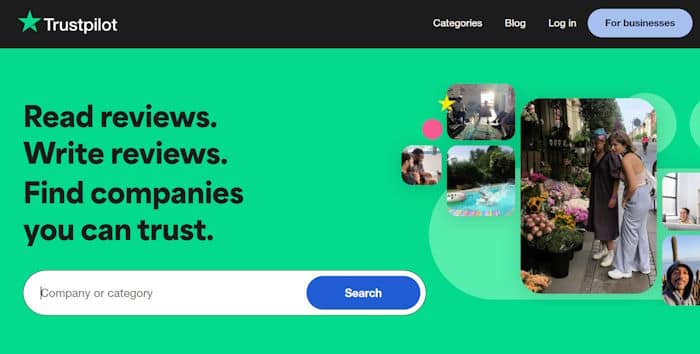
Here is the honest truth: the free Trustpilot plan is useful, but it is deliberately limited.
Trustpilot gives you enough to get started, then holds back the tools that make reviews work harder for your business.
Before you decide whether to upgrade, you need to see exactly what you are and are not getting.
| Feature | Free Plan | Paid Plan (~$99+/year) |
|---|---|---|
| Customers can leave reviews | Yes | Yes |
| Automated review invitation emails | No | Yes |
| TrustBox widgets for your website | No | Yes |
| Google Seller Ratings integration | No | Yes |
| Profile customization | Limited | Yes |
| Competitor benchmarking | No | Yes |
| Flag or request review removal | Limited | Yes |
The free plan lets customers find your profile and leave reviews.
But you still need a way to invite customers to leave a review, or ways to easily display those reviews on your website.
The good news is, you already have more leverage than you think, and we will show you how to use it.
When Trustpilot Is Worth It for Your Business
Trustpilot delivers real, measurable value in four specific business categories. If your business falls into one of these, the paid plan is a serious investment worth making.
1. Ecommerce Stores Running Google Shopping Ads
Trustpilot is a Google Licensed Review Partner, which means paid plans can unlock seller ratings that appear directly inside your Google Shopping ad units.
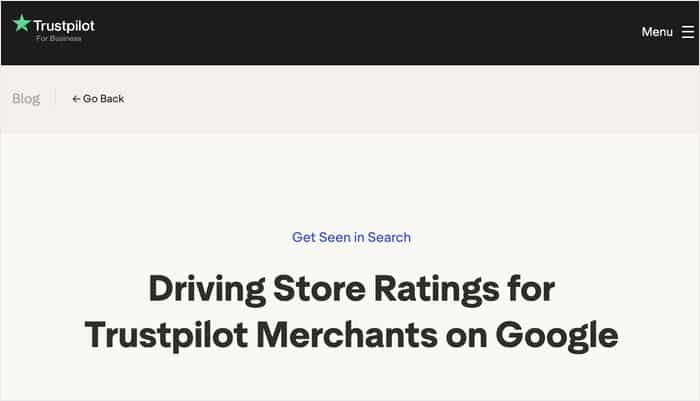
A shopper scrolling through product listings sees your star rating before they ever click your site.
An online mattress retailer running Shopping campaigns, can show a 4.8-star rating right inside the ad. That kind of visibility at the decision moment is hard to replicate any other way.
2. SaaS Products in Competitive Categories
B2B software buyers do not just trust the vendor’s website. They cross-check on G2, Capterra, and Trustpilot before they ever book a demo.
If your SaaS product competes in a crowded space like project management or accounting software, a strong Trustpilot profile shows that real customers vouch for you.
A 4.5-star profile showing 300 verified reviews can tip a hesitant buyer faster than any feature comparison page.

3. Travel and Booking Businesses
Trustpilot has deep consumer recognition in the travel sector, where shoppers spend hundreds or thousands of dollars on bookings they cannot easily undo.
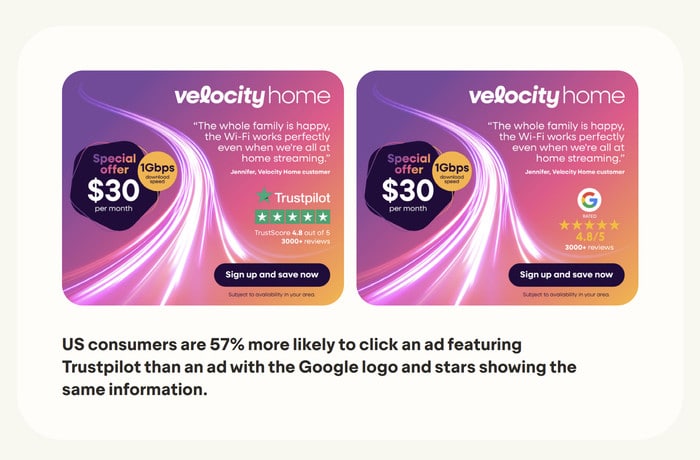
Trustpilot’s own research shows that Trustpilot-backed listings drive 57% higher click-through rates than alternatives.
For a tour operator, vacation rental company, or travel agency, that visibility boost at the search stage is worth taking seriously.
3. Financial Services and Insurance Providers
Trust signals carry extra weight when money is on the line. Shoppers looking at loan providers, insurance quotes, or investment platforms are already on high alert for scams.
Trustpilot’s brand recognition in this space actively reduces buyer hesitation.
A small online lender with a verified Trustpilot profile signals legitimacy in a way that a generic “customers love us” banner simply cannot match.
When Trustpilot Probably Isn’t Worth It
Trustpilot is a strong platform, but it is not the right fit for every business. Paying $99+ a year for a tool that does not match how your customers actually buy is money you can put to better use.
Here are four situations where the paid plan is hard to justify.
1. You run a local service business.
Plumbers, electricians, landscapers, dentists, and HVAC companies all share the same reality: your customers search Google and check Google Reviews, not Trustpilot.
When someone searches “emergency plumber near me,” they see your Google Business Profile star rating right there on the results page.
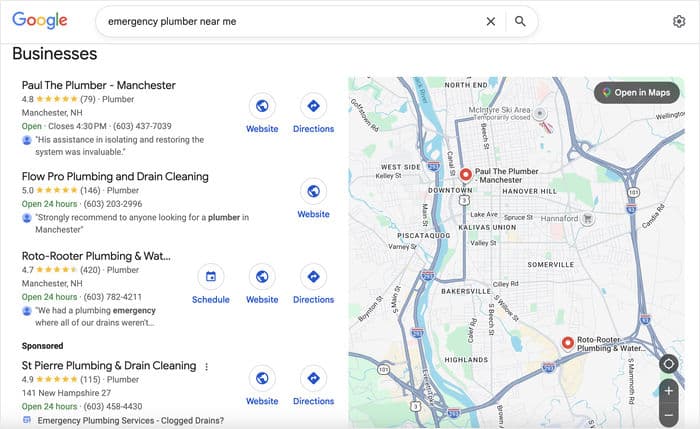
Paying for Trustpilot while your Google Business Profile sits incomplete or neglected is working backwards.
Expert Tip: For those cases, you can check out our detailed tutorial on how to get more Google reviews for your business.
2. You sell B2B with a long sales cycle.
If your buyers take three to six months to evaluate a $50,000 software contract or a managed services agreement, Trustpilot might not be the deciding factor.
References, case studies, security questionnaires, and live demos carry the weight in those conversations.
Trustpilot’s format is built for high-volume and fast decisions, but long sales cycles need a different playbook entirely.
3. Your customers have never heard of Trustpilot.
A five-star Trustpilot widget on your site will not build confidence with an audience that does not know what they are looking at.
According to Trustpilot’s own research, 21% of people are unmoved by Trustpilot scores, and 7% actually distrust them.
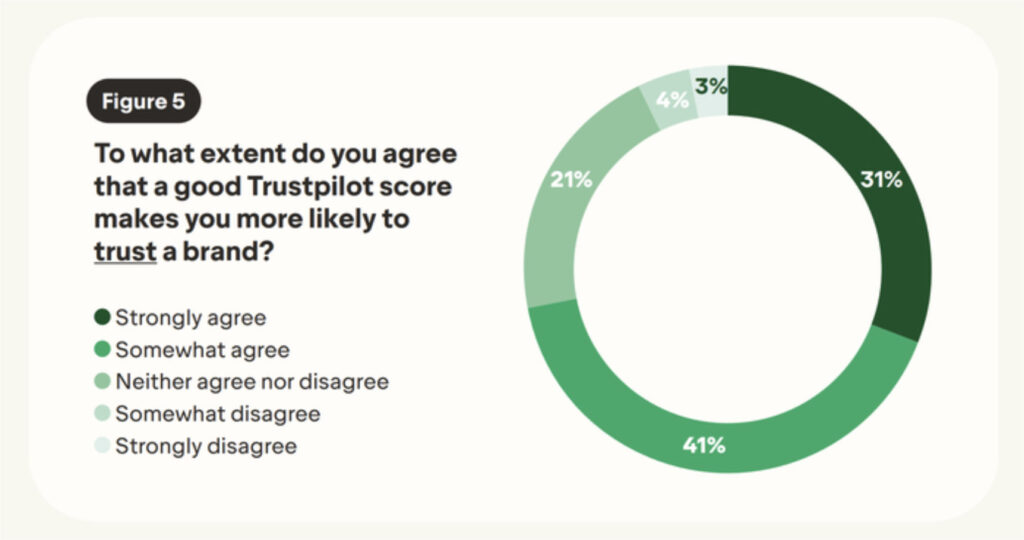
Social proof only works when the audience recognizes the source. If you sell handmade ceramics, or niche industrial parts, your buyers may have never seen a Trustpilot badge in their life.
So, you’ll have to match your trust signals to what your specific buyers already recognize.
4. You have very few reviews and you are just getting started.
Trustpilot’s value compounds with review volume. Four reviews on a paid plan is a weaker signal than forty reviews on a free plan.
If you are still in the early days, put your energy into collecting reviews first, not into unlocking features.
The paid plan will make more sense once your profile has enough reviews to be genuinely persuasive.
If any of these describe your business, here is what to do instead: stay on the free Trustpilot plan, build up your Google Reviews, and display both on your website.
The Mistake Most Small Businesses Make with Their Reviews
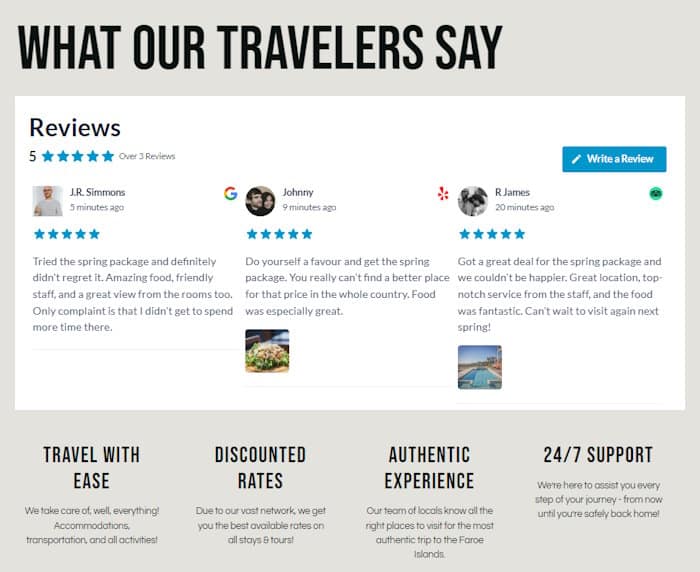
You have spent months collecting Trustpilot reviews. They live on Trustpilot’s website. A potential customer lands on your homepage and sees… nothing.
That is the mistake. And almost every small business makes it.
Your reviews are working for people who are already searching on Trustpilot. But your reviews are doing zero work for the visitors already on your website.
Those visitors need social proof right now, in the moment they are deciding.
Here is why that gap matters: Spiegel Research Center found that displaying five or more reviews on a product page can increase conversions by up to 270%.
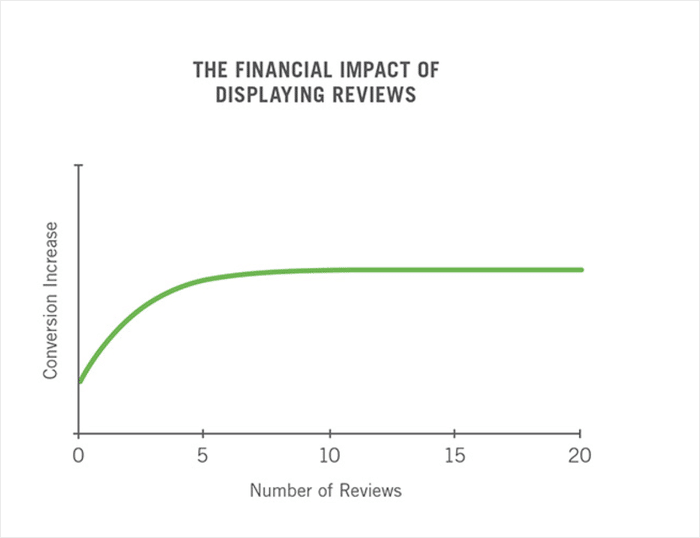
That boost in sales comes from having reviews visible at the exact moment a shopper is weighing whether to trust you.
Think about it this way. Every visitor you drive to your site through ads, SEO optimization, or social media lands on a page that could be converting better.
Tip #1: Embed your existing Trustpilot reviews directly on your WordPress website using Reviews Feed Pro
Reviews Feed Pro pulls your live Trustpilot reviews and displays them natively on any page or post on your WordPress site.
No paid Trustpilot plan is required, and your existing reviews start working for every visitor the moment you publish the feed.
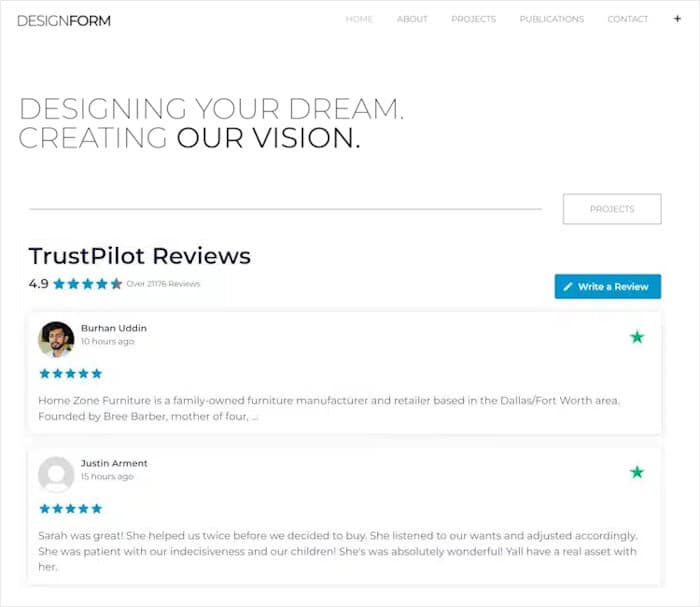
You publish the feed, your reviews go live, and Google picks it up on its next crawl to give you an SEO boost as well.
On top of showing Trustpilot reviews, this tool lets you maximize social proof by displaying testimonials from:
- Google Reviews
- Yelp
- Tripadvisor
- WordPress.org
- WooCommerce
Regardless of the review platform you pick, Reviews Feed Pro can act as an all-in-one tool to help you collect social proof, boost conversions, and build trust.
How to Display Your Trustpilot Reviews on Your WordPress Website
Here’s the part most guides leave out: you can show your Trustpilot reviews anywhere on your WordPress site without a paid Trustpilot plan.
Ready to get started? Get Smash Balloon Reviews Feed Pro here and follow the steps below:
Step 1: Create Your First Reviews Feed
Once Reviews Feed Pro is active, go to Reviews Feed » All Feeds in your WordPress dashboard.
Click Add New to create a new feed.

Since it’s your first time with the plugin, click on Add Source.
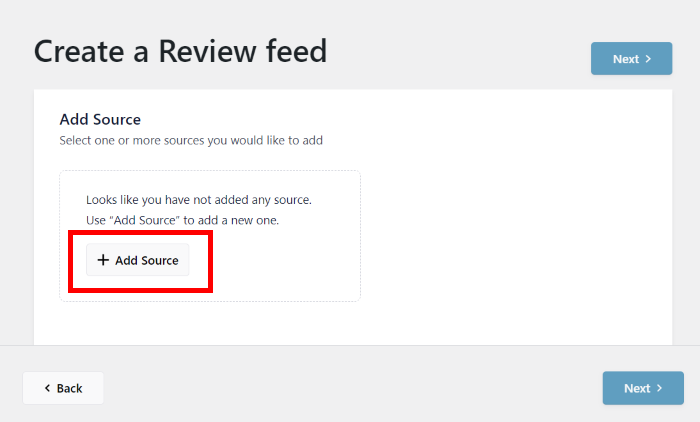
That way, you can connect your Trustpilot business as the source.
Select Trustpilot as your review source, on the popup.
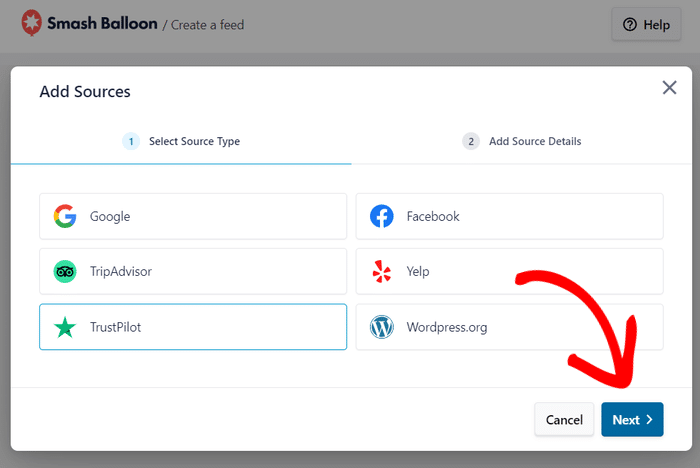
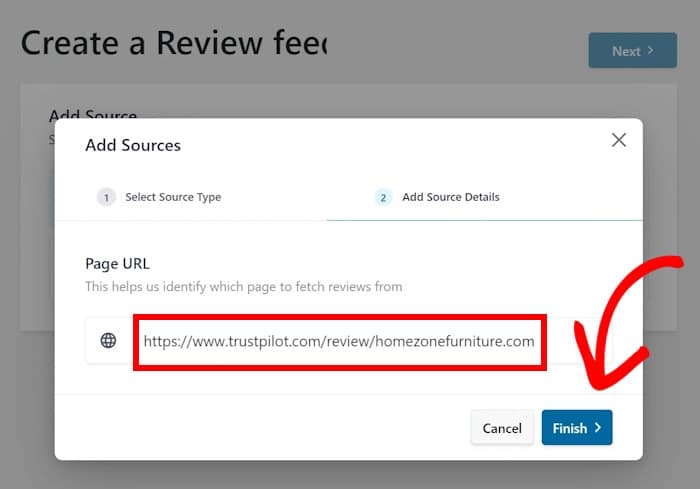
Next, you can enter your Trustpilot business domain name, and click on Finish.
No API keys, no developer help, and no paid Trustpilot plan required.
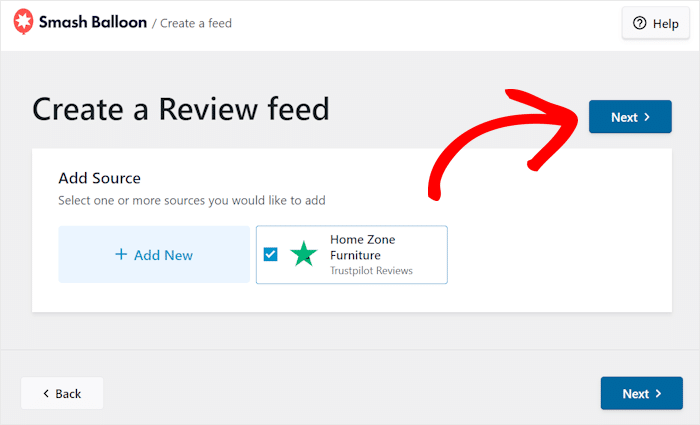
Finally, confirm this source and click on Next to move to step 3.
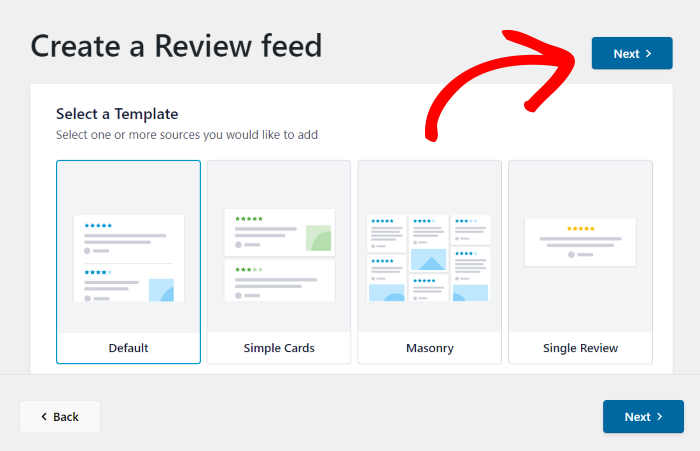
Step 2: Pick a Template
After connecting your account, you’ll choose a starting template for how your reviews display.
Each one looks clean and professional straight out of the box.
So, you can select whichever fits the design you have in mind and click on Next.
Step 3: Customize Your Feed in the Visual Customizer
The Visual Customizer lets you adjust colors, review elements, and layout styles to match your existing site design.
The whole process takes about five minutes, and you can track the changes with the live preview.
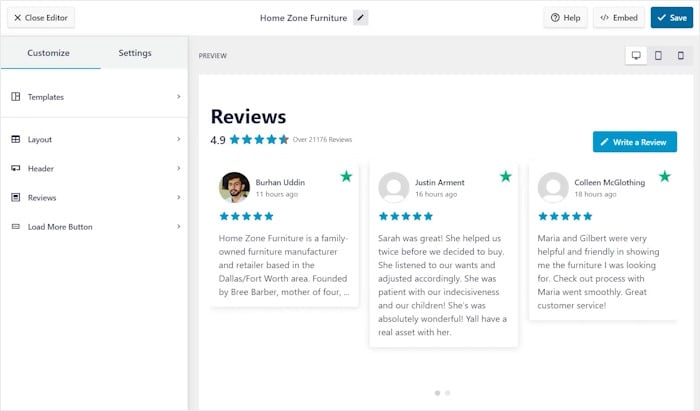
That way, your feed ends up looking like it belongs on your site. Just remember to click on Save at the end.
Step 4: Filter Your Reviews
Inside the Visual Customizer, open the Settings tab and select Filters.
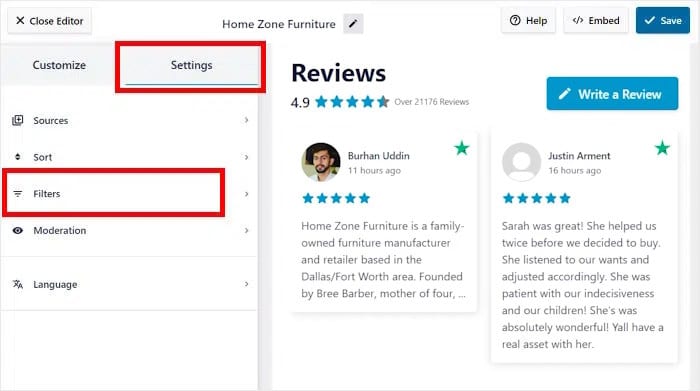
You can filter reviews by star rating, keywords, or word count.
I recommend filtering to show only four- and five-star reviews, especially if you’re just getting started.
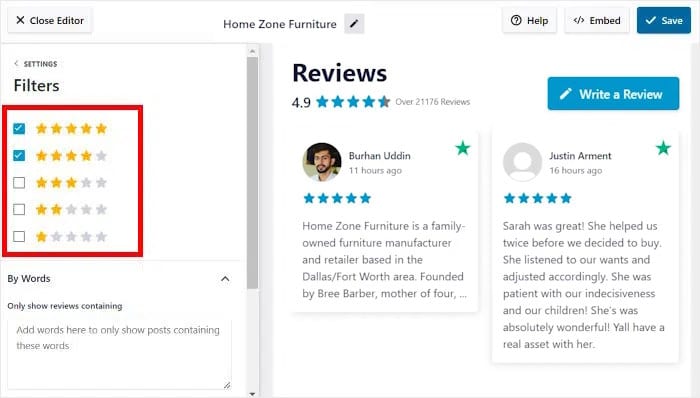
This keeps your feed focused on your strongest social proof.
Step 5: Embed the Feed Anywhere on Your Site
To start embedding the feed, click on the Embed button at the top.
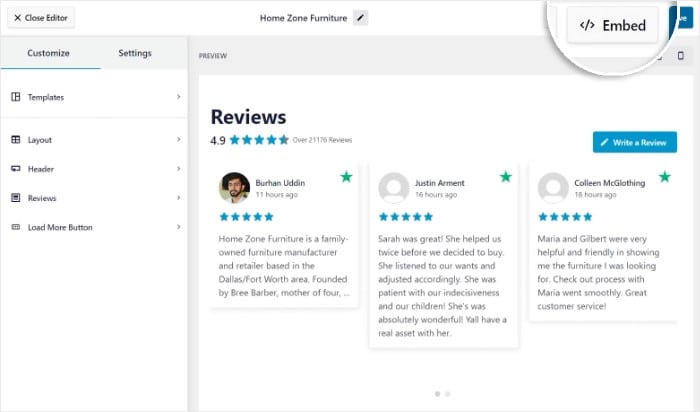
After that, you can use the popup to select where you want the feed to go.
You can add the Trustpilot reviews to any page, in your sidebar, or in your footer.
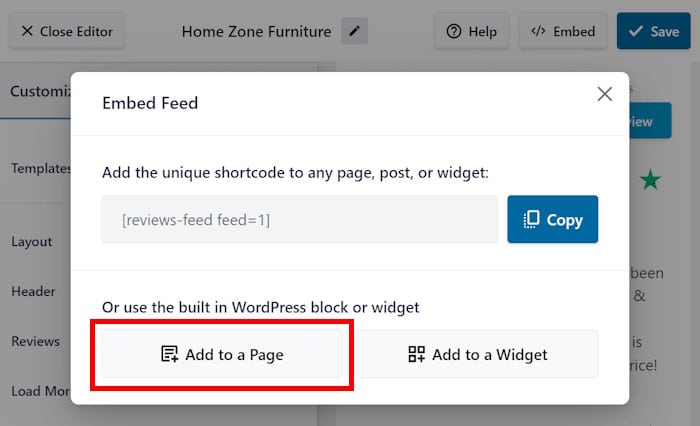
Just add the Reviews Feed block in the editor and select your feed. No need to deal with embed codes or shortcodes.
Trustpilot vs. Google Reviews: Which One Should You Use?
Both platforms are free to start, but they work very differently.
Google Reviews is built into Google Search and Maps. That makes it the default choice for most local businesses. Trustpilot is better known in ecommerce, SaaS, and financial services.
Here is a side-by-side look at how the two platforms compare:
| Google Reviews | Trustpilot | |
|---|---|---|
| Cost | Free | Free tier available; paid plans from $99+/year |
| Best for | Local and service businesses | Ecommerce, SaaS, financial services |
| Google Search integration | Native (built in) | Paid plan required |
| Consumer brand recognition | Very high | High in specific categories |
| Review invite tools | Via Google Business Profile | Paid plan only |
| Embedding on your website | Via Reviews Feed Pro | Via Reviews Feed Pro |
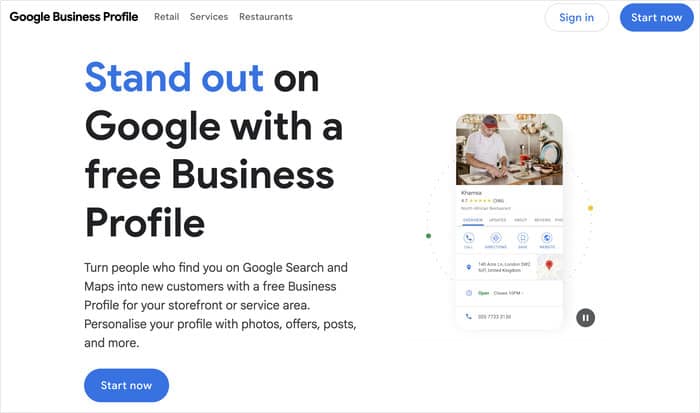
For most small businesses, start with Google Reviews. It is free, connects directly to Google Search, and drives real local SEO benefits.
Add Trustpilot once your Google profile is solid. This matters most if your customers compare services online before they contact you.
If you run an e-commerce store or SaaS product, flip that priority. Trustpilot carries more weight with those buyers.
Here is what both platforms have in common: reviews only work hard for you when visitors can actually see them on your site.
Whichever platform you choose, displaying reviews on your own pages is where the conversion lift happens.
Frequently Asked Questions
Is Trustpilot free to use?
Yes, Trustpilot has a permanent free plan. You can claim your business profile, respond to reviews, and receive reviews from customers organically at no cost. The paid plan unlocks proactive review invitation tools, TrustBox widgets, and analytics dashboards.
Can customers leave Trustpilot reviews without me having a paid plan?
Yes. Any customer can leave a review on your public Trustpilot profile regardless of your plan tier. The paid plan lets you invite customers to leave reviews, but it does not control whether customers can find your profile and leave one on their own.
Does Trustpilot remove fake or negative reviews?
Trustpilot has a moderation system, and businesses can flag reviews they believe violate the platform’s guidelines. Paid plans give you faster access to flagging tools and dedicated support for disputed reviews. Trustpilot does not remove reviews simply because they are negative, as that would undermine the platform’s credibility with consumers.
Can I embed Trustpilot reviews on a non-WordPress website?
Trustpilot’s paid plan includes native TrustBox widgets that work on any website. For WordPress users, Smash Balloon’s Reviews Feed Pro is a more flexible and customizable alternative that does not require a paid Trustpilot plan. For non-WordPress sites, Trustpilot’s free embed options are limited, so the paid plan is worth considering in that specific case.
Start Displaying Your Reviews Where Buyers Actually Decide
Trustpilot’s paid plan is a smart investment if you run an e-commerce store, SaaS product, or financial services business.
For most other small businesses, the free plan paired with smart review display gives you the same trust signal for a fraction of the cost.
The fastest win you can grab today is embedding the Trustpilot reviews you already have on your homepage and product pages.
You just need a tool that displays them where your visitors are already looking.
Get Smash Balloon Reviews Feed Pro and start turning your existing Trustpilot reviews into on-site social proof today.