Social Wall
  Feed Analytics

Quick answer: YouTube is worth it for a small business in 2026 if three things are true: your customers search for answers you can teach, your market is bigger than one town, and you can publish at least monthly for a year before judging results. If you are hyperlocal or cannot commit to a schedule, put the time into short-form instead.
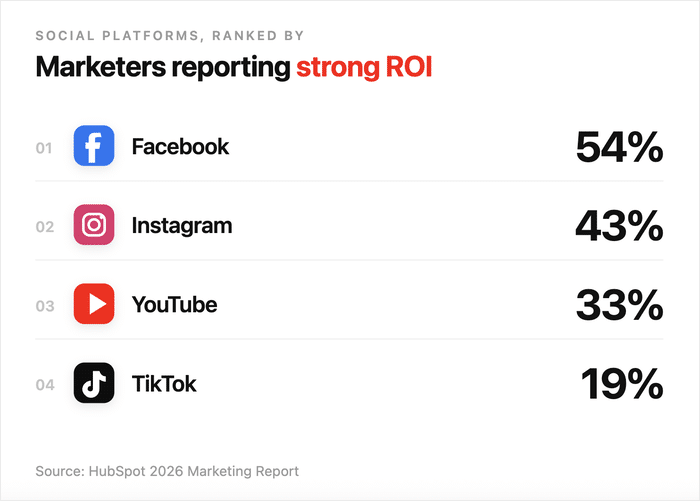
On the numbers: HubSpot puts YouTube third for reported ROI at 33%, behind Facebook at 54% and Instagram at 43%. What YouTube has that they do not is shelf life. A video can rank for years.
The thing most owners get wrong: they treat YouTube as a separate channel. Embedding your feed on your own site turns visitors you already have into subscribers.
Is YouTube worth the time for your small business in 2026?
At Smash Balloon, I help business owners get more out of the video content they’re already creating and I’ve talked to a lot of people who were stuck on this exact question.
Most of the YouTube-quitters I’ve spoken with didn’t have a content problem.
They had a distribution problem. Their videos lived on YouTube alone, waiting to be discovered, instead of working for them on the website they already own.
I’ll give you a straight verdict on whether YouTube is worth your time in 2026, when it pays off, when it doesn’t, and the shift that turns a flatlining channel into one that grows your business.
If you’ve already tried YouTube and felt invisible, by the end you’ll know what to do next.
- Is YouTube Worth It for Small Businesses [The Short Answer]
- The Numbers Behind YouTube's ROI
- When YouTube Is Genuinely Worth It for a Small Business
- When YouTube Probably Isn't Worth It (Be Honest with Yourself)
- YouTube vs. Other Platforms: An Honest Comparison
- A Real Reason Many Small Business YouTube Channels Die
- "But My Videos Only Get 10 Views"
- How to Turn Site Visitors into YouTube Subscribers (The Mechanism)
- If You Do Start, Do These Things First
- Track Whether YouTube Is Actually Sending You Traffic
- Start Embedding Your Channel Today
Is YouTube Worth It for Small Businesses [The Short Answer]
Four signals decide it, and you can check yourself against them in about a minute. Hit three or more, and the time investment pays back.
Think of YouTube as the world’s second-largest search engine, sitting right next to Google. That kind of reach is hard to ignore, especially when a single video can keep pulling in customers for years.
Here’s the short version of when YouTube actually pays off for a small business:
| Signal | What it means in practice | Payoff |
|---|---|---|
| Educational content | Your customers already search questions about your industry on Google or YouTube so you have a built-in audience waiting for answers. | High |
| Broad reach | Your audience extends beyond a single neighborhood. Regional, national, or niche-but-global topics give search demand room to compound over time. | High |
| Site embedding | You plan to embed videos on pages your existing traffic already visits, and those pages will always outperform a standalone channel page. | High |
| Consistent uploads | You can commit to a simple weekly schedule. Regularity beats production quality, and one polished video with no follow-up loses every time. | High |
If you’ve already tried YouTube and felt like you were shouting into the void, don’t worry.
The fix is almost always distribution, not content, and the rest of this guide will walk you through exactly how to set that up.
The Numbers Behind YouTube’s ROI
Two numbers get quoted in every “is YouTube worth it” article, and they are measuring different things. Worth separating them before you make a decision on either.
Video marketing overall: Wyzowl’s annual survey finds 82% of marketers say video delivers good ROI in 2026. That is a strong majority, but it is down from 93% the year before, so the trend is worth noting alongside the number.
YouTube specifically: HubSpot’s 2026 report puts YouTube third among social platforms for reported ROI:
- Facebook: 54% of marketers report strong ROI
- Instagram: 43% report strong ROI
- YouTube: 33% report strong ROI
- TikTok: 19% report strong ROI
So video works, and YouTube is not the fastest way to get returns from it. Facebook and Instagram pull ahead mostly because they need less production work per post.
What YouTube has that no other platform offers is shelf life. A Facebook post fades in a day, and an Instagram Reel is irrelevant in 48 hours.
A YouTube video can keep showing up in search results for years, quietly pulling in viewers long after you’ve moved on to the next upload.
The numbers back this up in a few other ways worth knowing:
- Average CPM on YouTube ads sits at roughly $3.50, with an average CPC near $0.49, which is cheaper than most paid social channels.
- Short-form video delivers the highest ROI of any video format at 41%, so YouTube Shorts are a great way to test the waters.
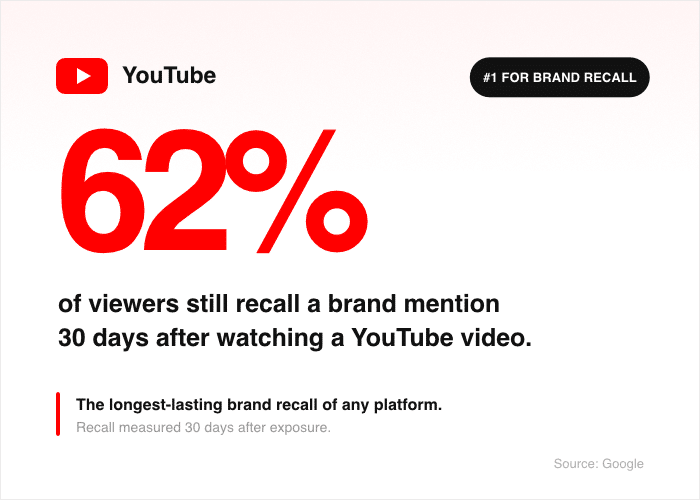
- 62% of viewers recall brand mentions 30 days after watching a YouTube video, the longest brand recall of any platform (Google data).
Here’s the honest framing you should walk away with. YouTube’s ROI is strong if two things are true: your content quality is good enough to hold attention, and your audience is searching for what you create.
If you can check both of those boxes, the math works in your favor.
The good news is you don’t need a Hollywood budget to clear that bar. You just need to point a camera at problems your customers already want solved.
Expert Tip: Want to learn why authenticity matters for video content? Check out our guide on why raw video is outperforming polished content.
When YouTube Is Genuinely Worth It for a Small Business
Not every small business needs a YouTube channel, but some are practically built for one.
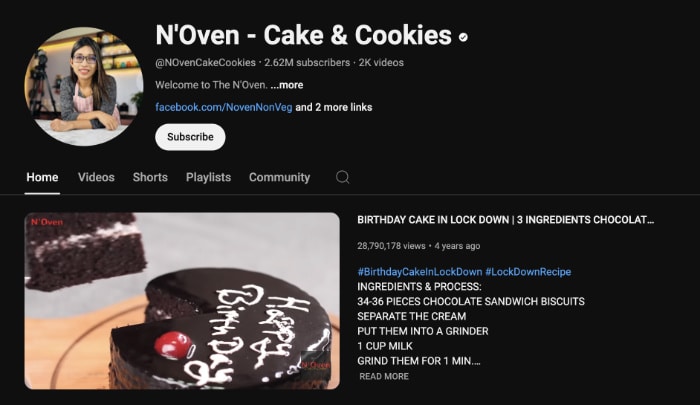
Here are the five situations where YouTube earns its time investment, based on what I’ve seen work for Smash Balloon customers:
| Situation | Why it works | Who it fits |
|---|---|---|
| Educational content | Your customers actively search for answers your business already knows: teachable moments become discoverable content. | Coaches, trades, consultants, instructors, service businesses |
| Wide audience reach | National or international audiences give content room to compound. A single zip code rarely has enough search volume to make video pay off. | Businesses selling beyond a local market |
| Evergreen traffic | YouTube videos rank in Google search and stay discoverable for years: 69% of marketers rate it highest for long-term effectiveness (HubSpot). | Businesses targeting stable, recurring search topics |
| Research-heavy buyers | B2B buyers and high-ticket shoppers study before they commit. Reviews and walkthroughs often influence the decision before they ever reach out. | B2B, high-ticket, and complex service businesses |
| Existing video content | Repurposing TikTok or Reels clips into YouTube Shorts takes minimal extra effort and gives filmed content a second home. | Businesses already creating short-form video |
If you checked at least three of those, the rest of this guide is for you.
When YouTube Probably Isn’t Worth It (Be Honest with Yourself)
YouTube is not the right move for every small business, and pretending it is wastes a quarter of your time. Here are the four situations where you should skip YouTube and put your energy somewhere else.
- You’re Hyperlocal: A single restaurant, a local plumber, or a one-town contractor will struggle to find search demand on YouTube. People looking for a plumber in a 5-mile radius open Google Maps, not a video search bar.
- No Educational or How-To Angle: Some products and services don’t lend themselves to teachable video content people would actually search for. If you can’t list ten questions your customers ask, YouTube is the wrong format for you.
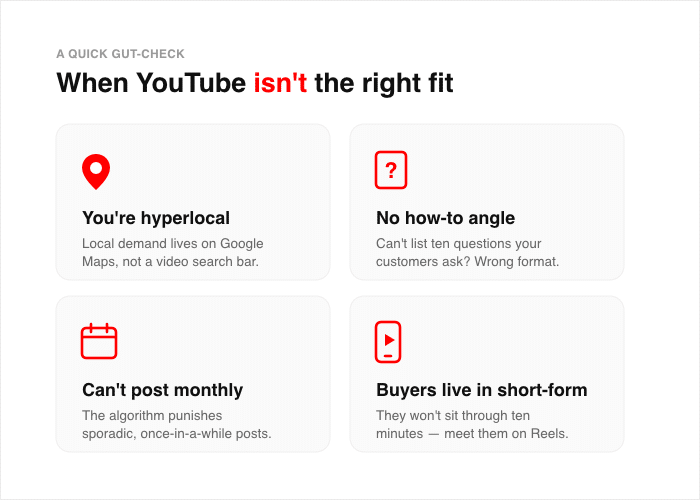
- No Capacity for Monthly Uploads: YouTube’s algorithm punishes sporadic posting, so a channel with one video every six months will not gain traction. You need to commit to at least monthly uploads for a full year before you can fairly judge the results.
- Your Buyers Live in Short-Form: If your audience scrolls TikTok and Instagram Reels all day, they will not sit through a 10-minute video. A 30-second clip on the platforms they already use will reach them faster.
If you saw yourself in this list, that’s actually useful information.
It means you can spend your time on short-form instead. Instagram outranks YouTube on reported ROI at 43% versus YouTube’s 33%, based on the HubSpot breakdown shared earlier, and short-form needs far less production time per post.
YouTube vs. Other Platforms: An Honest Comparison
Before you commit to YouTube, it helps to see how it actually stacks up against the other platforms competing for your time.
YouTube sits in third place for reported ROI, which surprises most small business owners. Facebook and Instagram pull ahead because their posts take less time to produce and get faster engagement.
So why pick YouTube at all? Because it’s the only major platform where your content holds long-term search value.
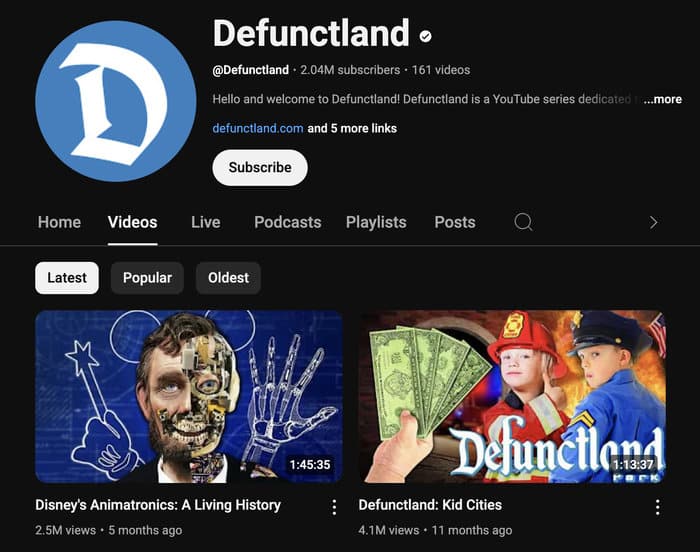
A Facebook post fades in a day. An Instagram Reel is buried by the weekend. A YouTube video can rank in Google and YouTube search for years, quietly sending you traffic every month without another minute of work from you.
That changes how you should frame the choice between platforms:
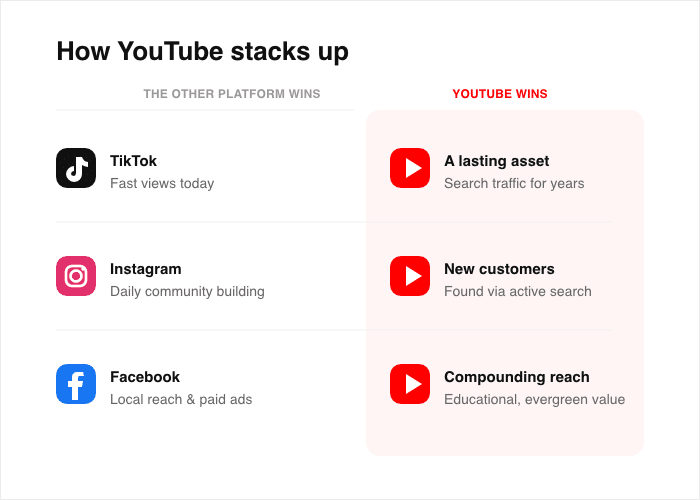
- YouTube vs. TikTok: The real question is whether you want short-term reach or long-term search traffic. TikTok hands you fast views today, while YouTube builds an asset that pays out for years.
- YouTube vs. Instagram: Instagram wins for daily community building with current customers. YouTube wins for getting found by new customers who are actively searching for help.
- YouTube vs. Facebook: Facebook works well for local audiences and paid ads. YouTube works better for educational content that needs room to compound.
Most small businesses actually benefit from running two platforms at once, not picking just one.
A short-form platform like TikTok or Reels for quick reach, paired with YouTube for searchable, evergreen content, gives you the best of both worlds.
The good news is you don’t have to choose perfectly on day one. Start with the platform that fits your content style today, then add the second one once you have a rhythm going.
A Real Reason Many Small Business YouTube Channels Die
After helping hundreds of small business owners with their video content at Smash Balloon, I’ve noticed one pattern in nearly every abandoned channel.
The owners who quit YouTube within a few months all make the same mistake. They treat YouTube as a separate channel, a place they go to publish, then leave.
Here’s the shift in thinking that fixes this.
YouTube and your website are not two separate audiences. Your website already has visitors. Those visitors are the easiest subscribers you’ll ever get, but only if they meet your videos before they leave your site.
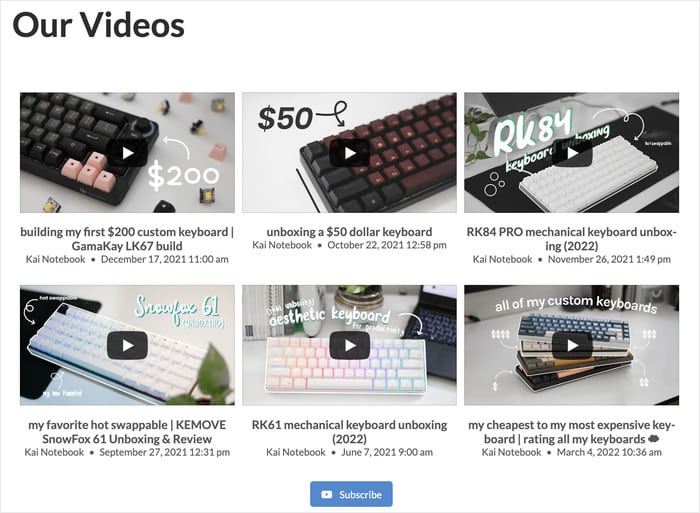
Owners who embed their channel feed directly on product pages, service pages, and the homepage see returns that compound.
Every existing site visitor becomes a potential subscriber. Owners who only upload to YouTube and walk away wait to be discovered, get discouraged at 11 views, and quit.
Picture how the math changes when you connect the two.
Before embedding videos on your site:
- 100 site visitors land on your pages
- 100 site visitors leave without ever seeing your videos
- 0 new subscribers from existing traffic
- Your channel only grows from YouTube search results
- Slow growth turns into discouragement
After embedding videos on your site:
- 100 site visitors land on your pages
- Each one meets your videos on the page they came to read
- Some click subscribe right there, without leaving the site
- Your channel grows from BOTH YouTube search AND your existing site traffic
- Two growth engines run at once and compound over time
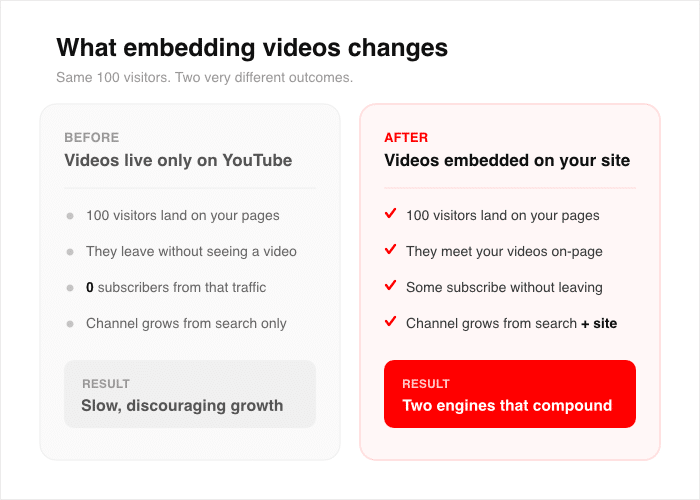
This is the shift that changes the “is YouTube worth it” answer from “maybe” to “yes.”
Even if you’re just getting started, this works at any channel size.
“But My Videos Only Get 10 Views”
This is the objection I hear most, and the view count is genuinely the wrong number to be looking at.
A video with 10 views from people actively searching your topic is worth more than 10,000 views from a feed that scrolled past. The 10 found you on purpose. Ask which of the two booked a call.
The other half of it is time. A YouTube video is not judged on its first month. Creators regularly report videos that sat at a couple of hundred views for half a year and then compounded into six figures of views over the following years, off a single afternoon of work. That is the asset argument, and it is the one thing short-form cannot offer you.
So before you judge a channel on views, ask two different questions:
- Did anyone who watched become a customer? One booked job from a 40-view walkthrough beats a viral clip that sent nothing.
- Is the trend up over quarters, not weeks? A channel building search authority looks flat for months and then does not.
How to Turn Site Visitors into YouTube Subscribers (The Mechanism)
YouTube Feed Pro is the Smash Balloon plugin that embeds your YouTube channel, playlists, or live streams directly on your WordPress site.
Your existing visitors meet your videos right where they already are, without ever clicking away to YouTube.
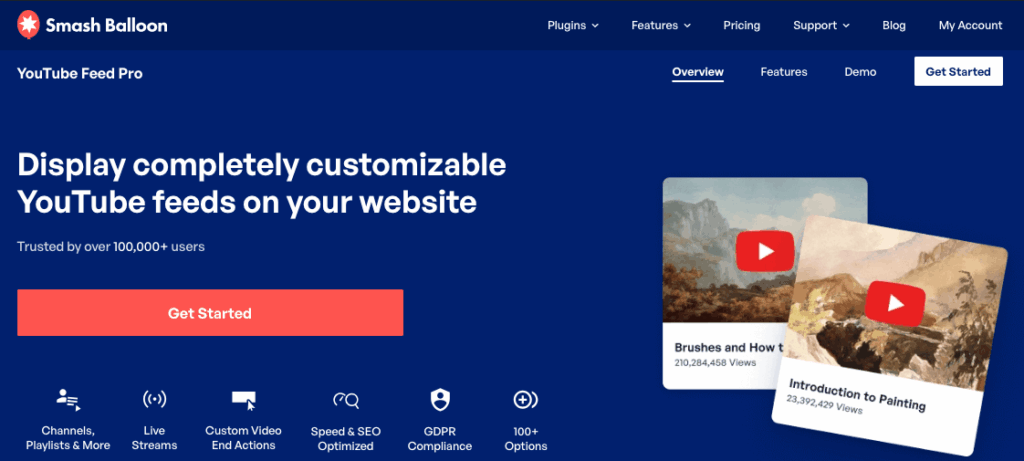
Here’s what each feature actually does for your business:
- Channel feeds, playlist feeds, and live stream feeds: Display your full library on any page, and the feed auto-updates the moment you upload a new video.
- Smart lazy loading: The plugin delays loading the YouTube player until a visitor engages, so embedding videos doesn’t tank your PageSpeed score or hurt your SEO.
- End-of-video actions: Link viewers to your booking form, product page, or contact form when a video ends, so they land on your offer instead of YouTube’s “up next” carousel.
- Flexible embed locations: Place feeds on your homepage, product pages, and service pages, turning every site visitor into a potential subscriber.
The proof is in the install base. YouTube Feed Pro has over 100,000 active installs and holds a 4.9/5 star rating across 196 reviews on WordPress.org.
Smash Balloon helps website owners turn real social content into trust signals that increase credibility and conversions. On a small business site, an embedded channel is the version of that a visitor can see working before they decide whether to trust you.
Here’s a quick picture of what this looks like in practice.
A local HVAC company embedded their how-to channel feed on every service page, showing repair walkthroughs next to the matching service.
Site visitors who came in for an AC repair page started subscribing on the spot, and the channel grew from existing site traffic instead of waiting on YouTube search.
The good news is the setup takes under five minutes, even if you’ve never embedded a feed before.
Turn the traffic you already have into subscribers
Embed your channel on the pages your visitors already read, and the feed updates itself every time you upload.
Embed my channelIf You Do Start, Do These Things First
Ready to give YouTube a real shot? Three early decisions separate the channels that grow from the ones that flatline at 11 views. Get these right from day one and you’ll save yourself a quarter of wasted effort.
1. Commit to a Niche, Not Just Your Brand Name
A channel with content named after your business will sit empty, because no one searches for a brand they’ve never heard of.
A channel built around a clear topic gets found by people already looking for that topic.
“Marketing Tips for Restaurant Owners” pulls in restaurant owners every month. “Joe’s Marketing Agency” pulls in Joe’s friends and family.
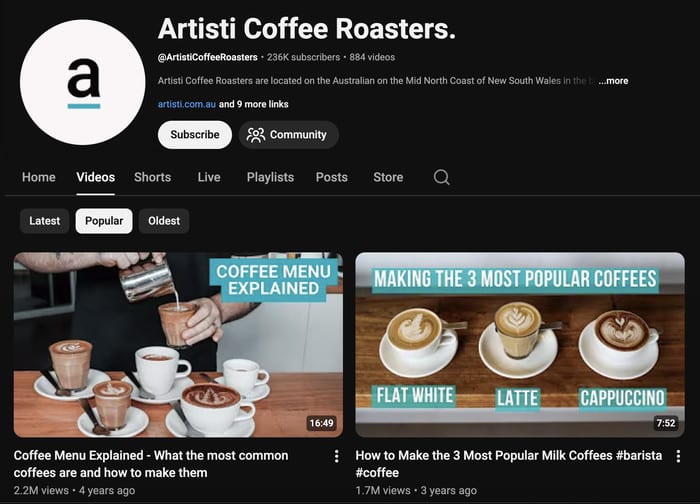
Pick a topic your customers are already searching for and build the channel around that. Your brand name goes in the description, not the channel title.
2. Give It 12 Videos Before You Judge the Results
YouTube channels need time to index and build search authority, so an early view count tells you almost nothing. A channel with three videos and a channel with thirty are not playing the same game.
I tell every Smash Balloon customer the same thing. Commit to 12 videos before you look at the numbers. That gives YouTube enough signal to start ranking your content, and it gives you enough reps to find your on-camera rhythm.
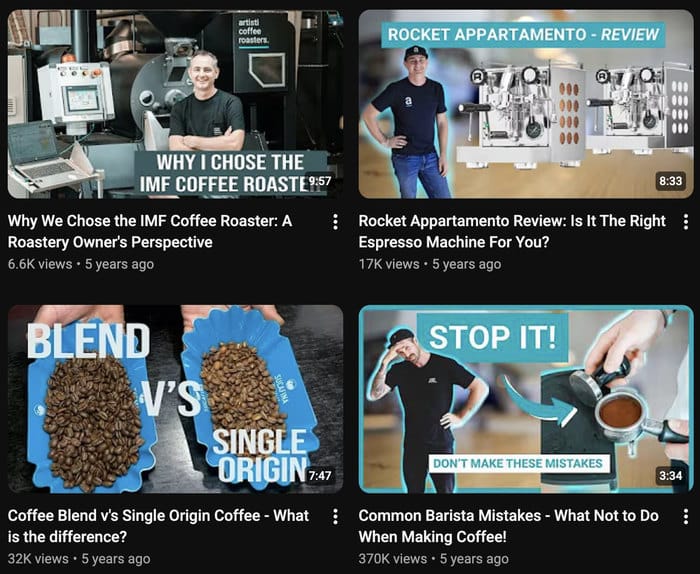
If you give up at video four, you’ll never know if video nine would have been the one that took off.
3. Embed Your Channel on Your Website From Day One
This is the step most small businesses skip, and it’s the one that flips the math on whether YouTube pays off.
Every site visitor you already have can become a subscriber without ever leaving your site, but only if your videos meet them on the page.
YouTube Feed Pro makes this part simple. Here’s how to get your channel embedded in under five minutes:
- Install the plugin: Head to Plugins » Add New in your WordPress dashboard and upload YouTube Feed Pro.
- Connect your channel: Open YouTube Feed » All Feeds, click “Add New”, and connect your YouTube account when prompted.
- Pick your feed type: Choose a channel feed, a playlist feed, or a live stream feed depending on what you want to show.
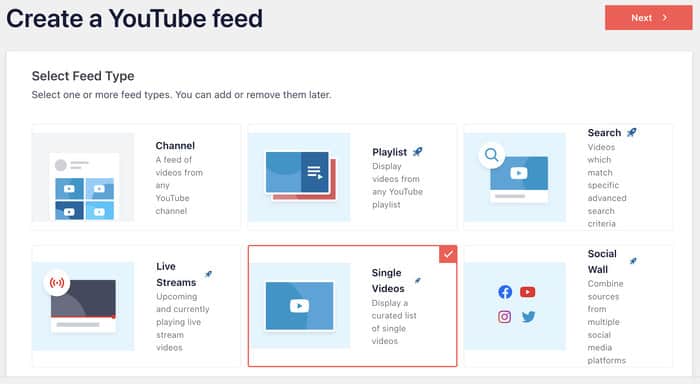
- Customize the layout: Use the live preview to pick a grid, gallery, or list layout that matches your site design.
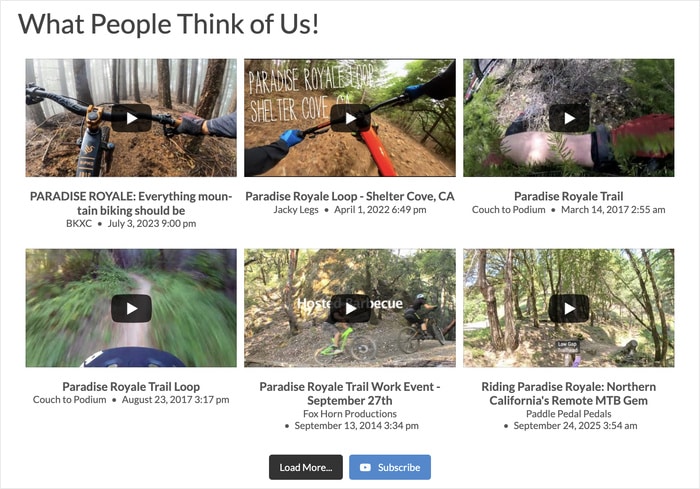
- Embed the feed: Use the Gutenberg block to drop it onto your homepage, service pages, or any post where it fits.
Smart lazy loading keeps the embed from slowing your site down, and the feed auto-updates the moment you upload a new video to YouTube. You set it up once, and it keeps working for you.
The good news is you can do all three of these things this week, even if you’re just getting started.
Expert Tip: For more details, check out our step-by-step guide on how to embed YouTube feeds on your website.
Track Whether YouTube Is Actually Sending You Traffic
The most common mistake small business owners make is starting YouTube without tracking whether it drives visitors to your website.
Without numbers, you’re guessing. With numbers, you know within a quarter whether the channel is paying off.
One thing to settle before you open any dashboard: views are not ROI. What you measure depends on what the video was for. An awareness video is judged on reach and new visitors.
An education video is judged on time on page and assisted conversions. A walkthrough on a service page is judged on whether anyone booked. Pick the number before you shoot the video, or every report afterwards looks encouraging and means nothing.
MonsterInsights is the Google Analytics plugin that shows your YouTube referral traffic right inside your WordPress dashboard.
You don’t need to log into Google Analytics or learn a new tool to see if your videos are working.
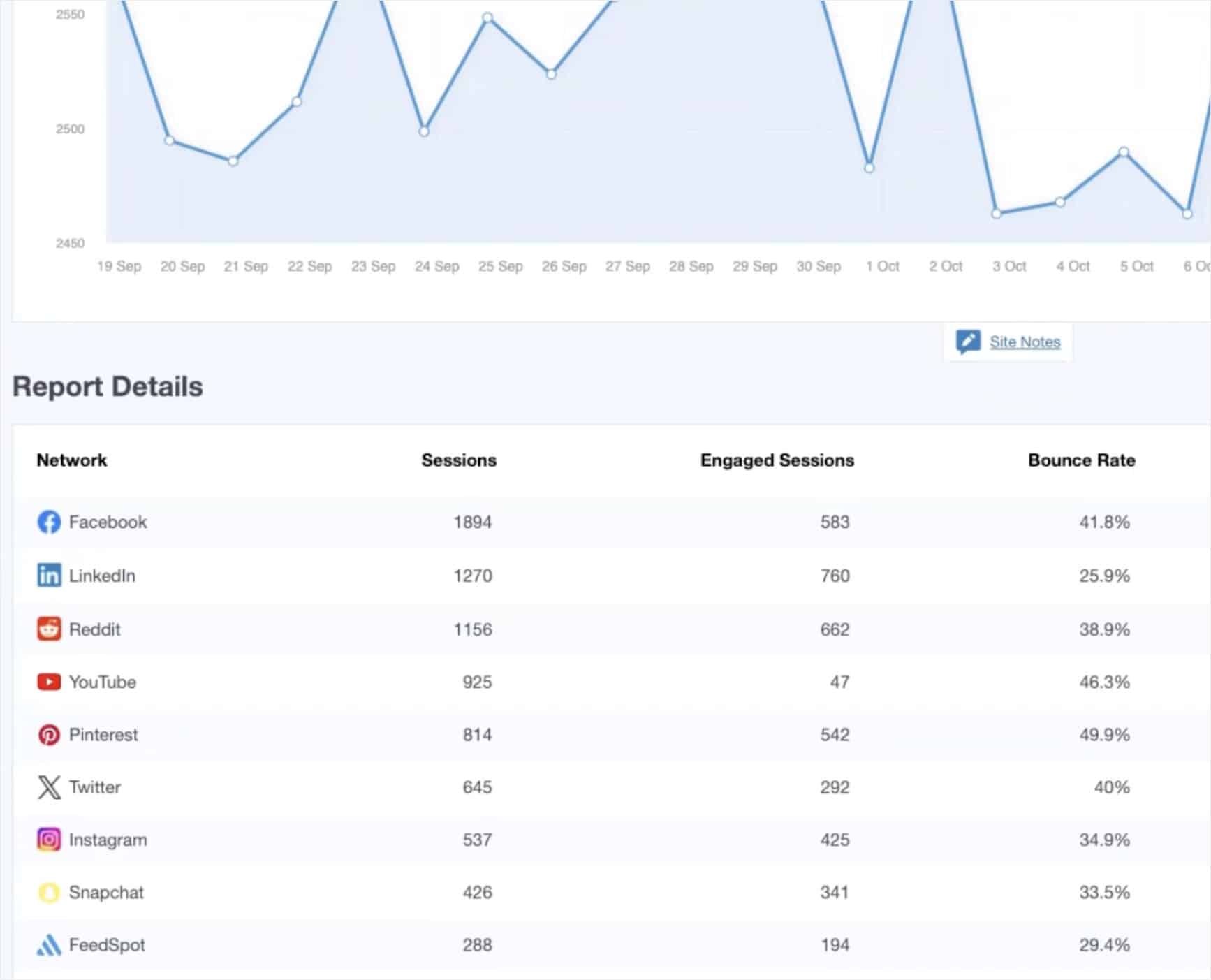
Here’s what it tracks for you:
- YouTube Referral Sessions: See how many visitors land on your site from a YouTube video link each week.
- Time on Site: Find out how long those visitors stay, so you know if they’re engaged or bouncing.
- Conversions: Track whether YouTube visitors fill out forms, book calls, or buy products once they reach your site.
- Social Media Report: Pull up YouTube traffic alongside other platforms in one report, so you can compare what’s actually driving customers.
The built-in UTM URL builder tags every video description link with a tracking code. That way each upload gets tracked separately, and you can see which video topics send the most traffic.
I tell every small business owner the same thing. Give YouTube 60 to 90 days of tracked data before you decide whether to keep going.
If the numbers are growing, double down. If they’re flat after three months of consistent posting, the format may not be right for your audience.
The good news is the setup takes a few clicks, and the data starts flowing the same day.
Ready to see if YouTube is actually sending you traffic? Get MonsterInsights today and start tracking your YouTube referrals inside your WordPress dashboard.
Frequently Asked Questions
Is YouTube worth it for a small business in 2026?
Yes, if your customers search for answers you can teach, your market is wider than one town, and you can publish at least monthly for a year. HubSpot puts YouTube third among social platforms for reported ROI at 33%, but it is the only one where a video keeps earning search traffic for years rather than fading in a day.
How long before YouTube starts working for a small business?
Give it 12 videos and 60 to 90 days of tracked data. Channels need time to index and build search authority, so an early view count tells you almost nothing. A channel with three videos and one with thirty are not playing the same game.
Is YouTube or TikTok better for a small business?
They answer different questions. TikTok gives you reach today. YouTube builds an asset that keeps sending traffic for years. If your buyers live in short-form, start there. Most small businesses end up running one of each, a short-form platform for reach and YouTube for searchable content.
Do I need expensive equipment to start a business YouTube channel?
No. Regularity beats production quality, and one polished video with no follow-up loses to a consistent weekly schedule shot on a phone. Point a camera at problems your customers already want solved.
Why is my YouTube channel not growing even though I post regularly?
Usually distribution rather than content. If your videos only live on YouTube, you are waiting to be discovered. Embedding your channel feed on your website means the visitors you already have meet your videos before they leave, so the channel grows from two sources instead of one.
Start Embedding Your Channel Today
So, is YouTube worth it for your small business in 2026? The honest answer is yes, but only if three pieces line up.
You need educational content people actively search for, an audience that isn’t tied to one zip code, and the patience to publish at least once a month for a full year before judging the results.
Here’s a quick recap of what we covered, so you can decide your next move with confidence:
- Pick a niche, not a brand name: Build the channel around what your customers are searching for, not what your business is called.
- Commit to 12 videos: Give YouTube enough signal to rank you and give yourself enough reps to find your voice on camera.
- Embed your channel on your website: Turn the traffic you already have into subscribers without making them click away.
- Track your referral data: Use MonsterInsights to watch YouTube traffic inside your WordPress dashboard and decide within 90 days whether to keep going.
The good news is the embed step takes under five minutes, even if you’ve never installed a WordPress plugin before.
Ready to turn every site visitor into a potential subscriber? Get YouTube Feed Pro and start growing your channel from the traffic you already have today.
Want to run marketing campaigns that convert visitors into YouTube subscribers? Check out this tutorial on creating a video popup using OptinMonster.