Social Wall
  Feed Analytics

Just got a brutal new review sitting right at the top of your listing?
You’re not alone. A single negative review is enough to scare off 35% of shoppers before they ever reach you. So your first instinct makes sense: find a way to make it disappear.
This is one of the most common questions I hear in my field of work. People want to know how to delete a bad review fast.
But after digging into what’s legal, what the platforms allow, and what really moves the needle, I found that removal isn’t the lever most owners think it is.
At Smash Balloon, I’ve helped thousands of businesses display their reviews, and I’ve seen the difference between what you can’t control and what you can.
This guide will cover what the FTC allows, why hiding a review backfires even when it’s possible, and the one move you can make this afternoon to take back control of the impression you give.
In this guide:
- Should You Hide a Bad Review? (Here's the Honest Answer)
- Is It Actually Legal to Hide a Bad Review?
- Can You Hide Reviews on Your Own Google or Yelp Listing?
- Why Deleting a Bad Review Backfires (Even If You Could)
- The Distinction Nobody Tells You: Your Platform Listing vs. Your Own Site
- How to Respond to a Bad Review the Right Way
- How This Plays Out for a Business: A Walkthrough
- Start Displaying Your Best Reviews Today
Note: This is general information for businesses, not legal advice. Remember that it’s always best to talk to a lawyer about your specific situation.
Should You Hide a Bad Review? (Here’s the Honest Answer)
Hiding a negative review from the Google or Yelp listing isn’t the solution. Unless the review breaks the platform rules, you can’t actually remove them. Instead, you can focus on highlighting the positive reviews on your website.
Here’s the short answer:
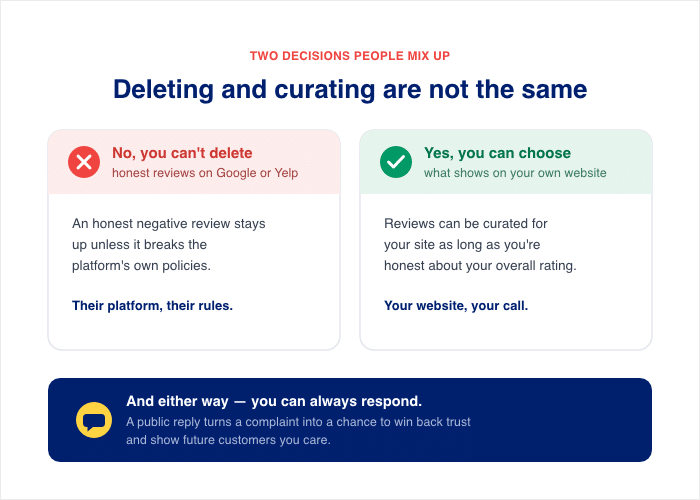
- No, you can’t delete an honest negative review from your Google or Yelp listing unless the review violates the platform’s own policies.
- Yes, you can choose which reviews to show on your website if they’re originally hosted on third-party platforms.
- These are completely different decisions, and people mix them up all the time.
- You can also respond to negative reviews, which turns a public complaint into a chance to win back trust and show future customers you care.
Is It Actually Legal to Hide a Bad Review?
TL;DR: You can’t suppress honest negatives by sentiment, gag customers by contract, or threaten a reviewer. But removing real spam evenly is fair game. Also, you can choose the reviews to highlight on your site as long as you’re honest about your overall rating.
If you’re scrubbing honest negative reviews because you don’t like them, that’s illegal. But if you’re removing fake or spammy reviews evenly, that’s perfectly fair game.
The line between those two actions is where most owners get tripped up. Once you see where it sits, your next move gets a lot easier.
So before you go hunting for a way to delete that review, understand where the real line sits. Three actions cross into trouble, and one stays safe.
Here’s what crosses into illegal territory:
- Suppressing honest negatives by sentiment. You can’t hide truthful bad reviews just because they’re unflattering. That’s deceptive suppression, and penalties run up to roughly $53,088 per violation.
- Gagging customers by contract. You can’t use a clause that bans honest reviews. The Consumer Review Fairness Act (CRFA) makes those gag terms illegal.
- Threatening a reviewer. You can’t use threats or unfounded legal action to force a review to be changed or removed.
Here’s what stays allowed:
- Removing real spam evenly. You can refuse or remove reviews that are fake, off-topic, about the wrong business, or harassment. The catch is simple: you must treat positive and negative reviews the same way.
| Action | Status |
|---|---|
| Removing real spam, fake, or harassment reviews evenly | Allowed |
| Ordering reviews to show your best ones first | Allowed |
| Suppressing honest negatives by sentiment | Not allowed (up to ~$53,088/violation) |
| Gagging customers by contract clause | Not allowed (CRFA) |
| Threatening a reviewer to change or remove a review | Not allowed |
A couple of details help round out the picture:
- Ordering reviews to highlight the best ones is fine. The FTC says, “Organizing reviews is not suppressing reviews under the rule.” Defaulting to five-star reviews on top is not covered.
- The rule only covers the spot where customers post reviews to you. A widget showing hand-picked third-party reviews works more like marketing, and the FTC allows selecting your most positive reviews for that.
Q: Does this rule provision prohibit the selective use of particularly positive consumer reviews in marketing materials?
A: No. This provision applies only to reviews “displayed in a portion of its website or platform dedicated in whole or in part to receiving and displaying consumer reviews.” However, the use of non-representative consumer reviews in marketing could be deceptive in violation of Section 5 of the FTC Act. See, e.g., Endorsement Guides 16 CFR 255.2(b).
– Federal Trade Commission, The Consumer Reviews and Testimonials Rule: Questions and Answers
Can You Hide Reviews on Your Own Google or Yelp Listing?
Picture the moment. You open your Google listing, and your newest review is also your worst, sitting right at the top for everyone to see. Your finger hovers over the screen, hunting for a button that buries it.
I get why you want that button. But on your own listing, it doesn’t exist the way you hope.
The advice you find online can make it worse. One popular Reddit thread claims Google “lets” business owners hide reviews. A Google support thread says the opposite in plain words: “Business can’t remove, hide, or delete reviews, period.”
So which is right? The Google support answer is. You don’t control what stays on your live listing. Google does.
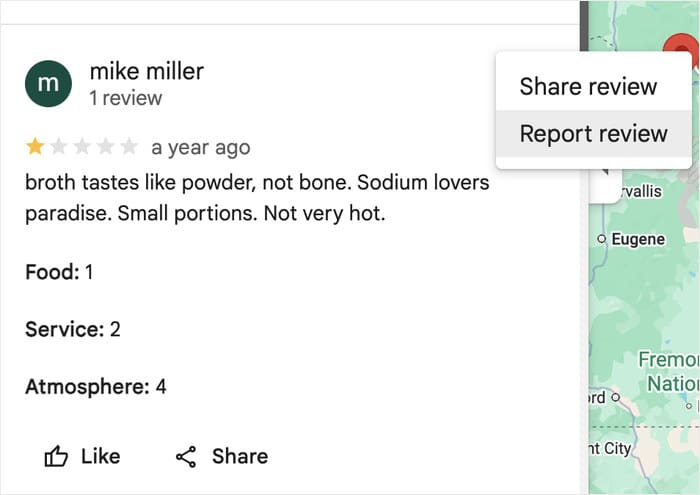
Here’s what’s really happening. You can report a review that breaks the rules, like spam, fake posts, or harassment. Reporting is not the same as deleting. You flag it, then Google reviews it and decides whether it goes.
Here’s what you can and can’t do on your own platform listing:
- You can flag or report a review that violates platform policy on Google or Yelp.
- You can respond publicly to any review, including the negative one.
- You cannot delete or hide an honest review just because it’s unflattering.
- You cannot move a review down or out of sight on the live listing.
- Google or Yelp makes the final call, not you, and honest reviews stay up.
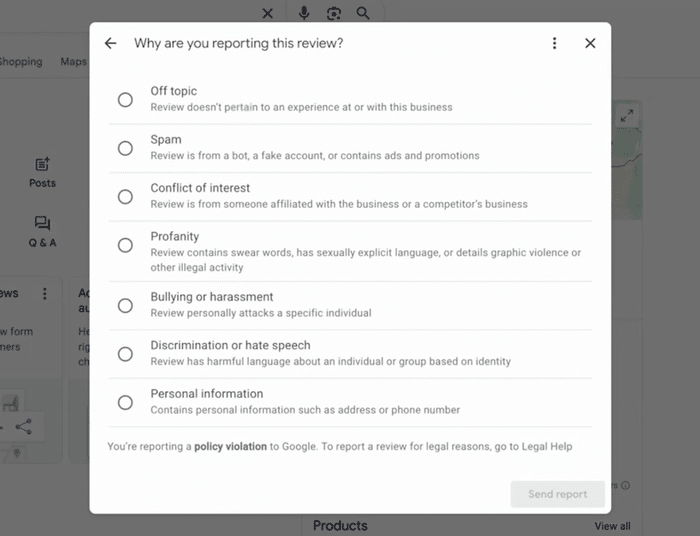
Flagging a policy-breaking review and “hiding” an honest one are two different things. Ultimately, it’s up to the platform to decide whether the review breaks the rules or not.
So if that bad review is real and honest, no button on your listing will remove it. Don’t worry, though. The listing isn’t the only place your reviews show up, and the next section is where you finally get some control.
Pro Tip: To learn more, you can check out this in-depth guide where we talk about how to handle negative reviews specifically on Google.
Why Deleting a Bad Review Backfires (Even If You Could)
Even if you found a way to delete that review, you’d be making your problem worse, not better. The bad review isn’t really the issue. The real issue is that you’re letting it dominate the impression you give.
A spotless wall of five-star reviews looks too good to be true. Shoppers notice, and they start to wonder what you’re hiding.
Negative feedback signals authenticity and shows that you’re genuinely displaying what customers think of your brand.
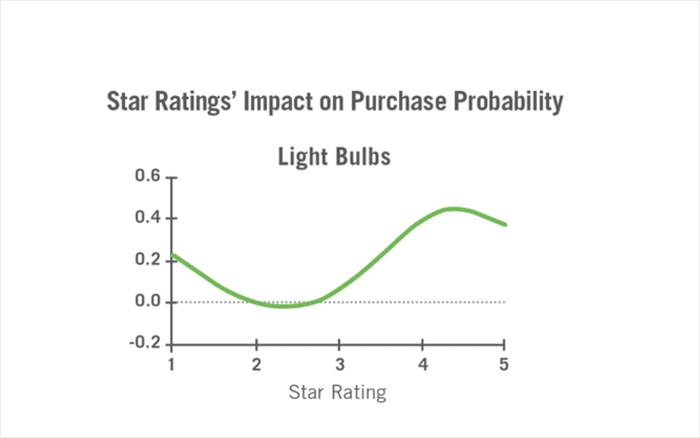
According to the Medill Spiegel Research Center, the likelihood of a purchase is the highest when the rating is between 4.2 and 4.5 stars.
In fact, people become less likely to buy if the rating is closer to a perfect 5-star.
Here’s why removal hurts you, even when it feels like a win:
- You look fake. Perfect ratings read as edited, and shoppers trust them less.
- You lose proof you actually care. A bad review you answer well shows future customers how you treat issues.
- You waste energy on the wrong fight. Chasing deletion does nothing to change what shows up first.
- You ignore the math. Negatives are costly, so the smart play is balance, not erasure.
Climbing back from a negative review can be tough. It takes about 12 positive experiences to undo the damage of a single negative one, according to research by Ruby Newell-Legner.
Those numbers feel scary, but read them again. They argue for piling up and featuring your wins, not for deleting one complaint and hoping nobody notices.
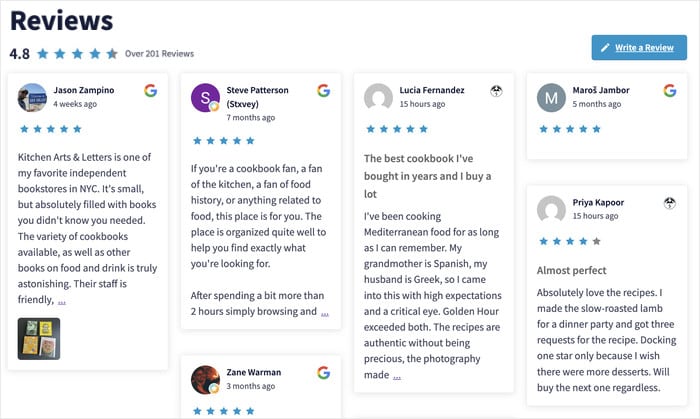
So the problem was never that the bad review existed. The problem is you’re not controlling what people see first.
Don’t worry. There’s a smarter move than fighting that review, and it’s coming up next.
The Distinction Nobody Tells You: Your Platform Listing vs. Your Own Site
Here’s the mix-up that sends owners chasing the wrong fix every day.
In my time on the Smash Balloon support team, owners write in asking how to “hide” a bad review. They mean the live Google or Yelp listing. But what they actually want, and what they actually can do, is decide which reviews to feature on their own website.
Those are two different acts with two different rules. Once you separate them, the panic fades fast.
Think of it as two separate places your reviews live:
- The platform listing is the public record on Google or Yelp. It belongs to the platform, not you. You can’t suppress honest reviews there, and trying to is illegal.
- Your own website is yours to manage. You choose which reviews display on your pages as long as you’re honest about the overall rating.
Here’s the side-by-side so the line is impossible to miss:
| The platform listing (Google/Yelp) | The review feed on your own website | |
|---|---|---|
| Who controls it | Google or Yelp | You |
| Public record? | Yes, open to everyone | No, it’s your marketing space |
| Can you hide an honest negative? | No, and trying is illegal | Yes, you pick what shows |
| What you can do | Flag policy-breaking reviews, respond publicly | Choose which reviews to feature |
See the difference? “Controlling what shows” is real, and it’s legal. It just lives on your own site, not on the platform listing you’ve been fighting.
This is the lever you’ve been looking for the whole time. You were aiming at the platform, where you have no control, when the control sits one click away on your own website.
The good news is you don’t have to delete anything to take charge of the impression you give. Next, let’s look at exactly how you curate the reviews on your own site.
What You Can Actually Control: Curating the Reviews on Your Own Site
So how do you decide which reviews show up on your own website? You use a reviews plugin with built-in moderation. My favorite tool for this is Smash Balloon Reviews Feed Pro.
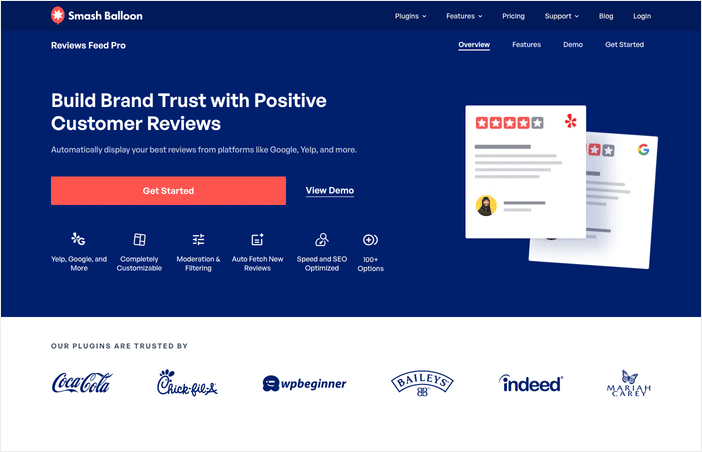
Reviews Feed Pro pulls your reviews from platforms like Google, Facebook, Trustpilot, Yelp, and more, then displays them on your WordPress site. The key part is that you choose which ones appear in the feed.
This is your social proof, working on your own pages, and it never touches what the platform records.
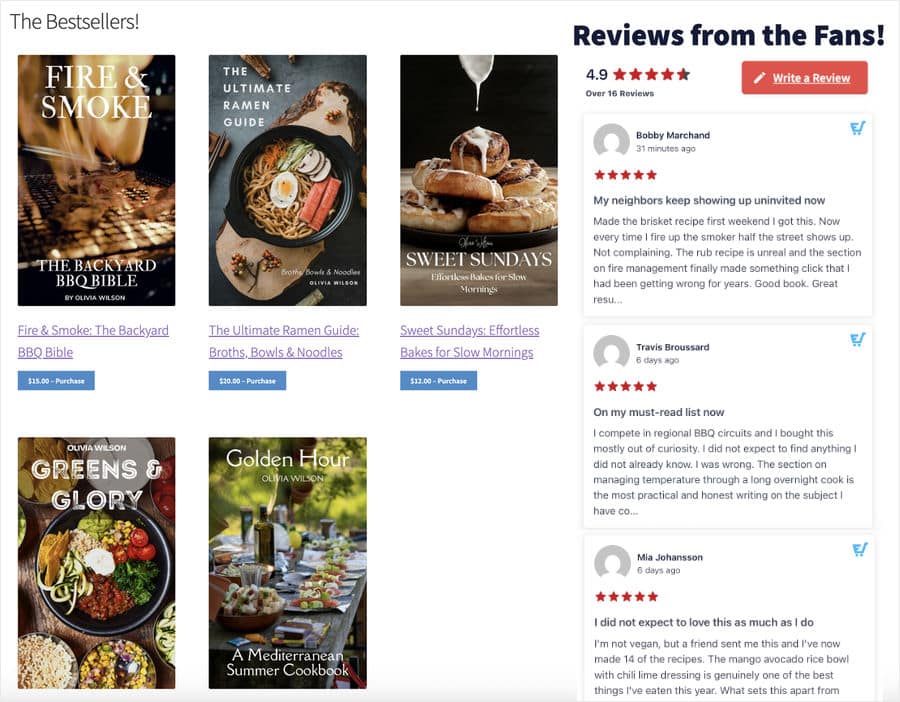
Here’s how it works:
- Connect your review sources. Link your Google, Yelp, or other accounts to the plugin. No coding is required, so you don’t need a developer to set it up.
- Use the visual editor to design your feed. Control the design of the header, buttons, review elements, and much more with a few simple clicks.
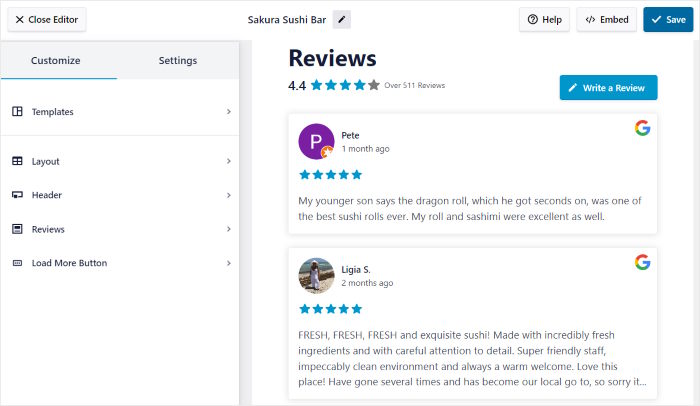
- Add filters or moderate your feed. Filter the reviews by rating, word count, or keywords. You can also moderate your feed manually.
- Embed the feed on any page. Drop the feed onto a product page, your homepage, or a landing page. Your best reviews now greet visitors first.
One detail lowers a worry many owners carry. Reviews Feed Pro includes a backup caching system, so your reviews keep displaying even if Google or Yelp has downtime. Your social proof stays up when you need it most.
I want to be clear about the line here. Hiding a review from your site feed is not the same as suppressing it on the platform. The honest review still lives on your Google or Yelp listing for anyone who looks.
You’re just deciding which reviews to feature in your marketing space.
Ready to start highlighting reviews on your site? Get started with Reviews Feed Pro today!
How to Respond to a Bad Review the Right Way
Worried that burying a review makes you look fake? It does, and the fix is the opposite of hiding.
By now you know deletion isn’t the answer. The real answer comes in two parts that work together: a good public reply on the platform and your best reviews featured on your site.
Why does the reply matter so much? Because future customers read it, and it shapes what they think of you.
The numbers back this up. Yelp reports that 88% of consumers are likely to look past a bad review if the business responds well. On top of that, 33% of users are open to improving their negative rating after getting a personalized reply from the business.
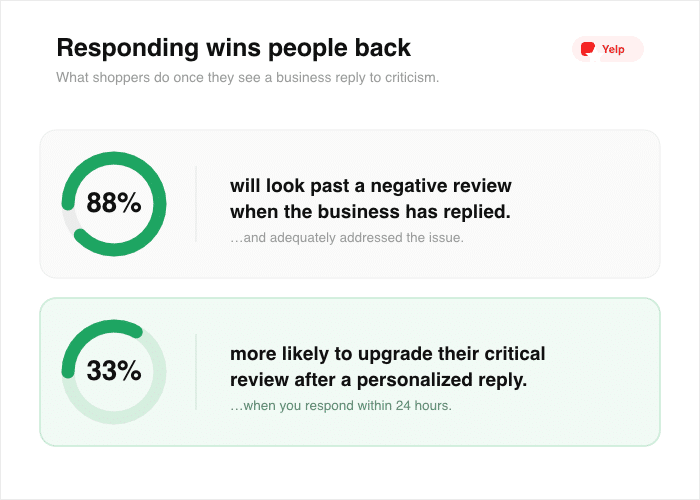
Read that again. A strong reply does more for you than removal ever could.
So how do you write one that works? Follow these four steps:
- Acknowledge the customer. Thank them for the feedback and show you read what they said. This tells them, and everyone watching, that you listen.
- Apologize and take ownership. Say you’re sorry for the experience. Don’t make excuses or argue the details in public.
- Offer to make it right. Spell out what you’ll do to fix the problem. This shows future customers how you treat people.
- Move it offline. Share a direct email or phone number and invite them to continue there. This keeps the back-and-forth out of the public thread.
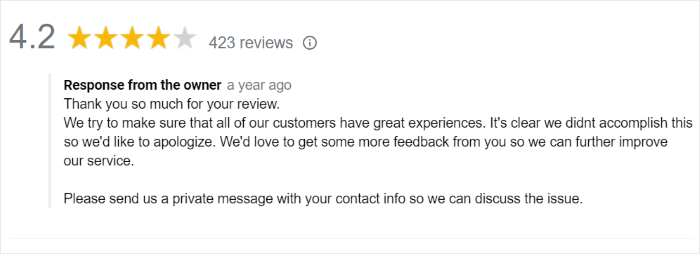
Now you can see how the two moves fit together. You respond on the platform where the review lives, and you showcase your best reviews on your own site with a tool like Reviews Feed Pro.
One builds trust with the people reading the negative review. The other makes sure your strongest proof greets visitors first.
The good news is you don’t need to win every review to win the customer. A calm, kind reply often does more than a perfect rating ever could.
For more details, check out this detailed guide on how to respond to negative reviews, which includes response templates.
How This Plays Out for a Business: A Walkthrough
Want to see how this could play out for a specific scenario? Let’s walk through a representative example so you can picture the whole move from start to finish.
Picture a small home-cleaning company called Bright Nest. One morning, a customer left a one-star review about a missed appointment, and it landed right at the top of their Google listing.
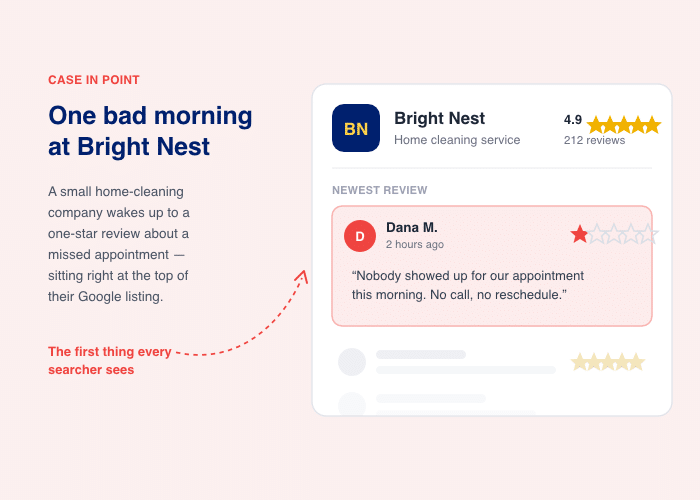
The owner’s first instinct was to get it removed. Instead, she left it up and did a couple of things in order.
First, she replied in public. She thanked the customer, apologized for the missed visit, and offered a free re-clean. Then she shared a direct number and invited him to call.
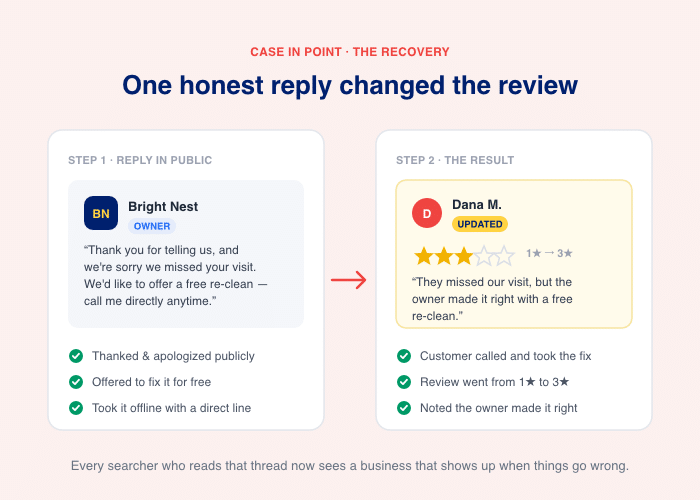
The customer called, took the re-clean, and updated his review to three stars. He even noted that the owner made it right.
Second, she stopped fighting the listing and turned to her own website. She used a review feed to lead with her strongest five-star reviews on her booking page. The honest negative stayed live on Google, but her best proof now greeted visitors first.
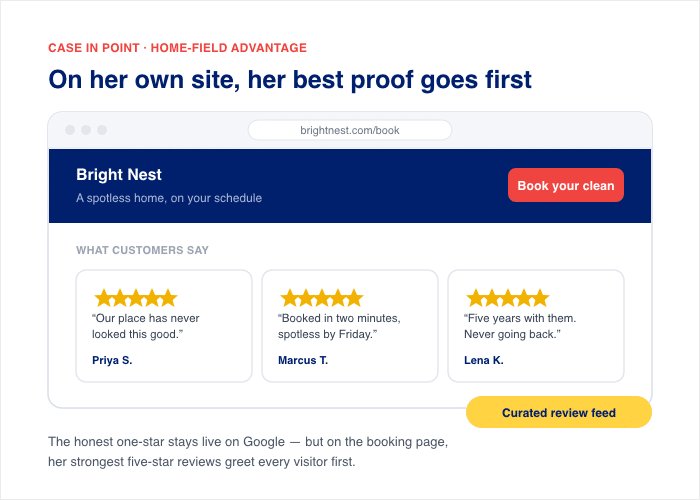
Notice what she never did. She never deleted the bad review, and she never paid a removal service. She responded where the review lived, and highlighted specific reviews where she had control.
That’s the whole lever in action. You answer the critic in public, and you feature your best work on your site.
To get started, you can copy this exact playbook today, even if you’ve never touched a reviews plugin before.
Frequently Asked Questions
Is it legal to hide bad reviews?
No, it’s not legal to hide honest reviews just because they’re negative. The FTC’s Consumer Review Rule treats that as deceptive suppression, with penalties up to over $53,000 per violation. You can still remove reviews that break clear rules, like spam or fake content, as long as you apply the same standard to positive and negative reviews alike.
Can I just delete a bad product review
Deleting an honest product review from your own store is the exact practice the FTC’s suppression rule targets, so it’s a legal risk, not just a bad look. It also backfires with shoppers: research from the Medill Spiegel Research Center found purchase likelihood peaks between 4.2 and 4.5 stars and drops as ratings near a perfect five. Respond to the complaint instead, and let the honest mix make your good reviews believable.
Can businesses hide bad Google or Facebook reviews?
No, you can report a review to Google only when it breaks a policy, like spam, fake content, or hate speech. If the review is real, Google will leave it up, and your best move is a calm public reply. For Facebook, you can only turn off reviews to hide all the social proof you have, which isn’t worth it. Instead of switching reviews off, display a curated feed of your best ones on your own website with a tool like Reviews Feed Pro.
Can I pay someone to remove a bad Google review?
No, and be careful about those services. Only Google itself can control which reviews to show and which to hide. Other third-parties can only do the same actions you can. Treat any company that guarantees removal of an honest review as a red flag, since no one can promise that.
Start Displaying Your Best Reviews Today
You can’t hide an honest review on Google or Yelp, and you wouldn’t want to. But you fully control which reviews you feature on your own site, and that’s the smarter option.
Remember the two parts that work together. Respond to the critic in public, where the review lives, and curate your strongest reviews on your own website.
Reviews Feed Pro makes the second part easy. You pull in your Google and Yelp reviews, pick the ones you want to feature, and embed them on any page in minutes.
Even if you’re just getting started, no coding required.
Get Smash Balloon Reviews Feed Pro!
To learn more, check out this step-by-step guide on how to add Google reviews to your website.