Social Wall
  Feed Analytics

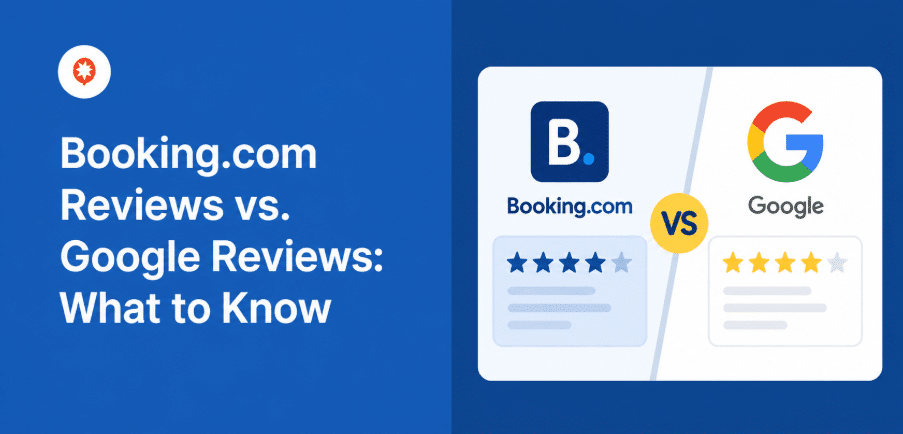
Picture this: a traveler finds your hotel through a Google search, likes what they see with your 4.8 star rating, and opens a new tab to check prices on Booking.com before committing.
That’s where they run into a completely different set of reviews, a “9.2 Superb” score, guest-written pros and cons, a verified stay badge. Same property, two real signals of trust, and neither one is showing up together on your own website.
I spend a lot of my time at Smash Balloon looking at how hotels, vacation rentals, and small hospitality sites use Smash Balloon Reviews Feed Pro, and I want to walk you through something I keep hearing about.
Since Booking.com became a review source in Reviews Feed Pro, almost every hotel and vacation rental owner I’ve talked to has asked some version of the same question: now that I can show both, which one should I actually lead with?
Here’s the honest answer, and it’s simpler than it seems. Google Reviews and Booking.com reviews aren’t fighting for the same job, they’re doing two different ones.
Google Reviews show up earlier, when someone is still deciding where to even look. Booking.com reviews show up later, once your hotel is already sitting in a comparison tab and they want proof before they book. You don’t have to pick a favorite. You just need to know which one belongs where, and I’ll walk you through exactly how to get both on your site without touching a line of code.
In This Article
- Which Review Matters More: Google or Booking.com?
- Why Hotels End Up Choosing Between the Two
- What's the Difference Between Booking.com Reviews and Google Reviews?
- Which Review Source Should You Feature on Which Page?
- Can You Combine Booking.com and Google Reviews on One Site?
- Why Hotels Choose Smash Balloon Reviews Feed Pro Over a Widget Tool
- Frequently Asked Questions About Booking.com and Google Reviews
- Show Both, and Stop Losing Bookings to the Comparison Tab
Which Review Matters More: Google or Booking.com?
Honestly, neither wins outright, and I’d be doing you a disservice if I told you otherwise. They do different jobs at different points in the booking journey.
Google Reviews carry the most weight for discovery, since that’s what shows up in local search and Google Maps before a traveler has started comparing properties at all.
Booking.com reviews carry more weight once someone is actively comparing your property to book, since every review comes from a verified stay and includes a 10 point score with guest-written pros and cons that Google’s format doesn’t have.
Let me walk you through both, starting with why most hotels end up with just one in the first place.
Why Hotels End Up Choosing Between the Two
Most hotel websites end up showing one review source, and it’s rarely because anyone sat down and decided it was the better one. It usually just happens.
Someone set up a Google Reviews widget two years ago, business kept moving, and the Booking.com reviews never made it onto the site, even though the property has hundreds of them sitting on its listing right now. Sound familiar?
You’ve probably seen this kind of debate framed before, the same way people argue over Google Reviews against Trustpilot or Yelp against Google.
But for hotels specifically, I don’t think the useful question is which platform wins. A guest who already checked Booking.com before landing on your site notices when those same reviews aren’t there, even if they couldn’t tell you exactly why the page feels incomplete. That’s the gap I want to help you close.
What’s the Difference Between Booking.com Reviews and Google Reviews?
| Dimension | Booking.com Reviews | Google Reviews |
|---|---|---|
| Where travelers see it | Booking.com listing, and your own site once you display it | Google Search, Google Maps, and your site |
| Verification | Verified stay only, the reviewer has to have completed a booking | No proof of stay required |
| Scoring format | 10 point scale with a label, like “8.8 Excellent” | 5 star scale |
| Structured detail | Guest written pros and cons shown with the review | Free text review, no structured breakdown |
| Point in the journey | Mid to late funnel, actively comparing properties | Early funnel, local search and “hotels near me” |
| Local SEO value | None directly | Feeds your Google Business Profile and local pack ranking |
| Best featured on | Direct booking or reservation pages | Homepage, footer, anywhere local discovery matters |
| Setup in Reviews Feed Pro | Elite plan, just the public property URL, no API key | Available on every plan, API keyless method included |
| Best for | Closing the deal once a traveler is comparing | Getting found in the first place |
The verification piece is the one I’d pay closest attention to, because it’s what actually changes how much a review is worth to someone reading it.
Booking.com only lets a guest leave a review after they’ve completed a stay booked through the platform, which is why a score like “9.2 Superb” with guest-written pros and cons feels harder to fake.
Google doesn’t require any proof of stay, so it collects a lot more reviews, but it also collects more noise along with it. That’s part of why I usually recommend showing Google Reviews on your website as an early trust signal, not the final word.
The SEO side splits the same way, and it’s worth knowing before you decide where to put your energy. Google Reviews are tied to your Google Business Profile, so they actually influence whether your hotel shows up in the local map pack when someone searches “hotels near me” nearby.
Booking.com reviews don’t touch that at all. They live entirely inside Booking’s own ecosystem until you bring them onto your site yourself.
If a guest is reading that many reviews, there’s a good chance they’re checking more than one platform to do it. Showing only one source on your site means a lot of that research is happening somewhere you have zero control over.
Get your Google and Booking.com reviews on the exact pages that convert
Reviews Feed Pro places both sources wherever you want, homepage, booking page, or landing pages, and keeps each one updating on its own. Backed by a 14 day money back guarantee.
Which Review Source Should You Feature on Which Page?
Placement matters just as much as which platform you choose, maybe more. A great review sitting in the wrong spot does almost nothing for you. Here’s where I’d put each one.
| Page | Feature | Why |
|---|---|---|
| Homepage | Google Reviews | Matches what a first-time visitor most likely already saw in search |
| Direct booking page | Booking.com Reviews | Closes the loop on what they compared right before landing here |
| Ad landing pages | Both, combined | Cold traffic hasn’t done any research yet, so give them the full picture fast |
| Google Business Profile and Maps | Google Reviews only | Not something your website controls either way |
That last row is worth sitting with for a second.
Someone clicking in from a paid ad has no history with your property yet, no prior Google search, no browsing session where they slowly built up trust in you. They’re deciding cold, on one page, in about the time it takes to scroll past the fold. Showing only one review source there is asking them to take the rest on faith, and that’s a lot to ask from a stranger.
Once you know where each one belongs, the real question becomes whether you need two separate setups to make it happen. You don’t.
Can You Combine Booking.com and Google Reviews on One Site?
Worried this means calling a developer? It doesn’t.
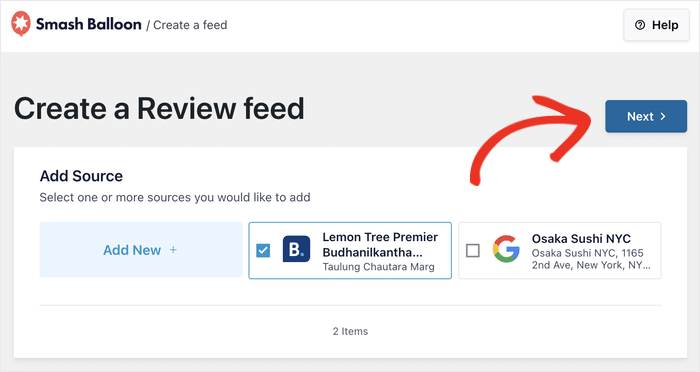
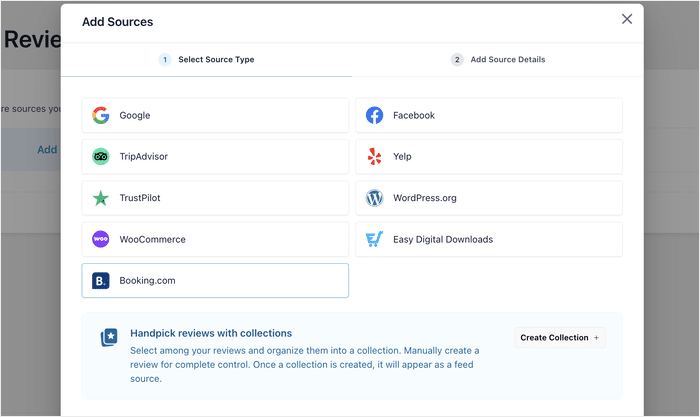
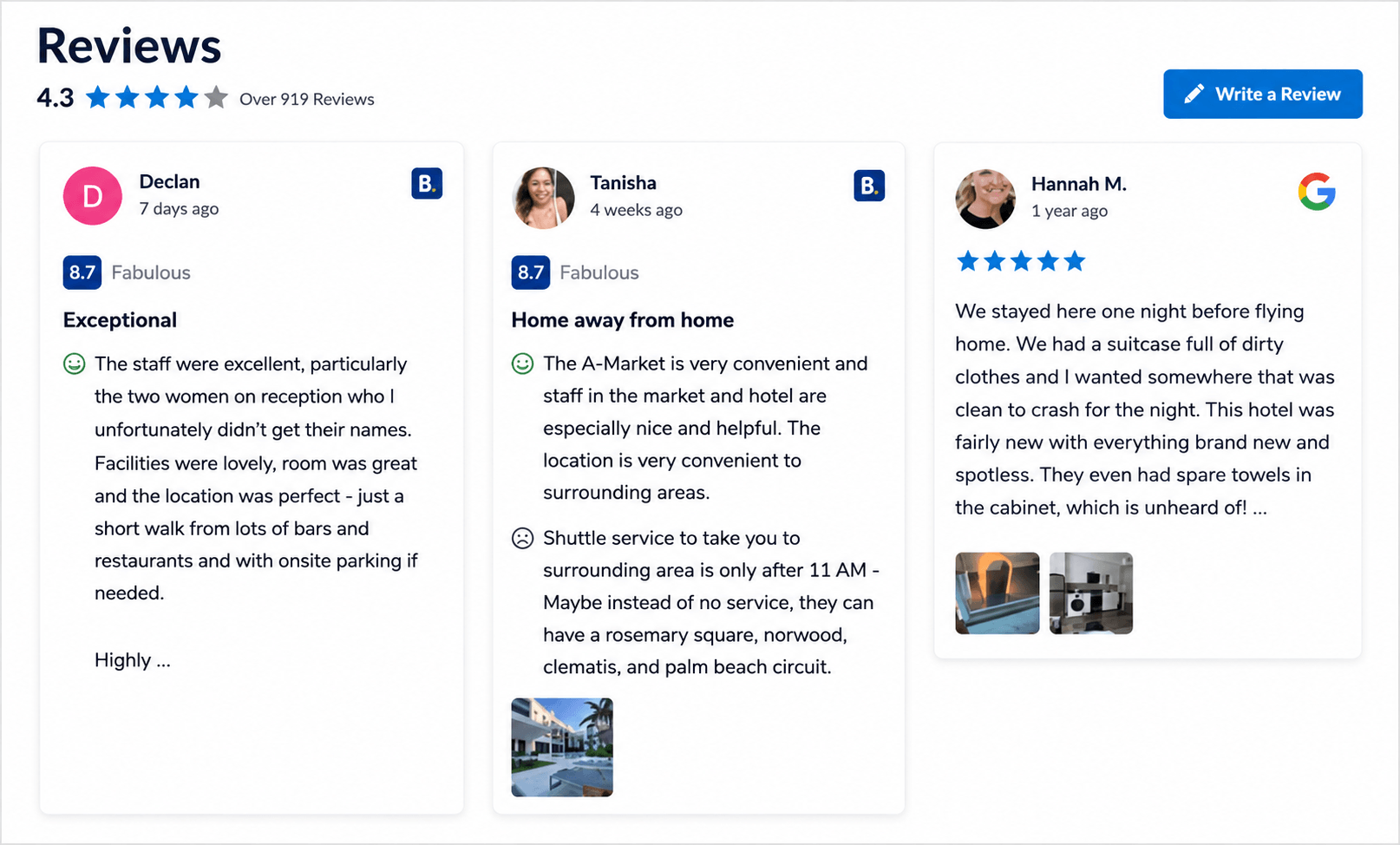
Smash Balloon Reviews Feed Pro connects to Google through an API keyless method and to Booking.com through nothing more than your public property URL. Both sources land in the same feed, with the same filtering, moderation, and layout tools you’d already be using.
One detail I really like: the feed keeps each source’s native format instead of flattening everything into stars.
A Booking.com review still shows its “8.8 Excellent” score and guest pros and cons. A Google review still shows its star rating. Your visitors get both formats side by side, exactly as they’d recognize them, instead of a converted version that loses what made each one credible to begin with.
Booking.com support is an Elite tier feature, so if that source matters to you specifically, your property will need to be on Reviews Feed Pro Elite.
Once it’s connected, you can mix in reviews from more than two platforms if you’re also collecting from Trustpilot, TripAdvisor, or Facebook.
And if you’ve already got the Booking.com source connected on its own, adding it to your direct booking page walks through that setup step by step, so I won’t repeat it here.
Here’s why I think the setup time is worth it.
Hotel industry sources like Cloudbeds and Little Hotelier put typical OTA commissions at 15 to 25% per booking. Every reservation that happens on your own site instead of through the OTA keeps that entire margin in your pocket.
Showing the same trust signals a guest already saw on Booking.com, right on your booking page, is one of the more direct ways I know to make that shift actually happen.
Why Hotels Choose Smash Balloon Reviews Feed Pro Over a Widget Tool
If you search around for a way to show Booking.com reviews on your site, you’ll find a handful of SaaS widget tools that do something similar on the surface.
Already running one of those? Switching isn’t the hassle it sounds like, since the difference between the two mostly shows up after you install one, not during setup.
Smash Balloon Reviews Feed Pro is a WordPress plugin, not a hosted widget pulling from someone else’s server. There’s no iframe slowing down your booking page, and the feed inherits your site’s own theme instead of looking bolted on.
If you want to see exactly what that access looks like on the backend, Smash Balloon’s secure page walks through it: read only, GDPR compliant, nothing stored that doesn’t need to be.
There’s also backup caching built in. If Booking.com or Google ever has downtime, which happens more often than most site owners realize, your reviews keep displaying from the last cached version instead of going blank on the exact page where a guest is deciding whether to trust you.
It’s also a flat annual license, not the recurring per-month fee most SaaS widget tools charge.
None of this is unique to hotels. It’s the same reason over 1.75 million websites run Smash Balloon plugins instead of a generic embed tool. If you’re the type who likes to compare your options before committing, how Smash Balloon stacks up against other feed and review tools covers the rest of what’s out there.
Frequently Asked Questions About Booking.com and Google Reviews
Is Booking.com or Google Reviews more important for a hotel website?
Neither is universally more important, it really does depend on where a visitor is in their decision. Google Reviews matter most for getting found in the first place. Booking.com reviews matter most once someone is actively comparing your property to book. Your website benefits from having both, placed where each one actually does the work.
Can I show Booking.com and Google Reviews together on my site?
Yes. Reviews Feed Pro pulls both sources into a single feed, with shared sorting, filtering, and moderation. You won’t need two separate widgets or two different setups to make it happen.
Do Booking.com reviews affect my Google ranking?
No. Booking.com reviews live entirely on Booking’s platform and don’t feed into Google’s local ranking signals. Your Google Reviews are the ones tied to your Google Business Profile and local search visibility.
Why do Booking.com reviews look different from Google reviews?
Booking.com uses a 10 point scale with descriptive labels, like “8.8 Excellent,” and only lets guests review after a completed stay. Google uses a 5 star scale open to anyone with a Google account. That’s also why Booking.com reviews tend to read as more detailed, since guests are answering structured pros and cons prompts that Google never asks for.
How do I combine both without hiring a developer?
You really can do this yourself. Reviews Feed Pro connects to both sources directly: Google through an API keyless method, Booking.com through just your public property URL. No API key, developer account, or code required for either one.
Show Both, and Stop Losing Bookings to the Comparison Tab
A traveler checking both Google and Booking.com before booking isn’t doing anything unusual, that’s genuinely just how most people research a hotel now. The only real question is whether your own site shows them what they already found somewhere else, or sends them off looking for it all over again.
Smash Balloon Reviews Feed Pro pulls Google and Booking.com reviews into one feed on your site, along with Trustpilot, TripAdvisor, and Facebook if you collect reviews there too.
Setup takes about as long as it takes you to find your property’s public URL, and it’s backed by a 14 day money back guarantee if it turns out not to be the right fit for you.
Your guests are already checking both. The only real decision left is whether they see the proof on your site, or go dig it up somewhere else.
Turn your reviews into direct bookings
Reviews Feed Pro combines your Google, Booking.com, Trustpilot, and TripAdvisor reviews into one feed on your site. Try it risk free with the 14 day money back guarantee.
If you’re a hotel or vacation rental owner, I’d genuinely love to hear from you. Drop a comment below and let me know which review platform your guests mention most.