Social Wall
  Feed Analytics

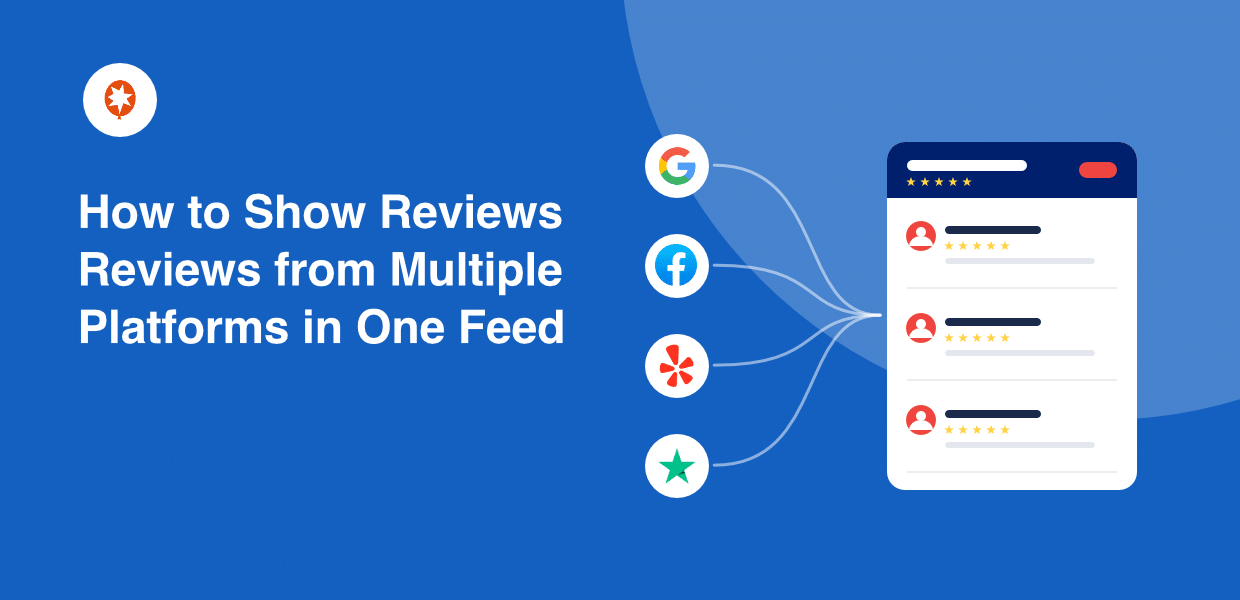
If you’ve ever earned glowing reviews on different review platforms, but your website only shows one of them, you’re sitting on a problem most business owners never notice.
Your reputation is real. It’s just scattered, and buyers can’t see most of it.
Here’s the part that trips people up. You assume showing all those reviews means installing a separate plugin for each platform: a Google plugin, a Yelp widget, a Trustpilot embed.
Then you worry they’ll clash, slow your site, or look like a mess. So you do nothing. Or you copy reviews into a page by hand, and they go stale in a week.
I work at Smash Balloon, where we help over 1.75 million sites display social content and reviews, so I’ve seen this exact pileup more times than I can count. I tested every approach: manual copying, stacking plugins, and pulling everything into one combined feed.
You can display reviews from Google, Yelp, Facebook, Trustpilot, and more in a single feed on your WordPress site. All it takes is just a few minutes and all your hard-earned trust in one place, where it helps you win the sale.
- [Quick Answer] How to Show Reviews from Multiple Platforms
- Why Showing Reviews from Just One Platform Quietly Costs You Sales
- Which Review Platforms Can You Pull into a Combined Feed?
- How Do You Connect Multiple Review Sources into One Feed in WordPress?
- How Do You Control Which Reviews Show and How They Look?
- Where on Your WordPress Site Should You Display a Multi-Platform Review Feed?
- Stop Splitting Your Reputation Across Tabs
[Quick Answer] How to Show Reviews from Multiple Platforms
TL;DR: To display reviews from multiple platforms on one WordPress page, use a single plugin like Smash Balloon Reviews Feed Pro to combine your Google, Yelp, Facebook, Trustpilot, and other reviews into one feed, with no code and no separate widget for each platform.
Key takeaways:
- Buyers cross-check several review sites before deciding. BrightLocal’s 2026 survey found the average consumer uses around six different review sites, so showing just one platform reveals a fraction of the trust you’ve earned.
- One plugin replaces the stack. Smash Balloon Reviews Feed Pro pulls 11 sources into a single combined feed: Google, Yelp, Facebook, Trustpilot, TripAdvisor, WordPress.org, WooCommerce, Easy Digital Downloads, Airbnb, Booking.com, and AliExpress.
- The free plan covers Google and Yelp. A Pro plan opens the other nine sources and merges them all into one feed.
- You control the feed from one place. Set a minimum star rating, filter by keywords, and it applies across every platform at once.
Why Showing Reviews from Just One Platform Quietly Costs You Sales
Buyers don’t trust a single source anymore. They cross-check several before they decide, and a one-platform feed shows them only a sliver of the trust you’ve already earned.
Think about how people actually shop.
A restaurant buyer checks Google, then opens Yelp to confirm. A software buyer reads G2, then double-checks Trustpilot. An ecommerce shopper scans Google, then peeks at your Facebook page.
They’re triangulating. They want to see the same good story in more than one place before they hand over money.
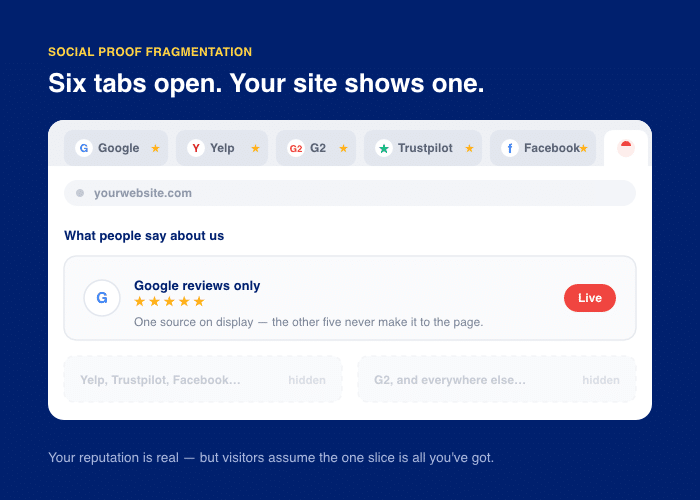
This is what I call social proof fragmentation. Your reputation is real, but it’s scattered across tabs and apps. Your site only displays one slice, so visitors assume that one slice is all you’ve got.
The numbers back this up.
BrightLocal’s 2026 Local Consumer Review Survey found that 97% of consumers read reviews when choosing a local business. And the average shopper now checks around six different review sites before deciding.
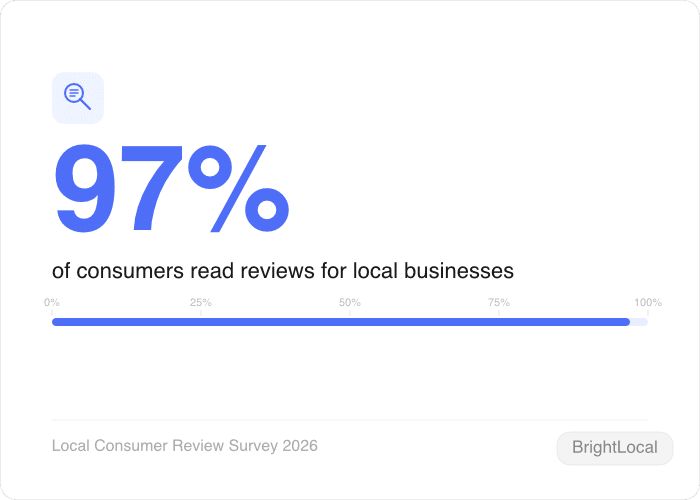
Six sites. If your page shows one, you’re answering a sixth of the question buyers are asking.
And reviews aren’t just any social proof. They’re the kind people trust most. In fact, reviews are consistently the most trusted form of social proof, beating logos, follower counts, and award badges.
So when you hide most of your reviews, you’re hiding your strongest sales tool.
The good news is simple. You don’t need a page per platform or a stack of clashing widgets. You can pull every source into one combined feed, and I’ll show you exactly how next.
Which Review Platforms Can You Pull into a Combined Feed?
Wondering which of your review sources can actually share one feed? Good news: pretty much all of them can. The trick is knowing what each platform brings before you settle on a tool.
Every review site speaks to a different kind of buyer. Google reassures the casual shopper. Yelp wins over locals. Trustpilot convinces the careful software buyer.
Put them together and you cover almost everyone who lands on your page.
That’s the whole point of a combined feed. You’re not picking a favorite source. You’re showing the full picture.
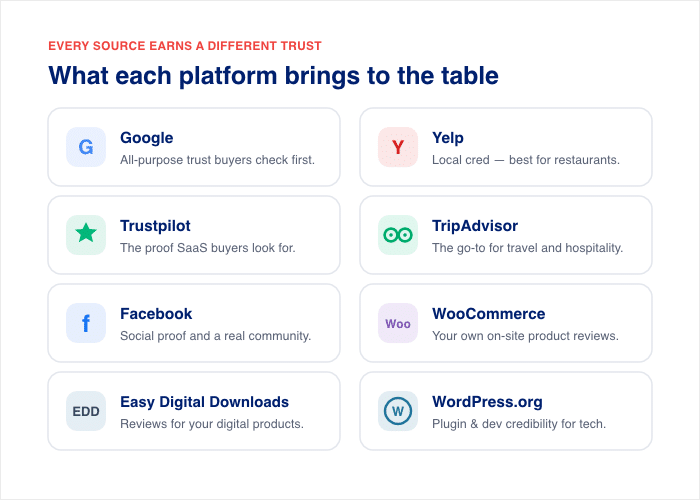
Each platform adds a different kind of trust. Here’s what each one brings to the table.
- Google: Broad, all-purpose trust that almost every buyer checks first.
- Yelp: Local credibility, strongest for restaurants and service businesses.
- Trustpilot: The proof software and SaaS buyers look for.
- TripAdvisor: The go-to source for travel and hospitality.
- Facebook: Social proof plus a sense of real community.
- WooCommerce: Your own on-site product reviews from real buyers.
- Easy Digital Downloads: Buyer reviews for your digital products and downloads.
- WordPress.org: Plugin and developer credibility for tech audiences.
- Airbnb: Guest reviews for hosts, which carry more weight than anything you write yourself.
- Booking.com: Verified stay reviews for hotels and guesthouses, useful for winning direct bookings
- AliExpress: Buyer reviews for dropshipping stores, where the product page usually has no proof at all.
Not sure which sources matter most for your business? This guide to the best customer review platforms breaks it down by industry.
Now, you have two ways to show all these sources. That’s where Reviews Feed Pro by Smash Balloon comes in.
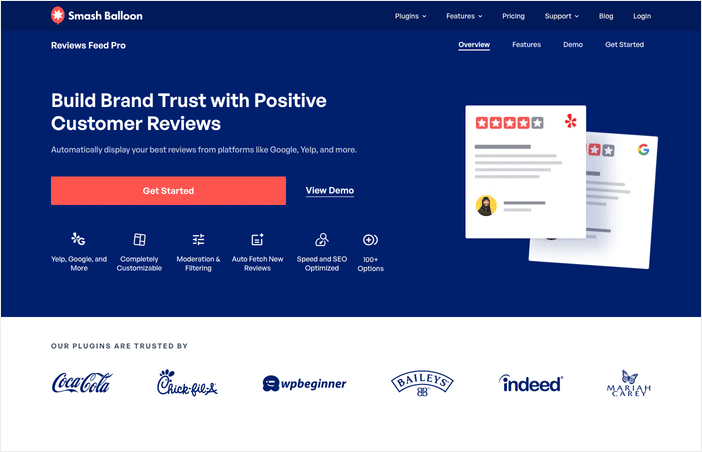
It connects to 11 sources of trusted reviews: Google, Yelp, Trustpilot, TripAdvisor, Facebook, WooCommerce, Easy Digital Downloads, WordPress.org, Airbnb, Booking.com, and AliExpress.
On top of that, you can also merge reviews from different platforms into a single feed on your site.
Full disclosure: I work at Smash Balloon, so I’m biased. But merging several platforms into one feed is something a single-platform widget usually isn’t built to do.
Here’s how the platform support stacks up across plans.
| Platform | Free plan | Pro plan |
|---|---|---|
| Yes | Yes | |
| Yelp | Yes | Yes |
| No | Yes | |
| Trustpilot | No | Yes |
| TripAdvisor | No | Yes |
| WordPress.org | No | Yes |
| WooCommerce | No | Yes |
| Easy Digital Downloads | No | Yes |
| Airbnb | No | Yes |
| Booking.com | No | Yes |
| AliExpress | No | Yes |
The free plan lets you start with Google and Yelp. The Pro plan opens up every source above and merges them into one combined feed.
And people trust it. Reviews Feed Pro is part of the Smash Balloon family, used on more than 1.75 million active sites, including some of the biggest brands in the world.
So you get all your reviews in one place, from one plugin, with one set of controls.
How Do You Connect Multiple Review Sources into One Feed in WordPress?
Want all your reviews flowing into one spot on your site? You have two ways to do it. One is slow and painful. The other takes about a minute per platform.
Let’s start with the hard way, so you can see why it’s not worth it.
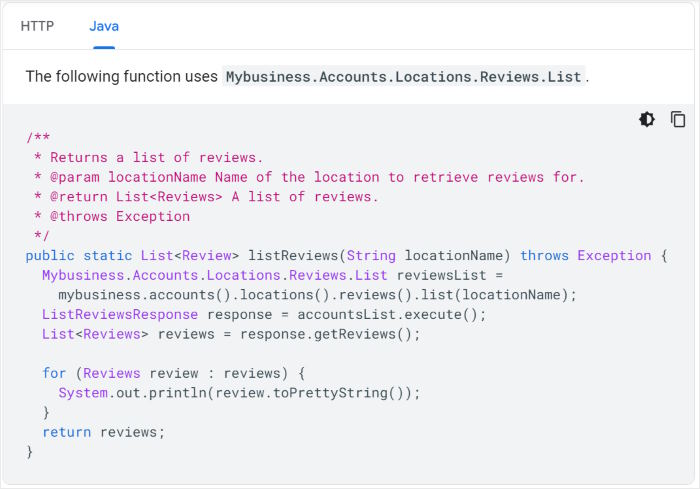
The manual route means copying reviews into a page by hand. You find a great Google review, paste the text or embed code, type the name, add the stars. Then you do it again for Yelp, again for Facebook.
It works for an afternoon. Then it goes stale.
New reviews come in, your page doesn’t update, and old reviews you hand-typed start to look fake. Worse, visitors can’t click through to verify them.
The other manual option is stacking a plugin per platform. A Google plugin, a Yelp widget, a Trustpilot embed.
Now you’ve got three sets of settings, three looks, and three things that may conflict or slow your site. That’s the pileup most owners dread.
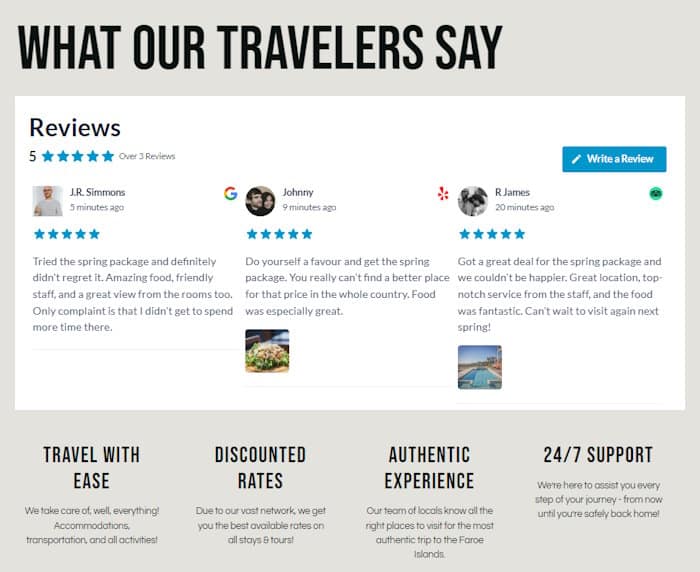
The easy way is one plugin that pulls every source into a single feed. No copying, no clashing widgets, no coding needed, even if you’re not a tech wizard.
Here’s how to do it with Smash Balloon’s Reviews Feed Pro, step by step.
- Install and activate Reviews Feed Pro. In your WordPress dashboard, go to Plugins » Add New and upload the plugin file. Click “Activate.”
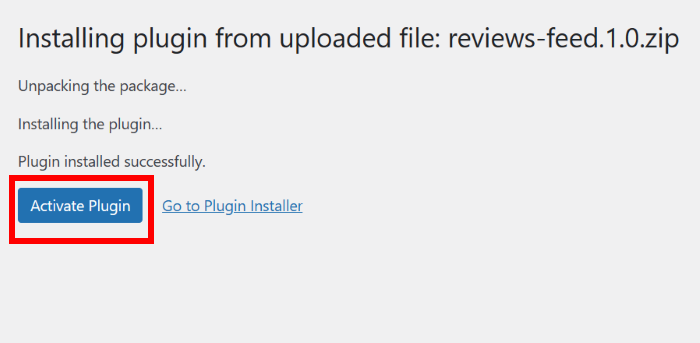
This is the only plugin you’ll need for every platform mentioned in this guide.
- Connect Google first. Most people start here, since Google is where buyers look first. Open Reviews Feed » All Feeds, click “Add New,” then pick Google and follow the prompts to link your business profile.
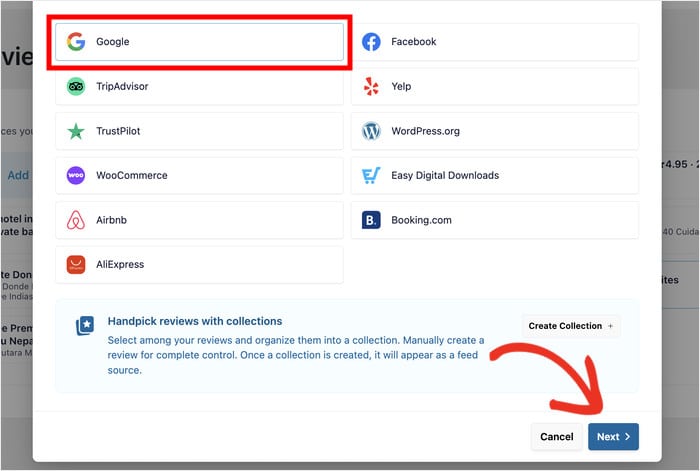
Starting from zero? This guide on how to add Google reviews to your WordPress site walks you through it.
- Add each other source. Repeat the same step for Yelp, Facebook, TripAdvisor, WooCommerce, and more.
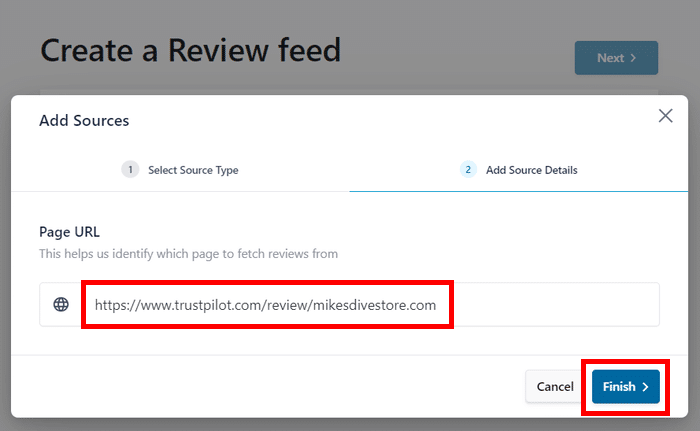
You can also embed Trustpilot reviews the same way. Each one takes about a minute to connect.
- Build the combined feed. Create a new feed and select all the sources you connected. The plugin merges them into one feed, so the reviews from different platforms appear side by side.
- Set the design. Your feed automatically inherits your site’s looks, so it fits right in from the start. Want to change it up? Pick from ready-made templates, then tweak colors, layout, and more in the live editor. You see every change as you make it.
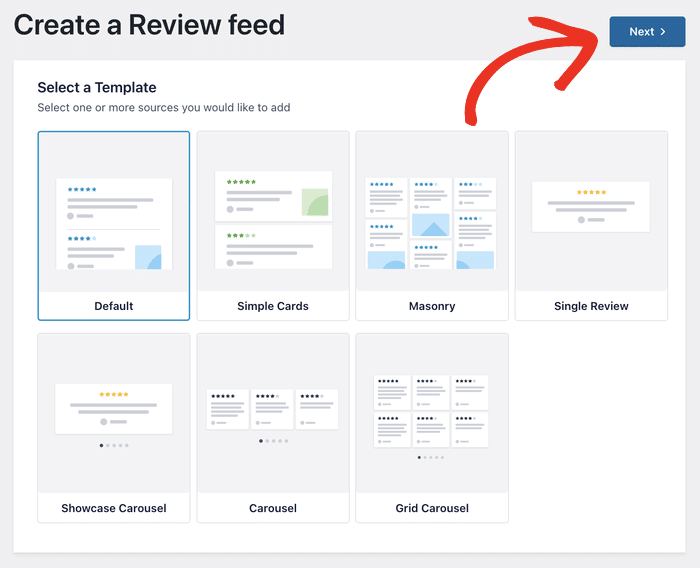
- Embed it anywhere. Copy the feed’s shortcode, or drop the Reviews Feed block onto any page or post. Hit “Update,” and your combined feed goes live.
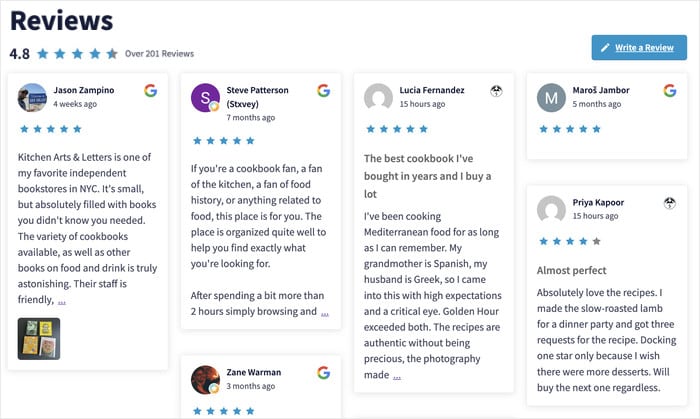
One more thing worth knowing. Reviews Feed Pro embeds your reviews as real text on the page instead of locking them inside an iframe, so search engines can actually read that fresh, keyword-rich content.
On top of that, it also writes your rating and review count into the page in a format search engines understand, which makes the page eligible for star ratings in search results.
Nothing to set up, it’s on by default, and it covers feeds you built months ago. Google still decides whether to show the stars, but before this it had nothing to work from.
And the payoff is real.
The Spiegel Research Center at Northwestern University found that showing reviews on a product page can lift conversion rates by up to 270%. The effect is strongest for higher-priced items, where reviews pushed conversions up around 380%, versus about 190% for cheaper products.
So a few minutes of setup can move the needle on sales. That’s a trade worth making.
Show All Your Reviews in One Feed
Reviews Feed Pro merges Google, Yelp, Facebook, Trustpilot, TripAdvisor, WooCommerce, and much more into a single feed, with one set of filters for every source.
Combine All My ReviewsHow Do You Control Which Reviews Show and How They Look?
Can you show only your best reviews? Yes. One setting does it across every platform at once.
Here’s the worry most owners have. You’ve got a few three-star reviews mixed in with the great ones. You don’t want those on your homepage.
With separate widgets, you’d have to dig through different control panels to fix that. Set a filter in Google. Set another in Yelp. Then Facebook. It’s the same chore, over and over.
A combined feed gives you one control panel instead. You set a rule once, and it applies to every source at the same time.
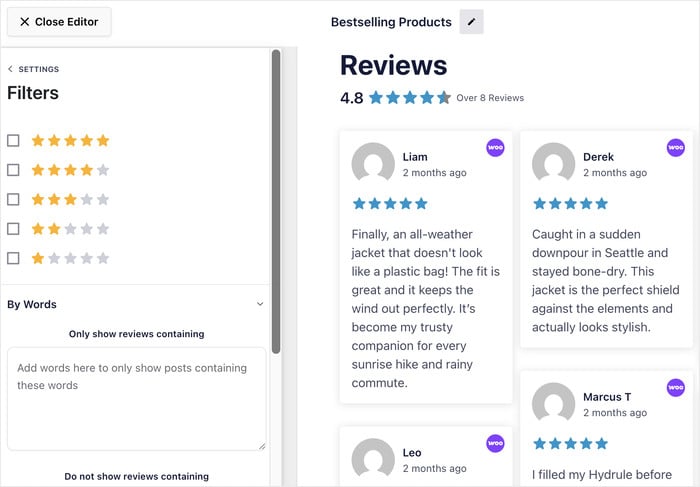
Here’s what you can control from that single spot:
- Minimum star rating: Choose reviews with specific star ratings to show on your website
- Word Filter: Hide or show reviews that contain your selected keywords for more control over your feed
- Sort order: Lead with your newest reviews, or put your highest-rated ones first.
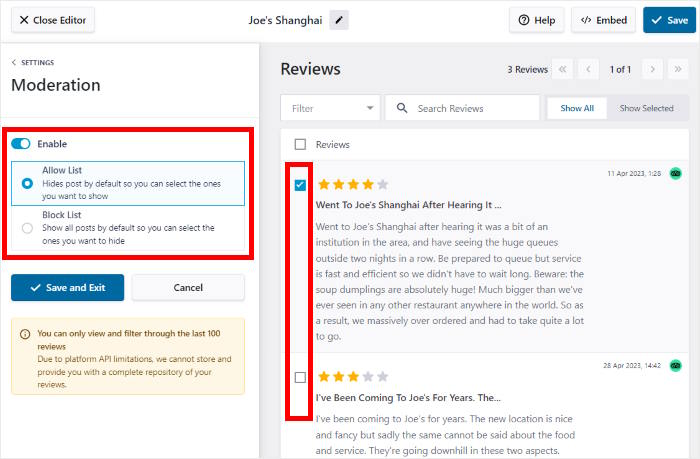
- Manual moderation: Choose exactly which reviews appear, so you can feature the ones that fit each page best.
That last one matters. Sometimes a four-star review mentions an issue you’ve since fixed. You can feature just the ones that fit, without touching the rest.
There’s one thing a combined feed gives you that separate widgets can’t. Because every source sits in the same feed, the plugin works out a blended average across all of them, plus a total review count.
So a visitor sees your whole reputation as one number instead of doing the maths across four tabs.
One more thing you don’t have to manage: keeping it current. The feed refreshes on a schedule, so new reviews show up on their own.
Your star ratings stay accurate too. When a fresh five-star review lands on Yelp, your site updates without you lifting a finger.
So you set your rules once. The feed handles the rest.
Where on Your WordPress Site Should You Display a Multi-Platform Review Feed?
The right reviews in the wrong spot don’t sell anything. Placement matters as much as the reviews themselves.
Here’s the trap. People build one feed, drop it on the homepage, and call it done. But a homepage visitor and a product-page visitor want different proof.
So match the feed to the page. Here’s a simple guide.
| Page | Recommended feed config | Goal |
|---|---|---|
| Homepage | Condensed grid, filtered to 4 and 5 stars, mixed sources | Instant credibility at first glance |
| WooCommerce product page | Carousel of reviews tied to that product | Ease purchase hesitation |
| Pricing page | Reviews that mention value, results, or ROI | Beat the price objection |
| Dedicated reviews page | Full feed, all sources, unfiltered | Satisfy deep-research buyers |
Let me break down the thinking behind each one.
Your homepage needs a quick hit of trust. Keep it condensed and filter it to your top reviews, pulled from every platform. Visitors should see proof in seconds, not scroll through it.
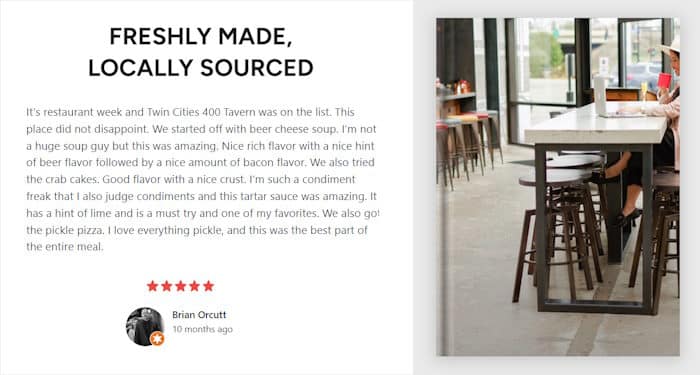
Product pages are different. A shopper there is close to buying but a little unsure. Show reviews that speak to that exact product, in a carousel they can swipe through. This answers the worry holding them back.
Your pricing page faces one objection: cost. So feature reviews that talk about value and results. Reviews that mention ROI quietly tell the buyer the price is worth it.
A dedicated reviews page is for the careful researcher. This person wants everything. Give them the full feed, all sources, no filters, so they can dig as deep as they like.
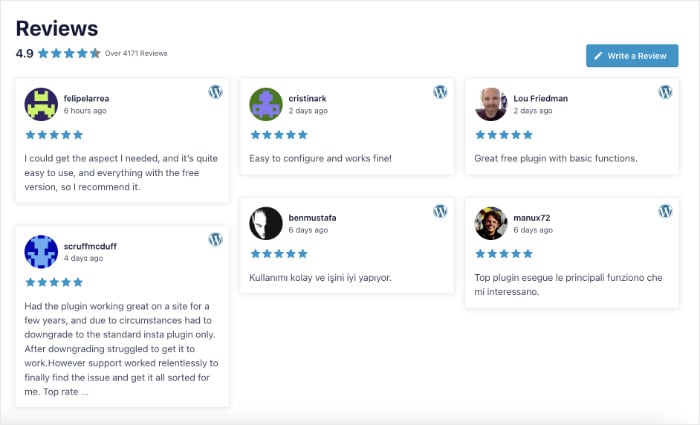
Want to picture how this looks on a real page? These examples of review displays in practice show grids, carousels, and full feeds in action.
Here’s the best part. One combined feed handles all of this. You build a different version for each page, then place each where it fits.
Frequently Asked Questions
Do I need a separate plugin for each review platform?
No, you don’t need a separate plugin for each platform. One plugin like Reviews Feed Pro pulls Google, Yelp, Facebook, and more into a single feed. That means no stack of widgets fighting each other, no extra load on your site, and one set of controls instead of seven.
Can I filter the combined feed to only show positive reviews?
Yes, you can filter the combined feed to show only positive reviews. Set a minimum star rating, like four stars, and it applies to every platform at once. You can also manually exclude any single review you’d rather not feature.
Will the feed update automatically when I get new reviews?
Yes, the feed updates automatically when you get new reviews. It fetches fresh reviews on a schedule, so you never refresh it by hand. A new five-star review on Google or Yelp shows up on its own.
Is a combined feed worth it if I only have reviews on two platforms?
Yes, a combined feed is worth it even with just two platforms. It’s especially useful when each one reaches a different buyer, like Google’s broad trust paired with a niche site’s specific credibility. You can add more sources later as you earn reviews.
Can I display this on individual WooCommerce product pages?
Yes, you can display the feed on individual WooCommerce product pages. The shortcode or block works anywhere, including product pages, category pages, and sidebars. You can filter it to WooCommerce product reviews only, or mix in Google for a broader picture.
Stop Splitting Your Reputation Across Tabs
You earned those reviews across Google, Yelp, Facebook, and more. Right now, they sit in different places few people ever check.
A single combined feed fixes that. It puts your proof on the page where buyers actually decide.
Just starting out with one platform? Here’s how to begin by displaying your Google reviews first.
Before you go live, run through this quick checklist:
- List every platform you’re on: Google, Yelp, Facebook, TripAdvisor, Airbnb, or any other site. Don’t leave proof behind.
- Set your minimum star rating: Four stars is a smart starting point. It keeps the feed sharp.
- Pick the right layout per page: A grid for the homepage, a carousel for product pages.
- Match colors and fonts to your brand: The feed should look built-in, not bolted on.
- Turn on auto-updates: New reviews should show up on their own, with no manual refresh.
- Choose your tool: Smash Balloon Reviews Feed Pro pulls every platform into one feed with no code.
Start Showing All Your Reviews in One Feed Today
Reviews Feed Pro connects every platform into one feed in minutes, with no code and no plugin pileup.
Grab Reviews Feed Pro today and turn your scattered reputation into proof that sells.
Which review platforms are you sitting on that your website doesn’t show yet? Tell me in the comments.