Social Wall
  Feed Analytics

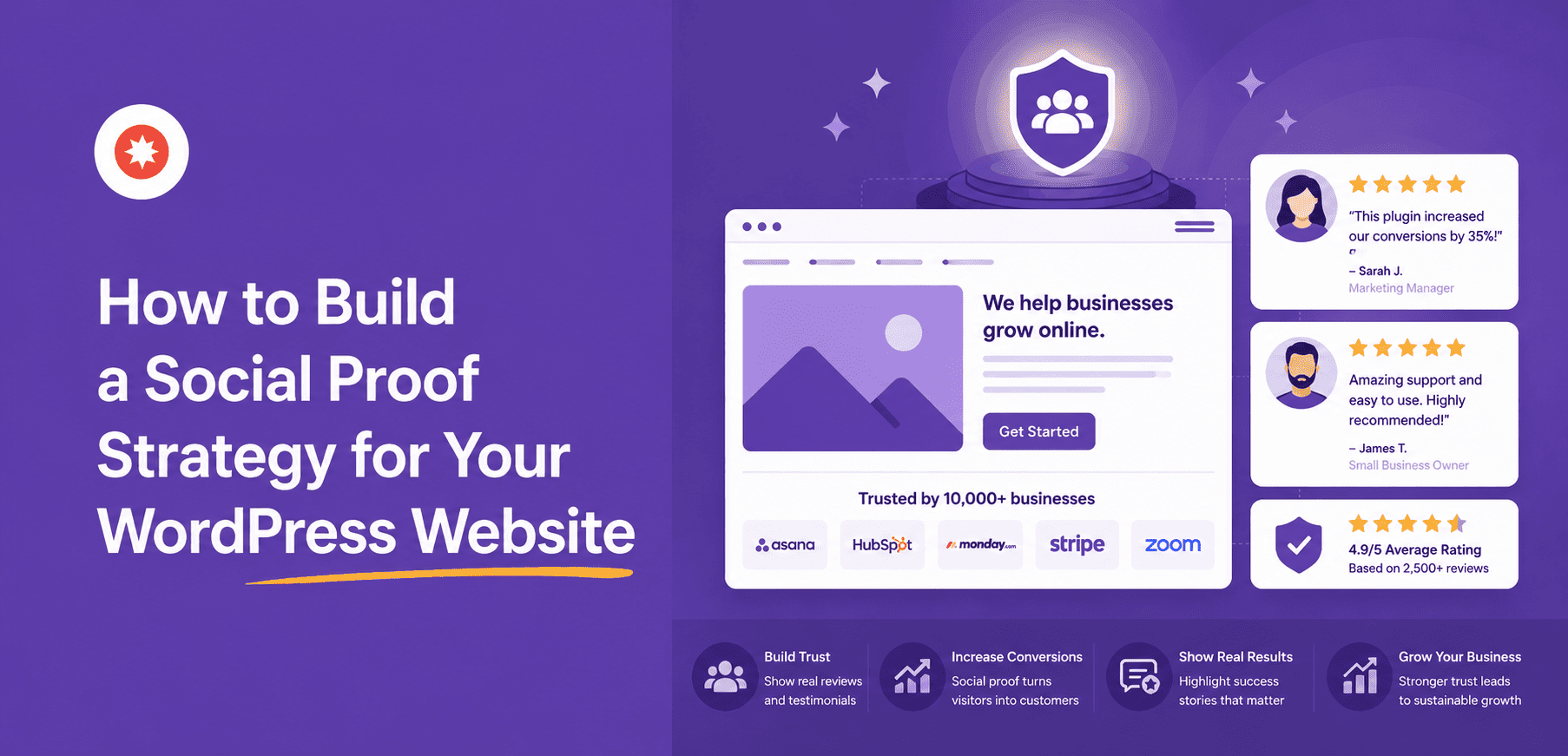
Most businesses add social proof the same way they pack for a last minute trip.
Grab whatever’s nearby and hope it’s enough. A reviews widget here, a social feed there, a testimonials section someone added two years ago and never touched again. That’s not a strategy. That’s clutter with good intentions.
I manage content across Smash Balloon’s blog and social channels, and I’ve watched this same pattern play out on dozens of small business sites.
They have real trust signals sitting on Google, on Instagram, on Yelp. None of it is connected to the site in any deliberate order. So here’s what an actual strategy looks like, broken into five stages you can work through one at a time.
Quick Answer: What Is a Social Proof Strategy?
A social proof strategy for a WordPress website has five stages. First, display your existing reviews from Google, Yelp, or Trustpilot directly on your site. Second, add live social media feeds to show your brand is active. Third, layer in user generated content like customer photos and tagged posts. Fourth, combine everything into a social wall if you’re active on multiple platforms. Fifth, track which placements are actually driving engagement. Start with stage one, getting your reviews visible on your homepage, before adding anything else.
In This Article
- Why Do Most Businesses Get Social Proof Wrong?
- What Is a Social Proof Strategy?
- How Do You Know If Your Social Proof Is Working?
- What's the Single Most Important Social Proof Change You Can Make?
- Frequently Asked Questions About Social Proof Strategy
- What is a social proof strategy?
- Where do I start with social proof if I have no time?
- What's the difference between social proof and testimonials?
- How many types of social proof does a small business need?
- How do I know which social proof is actually working on my site?
- Are fake or inauthentic reviews a risk with a social proof strategy?
- Start Building Your Social Proof Strategy Today
Key Takeaways
- Most businesses add social proof randomly. A strategy means matching the right proof to the right page at the right stage of the buying decision.
- Start with reviews. They’re the highest trust signal and the fastest to set up.
- The sequence matters. Adding a social wall before you have reviews is backwards. Adding UGC before you have a feed is getting ahead of yourself.
- The final stage, measuring what’s working, is where most businesses stop. It’s what turns a one time setup into an ongoing advantage.
Why Do Most Businesses Get Social Proof Wrong?
Most sites add social proof piece by piece, whenever someone happens to remember. A testimonial goes up after a good customer call. A reviews widget gets added because a competitor has one. None of it gets placed with any particular buying stage in mind.
That’s the actual problem. A review that would build trust on a homepage does almost nothing sitting on a page nobody visits before deciding to buy. Social proof isn’t just about having it. It’s about matching the right kind of proof to where someone is in their decision.
93% of shoppers say online reviews influenced their last purchase decision, according to PowerReviews. That’s not a reason to add proof randomly. It’s a reason to be deliberate about where you put it. If you want the full breakdown of what’s driving numbers like that, I’ve pulled together social proof statistics from across the research.
What Is a Social Proof Strategy?
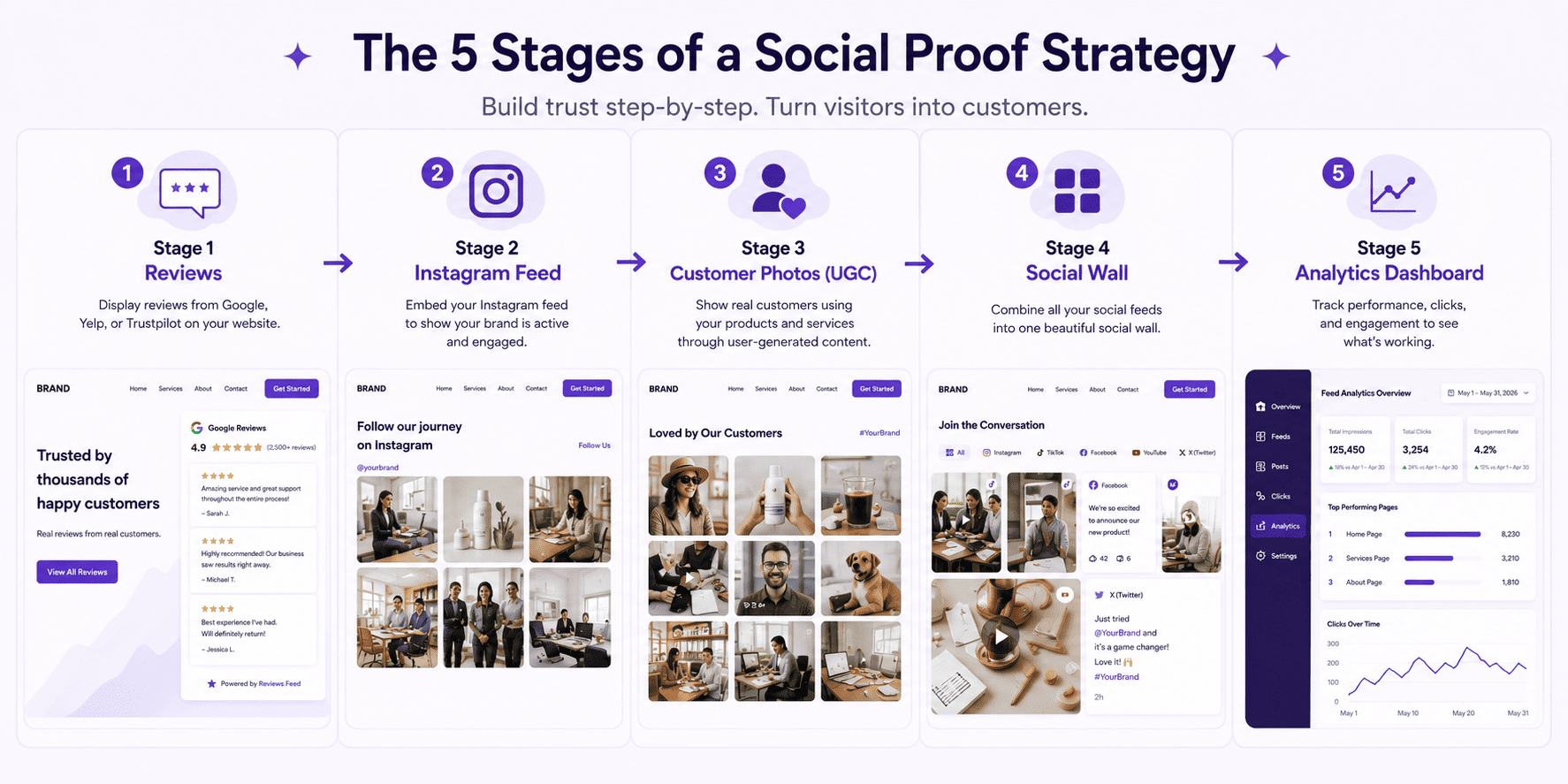
A social proof strategy is a deliberate order for adding trust signals to your site, based on what you already have and what will move the needle fastest.
For the full rundown of what counts as social proof, from testimonials to follower counts to case studies, I’ve covered 15 types of social proof in a separate piece. This article is about what order to build them in, not what they all are.
Here’s the framework I use with businesses that are just getting started.
| Stage | What you do | Tool | Time to set up | Priority |
|---|---|---|---|---|
| 1. Reviews | Display Google, Yelp, or Trustpilot reviews on your site | Reviews Feed Pro | 20 minutes | Do this first |
| 2. Social feeds | Embed live feeds from your top 1-2 platforms | Instagram, TikTok, or YouTube Feed Pro | 15 minutes per feed | Do this second |
| 3. UGC | Collect and display customer photos and tagged posts | Instagram Feed Pro (hashtag or tagged) | 30 minutes | Do this third |
| 4. Social Wall | Aggregate all feeds into one unified display | Social Wall | 15 minutes | When active on 3+ platforms |
| 5. Analytics | Track which placements drive clicks and follows | Feed Analytics | 10 minutes | Once feeds are live |
Stage 1: Start with Smash Balloon Reviews Feed Pro
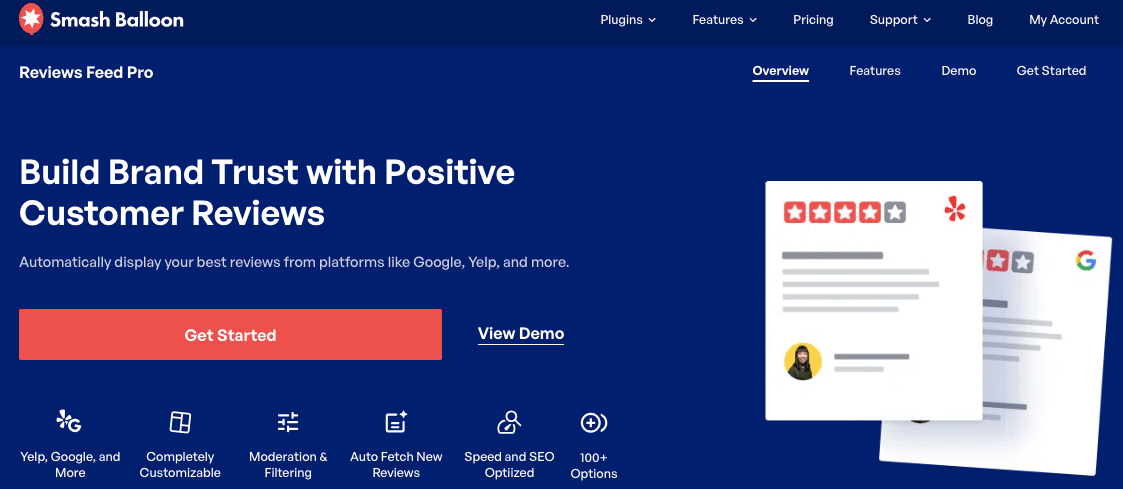
Reviews come first because they’re the highest trust signal you have and the fastest one to set up. You’re not creating anything new. The reviews already exist on Google, Yelp, or Trustpilot.
The only job is getting social proof like reviews onto your site instead of leaving them scattered across three different platforms nobody thinks to check.
Pull from whichever platform your customers already use most. For most local businesses, that’s Google. Place the feed on your homepage first, then on your service or product pages if you have them. This is the “set it and forget it” stage.
Once Smash Balloon Reviews Feed Pro is connected, new reviews show up automatically and your star rating stays current without extra effort on your part.
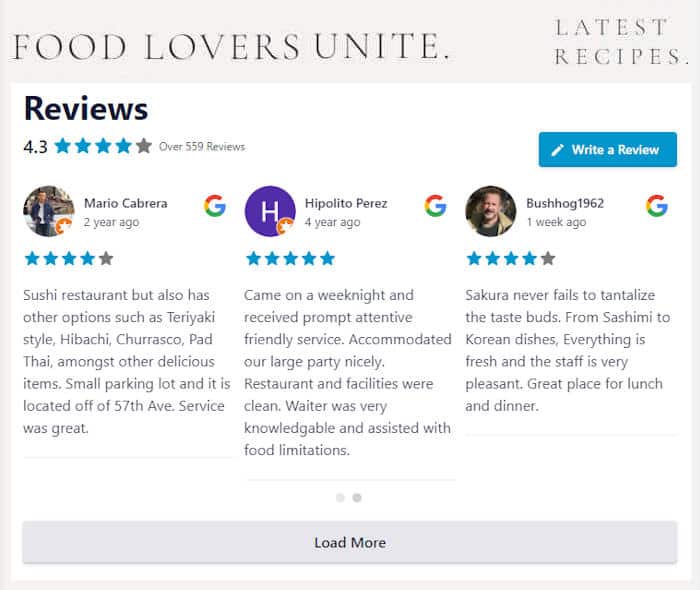
If you want the direct walkthrough, I’ve written up exactly how to show Google Reviews on your website. And if you’re wondering which reviews to show where, homepage versus product page versus checkout, that placement strategy is covered in how to show the right reviews on every page.
“Displaying reviews on your website increases on-site conversions by 10-30%.”
Source: Spiegel Research / Bazaarvoice
Stage 2: Add a Live Feed with Smash Balloon Instagram Feed Pro
Once your reviews are live, add a social feed. Reviews prove other people trust you. A feed proves you’re still around and still active, which matters just as much once someone is already considering you.
Pick one or two platforms, not all five.
Whichever platform you post on most consistently is the one to embed. A feed that hasn’t updated in three months does more damage than no feed at all, since it tells visitors you stopped showing up. If you’re not posting weekly on a platform, don’t put that feed on your site yet.
If you’re serious about growing your business using Instagram, then I recommend you start with Smash Balloon Instagram Feed Pro.
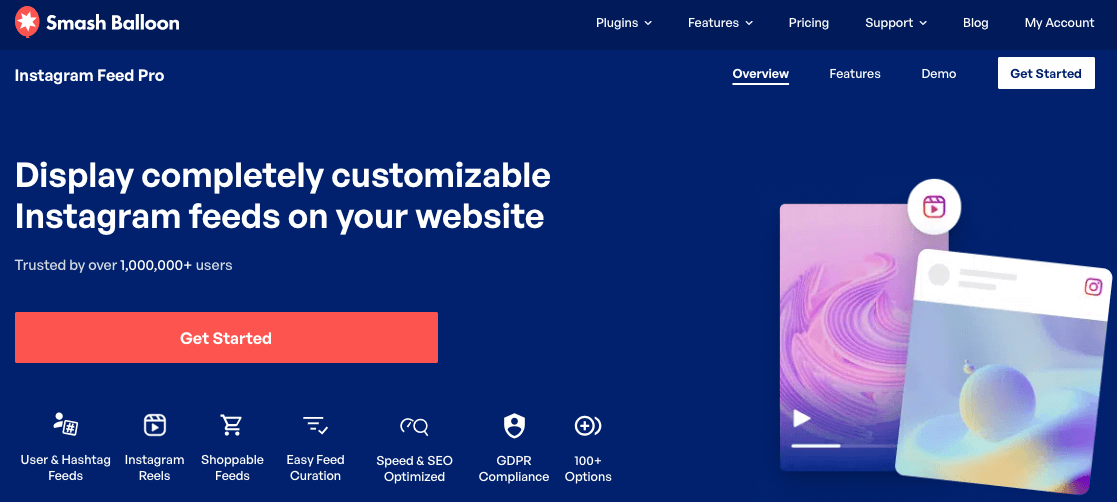
Homepage and about page are the strongest placements for this stage. I’ve written the full setup process in how to add social media feeds to WordPress if you’re ready to connect your first one.
Get every stage of your social proof strategy running from one plugin suite
Reviews, live feeds, UGC, a social wall, and the analytics to track it all. One plan covers every stage.
Get every stage coveredStage 3: Layer in UGC with Smash Balloon Instagram Feed Pro
User generated content, meaning real photos and posts from your customers, comes third because it needs something to build on.
You need a base of your own content already live, and ideally a branded hashtag customers already use or one you’ve started encouraging.
UGC belongs on product pages and your homepage, right where someone is deciding whether to trust you enough to buy.
A branded hashtag feed or a tagged posts feed pulled through Smash Balloon Instagram Feed Pro turns customer photos into a gallery that updates itself every time someone tags you.
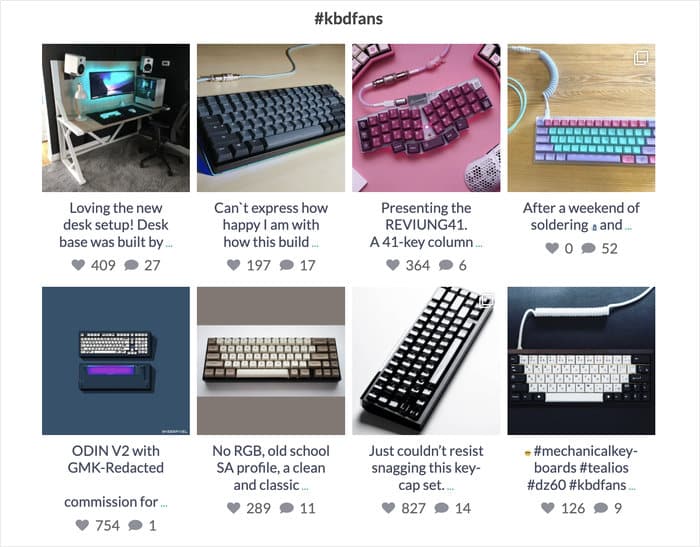
It’s worth the effort. 79% of people say user generated content highly impacts their purchasing decisions, according to Stackla. For the full setup, I’ve laid it out in how to create a UGC gallery on your WordPress website.
Stage 4: Consolidate with Smash Balloon Social Wall
Stage 4 isn’t for everyone. If you’re active on three or more platforms, individual feeds scattered across different pages start working against you, since no single visitor sees the full picture.
That’s when a Smash Balloon Social Wall makes sense: one unified display instead of five separate ones.
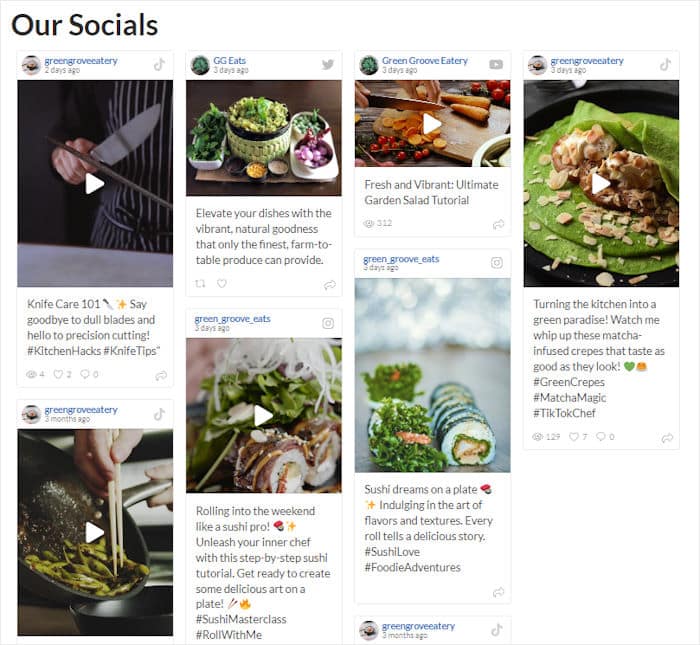
The difference from Stage 2 isn’t more content, it’s presentation.
Instead of an Instagram feed on your homepage and a YouTube feed buried on a services page, everything lives in one place a visitor can actually browse. I’ve walked through the setup in how to combine your social media feeds into one wall.
Stage 5: Measure and Optimize with Smash Balloon Feed Analytics
The last stage is the one almost everyone skips, and it’s the one that actually compounds.
Once your feeds and reviews are live, Smash Balloon Feed Analytics shows which placements get the most views and which individual posts get the most clicks.
Look at two things: which page a feed is on that’s driving the most engagement, and which specific posts people click on most.
If your Instagram feed on your homepage barely gets touched but the same feed on your services page performs well, that’s a signal to move it. Skip this stage and you’re just guessing forever.
How Do You Know If Your Social Proof Is Working?
Before adding anything new, take stock of what you already have. Most businesses skip this step and end up duplicating effort or adding a feature they don’t need yet. Run through the checklist below and be honest about where you actually stand.
Reviews
- Google or Yelp reviews are displaying on your homepage
- Reviews appear on your service or product pages
- Reviews auto-update when new ones come in, not a static screenshot
Social Feeds
- At least one live social feed is embedded on your site
- The feed has a visible follow or subscribe button
- The feed updates automatically when you post on social
UGC
- You have a branded hashtag or tagged post feed somewhere on your site
- Customer photos appear on at least one product or service page
Analytics
- You’re tracking which feed placements get the most clicks
- You know which social posts are driving the most engagement from your site
If you checked off Reviews and nothing else, you’re exactly where most businesses starting this framework are. Move to Stage 2 next.
What’s the Single Most Important Social Proof Change You Can Make?
Get your reviews on your homepage. That’s it.
If you’ve been putting off social proof because the whole thing feels like a bigger project than you have time for, skip everything else in this article for now and do that one thing.
It requires no new content, no photography, no campaign. The reviews already exist. You’re just moving them to where a visitor can actually see them before they decide to leave. 93% of shoppers say reviews influenced their last purchase, and that number doesn’t discriminate by industry or business size.
“93% of shoppers say online reviews influenced their last purchase decision.”
Source: PowerReviews
Frequently Asked Questions About Social Proof Strategy
What is a social proof strategy?
A social proof strategy is a deliberate plan for what types of social proof to add to your website, where to place them, and in what order to build them out. Instead of adding a reviews widget here and a social feed there, a strategy lines up each element with a specific point in the buying decision and builds them in sequence based on impact and effort.
Where do I start with social proof if I have no time?
Start with your Google reviews. If you have reviews on Google, Yelp, or any other platform and they’re not showing on your website, getting them there is the single highest leverage change you can make. It needs no new content creation, works for every business type, and produces a 10 to 30% conversion lift when reviews are visible in the purchase context.
What’s the difference between social proof and testimonials?
Testimonials are one type of social proof, a direct quote from a customer that a business places on its own website. Social proof is broader. It includes reviews on third party platforms, user generated content like Instagram photos, live social feeds that show engagement, follower counts, and any other signal that real people trust the brand. Testimonials are curated. Most other social proof formats update on their own.
How many types of social proof does a small business need?
Start with one, your reviews. Most small businesses see meaningful results from Stage 1 alone. Add Stage 2, social feeds, once reviews are in place. Not every business needs a Social Wall or Feed Analytics at launch. The priority is getting the highest trust signal visible first, then layering in additional proof types as your site and social presence grow.
How do I know which social proof is actually working on my site?
Smash Balloon Feed Analytics, included in the All Access Bundle, shows which feed placements get the most views and which individual posts get the most clicks. For reviews specifically, you can track conversion rate changes before and after adding a reviews feed using Google Analytics. The goal is knowing which placements are doing the work so you can prioritize optimizing those instead of adding more proof types.
Are fake or inauthentic reviews a risk with a social proof strategy?
Yes, and it’s worth taking seriously. Displaying reviews you can’t back up, or UGC you don’t have permission to use, does more damage than having no social proof at all once a visitor catches it. Stick to reviews pulled directly from verified platforms like Google and Trustpilot, and only feature UGC from posts where customers tagged or mentioned you directly.
Start Building Your Social Proof Strategy Today
You don’t need every stage running by next week. You need to know which one to do first, and now you do. Most businesses stall out because they try to do all five stages at once, or they do none of them because the whole idea feels bigger than it actually is.
Smash Balloon helps website owners turn real social content into trust signals that increase credibility and conversions, and each stage in this framework maps to a specific plugin built for exactly that job. That’s precisely where the All Access Bundle shines: one plan that covers reviews, feeds, UGC, a social wall, and the analytics to measure all of it, so you’re never stuck buying stage by stage as your needs grow.
Here’s where to start this week:
- Turn on your Google or Yelp reviews with Smash Balloon Reviews Feed Pro
- Pick the one social platform you post on most and embed that feed
- Set a branded hashtag if you don’t have one yet
- Come back to Feed Analytics once your feeds are live
Get Smash Balloon All Access Bundle