Social Wall
  Feed Analytics


Want visitors to trust your site right away?
Here’s the problem: 92% of shoppers hesitate to buy when they can’t see any customer reviews. You probably already have that trust signal.
Customers tag you on Instagram, post photos, and leave reviews. It’s just sitting on social platforms where your visitors never look.
Here at Smash Balloon, I’ve helped a lot of businesses put their social proof to work. So when I saw so much contradictory advice about social proof floating around, I wanted to write a definitive guide for business owners.
This guide covers what social proof really is, why it moves people to buy, and the types that work best. Then I’ll show you how to find the customer content you already have and display it effectively.
Here’s what we’ll cover. Click any link to jump straight to that section:
- What Is Social Proof? (The Short Answer)
- How Does Social Proof Work? The Psychology in Plain English
- What Are the Main Types of Social Proof?
- Why Social Proof Matters for Your Website (The Numbers)
- Where Your Social Proof Is Already Hiding (And Why Visitors Never See It)
- How to Display Social Proof on Your Site (Step by Step)
- Social Proof Mistakes to Avoid
- Start Showing Your Social Proof Today
🔑 Key Takeaways:
- Social proof works because people rely on others’ behavior to reduce uncertainty in decisions
- The most trusted form for purchase decisions is customer reviews, since 93% of shoppers say reviews influenced their last purchase
- Different business types need different social proof: local businesses need Google Reviews, e-commerce needs UGC, service businesses need outcome-based testimonials
- The biggest mistake is having strong social proof (reviews, UGC, feeds) on third-party platforms where your website visitors never see it
What Is Social Proof? (The Short Answer)
Social proof is when people look to others’ actions to decide how to behave, especially when they feel unsure. That’s the simplest social proof meaning: if other people are doing something, we assume it’s the right call.
You see it every day. Walk past two restaurants, one packed and one empty, and you pick the busy one without thinking. The crowd feels like a signal.
Other diners did the research for you, so you trust their choice.
On a website, social proof works the same way. Reviews, customer photos, and tagged posts tell visitors that real people already bought, used, and liked what you sell.
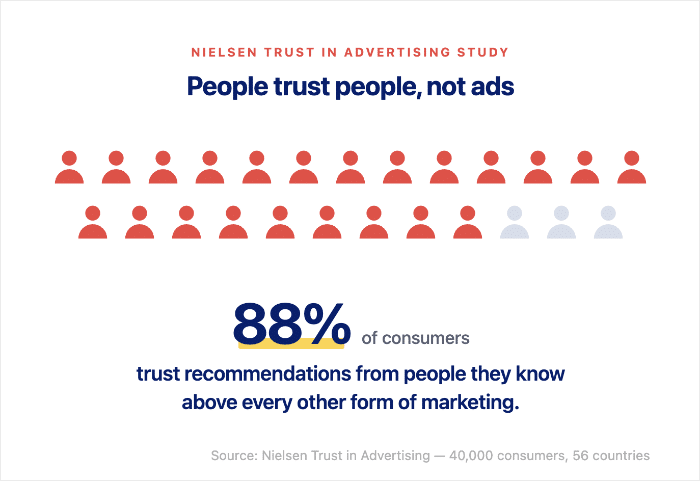
And the numbers back this up: a Nielsen study found that 88% of shoppers trust online reviews as much as a personal recommendation.
The good news is you’ve probably already earned plenty of it. It’s just sitting in the wrong place.
How Does Social Proof Work? The Psychology in Plain English
Social proof works because your brain takes a shortcut when you feel unsure. Instead of researching every choice, you watch what other people do and copy it.
If the crowd trusts something, you assume it’s safe to trust too. This shortcut kicks in hardest when the stakes feel high or the choice feels new.
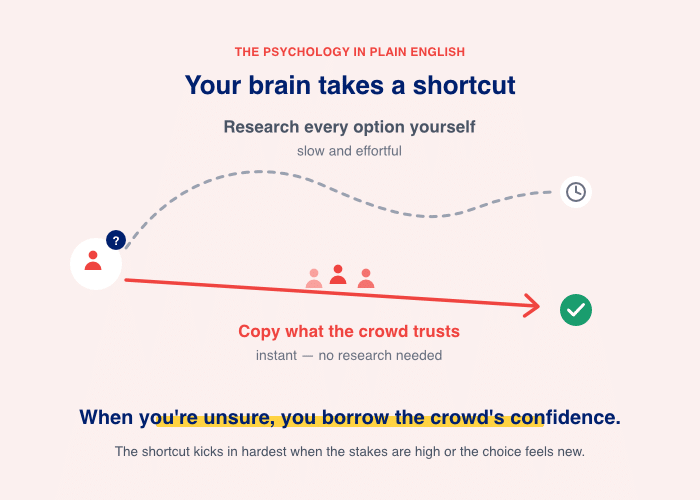
A first-time visitor to your site doesn’t know you yet. So they scan for signals that other people already took the leap and were happy they did.
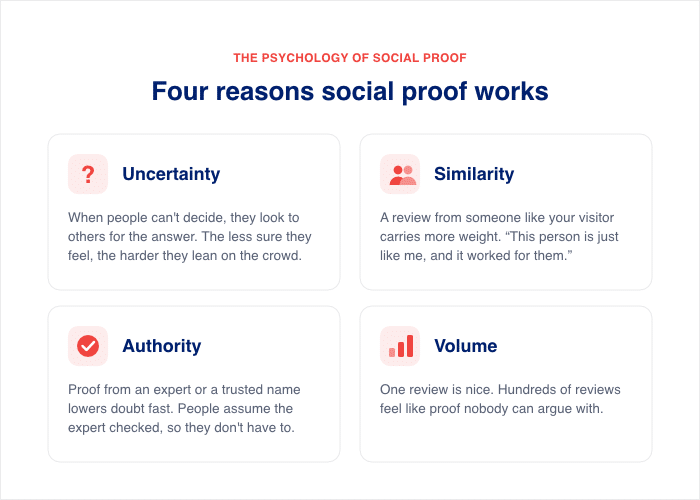
Here are the four triggers that make social proof pull on a visitor:
- Uncertainty. When people can’t decide, they look to others for the answer. The less sure they feel, the harder they lean on the crowd.
- Similarity. A review from someone like your visitor carries more weight than a generic one. “This person is just like me, and it worked for them.”
- Authority. Proof from an expert or a trusted name lowers doubt fast. People assume the expert checked it so they don’t have to.
- Volume. One review is nice. Hundreds of reviews feel like proof nobody can argue with.
The data shows how strong this pull really is: 97% of buyers aged 18-34 read online reviews when they browse for a local business (BrightLocal).
And it’s not just the younger customers either, most people in each age group will check social proof before buying something.
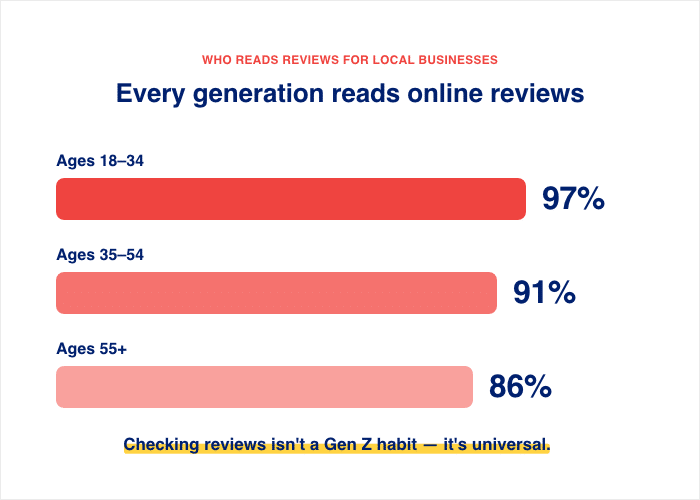
So when a visitor lands on your page, they’re already looking for these signals. Your job is to put them where they can see them. Don’t worry, that’s exactly what the rest of this guide walks you through.
What Are the Main Types of Social Proof?
Social proof comes in a few clear forms. Each one sends the same message in a different way: real people already trust you.
Some types you have to earn over years. Others are sitting in your customers’ phones right now.
Here are the main types, what each one means, and what it looks like in the real world:
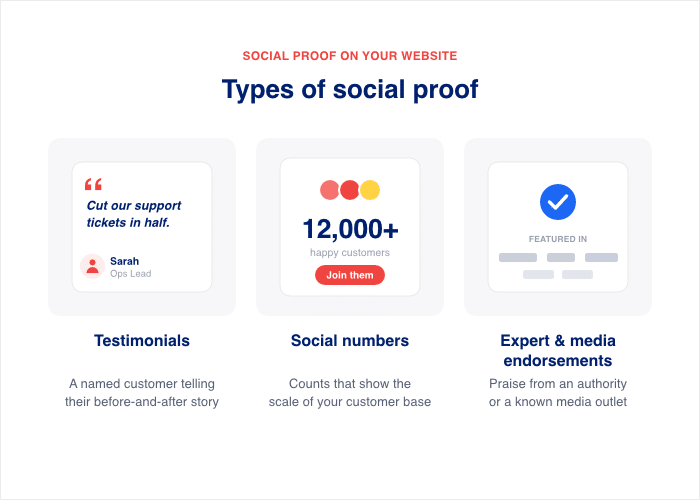
| Type | What it means | Real-world example |
|---|---|---|
| Customer reviews and ratings | Written feedback and star scores from buyers | A 4.8-star average across 2,300 Google reviews on a local bakery’s listing |
| User-generated content (UGC) | Photos and videos customers create and post | A customer’s tagged Instagram photo wearing your product |
| Live social media feeds | Your real posts and mentions, shown on your site | An Instagram feed of customer photos embedded on a homepage |
| Testimonials | A named customer telling their before-and-after story | “This tool cut our support tickets in half.” — Sarah, Ops Lead |
| Social numbers | Counts that show scale | A “Join 12,000 happy customers” counter on a pricing page |
| Expert and media endorsements | Praise from an authority or known outlet | A “Featured in Forbes” badge or a verified blue checkmark |
These map to the six classic types of social proof named by marketer Nick Nolan: Expert, Celebrity, User, Crowd, Friend, and Certified.
Two of them matter most for the average website owner. User proof (real customer photos) and Crowd proof (counts and reviews) are the kinds you already own. You just haven’t put them on your site yet.
Don’t worry if you don’t have celebrity endorsements. The proof that converts best is the kind you already have.
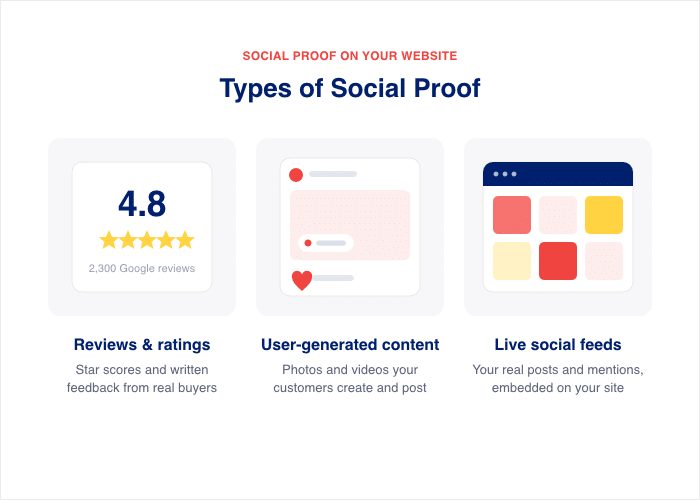
Customer Reviews and Ratings
Reviews are the most trusted form of social proof for buying decisions. They’re honest, detailed, and written by people with nothing to sell.
A row of stars tells a visitor in one second that others took the risk and were happy.
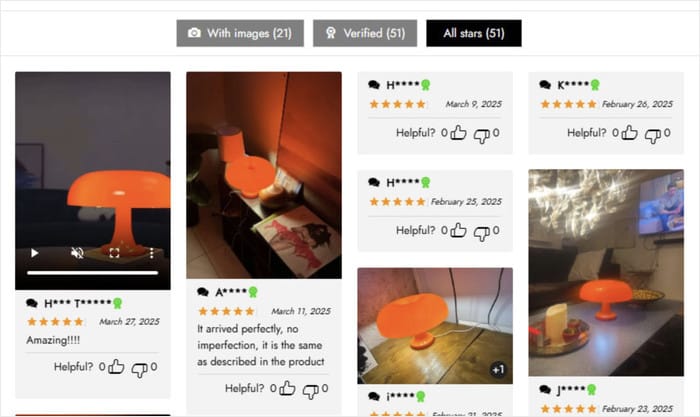
User-Generated Content (UGC)
User-generated content is any photo or video your customers create and share. Think of someone unboxing your product on TikTok or tagging you in an Instagram story. It feels real because the customer made it, not your marketing team.

This is the type most website owners already have. Your customers post it every week. The problem is it stays on social platforms where your visitors never look.
Live Social Media Feeds
A live social feed pulls your real posts and customer mentions onto your site. Visitors see fresh content updating on its own, not a stale screenshot.
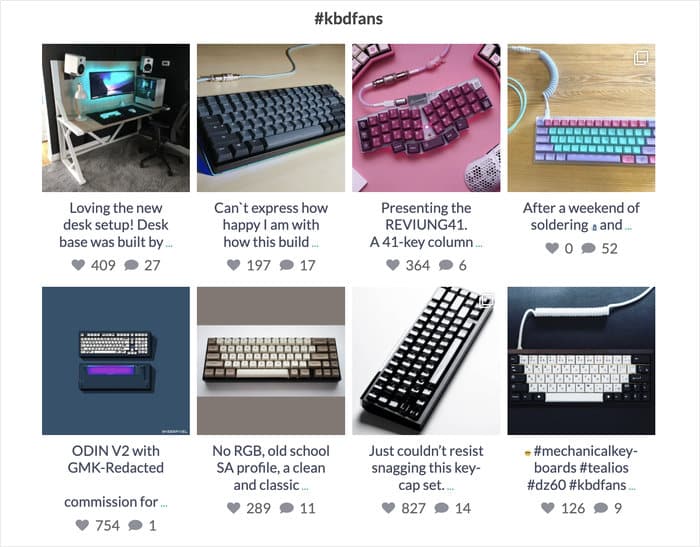
It proves your brand is active and that real people keep talking about you.
This is where the UGC you already earned becomes visible. A feed of tagged customer photos turns your homepage into living proof.
Testimonials
A testimonial is a named customer sharing their story in their own words. The best ones describe a real problem and the result you delivered. A name, a face, and a job title make the praise believable.
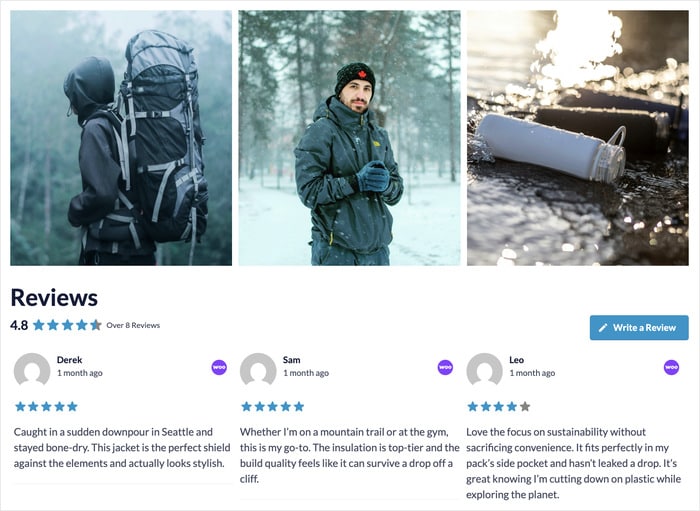
Outcome-based testimonials work hardest for service businesses. “We doubled our bookings in three months” beats a vague “great service.”
Social Numbers
Social numbers show scale at a glance. A “Join 12,000 customers” counter or a “500,000 downloads” badge tells visitors the crowd already chose you.
Big numbers lower doubt because nobody wants to be the only one taking a chance.

You don’t need millions to start seeing results. Even “trusted by 300 local families” feels reassuring to a new visitor.
Expert and Media Endorsements
Expert and media proof comes from an authority your visitor already respects. A “Featured in Forbes” logo or a verified badge borrows that trust and hands it to you.
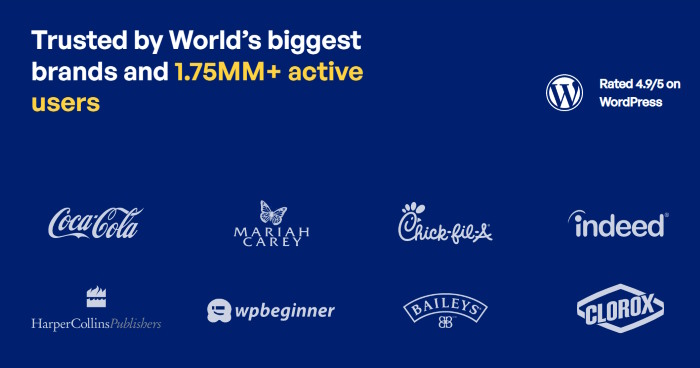
People assume the expert checked you out so they don’t have to.
This type is the hardest to earn, and that’s fine. The good news is the proof that moves people to buy, reviews, and real customer photos, is already within your reach.
Why Social Proof Matters for Your Website (The Numbers)
Does social proof actually pay off? The short answer is yes, and the numbers prove it. When you show real proof, you give nervous visitors a reason to say yes instead of leaving.
Here’s what that looks like in practice:
- Hesitation Is the Default: 92% of consumers hesitate to buy when a product page shows zero reviews (Fan & Fuel). With nothing to reassure them, they assume the risk is on them, so they bounce.
- Proof Lifts Spending: Shoppers who read reviews spend 31% more than those who skip them (BrightLocal). Each review and rating chips away at doubt, so people feel safe choosing the bigger option.
- Conversions Climb Fast: Conversions jump 108.6% among shoppers who interact with ratings and reviews (PowerReviews). One format backs up the next, and the doubt has nowhere left to hide.
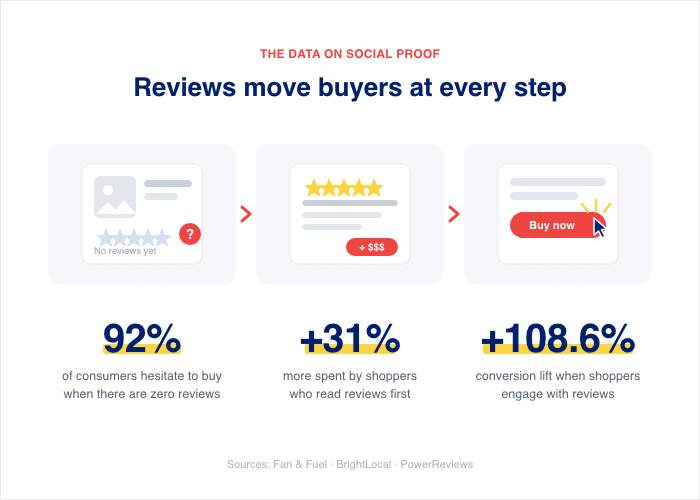
Notice the pattern. These gains only show up when the proof sits where buyers actually look, on your site, not stranded on your social channels.
The good news is the proof already exists. You just need to move it where buyers will see it.
Where Your Social Proof Is Already Hiding (And Why Visitors Never See It)
Here’s a question I get all the time at Smash Balloon: “How do I find the posts where customers tagged my brand?”
The reviews, the tagged photos, the customer shoutouts could all be out there. They’re just living somewhere your visitors never go.
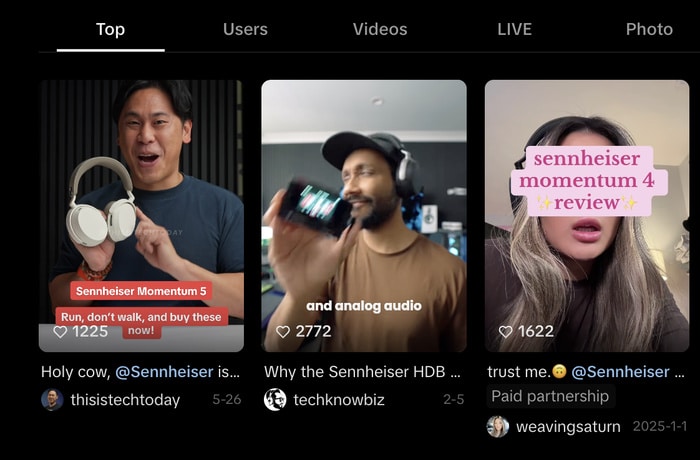
This is the difference between social proof and simply having a social media presence. A presence means you post and your customers respond on the platform.
Social proof means that response shows up where it changes a buying decision, on your product and homepage.
Three things keep that proof hidden:
- You can’t find where customers tagged you. Tags and mentions get buried in notifications within hours. Unless you check constantly, that glowing post from a happy buyer disappears into the feed and you never see it again.
- A manual “What customers are saying” section goes stale fast. Maybe you copied three nice quotes onto your homepage last year. Updating them by hand is tedious, so you stop. A dated section quietly signals that nobody has bought from you recently.
- The content lives on platforms your visitors never visit. Someone reading your product page isn’t scrolling your Instagram tags. The proof that would seal the sale sits one platform away, invisible at the exact moment it matters.
So your customers are vouching for you every week. That praise just isn’t reaching the people deciding whether to trust you.
The good news is you don’t have to recreate any of this. You just have to redirect it.
How to Display Social Proof on Your Site (Step by Step)
Ready to put your proof where buyers will see it? Here’s the part most guides skip. You don’t need new reviews or fresh photos. You just need to move the proof you already have onto your product and homepage.
I’ve walked hundreds of business owners through this at Smash Balloon. The steps below take it from start to finish. Don’t worry if you’ve never installed a plugin before, because each one is built to be point-and-click.
Step 1: Pull your tagged posts and UGC photos into a feed
Start by surfacing the customer posts that already exist. A Smash Balloon social feed connects to your Instagram or Facebook account and pulls those tagged photos and mentions straight onto your site.
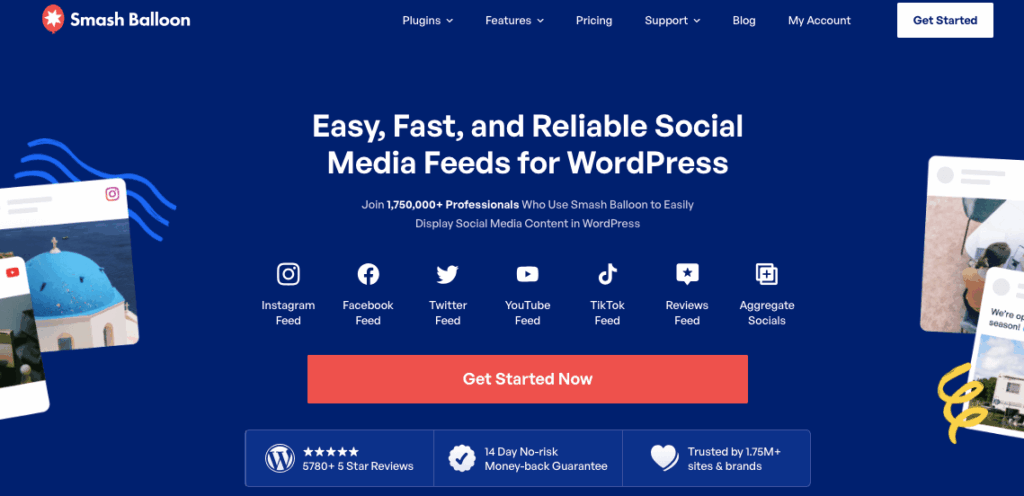
You add the feed once, and it shows your real customer content on autopilot.
Drop it on your homepage or a product page where shoppers decide. Now the unboxing photos and shoutouts greet visitors instead of hiding in your notifications.
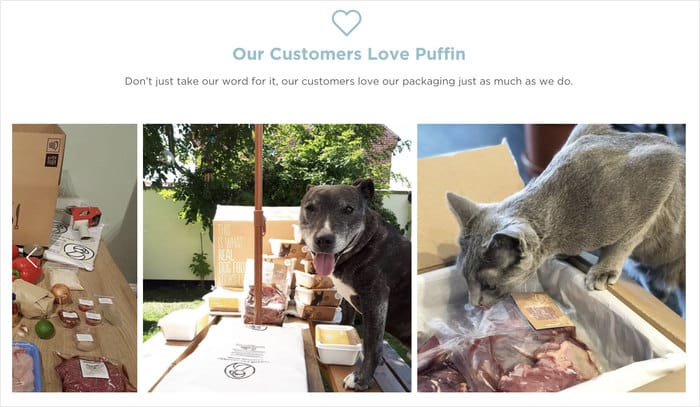
Puffin Packaging does this well, lining its site with real customer photos pulled from Instagram.
Step 2: Use a hashtag feed with keyword filtering to keep it current
This step solves the “goes stale” problem from earlier. Set up a hashtag feed that watches your brand tag, like #yourstore, so any new customer photo appears on its own. You never touch it by hand again.
Keyword filtering keeps the feed clean. You can tell it to show only posts that mention your product and skip anything off-topic.

So fresh, relevant customer photos roll in week after week without any work from you.
To get started, check out this complete guide where we’ll show you how to create a UGC gallery for your website.
Step 3: Add review widgets to your product and landing pages
Reviews are the proof that moves people to buy. When real quotes sit on the page, nervous shoppers stop second-guessing and click.
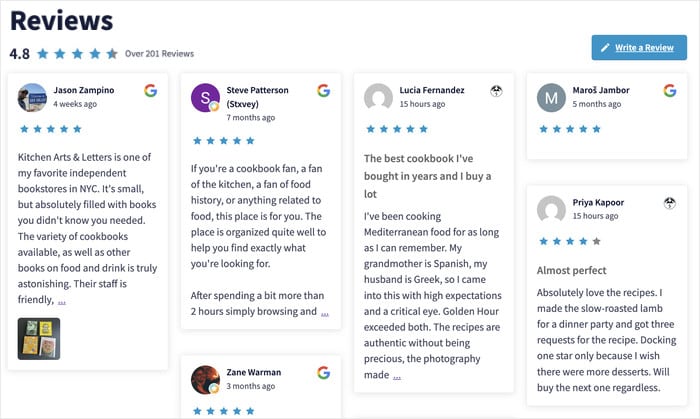
A Reviews Feed Pro widget pulls reviews from trusted sites like Yelp, Google, Facebook, Trustpilot, and more onto the exact pages where buyers decide.
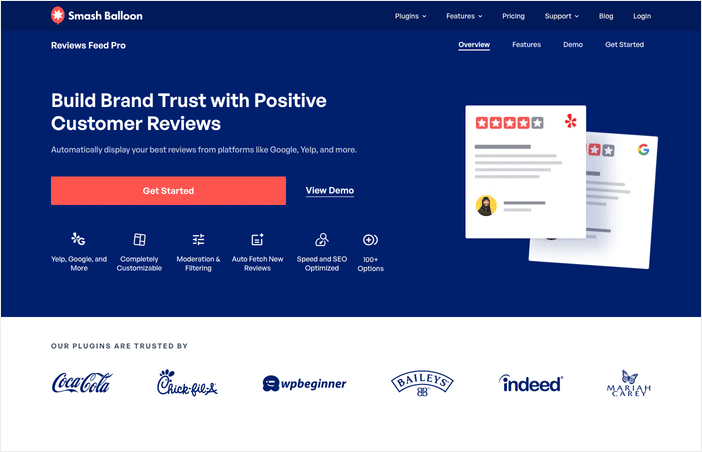
After that, your reviews feed will automatically update, and you’ll have a steady supply of social proof to build trust.
The results speak for themselves. Online retailer Figleaves added customer reviews to its product pages and saw a 35% jump in conversions for reviewed products.
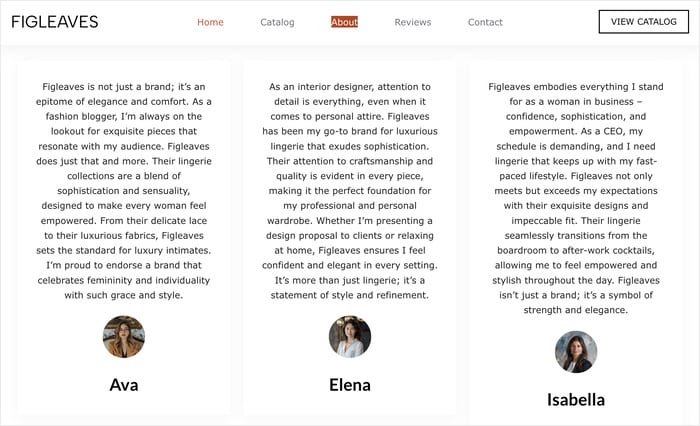
Place a review widget on your product and landing pages. Star ratings and real quotes give nervous shoppers the push they need at checkout.
The good news is the reviews are already written, so you only have to display them.
Ready to add social proof to your site with ease?
Learn how to add social media review widgets to your website using Reviews Feed Pro.
Keep Your Social Proof Always Visible (Even During an Outage)
Here’s the thing: displayed social proof only helps when it’s actually on the page. Imagine you’re on a website wondering if you should buy, and the customer reviews section is just an empty box.
That gap gives a worse signal than showing nothing at all. An empty space hints that something broke, and nervous shoppers notice.
Smash Balloon feeds handle this with backup caching.
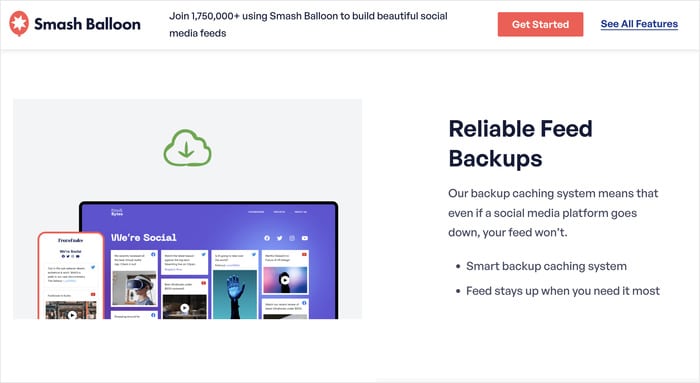
The feed saves a copy of your latest posts and reviews, so it keeps showing that content even when the Instagram or Facebook API hiccups.
Your customer photos and star ratings stay on the page while the platform sorts itself out.
So your proof stays put, even on the platform’s worst day.
Social Proof Mistakes to Avoid
You’ve done the hard work of moving your proof onto your site. Now let’s make sure it actually builds trust. A few common slip-ups can quietly undo all that effort, so here’s what to watch for.
- Using fake or stock testimonials. A staged quote with a stock photo reads as fake, and shoppers spot it fast. Show real customers with real names instead.
- Letting a manual feed go stale. Three quotes you pasted last year tell visitors nobody has bought from you since. Use an automatic feed so fresh content rolls in on its own.
- Hiding your proof below the fold. Buyers decide near the top of the page, not after scrolling. Put reviews and customer photos where they’ll see them right away.
- Showing praise with no name or photo. An anonymous “Great product!” carries almost no weight. Add a name, a face, and a job title so the praise feels believable.
- Letting a broken feed go blank. An empty reviews box signals that something broke and scares shoppers off. Pick a feed with backup caching so your proof stays on the page.
None of these are hard to fix. The good news is that getting them right comes down to one simple rule: keep your proof real, visible, and always on.
Frequently Asked Questions
What is the difference between social proof and a social media presence?
A social media presence and social proof are not the same thing. A presence means you post content and customers respond on the platform. Social proof means that response shows up where it changes a buying decision, on your product and homepage.
What are the most effective types of social proof?
The most effective types of social proof are reviews and real customer photos. Online retailer Figleaves added customer reviews to its product pages and saw a 35% jump in conversions for reviewed products. These formats work because shoppers trust other buyers more than they trust your marketing.
How do I find posts where customers tagged my brand?
You find posts where customers tagged your brand by pulling them into a feed instead of hunting through notifications. A Smash Balloon social feed connects to your Instagram or Facebook account and surfaces tagged photos and mentions on its own. You set it up once, and the customer posts appear without you searching for them.
Can I display customer photos on my site automatically?
Yes, you can display customer photos on your site automatically with a hashtag feed. Set it to watch your brand tag, like #yourstore, and any new customer photo appears on its own. Keyword filtering keeps the feed clean by showing only posts that mention your product.
Start Showing Your Social Proof Today
You’ve already earned your social proof. Customers have left reviews, tagged your brand, and posted their photos.
The win isn’t collecting more, it’s putting that proof on your own product and homepage where buyers decide.
So display it, keep it current with an automatic feed, and make sure it stays visible even during an outage. That’s the difference between having social proof and using it.
Ready to put your reviews to work? Reviews Feed Pro pulls your Google, Yelp, and Facebook reviews onto the exact pages where shoppers buy, and backup caching keeps them showing no matter what.
Get Reviews Feed Pro and start showing your social proof today »