Social Wall
  Feed Analytics

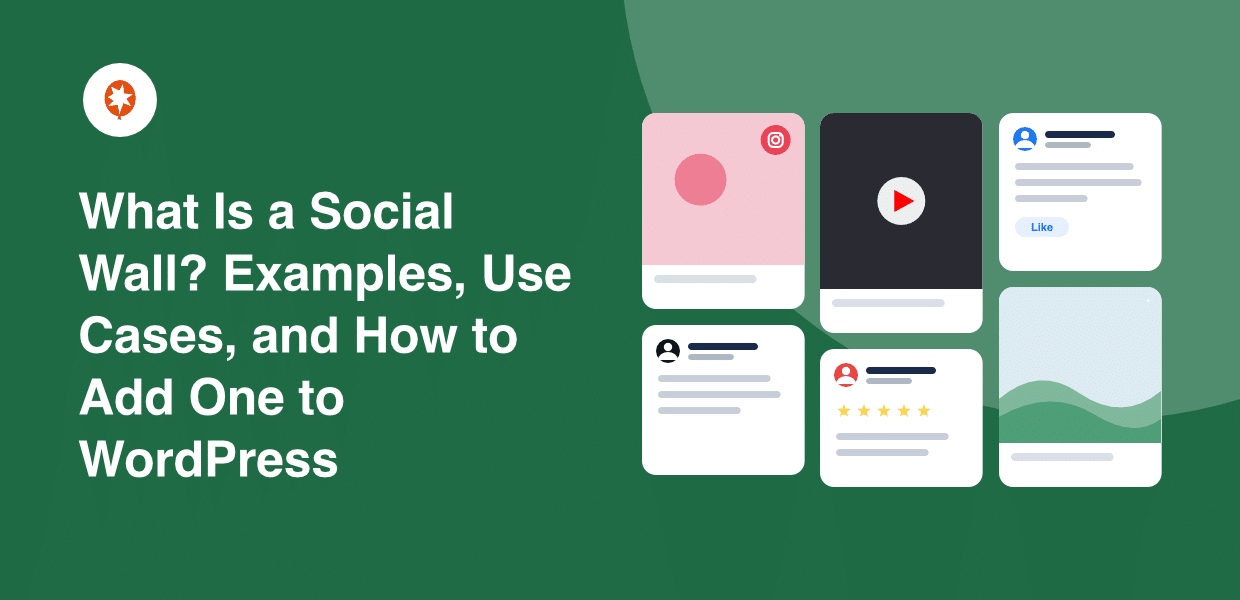
You’ve seen it before. A giant screen at a conference, glowing with live tweets, Instagram photos, and Facebook posts all scrolling past at once.
Maybe you’ve even thought, “I want that on my website.”
Here’s the catch most people hit. You’re active on three or four platforms: Instagram, TikTok, Facebook, maybe even YouTube, but your website only shows one feed, or none at all.
So your homepage hints at your social presence instead of proving it. And if a client or a screen at an event introduced you to the term “social wall,” you might not be sure how it differs from the single Instagram feed you already embedded.
Smash Balloon is one of the most popular tools people use to build social walls, and I’ve watched thousands of businesses display their social content in just about every way you can imagine.
That hands-on experience is what I’m drawing on here.
I’ll clear up what a social wall is, how it differs from a single social feed, who genuinely benefits from one, and how to build one in WordPress in about ten minutes without writing code.
By the end, you’ll know whether a social wall belongs on your site and exactly how to put it there.
Key Takeaways:
- A social wall aggregates content from multiple platforms (Instagram, TikTok, YouTube, reviews) into one display. A single-platform feed only shows one source.
- Social walls auto-update in real time. No manual curation or copy-pasting.
- They work on websites, not just live events. Think homepages, product pages, and campaign landing pages.
- In WordPress, Social Wall Pro builds one in under 10 minutes without coding, as part of the Smash Balloon All Access Bundle.
[Quick Answer] What Is a Social Wall?
A social wall is a live display that pulls posts from several social media platforms into one feed on your website. As soon as someone posts on any connected platform, the wall updates on its own.
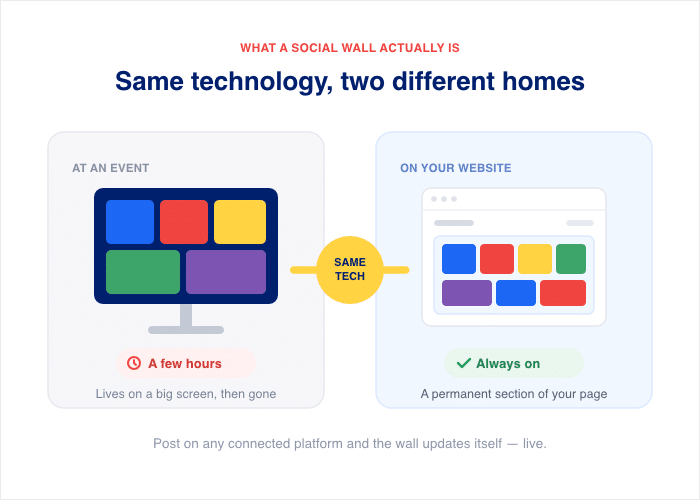
Here is the part that clears up the biggest confusion. The glowing screens you saw at conferences run on the same technology. The only difference is where it lives:
- At an event, the wall sits on a big screen for a few hours.
- On your website, it becomes a permanent section of your homepage, product page, or landing page.
So yes, you can put one on your homepage and keep it there year-round.
A social wall is one type of social media aggregator, the kind built for display.
An aggregator gathers content from many sources. A social wall takes that gathered content and turns it into a clean, public layout your visitors can scroll through.
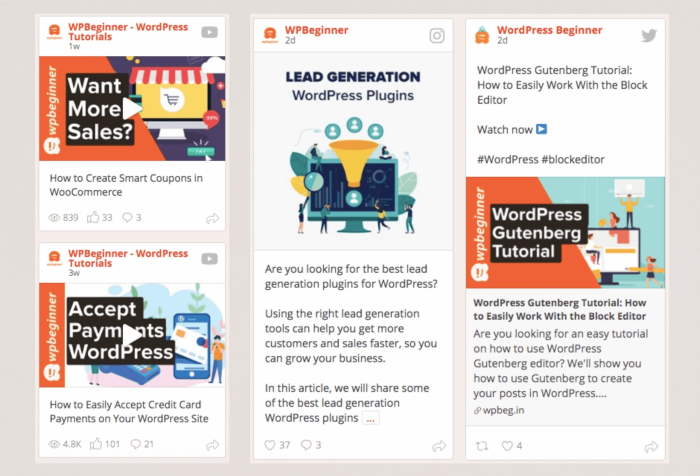
That means one display handles every platform at once, instead of a separate embed for each.
How Is a Social Wall Different from a Single Social Feed?
Most people mix these two up, so let’s settle it with a quick comparison.
| Feature | Single platform feed | Social wall |
|---|---|---|
| Sources | One platform (e.g., Instagram only) | Multiple platforms at once |
| Content variety | Photos/videos from one channel | Mix of video, photos, reviews, posts |
| Auto-updates | Yes | Yes |
| Shows full social presence | No | Yes |
| Best for | Showcasing one channel | Proving you’re active everywhere |
| Setup complexity | 5 minutes per feed | Under 10 minutes for all sources combined |
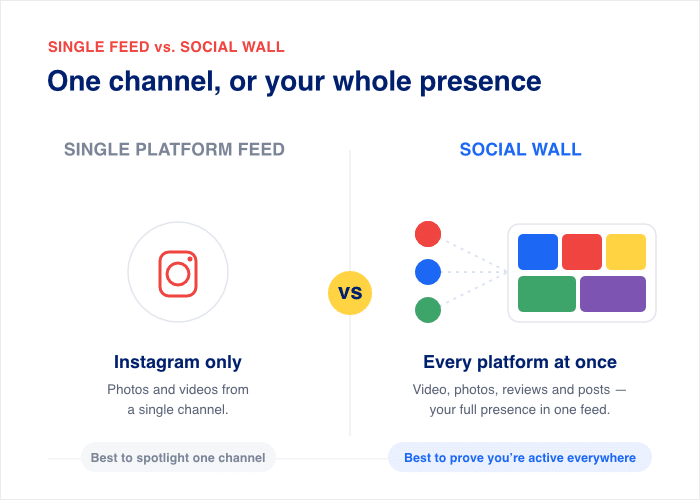
A single feed shows off one channel, like your Instagram photos or your YouTube videos. A social wall pulls every channel into one section, so visitors see your whole social presence without clicking away.
If you want inspiration for social walls, here’s a collection of the best social media wall examples.
Pro tip: Still comparing tools before you commit? Take a look at the best social feed aggregators to see how the top options stack up side by side.
Already embedded a single feed? You’re in good shape. A social wall builds on what you have, so it’s an upgrade away, not a rebuild.
Who Actually Needs a Social Wall?
You don’t need an event stage to use a social wall. Most of the businesses I see using one put it straight on their website, where it works every day instead of for one afternoon.
Here’s a quick look at who uses social walls, what they pull together, and where it goes.
| Business type | What they aggregate | Where they put it |
|---|---|---|
| Restaurants | Instagram food photos + Google Reviews + TikTok videos | Homepage |
| E-commerce stores | Instagram UGC + TikTok product videos + Trustpilot reviews | Product pages, homepage |
| Events and conferences | Live hashtag posts from Instagram + Twitter/X | Event landing page |
| Agencies and marketers | Campaign UGC from all platforms | Campaign landing page |
| Content creators | Instagram + YouTube + TikTok in one hub | Website homepage |
Events and conferences
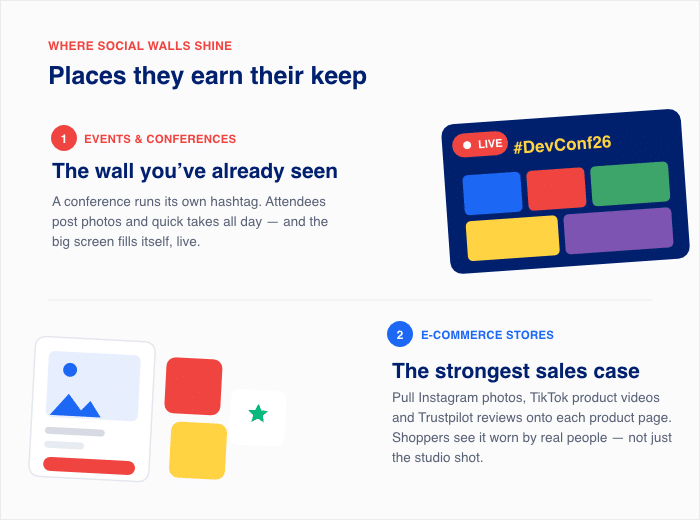
This is the use that probably introduced you to the term. Picture a tech conference with its own hashtag. Attendees post photos and quick takes from the sessions all day.
A social wall pulls every Instagram and Twitter/X post tagged with that hashtag onto the event landing page in real time. The screen in the hall and the page on the website show the same live feed. People who couldn’t attend still watch the buzz scroll by as it happens.
E-commerce stores
This is the strongest case for sales. An online clothing store can pull Instagram photos from real customers, TikTok product videos, and Trustpilot reviews onto each product page. A shopper sees the product worn by real people, not just the studio shot.
That matters because shoppers trust other shoppers. Stackla found that 88% of consumers say authenticity matters when deciding which brands to support.
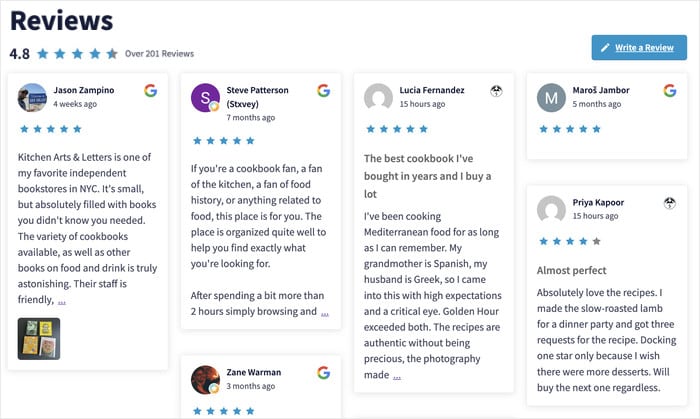
A product page with real customer content does that work for you on the page where people decide to buy.
If you want to go deeper here, read our UGC strategy for your website.
Restaurants and hospitality
A restaurant lives on appetite appeal and word of mouth. A social wall serves both at once.
Picture a homepage that pulls Instagram food photos, recent Google Reviews, and short TikTok clips into one section. New visitors see the dishes, the star ratings, and the room all together.
It’s social proof and a menu preview in the same scroll, and it refreshes itself every time a guest posts.
Agencies and marketers
If a client asked you about social walls, this is your use case. An agency running a campaign can collect every post that uses the campaign hashtag, across all platforms, onto one campaign landing page.
You recommend the wall, set it up once, and it fills itself as the campaign runs. The client gets a live gallery of real people engaging with their brand, and you get a deliverable that proves the campaign is working without a manual report.
Content creators
If you post on Instagram, YouTube, and TikTok, your audience probably follows you on only one of them. A social wall fixes that. It pulls all three into one hub on your homepage.
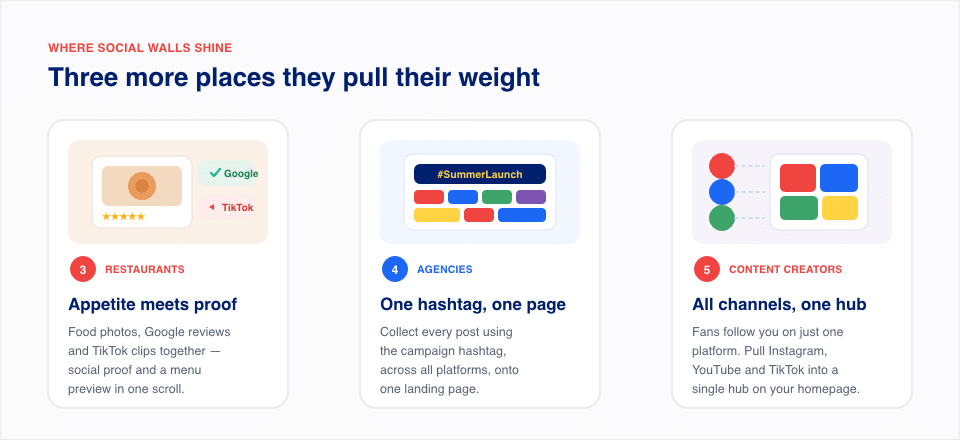
A visitor who found you through a YouTube video sees your Instagram and TikTok right there. It gives every visitor a reason to follow you on every platform, from one place.
79% of people say user-generated content highly impacts their purchasing decisions. — Stackla Consumer Content Report
That’s the core reason a social wall earns its spot on a sales page. Sprout Social found that 76% of consumers would buy from a brand they feel connected to over a competitor.
Real content from real people moves buyers in a way a polished ad doesn’t. Whatever you sell, if you’re active on more than one platform, a social wall earns its place.
How Do You Add a Social Wall to a WordPress Website?
You can build a social wall in WordPress without touching a line of code. The tool that handles it is Social Wall Pro from Smash Balloon.
It plugs into the Smash Balloon feed plugins you may already run and pulls them into one combined display.
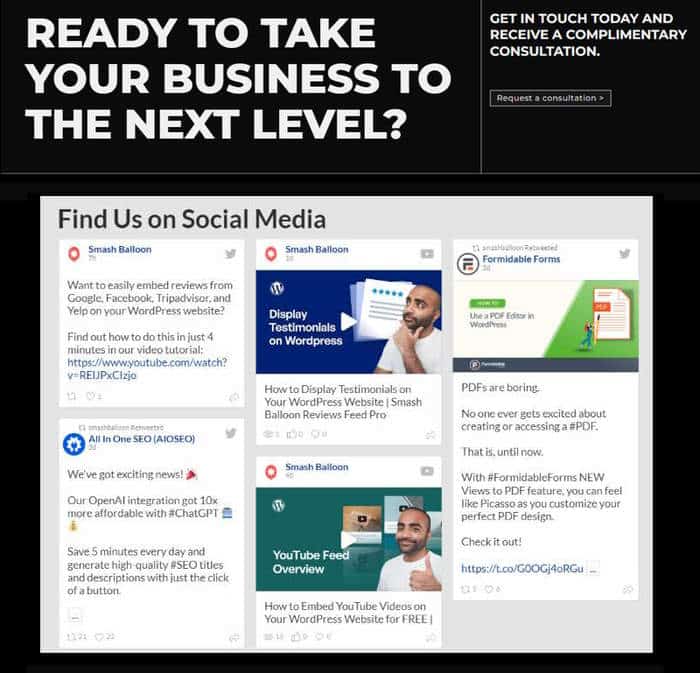
Here is the whole process, start to finish.
- Install Social Wall Pro. From your dashboard, go to Plugins » Add New, upload the plugin, then click “Activate.” This adds the social wall builder to your site.
- Connect your active Smash Balloon feed sources. Social Wall Pro works with the feeds you already set up in Instagram Feed, Feeds for YouTube, Custom Facebook Feed, and Reviews Feed. It reads from those connections, so you don’t reconnect each account.
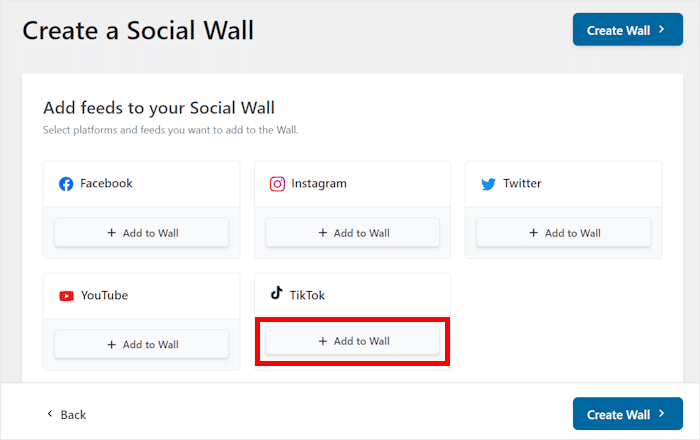
- Select which sources to include. Pick the platforms you want in the wall, like Instagram plus Google Reviews plus YouTube. You decide what shows up and what stays out.
- Choose a layout. Select a layout for how the posts sit together, such as a masonry grid or a card style. This sets the shape of your wall.
- Customize the styling. Adjust colors, spacing, and the header to match your brand. The wall also inherits your theme styling, so it fits your site out of the box.
- Embed it. Drop the wall onto any page with a shortcode or the Gutenberg block. Publish the page, and your wall goes live.
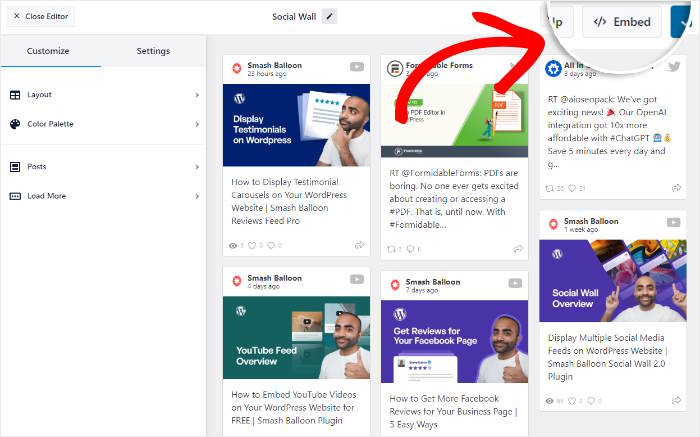
The whole build takes under 10 minutes, and once you set it up, it’ll work in the background automatically. No developer, no custom code.
Show Every Platform in One Live Section
Social Wall Pro combines Instagram, TikTok, YouTube, Facebook, and reviews into one auto-updating display. It’s included in the All Access Bundle at $299 per year.
Build My Social WallHow a Social Wall Works on a Website
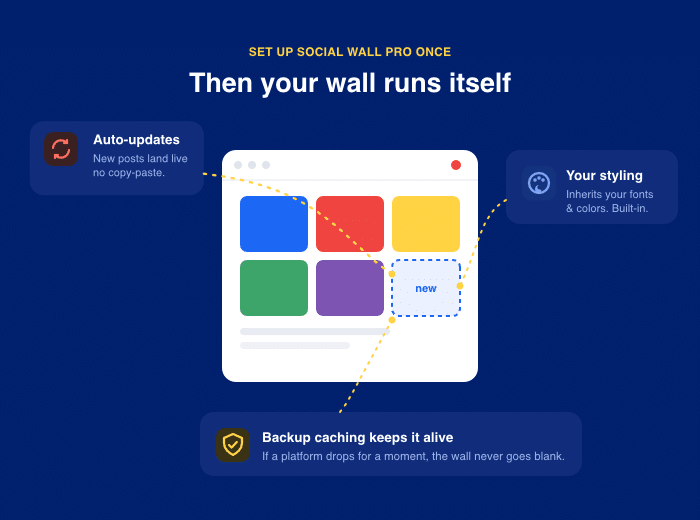
Once a social wall is live on your site, it runs on its own. You set it up once, and it keeps itself current. Here is what it handles for you:
- It auto-updates in real time. When you post on any connected platform, the new content shows up on your wall. You never copy and paste a post by hand.
- It inherits your theme styling. The wall picks up your site’s fonts and colors, so it looks like part of your design instead of a bolted-on box.
- It uses backup caching. Your wall keeps a saved copy of recent content. If a platform’s connection drops for a moment, your wall still shows posts instead of going blank.
There’s a difference in how the content gets stored, and it matters for search. Most generic embed tools load your posts inside an iframe, which is a window to content hosted somewhere else. Search engines have a hard time reading what’s inside that window.
Smash Balloon stores your content locally on your own site instead. That means your captions, hashtags, and post text stay readable to Google, so the social content on your page can actually help your SEO.
For more ways to integrate social media into your WordPress website, we cover the full picture in a separate guide.
Storing content locally also keeps pages fast. The wall loads from your own server rather than waiting on a string of outside scripts.
That’s the part I get asked about most: will all this content slow my site down? It won’t. Smash Balloon loads posts efficiently and caches them, so you get a full social wall without dragging your page speed down.
Frequently Asked Questions
What is a social wall used for?
A social wall is used to pull posts from several platforms into one live display on your site. You drop it on a homepage, a product page, or an event landing page, where it updates on its own as you post.
What’s the difference between a social wall and a social feed?
The difference between a social wall and a social feed is how many platforms each one shows. A social feed displays one platform, like your Instagram photos. A social wall combines two or more platforms into a single section.
Do I need a social wall or individual feeds?
Whether you need a social wall or individual feeds comes down to how many platforms you use. If you only want to show one platform, individual feeds do the job. If you want to show two or more in one place, a social wall fits, and agencies and e-commerce stores get the most value from it.
How do I add a social wall to WordPress?
You add a social wall to WordPress with Social Wall Pro, part of the Smash Balloon All Access Bundle. Install the plugin, connect your active Smash Balloon feeds, pick your sources and layout, then embed the wall with a shortcode or block. The whole build takes under 15 minutes with no code.
Is a social wall good for SEO?
A social wall is good for SEO when it embeds real content that keeps visitors on your page longer. Smash Balloon stores your posts locally on your site instead of in iframes, so your captions and hashtags stay readable to Google.
Start Building Your Social Wall Now
You don’t have to pick one platform and hide the rest. A social wall turns your scattered presence into one auto-updating section that proves you’re active everywhere your audience looks. It runs on its own, refreshes as you post, and shows real content from real people on the page where it counts.
You’ve seen what it does and how fast it goes up. Now it’s your turn to put one on your site.
Get Social Wall Pro through the Smash Balloon All Access Bundle and build your first wall today.
Want the deeper walkthrough on adding walls to your site? Read our step-by-step guide to combining your feeds into social media walls.