Social Wall
  Feed Analytics

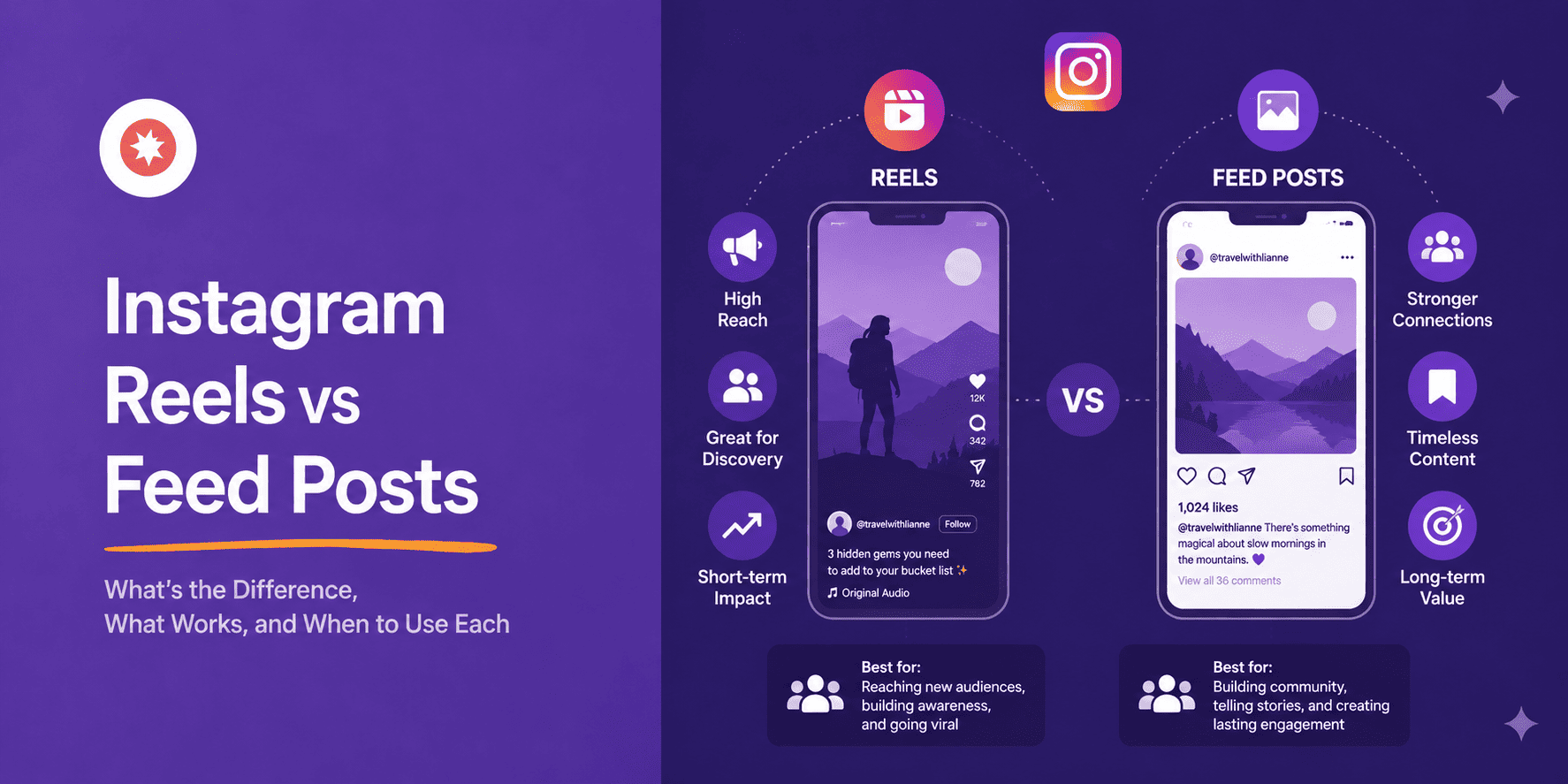
Every Instagram creator hits the same wall eventually. You post a Reel and it gets 12,000 views, then you post a carousel and it gets 200 likes. But people save the carousel, share it, and come back to it for weeks. So which one is actually working?
I’ve spent time digging into this question using real 2026 data from Buffer’s State of Social Media Engagement report, which analyzed over 52 million posts.
The answer is more interesting than a simple “Reels win.” It depends entirely on what you mean by engagement, and once you understand that, you can stop guessing and start choosing formats with a reason.
The short version: Reels are built for reach, carousels are built for depth, and single-image feed posts are the reliable middle ground most creators underestimate.
One thing worth flagging upfront: Instagram content has a short shelf life on the platform itself. Whatever format wins for you, the best way to extend its lifespan is to display it on your website too. Smash Balloon Instagram Feed Pro lets you embed both your Reels and feed posts directly on any WordPress site, so they keep working long after the algorithm moves on.
I’ll walk through the setup later in this article.
But first, the data.
Which Format Gets More Instagram Engagement?
It depends on how you define engagement.
Reels get more reach. According to Buffer’s 2026 analysis of 52 million posts, Reels achieve a 30.81% reach rate, which is 2.25 times higher than single-image posts and 1.36 times higher than carousels. They also reach 2.1 times more non-followers than any other format.
Carousels get more engagement per person. The same dataset shows carousels earn a 6.90% median engagement rate, roughly 109% more engagement per person reached than Reels. People who swipe through a carousel are far more likely to save it, comment on it, and return to it.
Reels for discovery, carousels for depth. Keep that framing in mind for everything below.
In This Article
- Reels vs Feed Posts vs Carousels at a Glance
- Why Do Reels Get More Reach Than Feed Posts?
- Why Do Carousels Get More Engagement Per Person Than Reels?
- Does the Instagram Algorithm Treat Reels Differently in 2026?
- So Which Should You Post: Reels or Feed Posts?
- What Happens to Your Best Instagram Content After the Algorithm Moves On?
- How to Display Your Instagram Reels and Feed Posts on Your WordPress Site
- Frequently Asked Questions
- Start Displaying Your Best Instagram Content Now
Reels vs Feed Posts vs Carousels at a Glance
| Instagram Reels | Carousel Posts ⭐ Recommended for depth | Single Image Posts | |
|---|---|---|---|
| Does it reach new people? | ✅ Yes – highest reach rate (30.81%) | ⚠️ Moderate – better than single images, lower than Reels | ❌ Lowest reach rate of the three |
| Does it drive saves and comments? | ⚠️ Less than carousels per person reached | ✅ Yes – 6.90% median engagement rate | ⚠️ Decent for established audiences |
| Does the algorithm push it to non-followers? | ✅ Yes – 2.1x more non-follower reach | ⚠️ Some, but less than Reels | ❌ Mostly shown to existing followers |
| Best for growth-stage accounts? | ✅ Yes – smaller accounts see highest Reel engagement rates | ⚠️ Works best once you have an engaged base | ⚠️ Steady but slow |
| Time investment to create? | ❌ High – editing, hooks, audio, captions | ✅ Medium – design-forward but no video editing | ✅ Low – single image, simple caption |
| Best for | Discovery, follower growth, reaching new audiences | Deepening relationships, saves, shares, repeat visits | Consistent presence, simple announcements |
If you want to grow your following or reach people who have never heard of you, Reels are hard to beat.
But if you want your existing audience to save something, share it, and actually act on it, a well-made carousel will outperform a Reel almost every time.
Why Do Reels Get More Reach Than Feed Posts?
The short answer: Instagram designed it that way.
Reels have placement advantages that feed posts simply don’t get:
- Dedicated discovery tab – Reels surface to people who don’t follow you yet, not just your existing audience
- Instagram Explore – heavily features Reels, giving them a second distribution channel feed posts don’t have
- Non-follower reach – Reels reach 2.1 times more non-followers than carousels or single images
Feed posts, by default, are shown primarily to your existing followers. They’re not built for discovery.
The gap is even bigger for smaller accounts. For profiles with 1,000 to 5,000 followers, the Reel engagement rate averages 0.87%, which is nearly double the 0.45% seen by accounts with 100,000 to 1,000,000 followers. If you’re still building your audience, Reels are doing more work than you might realize.
There’s a catch, though. High reach doesn’t automatically mean high-quality engagement. Someone who watches your 15-second Reel all the way through and keeps scrolling is technically “engaged” by Instagram’s metrics, but they didn’t save it, comment, or visit your profile. That’s the real difference between reach and depth, and it’s where carousels pull ahead.
For the specifics on what actually makes Reels perform, this guide to getting more views on Instagram Reels covers it in detail.
Why Do Carousels Get More Engagement Per Person Than Reels?
This is because swiping is a commitment.
When someone swipes through a 7-slide carousel, they’re spending 30 to 60 seconds with your content. That’s a different kind of interaction than watching a 15-second Reel.
The algorithm notices the time spent, the swipes, the re-reads, and the saves, and it rewards that depth with continued distribution.
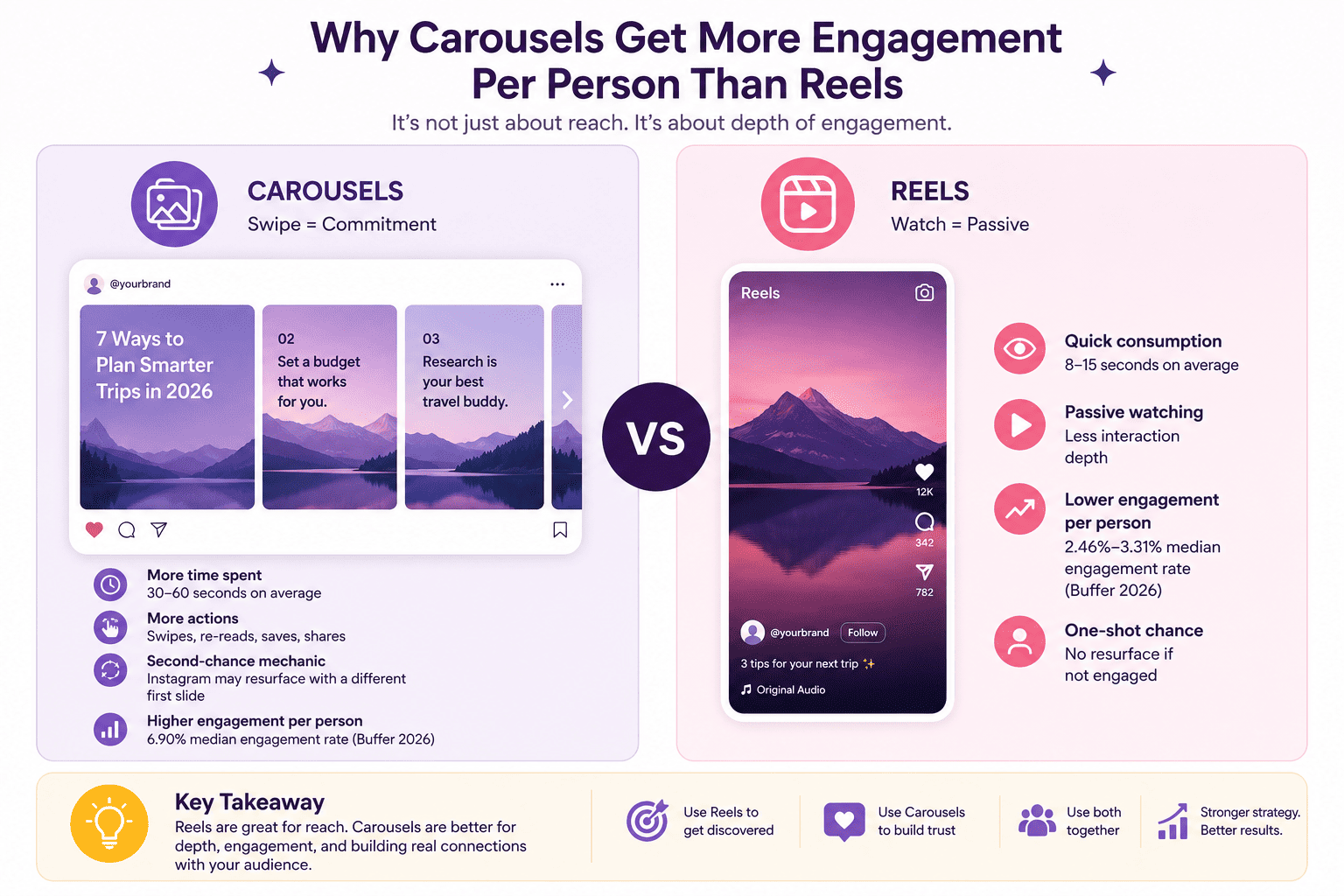
Buffer’s 2026 dataset shows carousels earning a 6.90% median engagement rate, compared to 2.46 to 3.31% for Reels. That gap narrows when you account for the difference in reach, but the core insight holds: people who engage with a carousel engage harder.
Carousels also get a second-chance mechanic most people don’t know about. If a follower doesn’t engage with the first slide the first time they see it, Instagram will sometimes resurface the carousel with a different slide shown first. Each post gets multiple shots at landing with the same audience.
If you want to take that carousel content further, how to embed an Instagram carousel on WordPress walks through getting it on your site.
Does the Instagram Algorithm Treat Reels Differently in 2026?
Yes, but not as dramatically as it did in 2022 when Reels were first getting the big push.
Back in 2022 and 2023, Instagram was actively inflating Reels reach to compete with TikTok. By 2026, the algorithm has settled into something more stable. Reels still get preferential discovery distribution, but the gap has narrowed compared to its peak.
What the algorithm rewards right now: watch time and completion rate for Reels, swipe depth and saves for carousels, and comments and shares for feed posts. Instagram has gotten noticeably better at distinguishing passive scrolls from genuine engagement, and it ranks content accordingly.
For a full breakdown of how Instagram’s algorithm actually works in 2026 and what signals it prioritizes for each content type, this guide to the Instagram algorithm is worth reading alongside this one.
Your best Instagram content shouldn’t disappear after 48 hours
Smash Balloon Instagram Feed Pro displays your Reels and feed posts on your WordPress site automatically, so every new visitor sees them regardless of when you posted. Backed by a 14-day money-back guarantee.
Get Instagram Feed ProSo Which Should You Post: Reels or Feed Posts?
It comes down to what you’re trying to accomplish right now.
Reels make sense if you’re trying to grow your following, reach people outside your existing audience, or test whether new content ideas land with strangers. That’s what they’re built for.
Carousels make sense if you want your existing audience to save something, share it with someone, or return to it. Education, tutorials, before-and-afters, and list-format content all perform extremely well as carousels. Your engaged followers will do more with a carousel than with anything else you post.
Single-image feed posts make sense for a simple announcement, a strong standalone visual, or a time-sensitive message where the image carries the weight. They’re the lowest-effort format and keep you consistently present for your existing followers.
The best-performing accounts in 2026 use all three intentionally. Reels to grow, carousels to deepen, single images to stay consistent. For a full breakdown of types of Instagram posts and when each format earns its place in your calendar, that guide covers each one.
If the content creation side of this feels like a lot, how to use AI to create a month of Instagram content in one day is worth a read. It covers planning and batching across all three formats.
What Happens to Your Best Instagram Content After the Algorithm Moves On?
Most Instagram advice stops at “which format should you post.”
Here’s what it usually skips: Instagram content has a short shelf life.
A Reel that performs well gets most of its reach in the first 24 to 72 hours. A strong carousel might resurface once or twice over the following week. After that, both pieces of content fade into the archive, not because they stopped being good, but because the algorithm moved on to newer posts.
If you have a website, that’s a real problem. Your site gets search traffic, direct traffic, and referral traffic. Visitors show up for reasons that have nothing to do with your posting schedule. They land, spend time, and leave without ever seeing the Instagram content you spent real effort creating.
This is exactly what using your website as a social growth tool is designed to fix.
Displaying your Instagram Reels and feed posts on your WordPress site closes that gap. A Reel you made three weeks ago can still convert a website visitor today. A carousel full of product photos can still build trust on a product page long after Instagram stopped distributing it.
How to Display Your Instagram Reels and Feed Posts on Your WordPress Site
Your website is already getting traffic that never sees your Instagram content.
Displaying your feed on-site closes that gap as every Reel and post you publish shows up there automatically, and visitors who found you through Google see the same content as your Instagram followers.
Smash Balloon Instagram Feed Pro adds a live, self-updating Instagram feed to any WordPress site in under 5 minutes. It supports Reels, feed posts, carousels, and Stories in one display, and it keeps updating on its own every time you post. Itl’s also backed by a 14-day money-back guarantee.
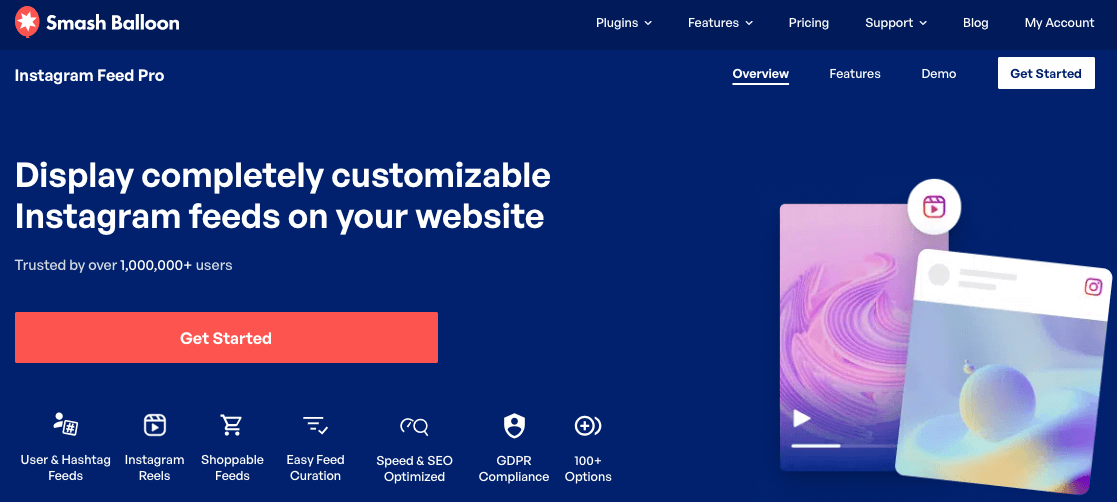
For a dedicated Reels feed, how to embed your Instagram Reels on your website has the full walkthrough. For a combined feed with all your Instagram content, how to embed your Instagram on your website covers the setup.
Frequently Asked Questions
Do Reels get more engagement than regular posts on Instagram?
Reels get more reach than regular feed posts. Their reach rate is 30.81%, compared to significantly lower rates for single images. But carousels outperform Reels on engagement per person, with a 6.90% median engagement rate. If “engagement” means views and new followers, Reels win. If it means saves, comments, and shares from your existing audience, carousels win by a significant margin.
Why do my Reels get more views but fewer comments than my feed posts?
Reels surface to a much wider audience, including people who have never heard of you. Most of those viewers scroll past without engaging beyond a view. Your feed posts reach your existing followers: people who already know you and are more likely to leave a comment. More views doesn’t mean more meaningful engagement.
Should I switch to posting only Reels?
No. The accounts growing fastest in 2026 use all three formats with intention: Reels for discovery and reach, carousels for depth and saves, and single images for consistent presence. Dropping feed posts entirely means optimizing for reach at the expense of audience depth. The formats serve different goals and work best when you’re using both.
Can I display my Instagram Reels on my WordPress website?
Yes. Smash Balloon Instagram Feed Pro supports dedicated Reels feeds that auto-update every time you post a new Reel. You can also combine Reels with your regular feed posts in a single mixed feed. Setup takes under 5 minutes, and the feed updates itself from that point on so you never have to log into WordPress to keep it current.
How long do Instagram Reels stay active in the algorithm?
Most of the reach for a Reel happens in the first 24 to 72 hours. After that, Instagram significantly reduces how often it distributes the content to new audiences. A strong Reel might resurface briefly if it gets a new wave of engagement, but the window is short. Displaying your Reels on your website is one of the most practical ways to extend their lifespan beyond that initial push.
Start Displaying Your Best Instagram Content Now
There’s no single winner in the Reels vs feed posts debate. Reels get you in front of new people. Carousels go deeper with the people who already care. Single images keep you present without burning out your content calendar. Use all three.
What stays true regardless of format: Instagram content fades fast on the platform itself. Your website doesn’t have that problem.
Displaying your Instagram feed with Smash Balloon Instagram Feed Pro means your best Reels and feed posts keep working for new visitors long after Instagram moved on to the next post. Setup takes under 5 minutes, feeds update automatically, and there’s a 14-day money-back guarantee if it’s not right for you.
For more on building a social presence that drives traffic back to your site, this guide to social media and website growth is a good next read.
What format has been working best for your account lately? Drop a comment below.