Social Wall
  Feed Analytics

If you’ve ever opened your Google Business Profile to find a fresh 1-star review sitting right at the top, you know the sinking feeling.
Maybe it’s fair, maybe it’s from a competitor or someone you never even served. You clicked “Report,” waited a few days, and… nothing.
Here’s the hard truth most guides won’t tell you: you usually can’t get a negative review deleted. Google only removes reviews that break its policies.
But that doesn’t mean you’re powerless. I dug through the response data and the same pattern kept showing up: the businesses that come out ahead don’t delete bad reviews.
They out-respond and out-position them.
I’ll walk you through 7 practical ways to handle a negative Google review so you can make sure one bad review isn’t the first thing a researching customer sees.
- The Short Answer: Respond First, Remove Only When You Can
- Why You Probably Can't Just Delete It (Read This First)
- Step 1: Figure Out If the Review Is Even Removable
- Step 2: Report the Ones That Break the Rules
- Step 3: Respond Publicly Without Sounding Defensive
- Step 4: Reply Fast Since Speed Is Part of the Message
- Step 5: Take Control of Which Reviews People See
- Step 6: Drown Out the Bad With a Steady Flow of Good
- Step 7: Build a System So the Next One Doesn't Rattle You
- The Takeaway: You Can't Always Delete It, but You're Never Powerless
The Short Answer: Respond First, Remove Only When You Can
Respond well and fast, then make sure prospects see more than just your worst review, because most negative Google reviews can’t be deleted.
Google only removes reviews that break its policies, so reporting an honest 1-star rating almost never works. Responding well is your highest-leverage move.
This matters more than removal ever would. According to Yelp, 88% of consumers are likely to look past a bad review if the business responds well.
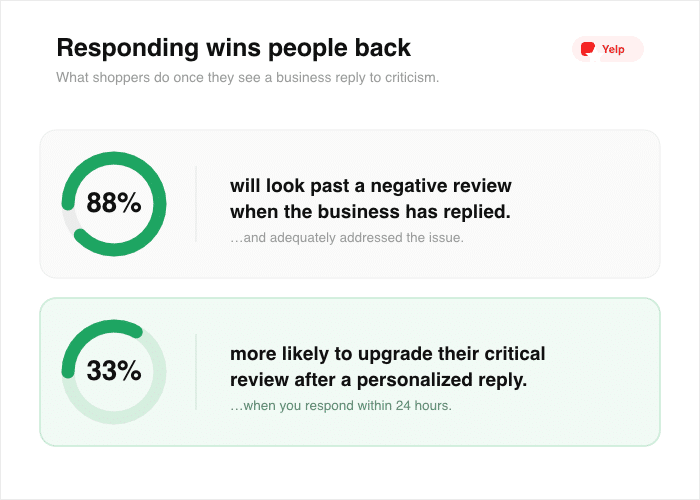
A good reply does more for you than a delete button you’ll rarely get to press. Here’s the whole path at a glance:
| # | Step | What it does |
|---|---|---|
| 1 | Check if it’s removable | Figure out whether the review even qualifies for deletion. |
| 2 | Report rule-breakers | Flag the ones that break Google’s policies, the right way. |
| 3 | Respond publicly | Reply in the open without sounding defensive. |
| 4 | Reply fast | Move quickly, because speed is part of the message. |
| 5 | Control what’s seen | Take charge of which reviews people notice first. |
| 6 | Outweigh the bad | Drown out the negative with a steady flow of good. |
| 7 | Build a system | Set up a process so the next one doesn’t rattle you. |
Work through them in order. The first two tell you which battles you can win, and the rest help you win the ones that matter most.
Why You Probably Can’t Just Delete It (Read This First)
Let’s clear up the thing that’s been driving you crazy. You clicked “Report,” you waited, and the review never moved.
That isn’t a glitch, and you didn’t do it wrong. Google simply doesn’t work the way you hoped.
Here’s the mechanism. Google only takes down reviews that break its content policies. As Google puts it, you can report any review, but only those that violate Google policies are eligible for removal.
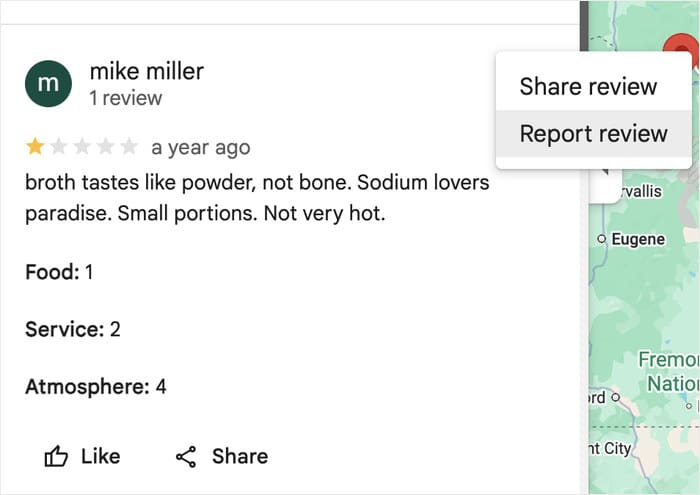
A fake review, spam, or hate speech can go. An honest customer who left one star because they didn’t like your service stays.
So a real review that stings is not against the rules. It’s just an opinion you don’t like, and Google treats it as fair game. No amount of reporting changes that.
You can’t always control whether a review stays up, but you can control how you answer it and what else people see when they look you up.
The review on your profile is one piece of the picture, not the whole picture, and later you’ll see how to decide what else shows up next to it.
Step 1: Figure Out If the Review Is Even Removable
Before you do anything else, sort the review into one of two piles: removable or not. This one decision saves you from wasting days reporting something Google was never going to touch.
The line is simpler than it looks. Google removes reviews that break its content policies. It leaves reviews that are just negative.
So a fake review from a competitor can come down, but a real customer’s harsh one-star review stays put.
Here’s the split, side by side.
| Google will likely remove | Google won’t remove |
|---|---|
| Fake reviews or spam | A genuine bad experience |
| Off-topic content that isn’t about your business | A low rating with no text |
| A conflict of interest, like a review from a competitor | Criticism you simply disagree with |
| Profanity or hate speech | Anything that’s just negative |
| A review from someone who never visited your business | An honest complaint about your service |
The left column maps to the reasons Google actually lets you flag, including “off-topic” and “conflict of interest.” If a review fits one of those, you have a real case. If it sits in the right column, no flag will move it.
Read the review once and ask a plain question. Did this break a rule, or did it just hurt? If it broke a rule, go to Step 2 and report it. If it only stung, skip reporting and put your energy into a strong public reply.
One quick gut check I give every business owner: if the complaint describes a real visit and a real gripe, treat it as here to stay.
The faster you accept that, the faster you stop refreshing the report button and start writing the response that wins back the next reader.
Step 2: Report the Ones That Break the Rules
If your review landed in the removable pile, report it now. Here’s the exact path Google gives you.
- Open your Business Profile on Google.
- Click Read reviews.
- Find the review, then click Report next to it.
- Choose the reason it breaks the rules.
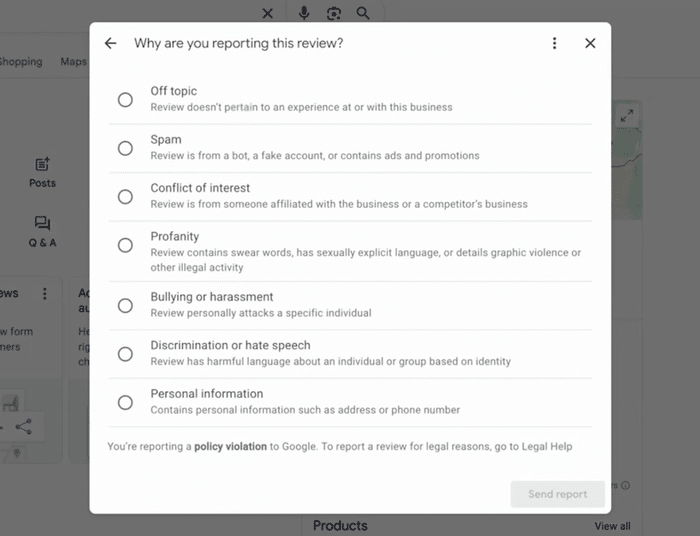
Pick the violation that fits. If a competitor left it, choose “Conflict of interest.” If it has nothing to do with your business, choose “Off-topic.” Matching the right reason gives Google a clear case to act on.
Note: Removal is slow and often fails, even when your flag is valid. Google reviews the report on its own timeline, which can take days, and a real policy violation still gets left up more often than you’d expect.
So don’t wait on it. File the report, then move straight to Step 3 and write your public reply. If Google pulls the review later, great. If it doesn’t, your response is already doing the work.
I tell every owner the same thing: treat reporting as a long shot you take in two minutes, not a plan you bet on. You flag it, you forget it, and you put your real effort into the reply readers will actually see.
Step 3: Respond Publicly Without Sounding Defensive
If the review is here to stay, your reply is the win. A calm, public response is what the next reader sees, and it does more for you than removal ever could.
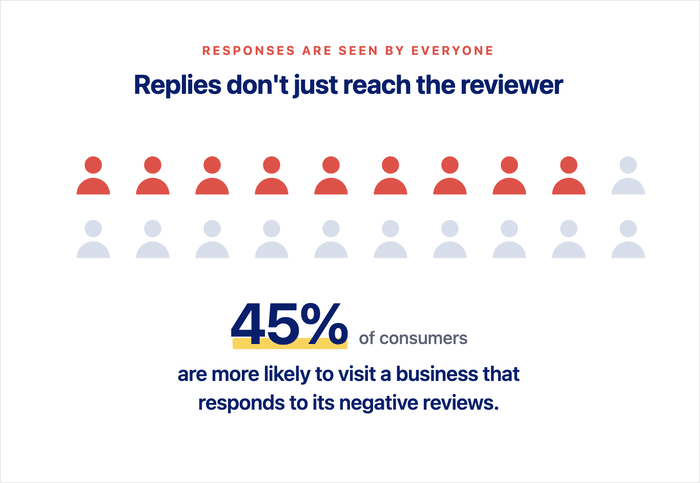
According to ReviewTrackers, 45% of consumers say they’re more likely to visit a business that responds to negative reviews.
The mistake is treating the reply like a courtroom. You want to defend yourself, correct every detail, prove the customer wrong. Don’t.
The customer who left the review isn’t your audience. The hundred people reading it later are, and they’re judging how you handle pressure.
Use this formula every time:
- Thank them for the feedback.
- Acknowledge what they felt.
- Apologize where it’s fair.
- Don’t argue the facts in public.
- Offer to take it offline.
A few hard rules go with that. Never admit legal fault, because a public reply can be used against you. Never get defensive, because it makes you look like the problem. And keep it short, since a wall of text reads as a fight.
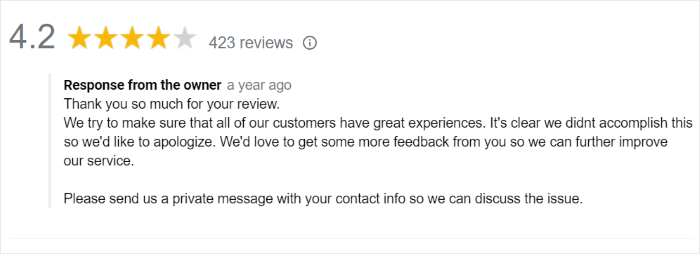
Here’s how that looks on a fair complaint and on an unfair one.
Fair complaint
- Before: “We were fully booked that night and did our best. If you’d told the manager, we could have explained the wait.”
- After: “Thanks for letting us know, and I’m sorry the wait fell short of what you expected. That’s on us to manage better. I’d like to make it right. Please email me at [address] so I can follow up personally.”
Unfair or questionable review
- Before: “We have no record of you ever visiting. This review is false and we’re reporting it.”
- After: “Thanks for the feedback. We don’t have a record of a visit under this name, so we may have our wires crossed. I’d genuinely like to look into it. Please reach out at [address] and we’ll sort it out.”
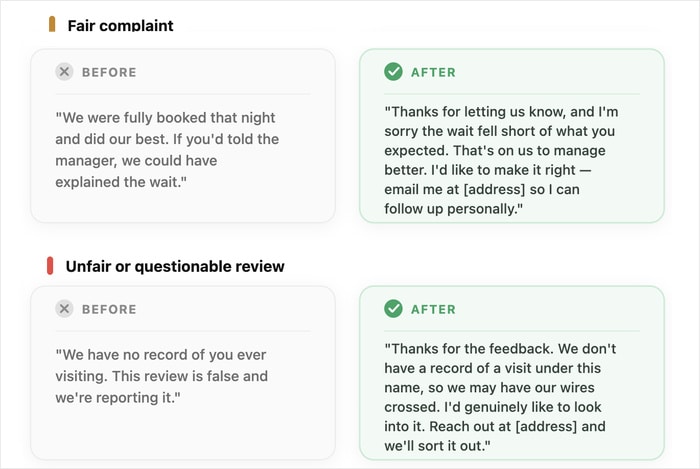
Notice what the “after” versions share. They stay warm, they don’t concede fault, and they push the real conversation to a private channel.
Even when the review is bogus, you answer the reader, not the reviewer. That’s the reply that earns trust.
Pro Tip: To help you get started, we also have a tutorial on responding to negative reviews along with useful response templates.
Step 4: Reply Fast Since Speed Is Part of the Message
A good reply loses power the longer it sits. So once you know what to say, say it quickly.
Aim to respond to a negative review in 48 hours or less, according to pulseM, and never let one go past 7 days, with the sweet spot landing in the first 24 to 72 hours, per ReviewTrackers.
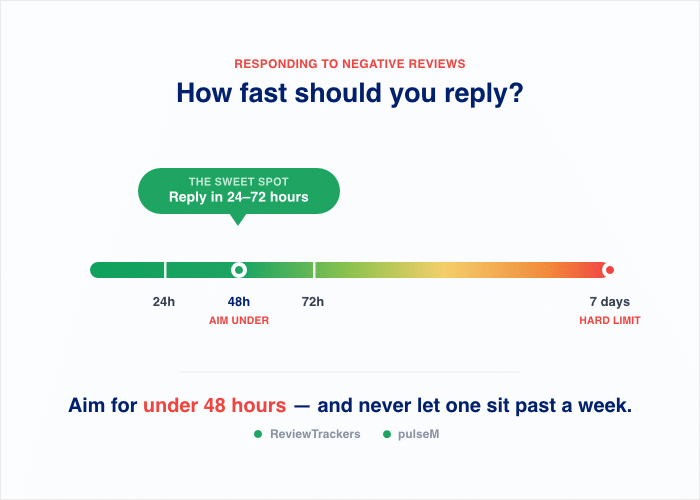
A fast reply tells everyone reading later that you pay attention, that a complaint doesn’t sit on your profile ignored for weeks.
The reviewer isn’t the only one watching the clock. The prospect comparing you to a competitor sees a recent, steady response and reads it as a sign you’ll be there if something goes wrong for them too.
Reply within 48 hours. That’s the window the latest studies point to, with 7 days as the hard outside limit. The sooner you answer, the more your response looks like a habit instead of damage control.
Step 5: Take Control of Which Reviews People See
Here’s the part the first four steps can’t fix. Even with a great reply, you don’t decide what shows first on your Google profile. Google does.
A new 1-star can sit right at the top, and the dozens of happy customers below it get buried.
That’s the real problem. It isn’t only the bad review. It’s that on Google’s turf, the order is out of your hands, and a researching customer may see the worst before they see your best.
But there’s one place you do control: your own website. The reviews you show there, and the order you show them in, are entirely your call.
So instead of hoping Google reshuffles, you put your strongest reviews where your prospects actually land. That’s where Reviews Feed Pro by Smash Balloon comes in.
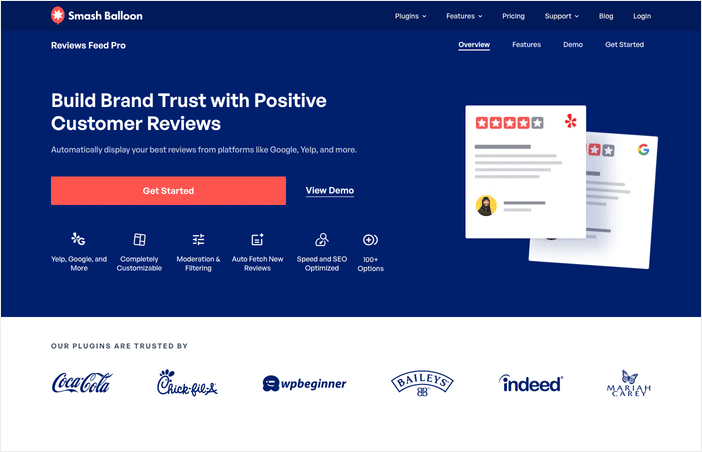
It pulls your real Google reviews onto your site, lets you choose which ones appear, and surfaces the reviews you’re proud of, so a single 1-star isn’t the whole story a customer gets.
Here’s what it does for you:
- Pull In Verified Reviews: It connects to your Google Business Profile and brings your reviews in, so you’re showing real, verified feedback, not screenshots you typed up yourself.
- Filter and Moderate: You decide what shows. Hide the outliers, feature the ones that represent your business well, and keep the feed current without manual updates.
- Supports Major Platforms: Lets you display reviews from Yelp, Trustpilot, WooCommerce, EDD, Tripadvisor, Google Reviews, WordPress.org, and Facebook.
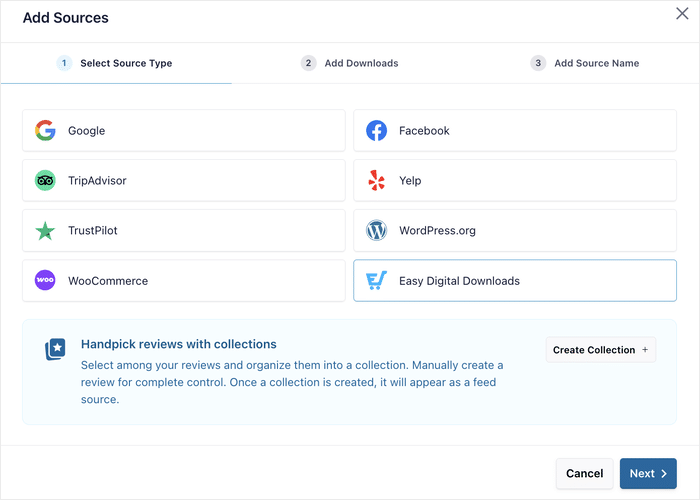
- Embed With A Gutenberg Block: Drop the WordPress Gutenberg block onto any page, sidebar, or footer and the feed appears. No code, no design skills needed.
- Match Your Design: The feed takes on your colors, fonts, and layout, so it looks like part of your site instead of a bolt-on widget.
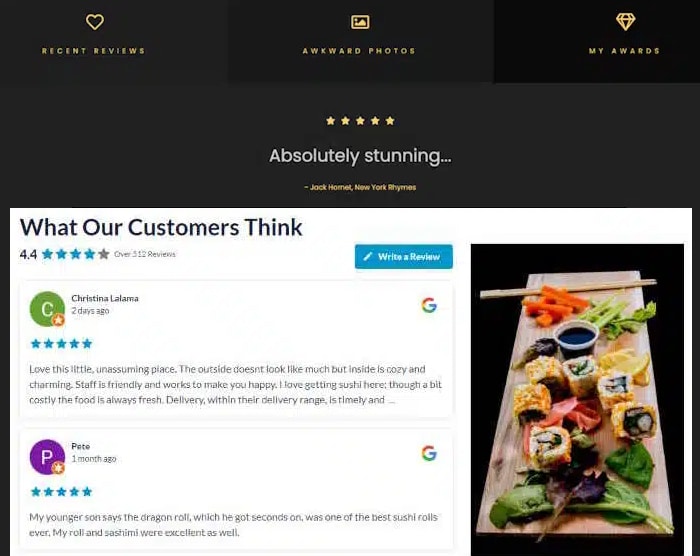
This is the one step that fixes the visibility problem even if the other six don’t touch. With a well-placed review feed on your site, you get complete control over the first impression that your brand makes.
To learn how, you can check out this step-by-step guide on how to create a Google review widget.
How Curating Reviews Builds Trust Without Hiding Anything
A fair worry comes up here: isn’t this just hiding the bad reviews? It isn’t, and the difference matters.
You’re not deleting anything from Google. The review you can’t remove still sits on your profile, public and visible.
What you’re doing is choosing which of your genuinely positive, verified reviews to spotlight on your website.
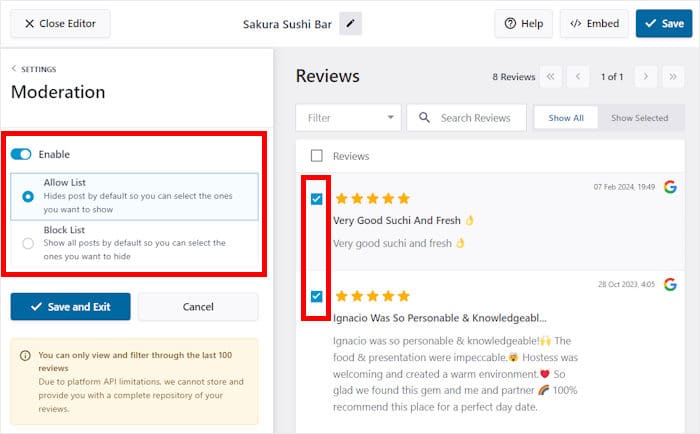
That’s exactly how a testimonial page has always worked. No business lists every complaint on its homepage, and no customer expects it to.
You’re putting your best, real feedback forward on the turf you own, using Reviews Feed Pro’s moderation and filter tools to do it.
This ties back to the whole point. You can’t always delete a bad review, but you can answer it well and control what else people see. Response plus visibility beats a deletion that was never coming.
Step 6: Drown Out the Bad With a Steady Flow of Good
The single best defense against one bad review is a lot of good ones. A 1-star stings most when it’s sitting next to only a handful of reviews.
Bury it under a steady stream of fresh 5-stars, and it stops being the headline.
This is math as much as it is reputation. Your star rating is an average, so every new positive review pulls that number back up and pushes the old complaint down the list.
The goal isn’t to win one argument. It’s to keep good reviews coming so no single bad one carries that much weight.
Most happy customers will leave a review. They just need a nudge and an easy way to do it. Here’s how to keep the flow going:
- Ask at the right moment. Request a review right after a good experience, when the customer is happiest. A satisfied client walking out the door is far more likely to say yes than one you email three weeks later.
- Make it frictionless. Send a direct link straight to your Google review form. Every extra click loses people, so remove the steps between “sure” and “posted.”
- Follow up after service. A short, polite message after the job is done reminds the customer and gives them the link in one tap. No reminder, no review.
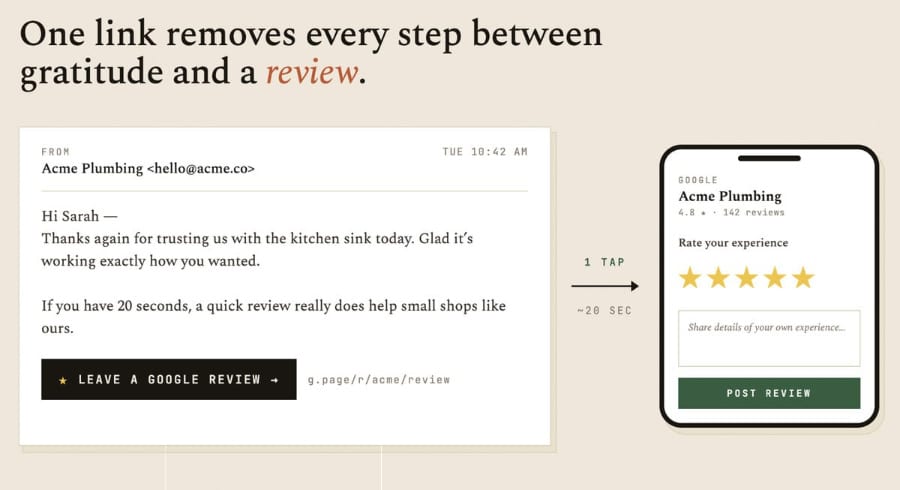
Do this consistently, and the bad review becomes one small voice in a crowd of happy ones, instead of the first and loudest thing a prospect hears.
There’s a bonus here too. Because you set up Reviews Feed Pro in Step 5, every new positive review flows into your website feed automatically.
Your site always reflects your current reputation, not a snapshot from last year, so the good reviews you’re earning today show up where prospects can see them.
Note: For more help on how to do this, refer to our full guide on getting more Google reviews created specifically for business owners.
Step 7: Build a System So the Next One Doesn’t Rattle You
Another negative review is coming, it’s just how business works. The difference between the owners who panic and the ones who shrug it off is simple: the calm ones have a system.
The first six steps fix the review in front of you. This one makes sure the next one barely registers. When you have a routine, a fresh 1-star is a Tuesday task, not a crisis.
Here’s the routine to keep running:
- Monitor new reviews. Check your Google Business Profile regularly so a new review never sits unseen. You can’t respond to what you don’t know about.
- Respond within 48 hours, every time. Studies point to that window, so make it your standard for the good reviews and the bad. A reply habit looks like a business that’s paying attention.
- Flag genuine violations. When a review breaks Google’s policies, report it in two minutes, then move on. Treat removal as the long shot it is, not the plan.
- Keep your on-site feed curated and fresh. Let Reviews Feed Pro keep your strongest reviews showing on your own site, so prospects always land on your best, current feedback.
Notice that none of this is heroic. It’s a handful of small habits you repeat, and together they turn reputation from something that happens to you into something you manage.
That’s the real shift. A negative review stops being a gut punch and becomes a step in a process you already trust. You know what to do, you do it, and you get back to running your business.
Frequently Asked Questions
Can you actually get a negative Google review removed?
You can only get a negative Google review removed if it breaks one of Google’s policies. Google won’t pull a review just because it’s harsh or hurts your rating. Fake reviews, spam, off-topic posts, and conflict-of-interest reviews qualify, so report those, but treat removal as a long shot rather than your main plan.
How do I respond to a fake review from a competitor?
For a fake review from a competitor, flag it for conflict of interest under Google’s policies, then reply calmly for everyone else reading. Note that you have no record of them as a customer and invite them to reach out so you can look into it. Stay warm and factual, since an angry reply makes you look worse than the fake review does.
How fast should I respond to a negative review?
Respond to a negative review in 48 hours or less, according to pulseM. ReviewTrackers puts the ideal window at 24 to 72 hours, with 7 days as the outside limit. A fast reply tells future readers you pay attention, so don’t let a complaint sit ignored.
Should I ever ignore a negative review?
You should almost never ignore a negative review, because your reply is for future readers, not just the reviewer. A prospect comparing you to a competitor reads your response as a sign of how you’ll treat them. Even on an unfair review, a calm answer earns trust with everyone else who sees it.
The Takeaway: You Can’t Always Delete It, but You’re Never Powerless
Removal is rarely the answer. Google only pulls reviews that break its policies, so most of the regular negative reviews are there to stay.
What actually protects your reputation is simpler. Reply fast and graciously, since 88% of consumers will look past a bad review when the business responds well.
Then control what prospects see on your website using Reviews Feed Pro by Smash Balloon. Your best feedback greets every visitor who lands on your site, instead of leaving the first impression to chance.
Get Reviews Feed Pro and start turning your happy customers into your most convincing sales pitch today.