Social Wall
  Feed Analytics


Ever gone looking for the “WordPress reviews block” and come up empty?
You’re not imagining it. I recently talked with a few site owners who swore WordPress had a built-in reviews block. They’d seen it mentioned in Google results, opened the block editor to add it, and found nothing there.
Here’s the reality: as of 2026, WordPress core (version 7.0) has no dedicated reviews block.
I work at Smash Balloon, where we help thousands of businesses display real customer reviews, so I’ve watched this same confusion come up again and again.
So, I dug into what the “native” block people find really is, tested what the core blocks can and can’t do, and compared it to a proper reviews plugin.
Let me answer three things: whether a native reviews block exists, why a hand-built one quietly goes stale, and how to display live, auto-updating reviews without writing any code.
- Is There a Native WordPress Reviews Block?
- The "Native" Block Isn't What You Think
- What a Core Block Can Do (and What It Can't)
- The Hidden Cost: You'll Be Updating Reviews by Hand Forever
- How a Reviews Plugin Solves What a Block Can't
- Manual Review Embeds vs. Reviews Plugin: Which Should You Choose?
- How to Add Live, Auto-Updating Reviews to WordPress
- Start Showing Live Reviews on Your Site Now
Is There a Native WordPress Reviews Block?
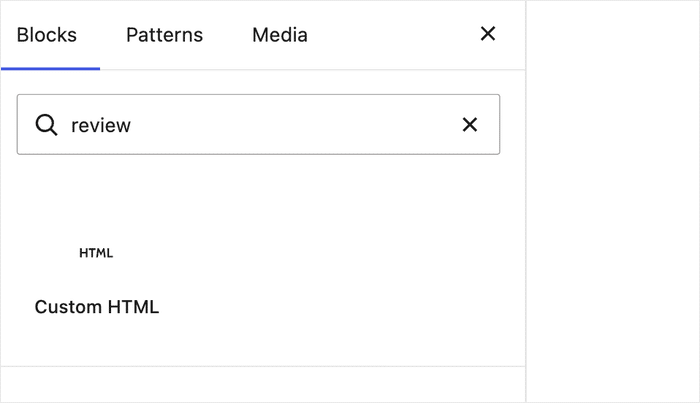
No, WordPress does not have a native reviews block. It’s not in the latest version of WordPress (core version 7.0) or in any older version either.
The “native” block people mention in Google results is actually the one that ships with eCommerce plugins like WooCommerce, and its features are heavily limited.
What does that mean for you? Here’s the real takeaway in three points:
- WordPress core has no dedicated reviews block. You didn’t miss it. It isn’t there.
- The blocks you can use hold static text only. Quote, Custom HTML, and block patterns display hand-typed words with no live star ratings or review counts.
- A reviews plugin pulls live reviews instead. It fetches and refreshes real reviews from platforms like Google and Yelp for you.
The good news is you have a clear, simple choice. Once you see what each option can and can’t do, the right path for your site gets obvious.
The “Native” Block Isn’t What You Think
Why does Google make it look like a native reviews block exists?
The search results point to a real block. It just isn’t part of WordPress core and comes with eCommerce plugins like WooCommerce.
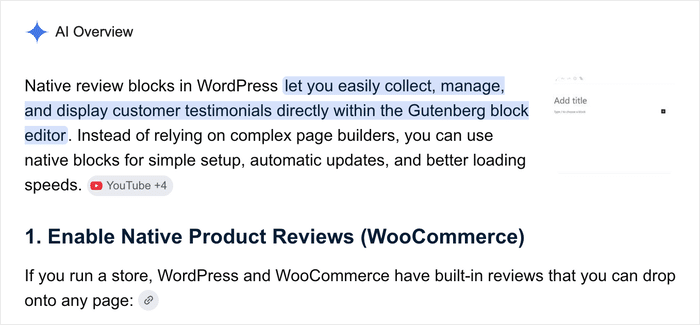
That’s the whole source of the confusion. The block is tied to a plugin, not to WordPress itself. On top of that, the features you get with this block are heavily limited.
Without any other option, people reach for a few core blocks to show reviews by hand. Here is what each one is really built for:
- Quote block. Displays a single testimonial as styled text. You type the words in yourself.
- Custom HTML block. Holds paste-in embed code from another service. Useful if you already have a code snippet to drop in.
- Block patterns. Give you pre-styled layouts, like a testimonial grid. They set up the design, but you still fill in every word.
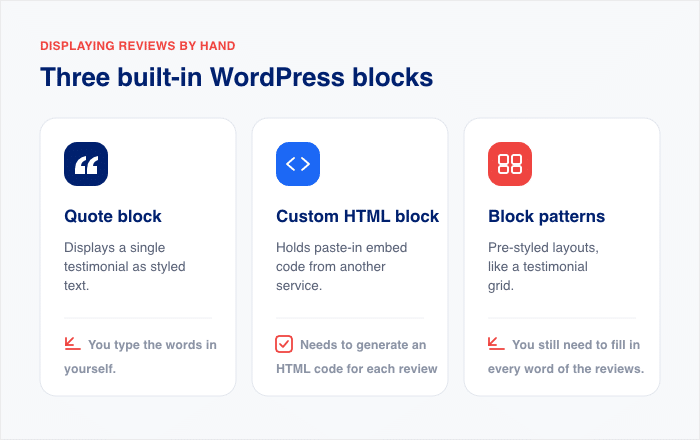
Notice the pattern. Every one of these holds static text you enter and maintain. None of them pulls a live star rating, a review count, or a fresh review from Google or Yelp.
Don’t worry. Once you see what’s really going on, the choice gets easy.
What a Core Block Can Do (and What It Can’t)
What can you actually pull off with a core block? More than you might expect, honestly.
A block like Quote or Custom HTML can hold a real testimonial and make it look great on your page. The catch is that everything you put there stays frozen the moment you hit publish.
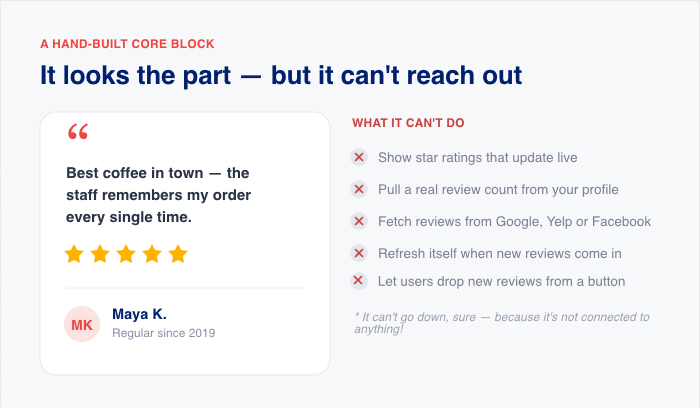
Here’s the honest side-by-side of what a hand-built core block can and can’t do:
| Can do | Can’t do |
|---|---|
| Display a hand-typed quote from a happy customer | Show live star ratings that update on their own |
| Add the reviewer’s name and photo | Display a real review count from your profile |
| Style it to match your theme’s colors and fonts | Pull reviews from Google, Yelp, or Facebook |
| Place it anywhere with the block editor | Refresh itself when new reviews come in |
| Keep it live even when a review site goes down | Let visitors add new reviews with a simple button |
Look at the two columns closely. They are not doing the same job.
That’s the real gap here, and it isn’t about features. Everything a core block shows is manual and static. You type it once, and it sits there until you go back and change it yourself.
The Hidden Cost: You’ll Be Updating Reviews by Hand Forever
But what happens after you build that perfect review with a core block?
You go back and update it.
Then you do it again. Every core block review is a task that never really ends, because nothing connects to the platforms where your reviews live.
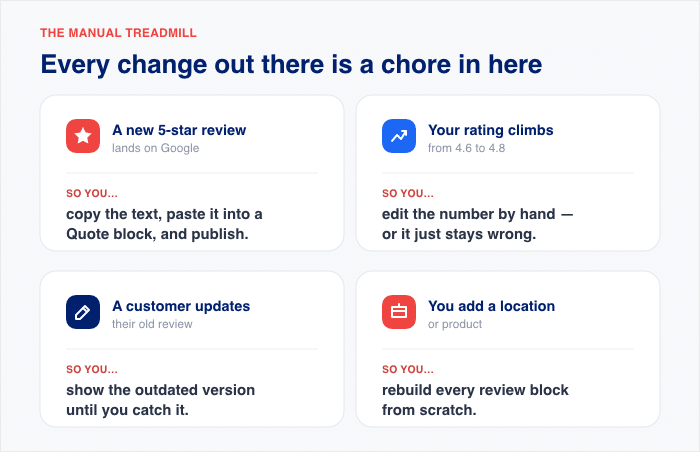
Here’s what “by hand” actually looks like once your business grows:
- A new 5-star review comes in on Google. You copy the text, paste it into a Quote block, and publish.
- Your star rating climbs from 4.6 to 4.8. You edit the page yourself, or it stays wrong.
- A customer updates their old review. Your site still shows the outdated version until you catch it.
- You add a new location or product. You rebuild every review block from scratch.
Now picture doing that across ten pages. The work piles up fast, and most of it slips through the cracks.
That’s the real cost here. Manual reviews go stale the moment fresher, better feedback shows up on Google or Yelp.
Stale reviews quietly tell visitors your business isn’t active, and that costs you trust right when a shopper is deciding to buy.
How a Reviews Plugin Solves What a Block Can’t
How does a plugin do what a core block simply can’t?
It connects to the places your reviews already live. Instead of typing quotes by hand, you connect a source once, and the plugin pulls the reviews in.
The tool built for this is Reviews Feed Pro, and it needs no coding to set up.

Look back at that “Can’t do” column. Here is how a reviews plugin closes each gap:
- It pulls live reviews from the platforms you already use. Reviews Feed Pro connects to Google, Yelp, Trustpilot, TripAdvisor, Facebook Reviews, WooCommerce, and WordPress.org.
- It auto-fetches so your counts and star ratings stay current. The plugin checks for new reviews daily on the Basic plan and twice daily on the Elite plan..
- The plugin includes an “Add Review” button. This means visitors can check out your review feed and drop a new review directly from your website.
- Its backup caching system keeps reviews showing during platform downtime. If Google or Yelp has an outage, Reviews Feed Pro displays the reviews it already saved.
- Your live review count will be updated automatically. This happens when the plugin fetches new reviews, so your website is not missing out on any valuable social proof.
Here’s the difference in one line. A core block shows the words you typed once, while a plugin shows your real, current social proof and keeps it fresh for you.
You just set up the plugin a single time. After that, your reviews stay up to date on their own.
Manual Review Embeds vs. Reviews Plugin: Which Should You Choose?
Wondering which one is right for your site?
It comes down to one question: do you want a review that stays the same, or reviews that stay current? The table below compares the two on the decisions that actually matter, not just the features.
| Decision criteria | Manual review embed | Reviews plugin |
|---|---|---|
| How reviews get added | You type or paste each one by hand | Auto-pulled from your review platforms |
| Do star ratings stay current? | No, they stay frozen | Yes, they refresh on their own |
| Ongoing effort | You regularly need to check and update reviews | None after setup |
| Shows reviews if a platform goes down? | No connection to break, but nothing live either | Yes, backup caching keeps them showing |
| Best for | A single static quote you rarely change | Live social proof from real platforms |
Now here’s the plain-language verdict.
- Pick a core block if you want one unchanging quote on a page you rarely touch. It’s fine for a single testimonial that never needs to reflect your latest rating.
- Pick a reviews plugin if you want live, self-updating reviews pulled straight from Google, Yelp, and the platforms your customers already use. This is the right call for anyone who wants their social proof to stay fresh without lifting a finger.
Even if you’re just getting started, the plugin route needs no code. You connect a source once, and the reviews take care of themselves.
Show Reviews That Update Themselves
Reviews Feed Pro connects to Google, Yelp, Trustpilot, Facebook, and WooCommerce, then refreshes your ratings and counts without you editing a page.
Show Live ReviewsHow to Add Live, Auto-Updating Reviews to WordPress
Ready to put live reviews on your site today?
You can do it in five short steps, and none of them touch a line of code. Here’s how to set up Reviews Feed Pro from start to finish.
- Install and activate Reviews Feed Pro. Head to Plugins » Add New in your dashboard, upload the plugin, and click “Activate.” This turns on the tool that pulls in your reviews.
- Connect a review source. Open the plugin and connect a platform like Google, Trustpilot, Yelp, Facebook, and more. This tells the plugin where to fetch your real reviews from.
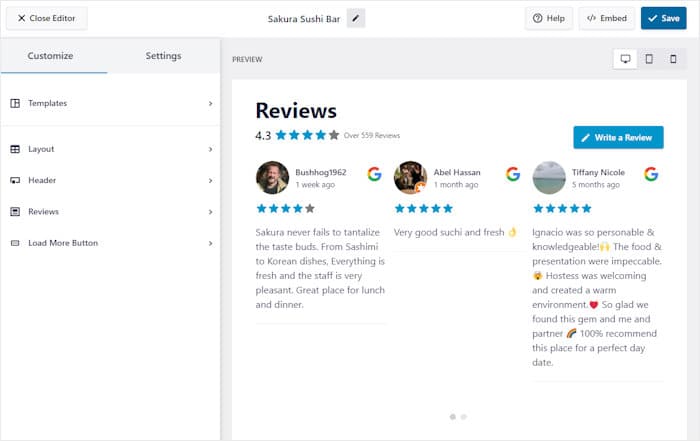
- Pick a template or layout. Choose a pre-built design that fits your page. Then use the live editor to customize your layout, review elements, header, button, and more.
- Filter or moderate your reviews. For more control over your reviews, you can filter reviews by keywords, length, or star rating. Plus, you can manually pick reviews to show or hide.
- Embed it anywhere. Drop your feed onto any page or post with a block or a shortcode. This places your live reviews right where visitors will see them.

That’s the whole setup. Once you’re comfortable here, you can follow the same idea on other builders and platforms:
- How to Embed Google Reviews in WordPress: A Step-by-Step Guide
- Add Yelp Reviews Widget to Your Website in 5 Steps
- Step-by-Step Guide to Add a TripAdvisor Widget to Your Website
- How to Embed Facebook Reviews on Your Website
- The Complete Guide to Displaying WooCommerce Reviews
- How to Show WordPress.org Reviews on Your Website
Here’s the part that makes it all worth it. From here, your reviews start updating on their own, so your latest ratings and counts show up without you touching the page again.
Start Showing Live Reviews on Your Site Now
Here’s the truth in one place. Core WordPress has no dedicated reviews block, so you end up maintaining every review and updating it yourself. A reviews plugin pulls in your real reviews and keeps them live for you.
If you want social proof that stays current on its own, Reviews Feed Pro is the tool built for the job. It connects to Google, Yelp, and the platforms your customers already use, then refreshes your ratings and counts automatically.
You can try it with confidence, too. Every plan comes with a 14-day money-back guarantee, so there’s no risk in seeing it work on your own site.
Ready to stop editing reviews by hand? Get Reviews Feed Pro and put live, auto-updating reviews on your site today.