Social Wall
  Feed Analytics


Easy Digital Downloads customers leave some of the most specific, useful feedback you’ll ever collect.
“Saved me hours of dev work.” “Worth every penny for the support alone.” That kind of detail builds real trust.
The EDD Reviews extension already gathers that valuable feedback. Now, Reviews Feed Pro lets you display it along with your other reviews so visitors can see praise for your brand from across the web.
WooCommerce store owners have had a dedicated source in Smash Balloon Reviews Feed Pro for a while now. After this update, EDD stores can too.
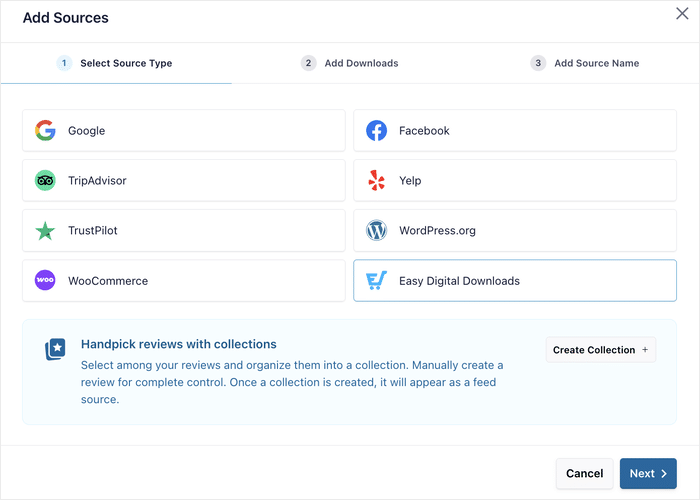
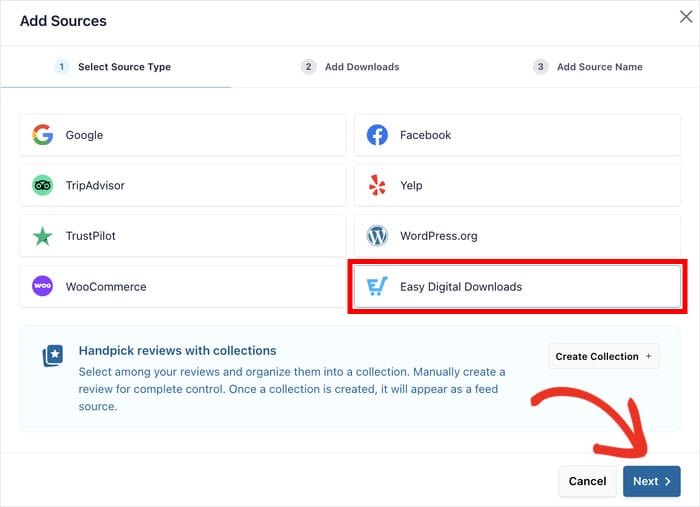
Easy Digital Downloads is now a native source in Reviews Feed Pro, sitting right next to Google, WooCommerce, Trustpilot, and the rest in the Add Source modal.
The social proof you’re already earning can now work across your entire site.
In this Article:
Display EDD Reviews Alongside Google, Trustpilot, and More
Your EDD store already has something most businesses spend months trying to build: a library of real customer feedback.
The EDD Reviews extension handles collecting reviews from your customers.
Now, Reviews Feed Pro lets you pull those reviews into the same feed as your Google, Trustpilot, and other sources, styled, filtered, and placed anywhere on your site.
Show reviews from exactly the products you want
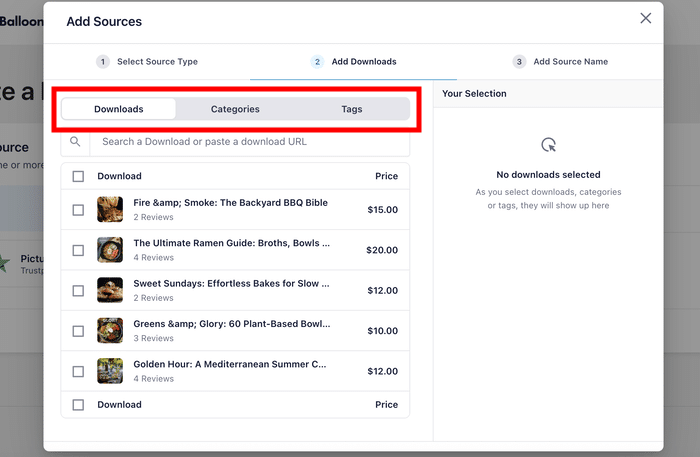
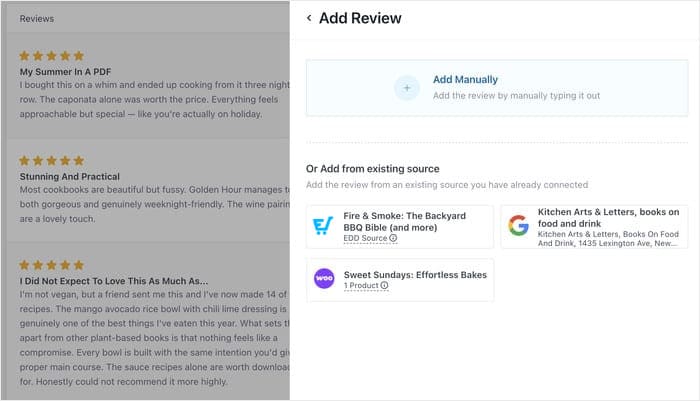
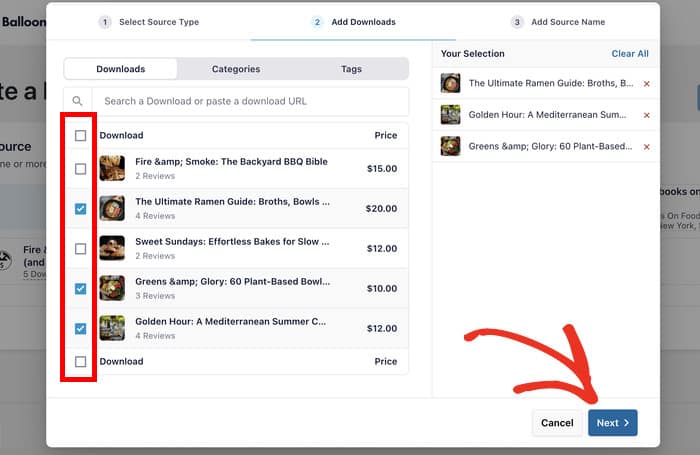
The source picker gives you three ways to choose which reviews appear in your feed, and you can mix all three together:
- Downloads: Search and pick specific downloads. Each row shows the review count so you know exactly what you are working with before you add it.
- Categories: Select an entire category like “Themes” or “Plugins” and every download in that group feeds into the same feed.
- Tags: Use tags like “Featured” or “Best Sellers” to pull reviews from a specific curated group.
The category and tag options are especially useful if your catalog keeps growing. Add a new download to a selected category later, and its reviews get picked up automatically.
Your feed stays current without you having to touch it.
Picture this: a customer lands on your themes page and immediately sees a feed of reviews from every theme in your catalog, pulling in new ones as they come in. No manual copy-paste. No setup required every time you add a new product.
Your full review history starts working immediately
The moment you finish creating your feed, every existing review for the downloads you selected gets imported in one pass.
Years of customer feedback can start working as social proof across your site right away.
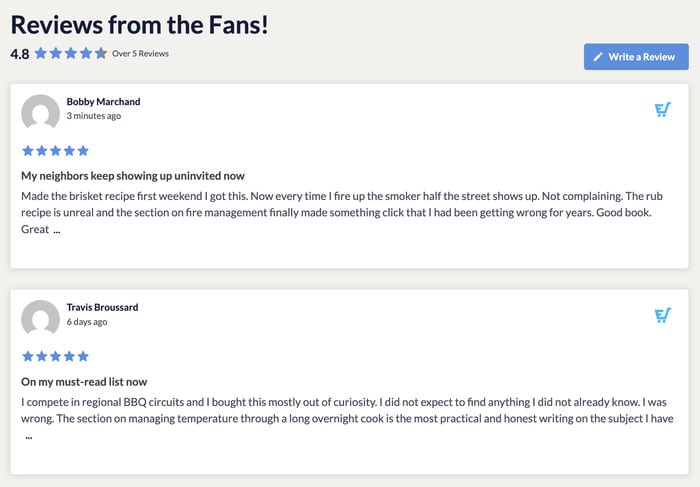
New reviews work the same way. As customers submit them through the EDD Reviews extension, they appear in the feed automatically. Approvals, edits, and removals all flow through on their own.
No extra tools or fees needed
Your EDD reviews already live on your WordPress install. Reviews Feed Pro reads them directly from your database.
There is nothing to authenticate, no monthly cost for fetching your own data, and no third-party relay that could go offline.
Your reviews never leave your server, which matters for any store that takes data privacy seriously.
If you want the same keyless approach for Google or Yelp reviews, this setup skips the API entirely.
Details that only EDD reviews have
Two things make EDD reviews a bit different from other sources in the plugin, and both work in your favor.
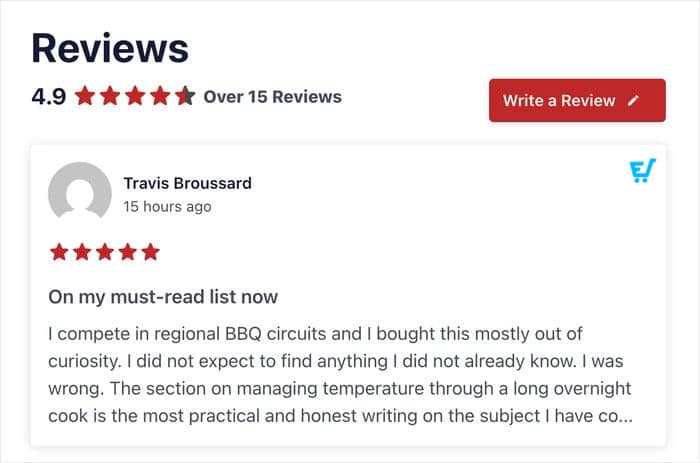
The first is review titles. EDD reviews have a title field, and the feed renders those titles above the review body. A visitor scanning your feed sees headlines like “Best purchase I made this year” or “Exactly what I needed, installed in minutes” before they read a single word of the review itself.
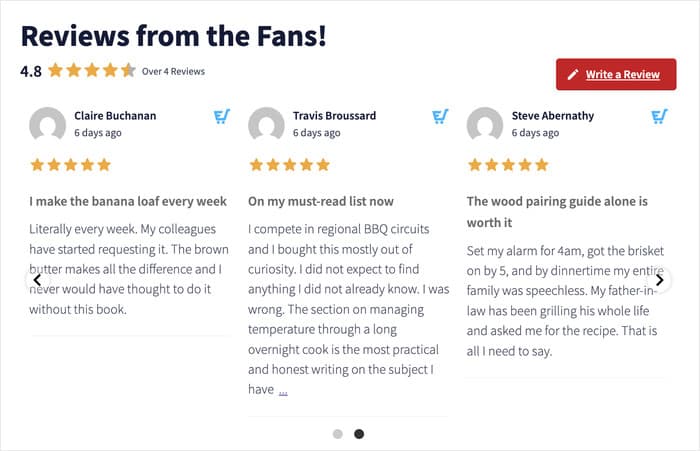
On a busy product page, that scannability can be the difference between someone stopping to read and someone scrolling past.
The second is the overall star rating in the feed header. When your feed pulls from multiple downloads, it automatically shows an aggregate rating across everything you selected.
Visitors get a clear read on your overall reputation before they dig into individual reviews. No extra configuration needed.
Combine EDD Reviews with Google, Trustpilot, and More
Reviews Feed Pro lets you mix sources in a single feed. Combine your EDD reviews with Google, Trustpilot, Facebook, or any other source you have connected, and display them all together.
Each card shows a provider icon so visitors know exactly where each review came from.
Picture a potential customer landing on your homepage and seeing a feed of five-star EDD reviews sitting alongside Google and Trustpilot reviews.
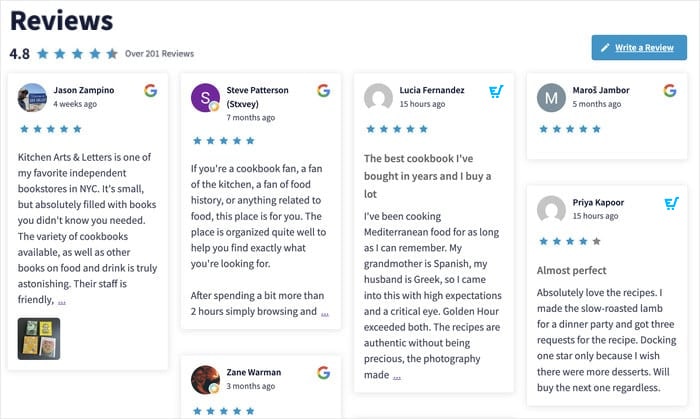
They do not have to leave your site to check your reputation elsewhere. It is all right there, from independent sources, in one place. That is the kind of trust that moves someone from browsing to buying.
Everything you are already using in the plugin works exactly the same on EDD reviews. Star rating filters, keyword filtering, visual moderation, themes, layouts. All of it applies.
You can pin your strongest EDD reviews to the top of a mixed feed, filter out anything below four stars, or use the Collections feature to build a fully hand-picked feed from any combination of sources.
How to Add EDD Reviews to Your Site (in Under 5 Minutes)
This feature is available on Reviews Feed Pro Basic, Plus, and Elite, so any premium plan has everything you need to get started.
Step 1: Make sure both the plugin and feature are activated
You need an active EDD Pro pass (Extended or higher) to enable the EDD Reviews feature.
With the Pro plugin activated, make sure the Reviews feature is enabled under Downloads » Extensions.
If either is missing, the EDD tile in the Add Source modal grays out with a tooltip explaining which plugin to install.
Step 2: Create a new Reviews Feed
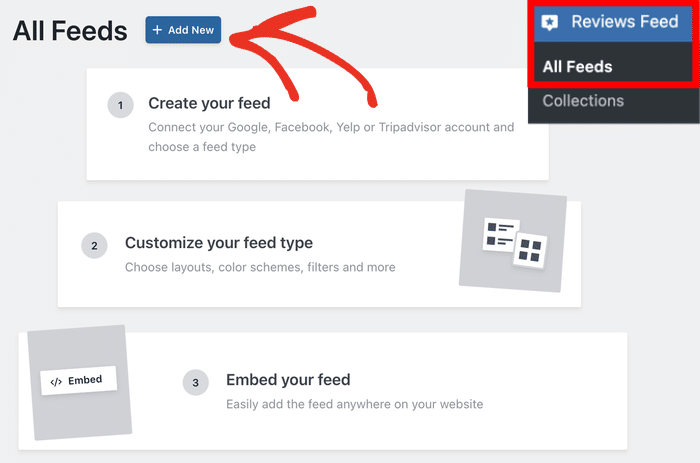
In your WordPress dashboard, go to Reviews Feed » All Feeds and create a new feed.
Step 3: Select Easy Digital Downloads as your source
In the Add Source modal, select Easy Digital Downloads and click on the Next button.
You will see it listed alongside Google, Facebook, Yelp, TripAdvisor, Trustpilot, WordPress.org, and WooCommerce.
Use the Downloads, Categories, or Tags tabs to choose which reviews to pull.
You can select from all three tabs and mix them into one feed. Once you’ve selected the sources, click on Next.
Enter a name for the source that you can remember later, and you can move on to the customization.
Step 4: Customize your feed
Use the visual customizer to match the feed to your site. On the left, you can find the options to change your layout, color scheme, header, review elements, and more.
The live preview updates as you make changes, so you see exactly what visitors will see before you publish anything.
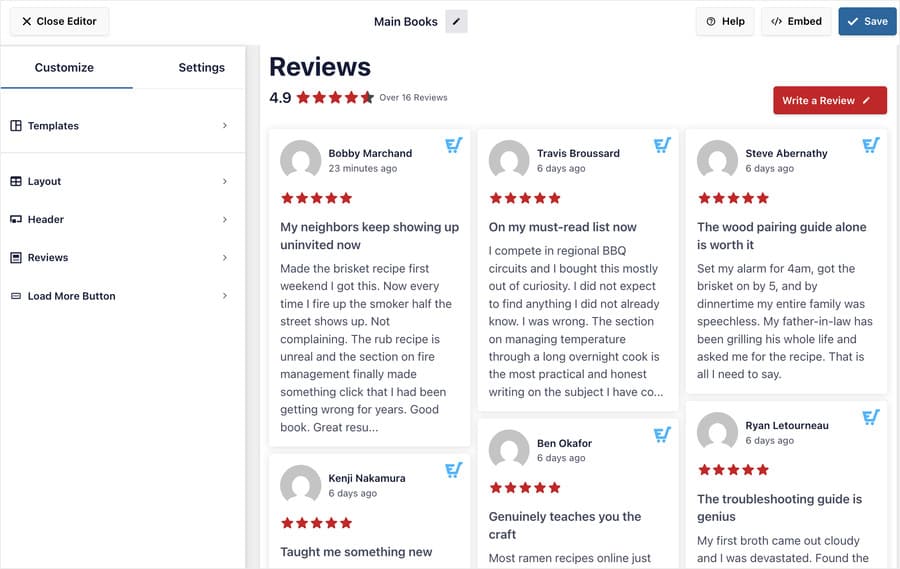
Choose from grid, list, masonry, and carousel layouts. Set a minimum star rating so only your strongest reviews appear.
You can also use keyword filters to surface reviews that mention specific features or use cases, so the most relevant social proof appears first.
Step 5: Embed it anywhere on your site
Drop the feed onto any page, post, sidebar, or footer using a Gutenberg block or shortcode. Your reviews are live and updating on their own from here.
If you have been collecting EDD reviews through the Forms path, nothing changes. That path still works, and both can run on the same site without any migration needed.

Start Showing Your EDD Reviews Today
You have already done the hard part. Your customers left you great reviews, and the EDD Reviews extension has been putting them to work.
Now you can take that same social proof further.
That is precisely where Reviews Feed Pro shines. It brings the trust you have already earned together with your Google, Trustpilot, Yelp, and other reviews in a single feed.
On your homepage, your product pages, your checkout page, wherever trust actually converts visitors into buyers.
Here is what you can do starting today:
- Display reviews from your best-selling downloads on your homepage to build trust from the first visit
- Show category-specific reviews on landing pages, like “Themes” reviews on your themes page
- Combine EDD reviews with Google and Trustpilot in one feed for a fuller picture of your reputation
- Pair EDD reviews with Review Alerts to surface your best feedback as popups on your highest-converting pages
This update is available on all Reviews Feed Pro plans. Already a Reviews Feed Pro user? Just update the plugin from your WordPress dashboard, and the EDD source is ready to go.
Not using Reviews Feed Pro yet? Now is the perfect time to get it and put those reviews to work across your whole store.
Are you an EDD store owner? Drop a comment below and let us know where you are planning to display your reviews.