Social Wall
  Feed Analytics

You’ve got reviews on your site. Real ones, from real customers, sitting on your homepage or your product pages doing their job.
But which one is actually doing that job?
When you pick a testimonial for your sales page, or quote a review in an email, or decide whether collecting Trustpilot reviews or Yelp testimonials is worth the effort, you’re mostly going on instinct.
Smash Balloon Reviews Feed 2.13.0 is out today, for both the free and Pro versions, and it closes that gap.
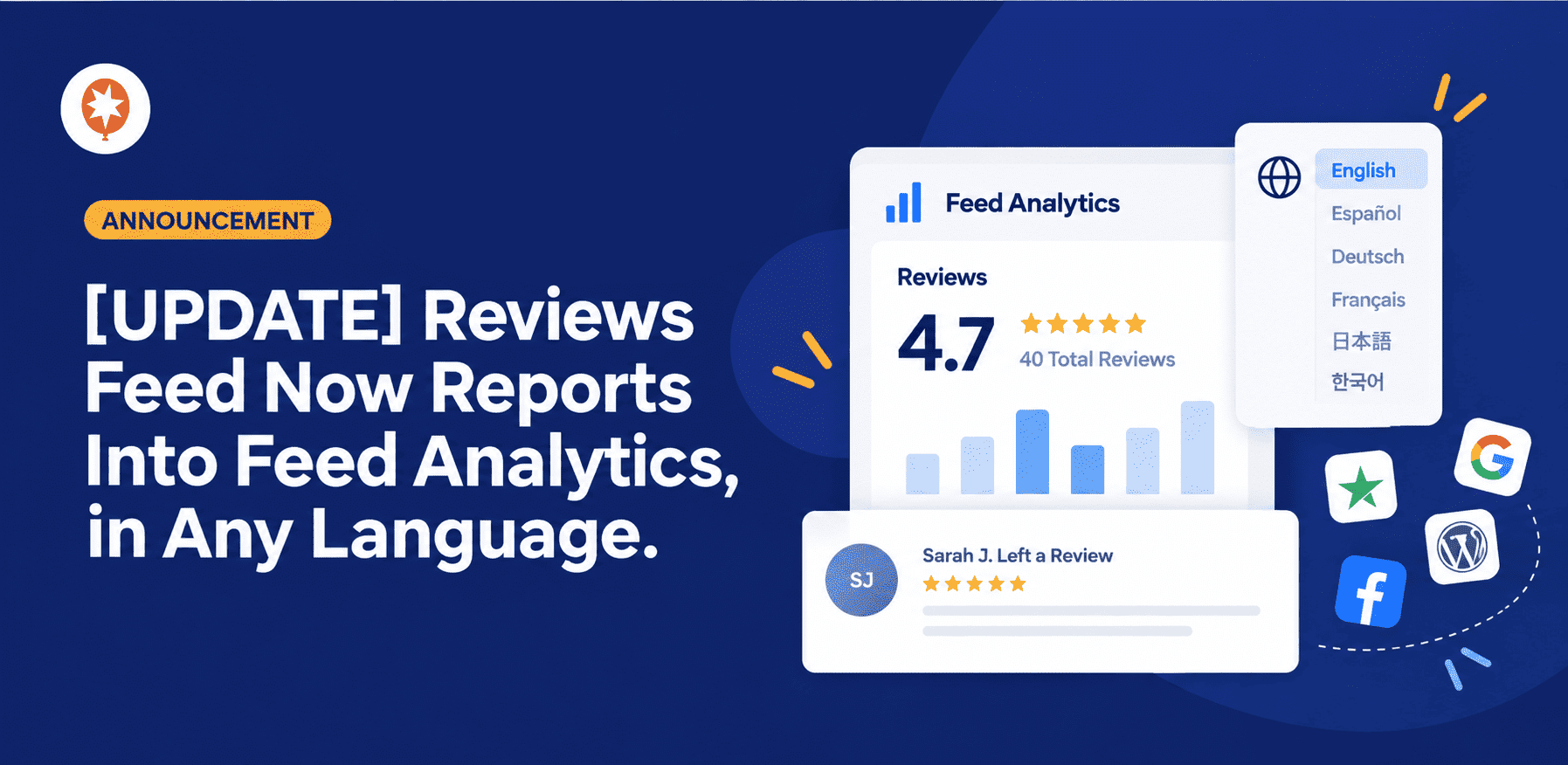
Your review data now reports into Smash Balloon Feed Analytics on its own, so the Reviews report there fills in with your numbers. Alongside that, the plugin’s dashboard now translates fully into your language, and your WordPress.org reviews carry the WordPress.org logo.
Your Reviews Now Report Into Feed Analytics on Their Own
Feed Analytics has a Reviews report showing your overall rating, which sources your reviews come from, how each of your feeds is performing, and your latest reviews. Reviews Feed 2.13.0 is the piece that feeds it.
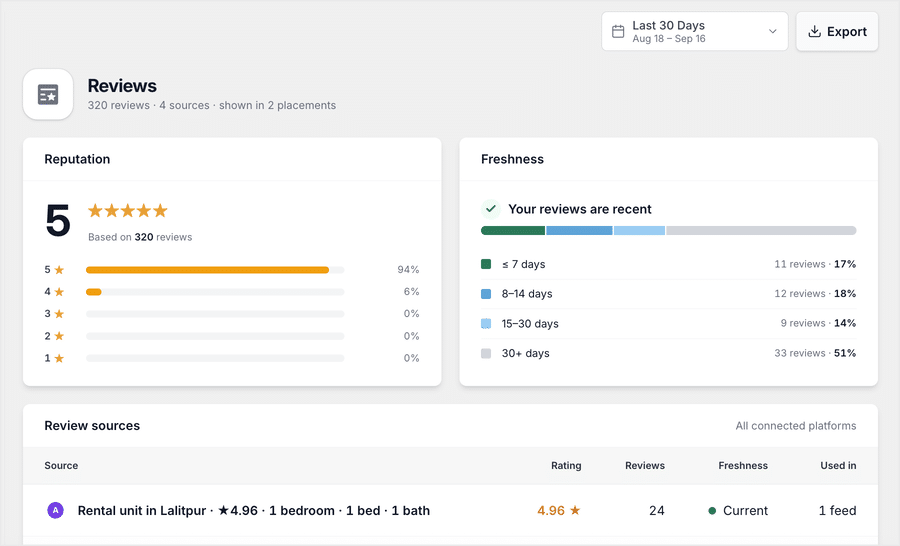
Update the plugin, and it happens by itself. Your rating, your connected sources, your per-feed stats, and your recent reviews all flow through the next time Feed Analytics checks in. There’s no key to paste, no setting to find, and no feed to reconfigure.
Nothing gets shared unless Feed Analytics actually asks for it, so on a site without that plugin, nothing about your setup changes.
What that gets you is the ability to stop guessing which review is pulling its weight.
A skincare brand running reviews on its product pages can see which Google review earns the most clicks, then lead with that exact one in its next email campaign instead of picking whichever testimonial reads nicest.
A boutique hotel collecting reviews from three different platforms can see which source its visitors actually engage with, and put its follow-up effort there rather than chasing every platform equally.
And a small shop with forty reviews gets the same picture as a store with four thousand. You don’t need heavy traffic for this to be useful, you just need to know which proof is working.
Find out which review is actually earning you business
Feed Analytics comes with every Elite license, so your Reviews report starts filling in the moment you update. Backed by a 14-day money back guarantee.
See Reviews Feed PlansWe’ll walk through the Feed Analytics dashboard and its Reviews report properly in a separate post soon. This update is what makes those numbers show up in the first place.
Your Whole Dashboard, in Your Own Language
We rebuilt the translation template behind Reviews Feed, which opens up hundreds more bits of text across the plugin for translation.
Any translations your language pack already had for them are back in use too, and the PRO and PRO+ tags in the admin menu translate now as well.
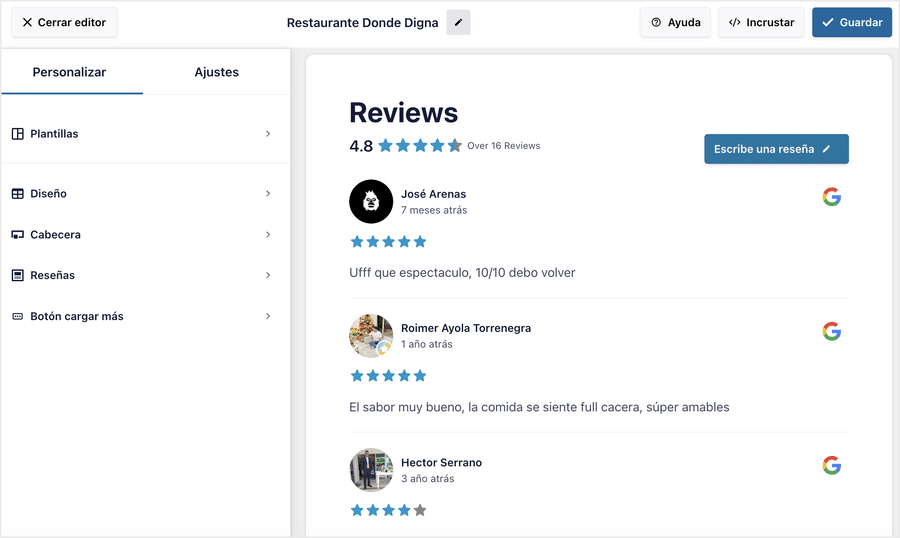
This one matters more than it might sound, because a dashboard that reads fully in your language is a dashboard you can hand to someone else.
A family-run restaurant in Spain can let a staff member add a new review source on their own, instead of every small change routing back through whoever speaks the most English.
A web agency building sites for German clients can hand the finished site over and trust the client can actually work in it, which means fewer “how do I change this” emails six months later.
One Extra for Reviews Feed Pro
Pro gets everything the free version gets, plus the Trust Badges screen, which is now fully translatable as well. So the part of the plugin you use to build visible trust signals on your site runs in your language too, start to finish.
Reviews That Look as Credible as They Are
Two more improvements round out this release, and both come down to the same thing: reviews only build trust when a visitor believes they’re real.
1. Review timing now reads consistently across every source you connect, so the dates on your feed stay in step with the platform each review came from.
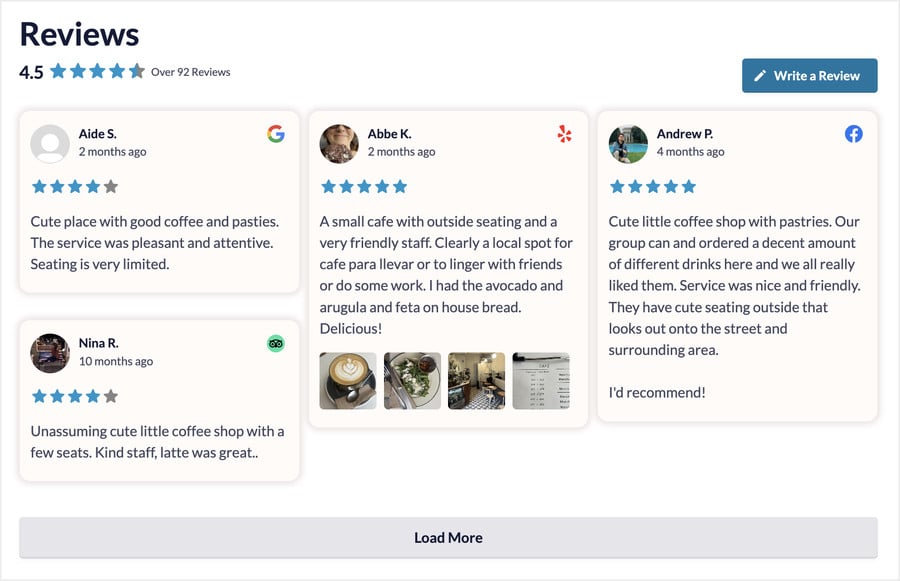
Recency is one of the first things a visitor checks. A review from last week says people are still buying and still happy, and a feed where those dates read cleanly across mixed sources carries that signal properly.
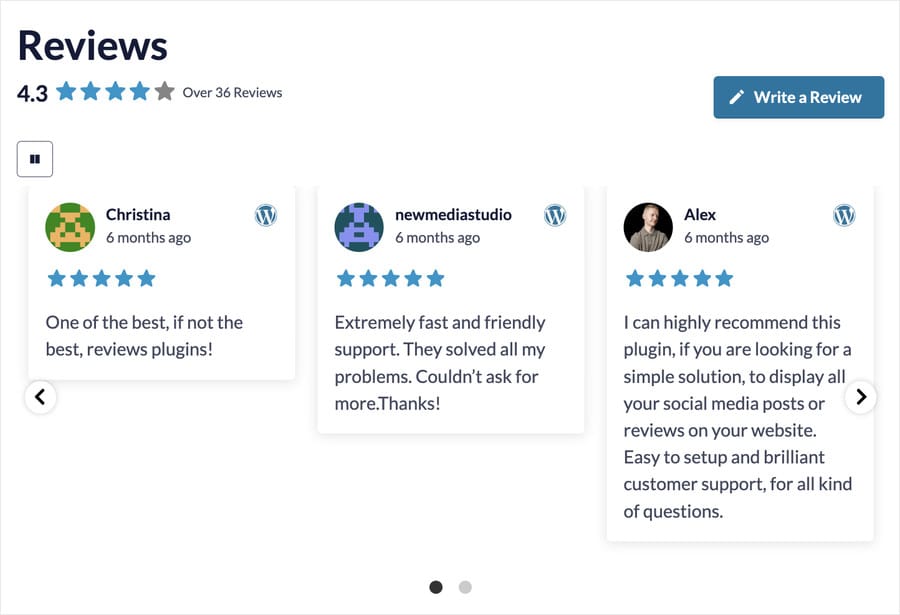
2. WordPress.org reviews now display with the official WordPress.org logo on the card.
For anyone selling plugins or themes, that mark is the whole point. A review carrying a platform logo your visitor recognizes reads as verifiable third-party proof, not a quote you could have written yourself.
A plugin developer showing WordPress.org reviews on a landing page gets that recognition on every single card.
A local bakery mixing Google and Facebook reviews in one feed gets dates that line up across both, so the feed reads current rather than uneven.
We also gave the wording across settings and help text a polish pass. Small stuff, but it adds up when you’re in there often.
How to Get It (About Two Minutes)
Good news, there’s nothing to configure here.
1. In your WordPress dashboard, go to Plugins » Installed Plugins.
2. Update Reviews Feed, and Reviews Feed Pro if you’re on a paid plan, to version 2.13.0.
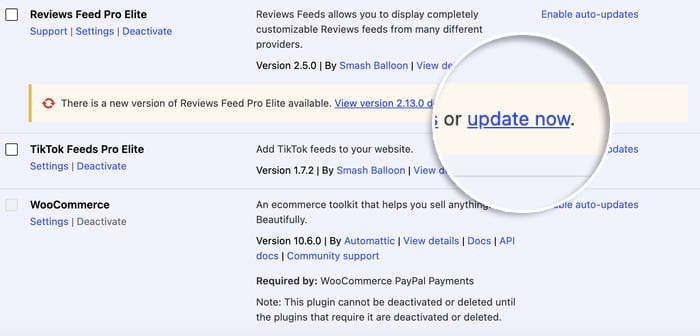
3. The translations and display improvements apply right away, across every feed you’ve already built. Nothing to reopen or re-save.
4. Running Feed Analytics as well? Open its Reviews report and give it a few hours. Your rating, sources, and per-feed stats will start filling in on their own.
Feed Analytics comes with any Elite license or the All Access Bundle, so that last step applies to anyone on those plans.
A Few Questions You Might Have
Do I need to do anything for my reviews to show up in Feed Analytics?
Nope. Update Reviews Feed to 2.13.0, and the data flows through on its own the next time Feed Analytics checks in.
Is this update free?
Yes. The translation refresh, the review timing, and the Feed Analytics connection are all in the free version of Reviews Feed. The Trust Badges translation and the WordPress.org logo are on Reviews Feed Pro, since WordPress.org is an Elite source.
What if I don’t use Feed Analytics?
The translation and display improvements apply either way. The reporting connection simply sits idle until Feed Analytics is installed, and nothing is shared in the meantime.
Do I need to rebuild my existing feeds?
No. Everything here applies to the feeds you’ve already got live, from the moment you update.
Start Seeing Which Reviews Actually Earn You Business
Your reviews are already on your site doing work. This update lets you see which ones are doing the most of it, in a dashboard that reads in your own language, with source branding your visitors recognize.
Here’s where to start:
- Update Reviews Feed to 2.13.0 from your WordPress dashboard
- Give Feed Analytics a few hours, then open the Reviews report
- Find your top-clicked review, and use that one in your next campaign
Not running Reviews Feed yet? Reviews Feed Pro brings Google, Trustpilot, Yelp, Facebook, and WooCommerce reviews onto your own pages, with a 14-day money-back guarantee.
Put your best reviews where your customers actually decide
Pull reviews from Google, Trustpilot, Yelp, Facebook and WooCommerce into feeds you can place on any page. Try it risk free for 14 days.
Start Showing My ReviewsWhich review is earning the most clicks on your site right now? Let us know in the comments once you’ve had a look.