Social Wall
  Feed Analytics


Tired of posting every day while your follower count barely moves? You’re not alone. Most business owners pour hours into hashtags, posting schedules, and the occasional giveaway, only to watch growth crawl.
Here’s the part nobody tells you: follower growth isn’t a platform problem. It’s a conversion problem.
If you’ve ever wondered why all that effort feels like shouting into the void, the answer is simpler than you think. You’re chasing cold strangers on social platforms while your warmest audience visits your website every single day and leaves without following you.
I’ve worked at Smash Balloon helping thousands of businesses display their social feeds, and I’ve seen this pattern over and over. The websites already pulling in steady, qualified traffic are sitting on a pile of potential followers. Most just never connect the two.
So I’ll show you why your website visitors are far more likely to follow you than someone who stumbles across you on a platform.
You’ll learn the three mistakes quietly costing you followers, where to place your social feed to get the most follows, and how to measure what’s working. You’re already sitting on this audience. Let’s turn them into followers.
- Quick Answer: Why Your Website is the Best Place for Social Growth
- Why Are Website Visitors More Likely to Follow You Than Social Media Users?
- What's Stopping Your Website From Growing Your Following?
- Why Does Your Embedded Feed Need a Follow Button?
- Where on Your Website Should You Put a Social Feed to Get the Most Follows?
- What Kind of Social Content Actually Makes People Want to Follow You?
- What If You're Active on More Than One Platform?
- How Do You Know If Your Website Is Growing Your Following?
- Start Closing the Follower Leak Now
Quick Answer: Why Your Website is the Best Place for Social Growth
TL;DR: Website visitors follow you more often because they are already warm, they trust your brand, and your site is a low-distraction space you control. A person scrolling a platform is cold, half-distracted, and not looking for you. That single difference changes everything.
Key Takeaways:
- Your website visitors are the warmest audience you have for a follow. They already know your brand and chose to show up, so following is a small next step, not a leap of faith.
- Most websites lose those follows to three fixable mistakes: no visible follow button, a feed buried in the footer, and a feed showing stale or promo-only posts.
- Placement is the biggest lever you control. One feed on your homepage or About page beats five in your footer, and moving it costs nothing.
- Follows are measurable. Feed Analytics tracks follow-button clicks by page and feed, so you can see what’s actually working instead of guessing.
Why Are Website Visitors More Likely to Follow You Than Social Media Users?
Website visitors are more likely to follow you than social media users because they arrive already warm and curious about your content.
When someone lands on your website, they already know who you are. They typed your name, clicked your ad, or found your post in a search. That is a person who chose to spend time with your brand.
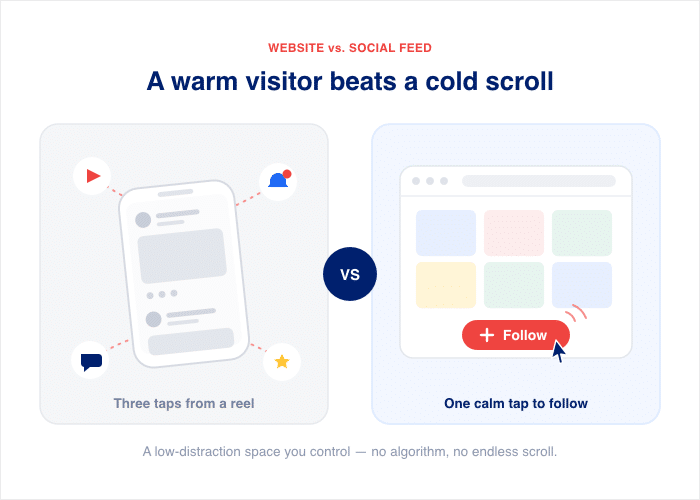
Compare that to someone scrolling a feed. They do not know you. They are half-distracted, three taps from a cat video, and not looking for a new brand to follow. You are competing with everything else on the screen.
Your website works the opposite way. It is a low-distraction space that you control. There is no algorithm deciding who sees your content and no endless scroll pulling people away. When a warm visitor sees your social feed, one tap follows you.
So the question is not “how do I reach more people.” You already reached them. The real question is “how do I turn the visitors I have into followers.”
That comes down to two simple ideas:
- Warm vs. cold: Website visitors already trust you enough to show up. A follow is a small next step, not a leap of faith.
- Intent vs. distraction: On your site, people pay attention. On a platform, they are pulled in ten directions at once.
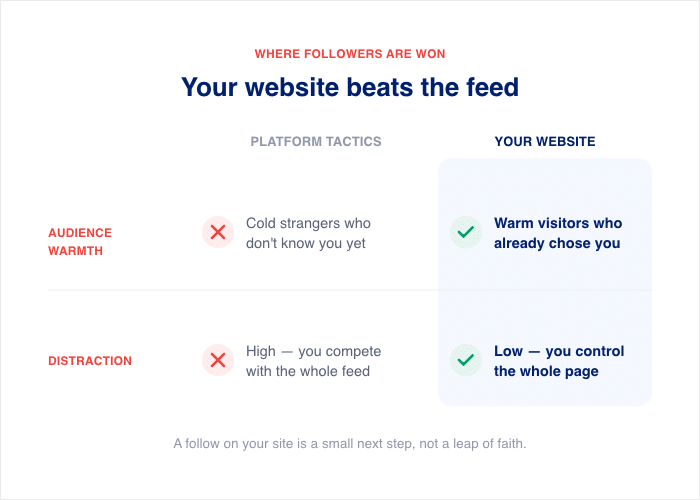
Here is how the two approaches stack up:
| Factor | Platform Tactics | Your Website |
|---|---|---|
| Audience warmth | Cold strangers who don’t know you | Warm visitors who already chose your brand |
| Distraction | High. You compete with the whole feed | Low. You control the page |
| Algorithm dependency | High. Reach depends on the platform | None. You decide who sees the feed |
| Cost | Rising. Social ad spend is set to grow 10.90% a year from 2026 to 2030 (Sprout Social) | Free. You already pay for the traffic |
| Intent | Low. People are browsing, not deciding | High. People are engaging with you on purpose |
| Measurability | Hard to tie a follow to a source | Clear. You can track follows per page |
Stat to know: Shoppers are 2.4x more likely to call user-generated content authentic than brand-created content. Authenticity is the main reason people choose to follow, and your real social feed is the most authentic thing you can show.
The math is plain. Paid reach gets more expensive every year, while your warmest audience visits your site for free and leaves without following.

That gap is the leak. And once you see it, you cannot unsee it. (For more on why chasing free reach on-platform no longer works, see our guide on why organic social media reach is dead.)
What’s Stopping Your Website From Growing Your Following?
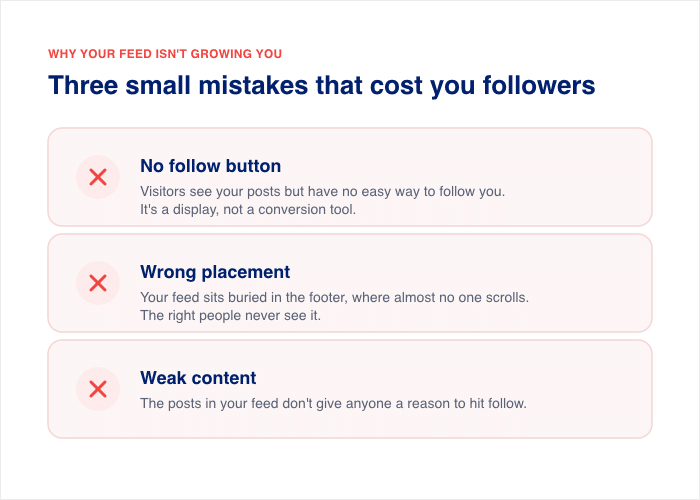
If your website isn’t growing your following, it’s almost always one of three mistakes with your embedded feed. Each one is small. Each one quietly costs you followers every day.
Here’s what usually goes wrong:
- No follow button. Your feed shows your posts, but visitors have no easy way to follow you. It’s a display, not a conversion tool.
- Wrong placement. Your feed sits buried in the footer, where almost no one scrolls. The right people never see it.
- Weak content. The posts in your feed don’t give anyone a reason to hit follow.
Don’t worry. Each one is fixable in an afternoon, and you don’t need a developer or a bigger budget to do it.
The next three sections walk through each mistake and the simple fix.
Why Does Your Embedded Feed Need a Follow Button?
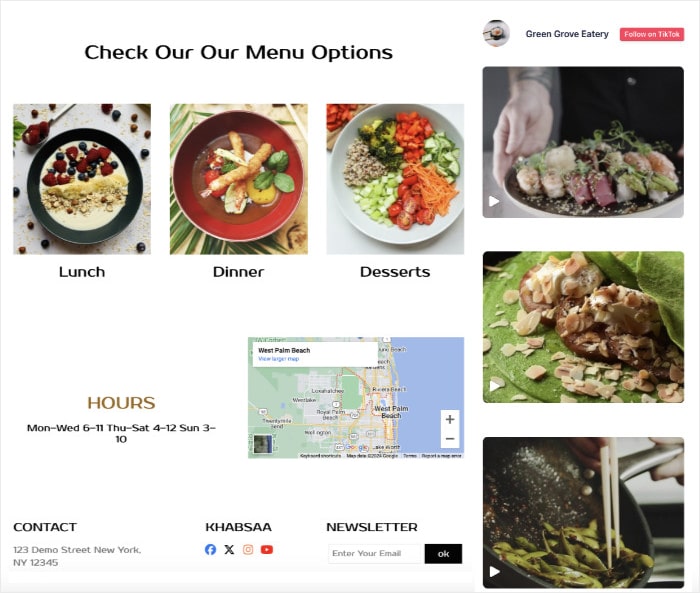
Your embedded feed needs a follow button because a feed without one is a display, not a conversion tool. It shows your posts, people enjoy them, and then they leave. Without a clear button to tap, even your warmest visitors have no easy way to follow you.
Think about what a feed without a button actually does. It proves you are active. It looks nice. But it gives the visitor nowhere to go, so the moment passes, and the follow never happens.
A good follow button fixes that. To work, it needs three things:
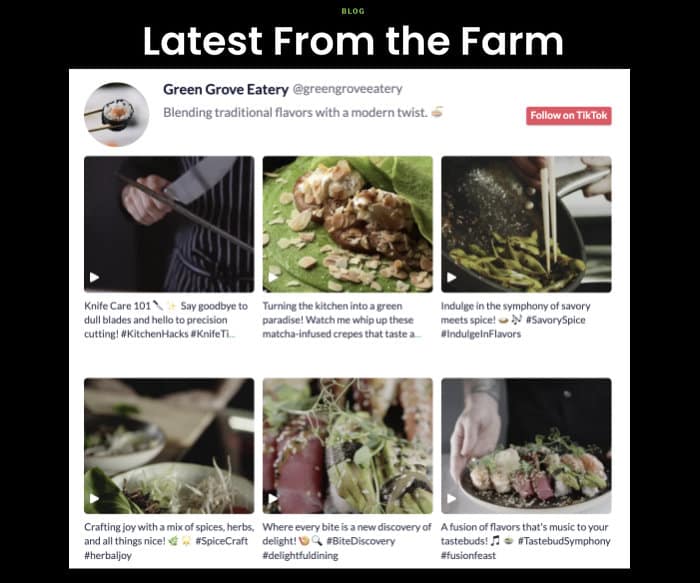
- Visible on the feed. Place the button above the fold, right at the top of your feed, so no one has to scroll to find it.
- Specific copy. Use clear words like “Follow on Instagram,” not a vague “Follow us.” Tell people exactly where they are about to follow you.
- High contrast. Make the button stand out against the feed background, so it reads as a button and not as part of the design.
Here is the good part. You do not have to build this by hand.
Tip #1: Turn on the follow button. With Smash Balloon’s Instagram Feed Pro and Custom Facebook Feed Pro, the follow button is built in. You switch it on in the feed settings, pick your colors, and it appears at the top of your feed with the right platform name already filled in.
Your warm visitors get a one-tap path to follow you without you touching a line of code. I always recommend turning this on first, because it is the change that takes the least effort and returns the most.
So if your feed has felt like decoration, that is the reason. The good news is, one button turns that same feed into a tool that grows your following every day.
Where on Your Website Should You Put a Social Feed to Get the Most Follows?
Put your social feed where the most people see it at the moment they care about your brand. That means high-traffic, high-intent spots like your homepage hero and your About page.
Placement is the single biggest lever you control, and it costs you nothing to change.
Most feeds fail for one reason. They sit in the footer, where almost no one looks. Move that same feed up the page, and the follow button finally gets seen.
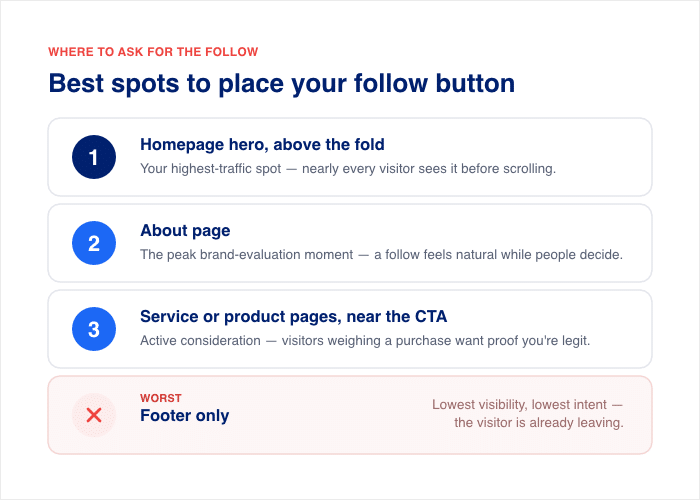
Here is how the main placements rank, best to worst:
| Rank | Placement | Why visitors follow here |
|---|---|---|
| 1 | Homepage hero, above the fold | Your highest-traffic spot and the first impression. Nearly every visitor sees it before scrolling. |
| 2 | About page | The peak brand-evaluation moment. People here are deciding if they like you, so a follow feels natural. |
| 3 | Service or product pages, near the CTA | Active consideration. Visitors are weighing a purchase and want proof you are legit. |
| Worst | Footer only | Lowest visibility and lowest intent. The visitor is already leaving the page. |
Start at the top of that list. The homepage hero gets the most eyes, so it gives your follow button the most chances to work.
The About page is a close second, and I’d argue it’s the most underused. Someone reading your About page is actively deciding whether to trust you. A live feed of real posts answers that question and gives them a one-tap way to stay connected.
Tip #2: Place your feed on any page in minutes. With Smash Balloon’s Instagram Feed Pro and Custom Facebook Feed Pro, you place a feed with a simple block or shortcode — paste it into your homepage hero, your About page, or a service page, and you’re done.
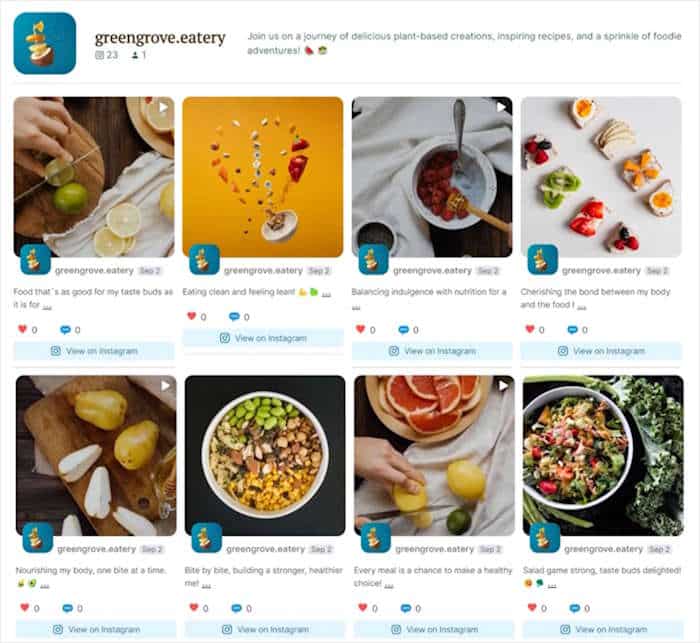
Here is a quick example. A local restaurant moved its Instagram feed from the footer to the top of its homepage and its About page. The feed went from buried to front and center, and the same traffic that scrolled past it before now had a follow button in plain view.
Want help picking the exact spot on your site? Our guide on how to integrate social media into your website walks through it step by step.
Even if your feed is buried in the footer right now, moving it takes minutes. You are not adding work or traffic. You are just putting the follow button where your warm visitors will actually see it.
Turn Your Warmest Visitors Into Followers
Instagram Feed Pro adds a one-tap follow button to your feed, and a block or shortcode puts it on your homepage or About page in minutes.
Add a Follow ButtonWhat Kind of Social Content Actually Makes People Want to Follow You?
People follow you when your feed shows your brand at its best. Your embedded feed pulls in your most recent posts, so those posts are your audition. If the latest thing a visitor sees is dull or old, the follow button does not stand a chance.
Three things turn a feed into a reason to follow.
1. Show that you post often. A feed that ends with “one post from three weeks ago” tells visitors you went quiet. That kills follows fast. A steady stream of fresh posts proves you are active and worth following.
Stat to know: Accounts that share updates regularly are 70% more likely to show up in user feeds (BizFix).
2. Show personality and value, not just promotions. A feed full of “buy now” posts gives people nothing to follow for. Mix in behind-the-scenes moments, tips, and other authentic content. People follow brands they enjoy, not brands that only sell.
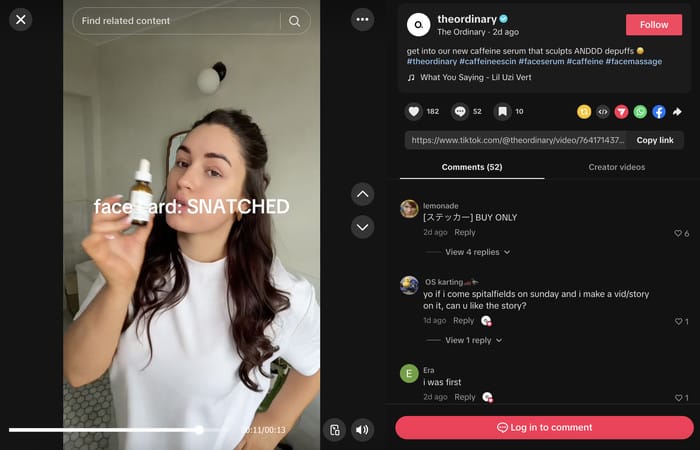
3. Lead with video. Video stops the scroll in a way a still photo rarely does. A short Reel or clip at the top of your feed holds attention long enough for the follow button to do its job.
Here is the catch. Your best posts only help if they actually show up first in your feed.
Tip #3: Keep your feed fresh and on-brand automatically. Smash Balloon’s Instagram Feed Pro and Custom Facebook Feed Pro auto-update, so your newest posts appear the moment you publish. No stale post sits at the top, making you look inactive.
You can also display Instagram Reels and video right inside the feed, so your scroll-stopping content greets visitors first.
I always tell business owners to check their own feed through a visitor’s eyes. Look at the first three posts. If they would not make a stranger want more, fix those before anything else.
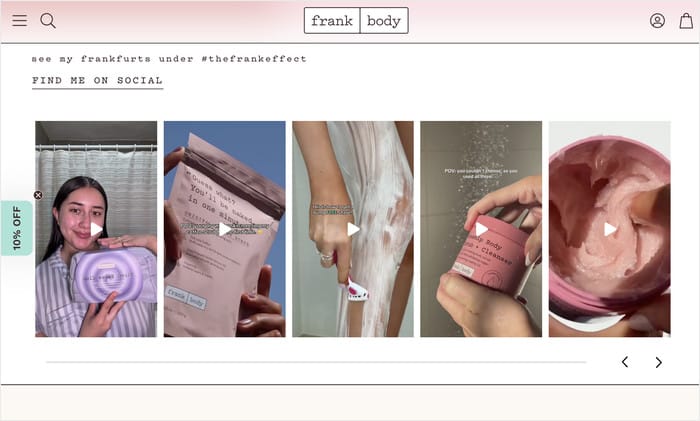
Here is a real example. The skincare brand Frank Body keeps its feed full of bright product shots, customer photos, and playful captions. Visitors land on a feed that feels alive and personal, and that at-its-best look gives people a clear reason to tap follow.
Want help making your posts worth following? Our guide on authentic social media content shows you how.
Before you move on, run a quick self-check. Score your feed in each of the four areas below. A low score is not bad news. It just points you to the easiest wins.
1. Follow Button
- Does your feed have a follow button?
- Is it visible at the top of the feed, above the fold?
- Does the copy name the platform, like “Follow on Instagram”?
- Does the button stand out with high contrast?
2. Placement
- Is your feed on your homepage, above the fold?
- Is a feed on your About page?
- Have you moved your feed out of the footer only?
3. Content
- Do your recent posts show that you post often?
- Does your feed mix personality and value, not just promotions?
- Does video or a Reel appear near the top of the feed?
4. Measurement
- Can you see how many people click your follow button?
- Do you know which page drives the most follows?
- Are you tracking follows over time, not guessing?
If you scored well, great. If not, do not worry. Every “no” above is a quick fix, and the next sections show you exactly how.
What If You’re Active on More Than One Platform?
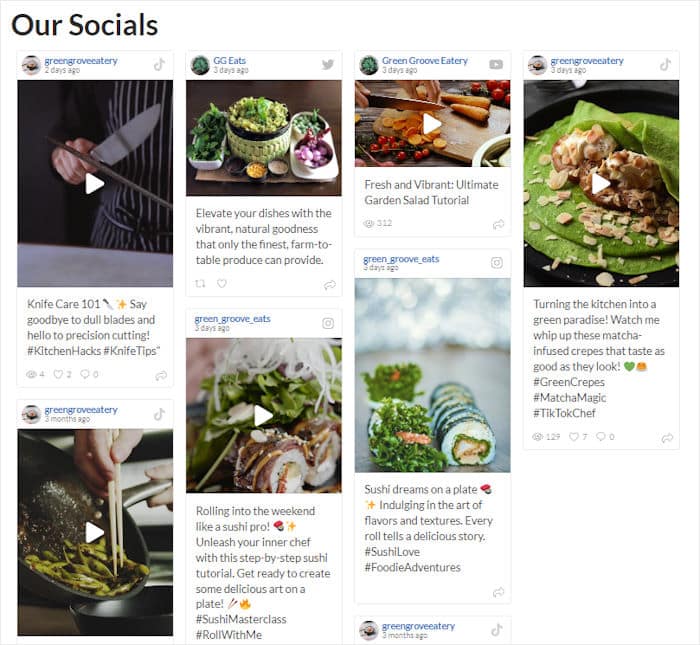
Maybe you post on Instagram, TikTok, and YouTube all at once. One feed only sends visitors to one platform, so the others get left out. The fix is to show all of them in a single display, with a follow button for each.
This is called a social wall. It pulls your posts from several platforms into one combined feed on your page.
Each platform keeps its own follow button, so a visitor can follow you on Instagram, TikTok, or wherever they spend their time.
Tip #4: Combine your active platforms into one social wall. Smash Balloon’s Social Wall brings Instagram, TikTok, YouTube, Facebook, and X into one display, each with its own follow button.
You connect your accounts, and the wall mixes your posts into a single live feed. Visitors pick the platform they like best and follow you there in one tap.
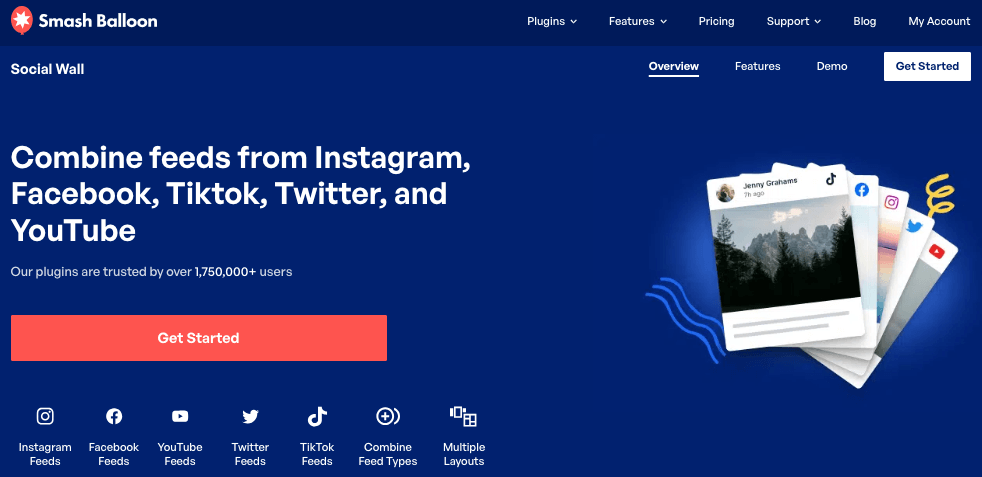
I like this most on a hub page, like a “Follow Us” page or your homepage. You give every active channel a fair shot at the follow in one spot, instead of choosing just one.
Here is a real example. A multi-platform fitness brand built a single “Connect With Us” page with a social wall that blended its Instagram, YouTube, and TikTok posts.
Visitors saw the brand was active everywhere and could follow the channel that fit them, all without leaving the page.
Want to see how it works? Our guide on how to combine social network feeds walks you through the setup.
How Do You Know If Your Website Is Growing Your Following?
You know it’s working when you can see the follows, not guess at them. Up to now, you’ve added a feed, picked a good spot, and cleaned up your content.
The last step is proof. You need to see how many people actually tap your follow button and where they do it.
Here’s the problem with guessing. You can move a feed to your homepage and feel like it’s helping, but feeling is not data. Without numbers, you never know if that feed earns five follows a month or fifty.
The fix is feed analytics. It tracks follow-button clicks per page and per feed, so you can see which placement actually drives follows.
Tip #5: Track your follow-button clicks with Feed Analytics. Smash Balloon’s Feed Analytics shows you how many people click each follow button, broken down by page and by feed type.
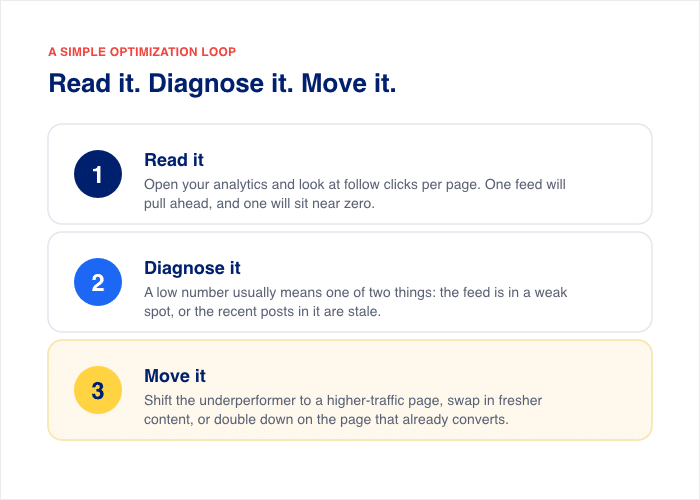
You stop guessing which feed converts and start reading it straight from the data. Here’s how to act on what you see, in three steps.
- Read it. Open your analytics and look at follow clicks per page. One feed will pull ahead, and one will sit near zero.
- Diagnose it. A low number usually means one of two things. The feed is in a weak spot, or the recent posts in it are stale.
- Move it. Shift the underperforming feed to a higher-traffic page, swap in fresher content, or double down on the page that already converts.
Think of it as before and after. Before, you had a footer feed and no idea if it did anything. After, you can see your About page drives three times the follows, so you give it more room and copy that setup to other pages.
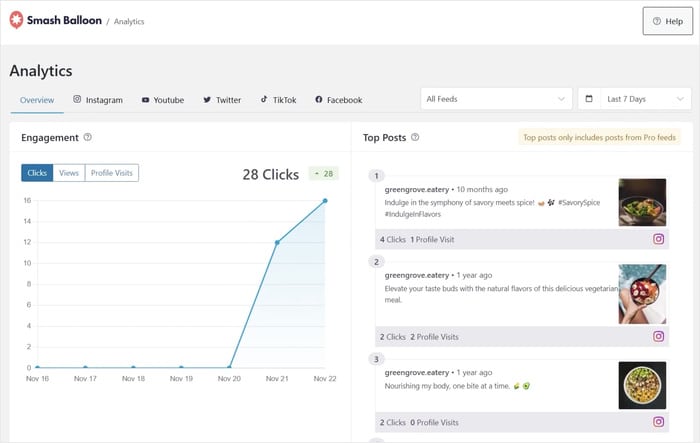
You don’t have to take my word for it. The data’s right there, telling you exactly which feed to keep and which one to move.
This turns the whole plan into something you can measure. Every change you make from here is a test you can check, not a shot in the dark.
Frequently Asked Questions
How many followers can you realistically grow from your website?
The number you can grow from your website depends on your traffic, but the math works in your favor. Website visitors already know your brand, so they convert better than cold strangers on a platform. Even a small site can turn a steady trickle of warm visitors into new follows each month. Track your follow-button clicks for 30 days, and you’ll see your real number instead of guessing at it.
Which platform should I embed to get the most followers?
Embed the platform where you post most often and have your best content. A busy, fresh feed gives visitors a clear reason to follow, while a stale one does the opposite. If you’re strongest on Instagram, lead with an Instagram feed. The right platform is the one you actually keep active, not the one that’s trendiest.
Does a follow button on an embedded feed actually work?
Yes, a follow button on an embedded feed works, and you don’t have to take it on faith. With Smash Balloon’s Feed Analytics, you can see exactly how many people click each follow button, broken down by page and feed. That click data turns “I think it’s helping” into a number you can read. A feed without a button is just a display, so the button is what makes the follow happen.
What if my social content isn’t that good yet?
If your social content isn’t strong yet, fix that before you embed anything. A weak feed on your homepage can cost you follows instead of earning them. Build up a batch of 9 to 12 strong posts first, the kind that show personality and value, not just promotions. Once your recent posts look good through a visitor’s eyes, embed the feed and let it work.
Start Closing the Follower Leak Now
Your warmest audience is already on your website. They know your brand, they trust you, and they visit every day. Right now, most of them leave without following you.
That’s the leak. The good news is, you’ve seen exactly how to close it.
Here’s the whole plan in one breath:
- Give them a visible follow button that names the platform and sits at the top of your feed.
- Put your feed where people actually look, like your homepage and About page, not just the footer.
- Show a feed worth following, with fresh posts that mix personality and value.
- Track your follow clicks so you keep what works and fix what doesn’t.
You don’t need more traffic to grow your following. You need to convert the traffic you already have.
The fastest way to start is with a feed that has a built-in follow button. Instagram Feed Pro and Custom Facebook Feed Pro let you embed your posts in minutes, add a follow button visitors can tap, and place your feed on any page. That’s the leak closed.
So where’s your social feed living right now, homepage or footer? Tell me in the comments.