Social Wall
  Feed Analytics

![[NEW] See Which Reviews and Posts Drive Results with Smash Balloon Feed Analytics](https://cdn.smashballoon.com/wp-content/uploads/2026/07/15061133/NEW-See-Which-Reviews-and-Posts-Drive-Results-with-Smash-Balloon-Feed-Analytics.png "NEW See Which Reviews and Posts Drive Results with Smash Balloon Feed Analytics - Smash Balloon")
You use Smash Balloon feeds to build trust and get people engaging with your content.
But every day you post without knowing what’s working is a day spent guessing. You’re promoting content on a hunch while your best performers go unnoticed.
Feed Analytics fixes that. You can see clicks, views, and profile visits across all your feeds, right in your WordPress dashboard.
And with the 1.1.0 update, your Reviews Feed is now tracked too, so every Smash Balloon feed reports into the same dashboard.
Here’s what you can do starting today:
- See which posts and reviews pull people in and which get the most attention
- Track your Reviews Feed right alongside Instagram, Facebook, YouTube, X, and TikTok
- Spot your top performers at a glance, ranked by clicks and profile visits
- Filter the whole dashboard to a single feed or any timeframe, from the last 7 days to all time
- Trust your numbers, since your own admin activity never counts toward them
In this Article:
Know at a Glance What’s Actually Working
You don’t have to dig through data to see how your feeds are doing. The dashboard shows you the whole picture at a glance.
It’s also been redesigned: clean cards, clear trend arrows, and a tab for each of your feeds.
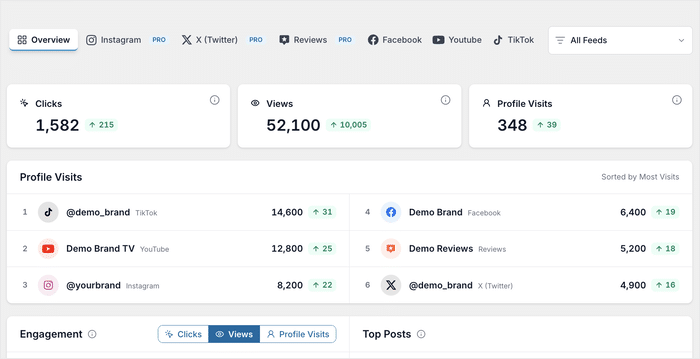
Three cards sit at the top, each with an arrow showing how it’s changed since the last period:
- Clicks, which posts pull people in
- Views, what’s actually getting seen
- Profile Visits, who wants to see more of you
See Your Engagement Trend for Any Metric
Totals tell you where you stand. The engagement chart tells you whether you’re gaining momentum or slowing down.
It plots your engagement over time, and switches between Clicks, Views, and Profile Visits.
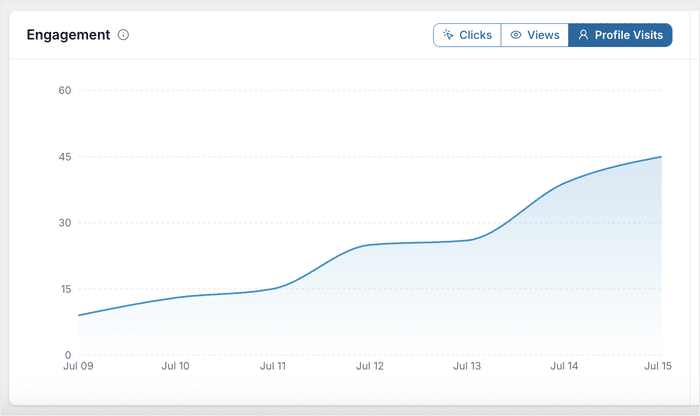
Here’s what that looks like in practice:
- A florist switches to Views and sees a spike whenever it posts arrangement photos
- A podcast switches to Profile Visits and finds its guest-announcement posts drive the most click-throughs
- An online store watches Clicks climb on the weeks it posts customer photos, and plans its calendar around that
Find the Posts Doing the Heavy Lifting
Some of your content quietly does most of the work, and it’s rarely the posts you’d guess.
Top Posts shows you exactly which ones. Each row ranks your best-performing content with its preview image, platform, clicks, and visits.
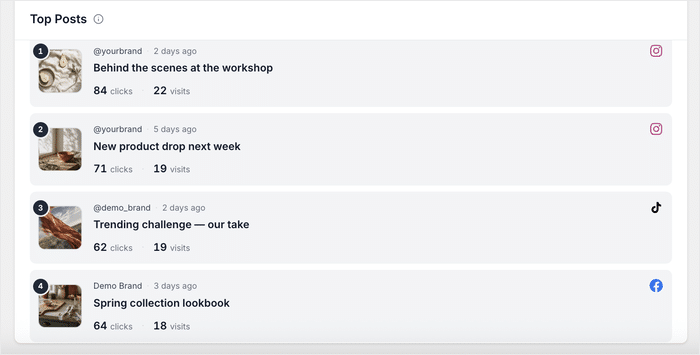
Once you know what’s winning, you can put it to work:
- A home decor shop spots the room photo pulling the most profile visits and builds its next campaign around that style
- A software company finds its highest-clicked review mentions easy setup, and leans on that in its pricing-page testimonials
- A wedding photographer sees which review visitors engage with most and pins it to their booking page
Focus on One Feed or One Timeframe
You can zero in on exactly the data you care about instead of wading through everything at once.
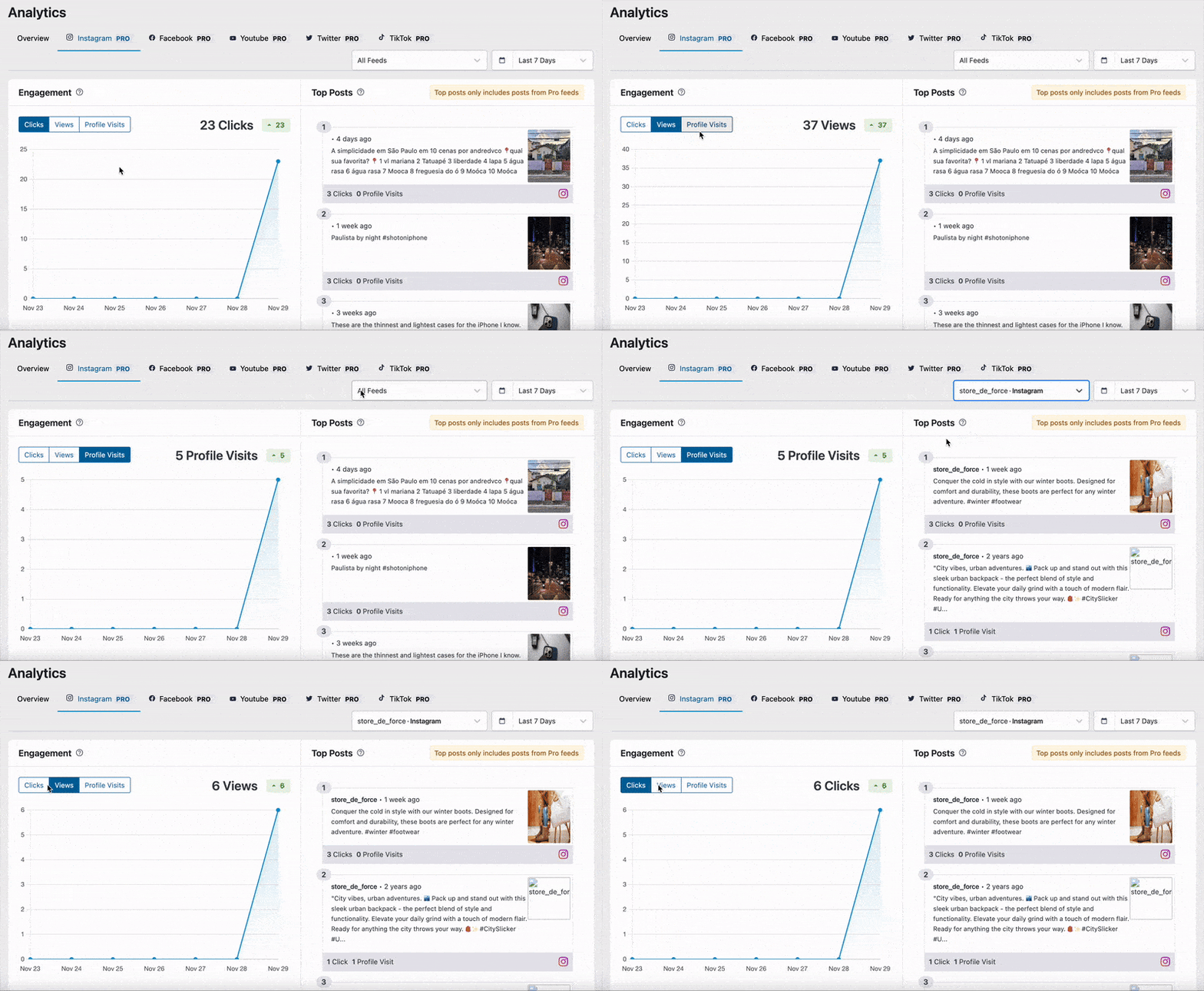
Filter the whole dashboard down to a single connected feed or account, so you can check how one platform performs on its own, like just your Google reviews.
You can also choose any timeframe, from the Last 7 Days to All Time, with each period compared against the one before it.
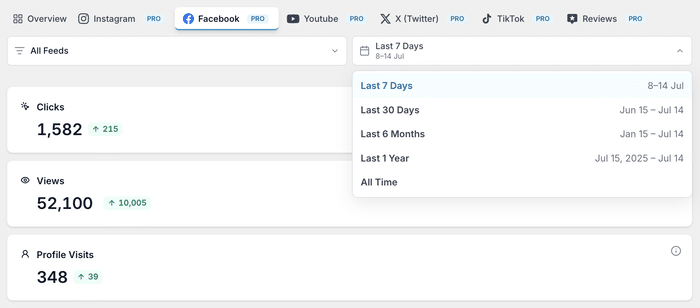
That way, you can see whether a recent campaign actually moved the numbers.
Ready to see your own numbers? Get the All Access Bundle to start using Feed Analytics.
See How Your Reviews Perform Right Alongside Your Social Feeds
Your reviews are now tracked like every other feed, so you can see which ones visitors actually click and engage with.
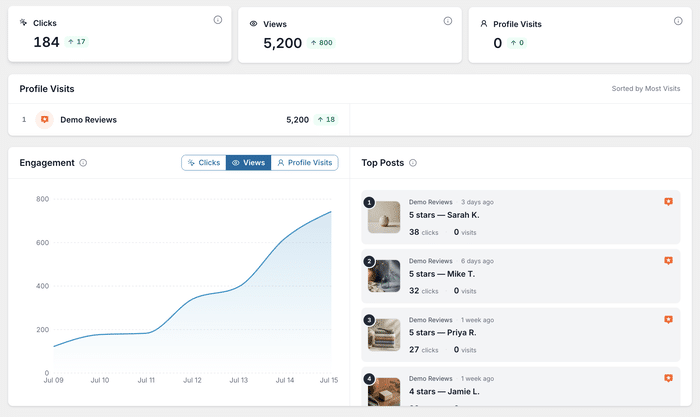
It works automatically, too. Every review already in your feeds starts reporting as soon as you update.
Every Review Becomes a Trackable Post
Each review you display on your site gets its own clicks and visits, ranked in Top Posts like any other content.
The Reviews tab gets the full treatment: its own stat cards, engagement chart, and a top-reviews ranking, the same as Instagram or TikTok.
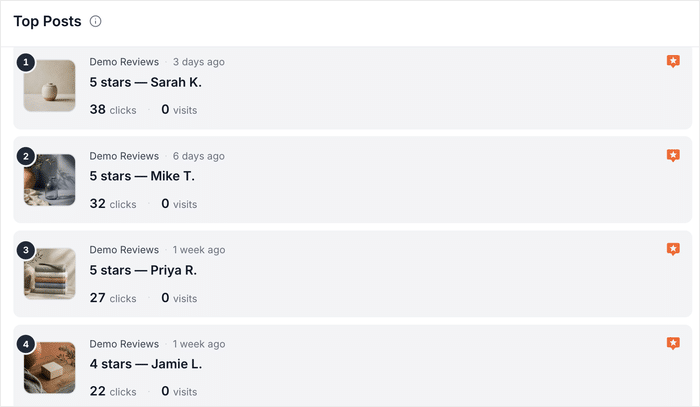
Your reviews are tracked wherever you display them: product pages, your homepage, or a sidebar widget, with no extra setup.
Why Review Clicks Matter More Than You Think
Reviews often sit on your highest-stakes pages: pricing, checkout, and landing pages. That’s exactly where a click or a visit matters most to a sale.
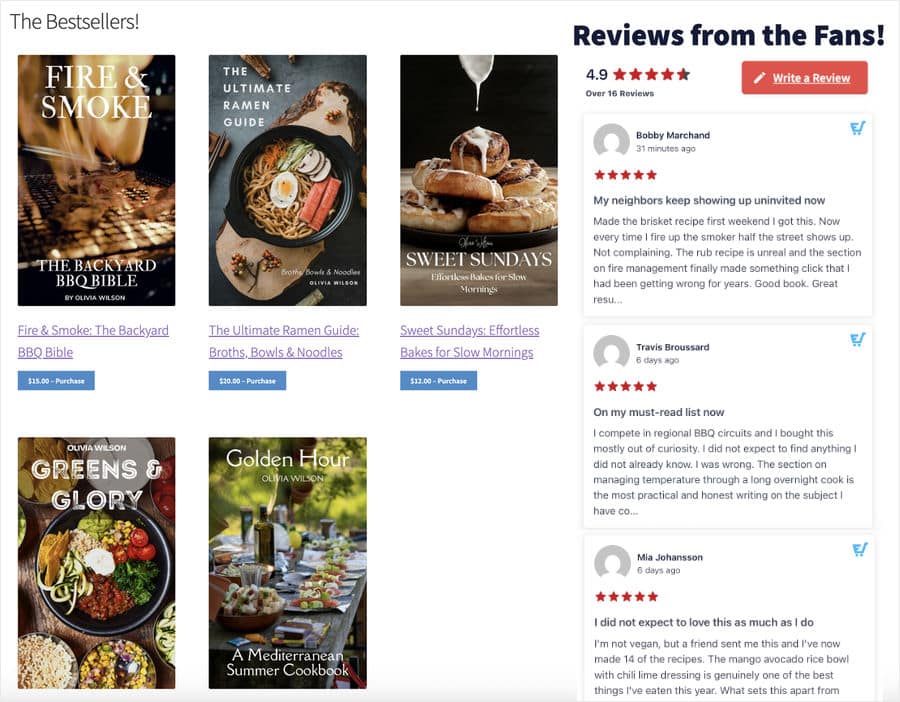
A page can convert without you ever knowing whether the reviews on it played a part. Now you can see it directly.
Here’s how it plays out across different businesses:
- A skincare brand displays Google reviews across its product pages but can’t tell which ones shoppers click, so it gets the All Access Bundle and finds out within a week
- A yoga studio spots the one testimonial that out-clicks the rest and features it on its booking page
- A SaaS company compares its Trustpilot reviews against its Instagram feed to see which its buyers trust more
Trust Every Number You See
The numbers only help if you can trust them. That’s why Feed Analytics counts only real visitor activity.
Admin activity is excluded automatically, so your team browsing the site never inflates the stats.
Every stat is tied to the exact date range you pick, and Top Posts are ranked per platform, so what you see reflects what actually happened on your site.
Explore the Full Dashboard from Day One
You don’t have to wait for data to pile up to see what Feed Analytics can do.
On your first visit, every report is filled with realistic sample data, so you can explore the whole dashboard right away instead of staring at empty charts.
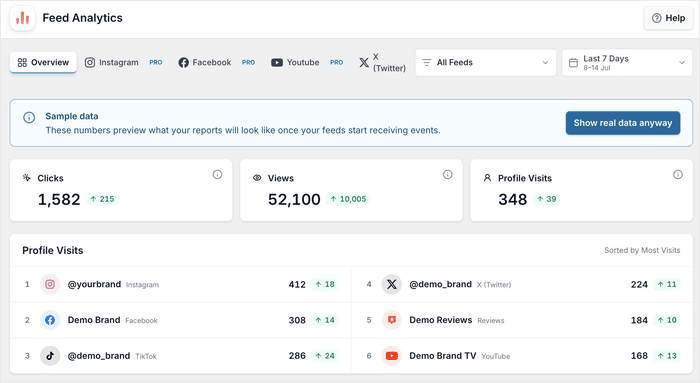
Once your feeds start collecting real data, one click switches everything over to your own numbers.
How to Start Tracking Your Feeds in Just Minutes
Feed Analytics starts working the moment it’s installed. Update or install the plugin, open Feed Analytics in your WordPress dashboard, and your feeds are already reporting.
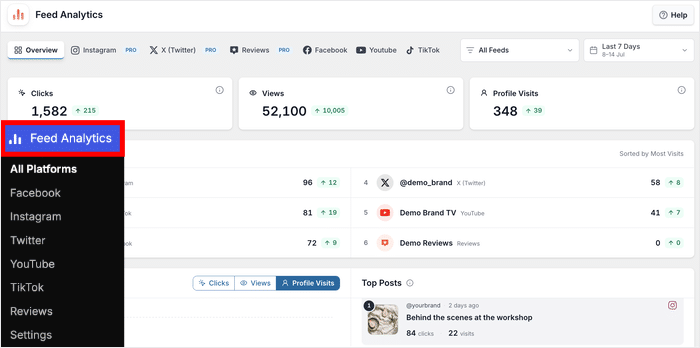
Across the top, you’ll find a tab for each of your feeds: Overview, Instagram, Facebook, YouTube, X (Twitter), TikTok, and Reviews.
Jump straight to the feed you want, or see everything together in Overview.
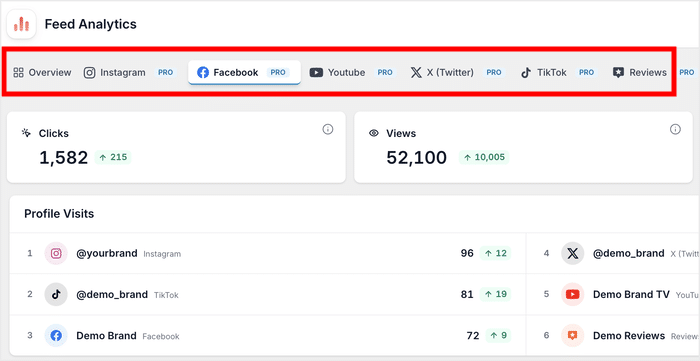
If you’re running Reviews Feed, your reviews are already included, so no extra steps there either.
From there, flip the chart between clicks, views, and profile visits, and filter by feed or timeframe to dig into exactly what you care about.
Want to try it on your own feeds?
Feed Analytics is part of the All Access Bundle, together with every Smash Balloon feed plugin.
Start Tracking Your Feed Performance Today
With Feed Analytics 1.1.0, you can see how every feed performs in one dashboard. That includes your reviews, tracked right alongside the rest.
Plenty of plugins help you display your feeds. Far fewer help you see whether they’re working, and that’s exactly what Feed Analytics is for.
If you already have Feed Analytics, update from your WordPress dashboard to get Reviews tracking and the new design.
Get the All Access Bundle to start using Feed Analytics today, and turn the guesswork into real numbers.
Finally, a huge thank you to our community. Your feedback shapes what we build, and we can’t wait to see what you learn from your feeds.
What’s the first feed you’ll check? Let us know in the comments below!