Social Wall
  Feed Analytics

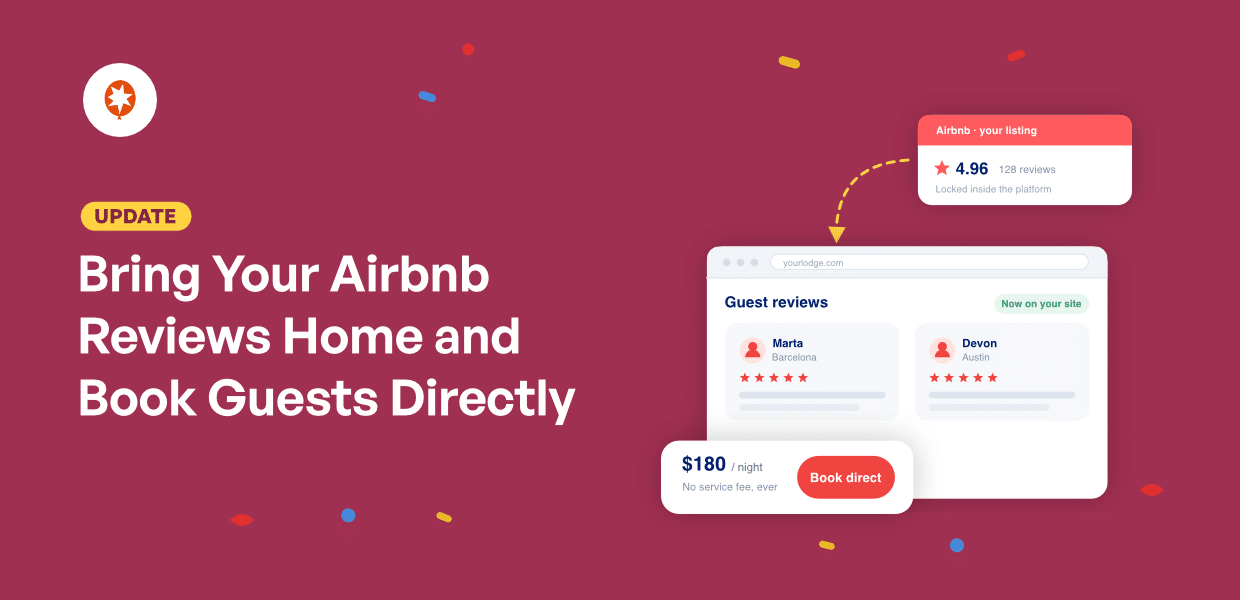
A traveler finds your place on Airbnb, reads twenty reviews, and decides you’re the one. Then they search your name to see if you take bookings direct.
Your own site loads. Nice photos, a rates page, a contact form. None of the reviews that convinced them ten minutes ago.
Smash Balloon Reviews Feed Pro now supports Airbnb as a source, so those same guest reviews can sit on your own booking page, where the commission doesn’t come off the top.
Paste your listing URL and you’re done. No API key, no Airbnb account, no developer.
Here’s what you can do starting today:
- Add your Airbnb listing as a source with one URL
- Show your replies under the reviews you answered, so guests see who they’d be staying with
- Keep Airbnb’s 5-star ratings exactly as guests left them
- Mix Airbnb with Google, Booking.com, Tripadvisor, and every other source in one feed
- Use the same filters, moderation, themes, and layouts you already use
Embed Your Airbnb Reviews and Get Direct Bookings
Add your listing as a source, and its guest reviews arrive in your feed, ready to put on any page you run.
The same reviews travelers read before they book, now on the page where you take the booking.
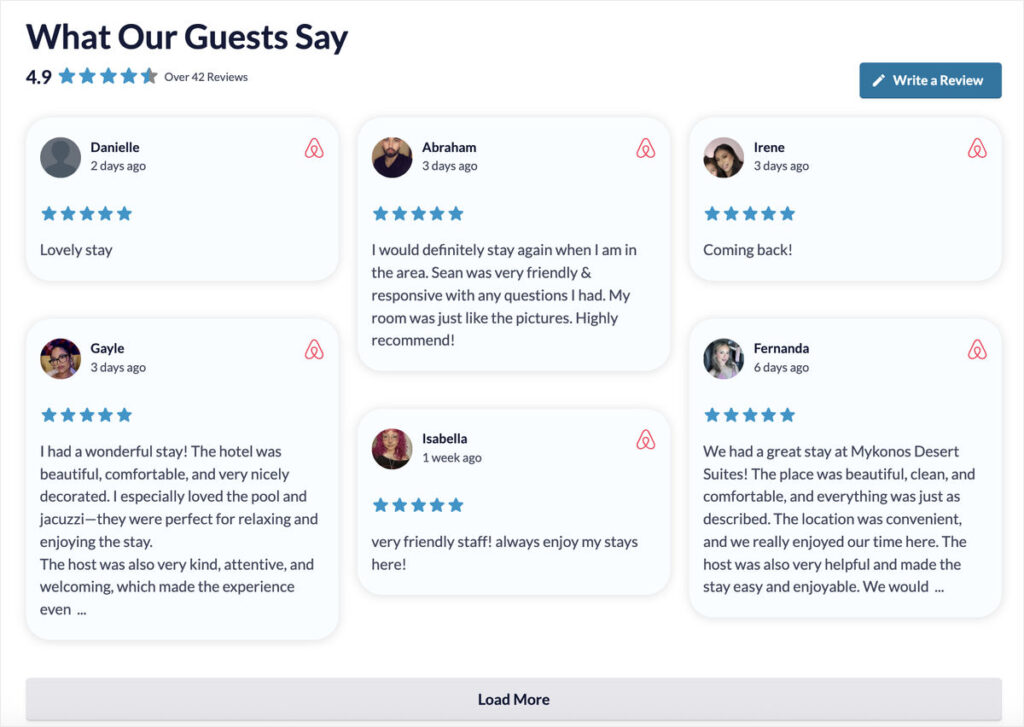
Each card carries the guest’s name and photo, their rating, and what they wrote. An Airbnb badge sits on every one, so nobody has to guess where the review came from.
- Put your Airbnb reviews on your booking page, so a traveler who found you on Airbnb has no reason to go back there to check
- Add them to a rental’s homepage, so a traveler sees them on the way to the rates page rather than after
- Show them on the landing page behind your ads, so the traffic you’re paying for arrives at something convincing
You earned those reviews one stay at a time. This puts them to work on the page where the booking happens.
Show Guests the Host They’d Be Staying With
A rating tells a traveler the place was good. A reply tells them who they’d be dealing with if something came up.
When you’ve answered a guest on Airbnb, your response comes across with the review. Your name, your photo, and a Host label, sitting under what they wrote.
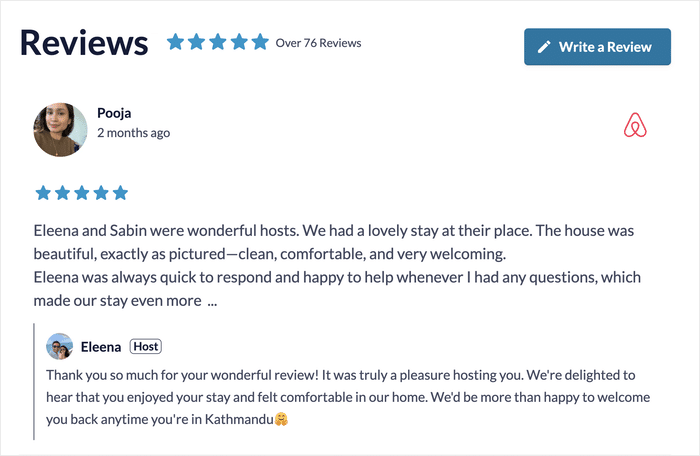
Not every review has one. Where you replied, it’s there; where you didn’t, the card shows the review on its own.
- Show your replies on your booking page, so a traveler can see how you handle a question before they send one
- Feature a review where you sorted something out mid-stay, so guests know what happens if a plan changes
- Show a review where a guest thanks you by name, so a first-time visitor meets you before they read a single rate
Your Proof Grows Without You Touching It
Add your listing once. Reviews keep arriving on their own after that.
Your older reviews fill in over time rather than all at once, so a listing with years of history builds up in the feed without you importing anything.
New ones follow the same way. A guest checks out, leaves a review on Airbnb, and it turns up on your site without you opening the plugin.
- Add a listing with years of reviews, and they keep arriving in the feed while you get on with hosting
- Come back after a busy season and find the new reviews already on your booking page
- Hand the site to whoever manages your bookings, and the feed keeps itself current without anyone maintaining it
Ready to put your guest reviews on your own site?
Airbnb is available on the Elite plan of Reviews Feed Pro, alongside Booking.com and Tripadvisor. Add your listing with one URL, keep the host replies, and mix it with every other source you run. Backed by a 14-day money back guarantee.
Add My Airbnb ListingPut Airbnb Next to Google, Booking.com, and Tripadvisor
Airbnb joins the sources you’ve already connected. One feed, one layout, cards badged so a traveler can see where each review came from.
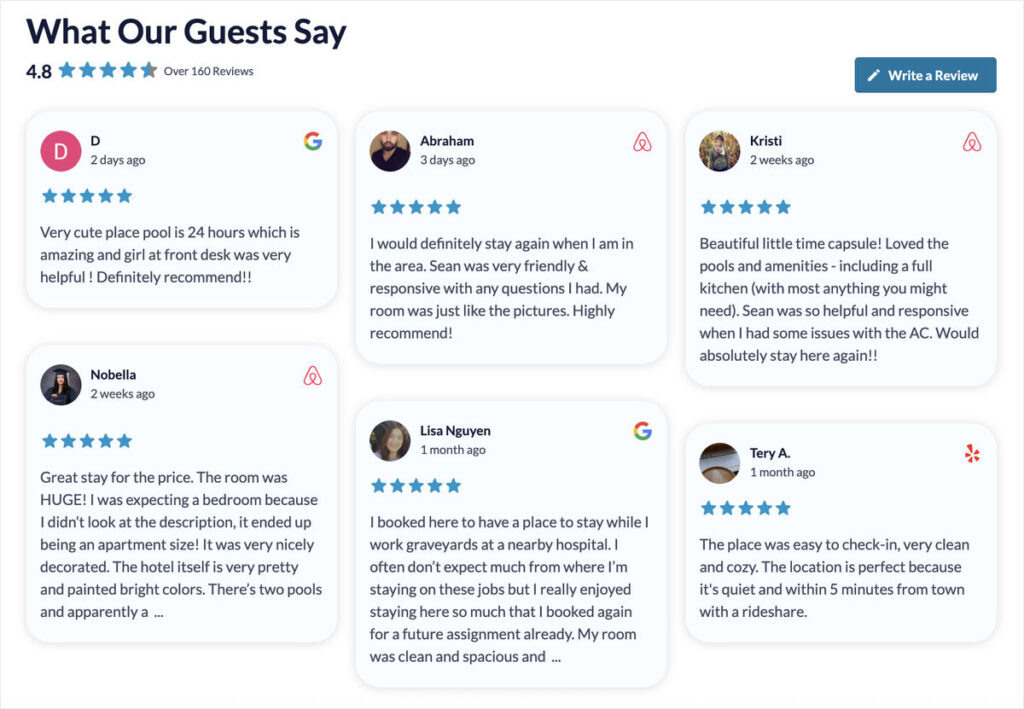
Everything you’ve already set up carries over. The same sorting, the same filters, the same moderation, the same themes and layouts. Adding Airbnb to a feed doesn’t mean rebuilding it.
That matters most on the pages where a guest is close to booking:
- A picturesque cottage puts Airbnb next to Booking.com on its rates page, so guests who found it on either one recognize the proof
- A small guesthouse runs one feed across its whole site, so every page picks up the new source at once
- A holiday rental shows Airbnb and Google reviews on one page, so a traveler sees two platforms agreeing without opening a new tab
Your Reviews Follow Guests Around Your Site
Review Alerts are small popups that surface a review while someone is browsing. A guest reading your rates page sees one without scrolling back to find the feed.
Your Airbnb reviews start appearing in the popups as soon as you add your listing, badged like every other source.
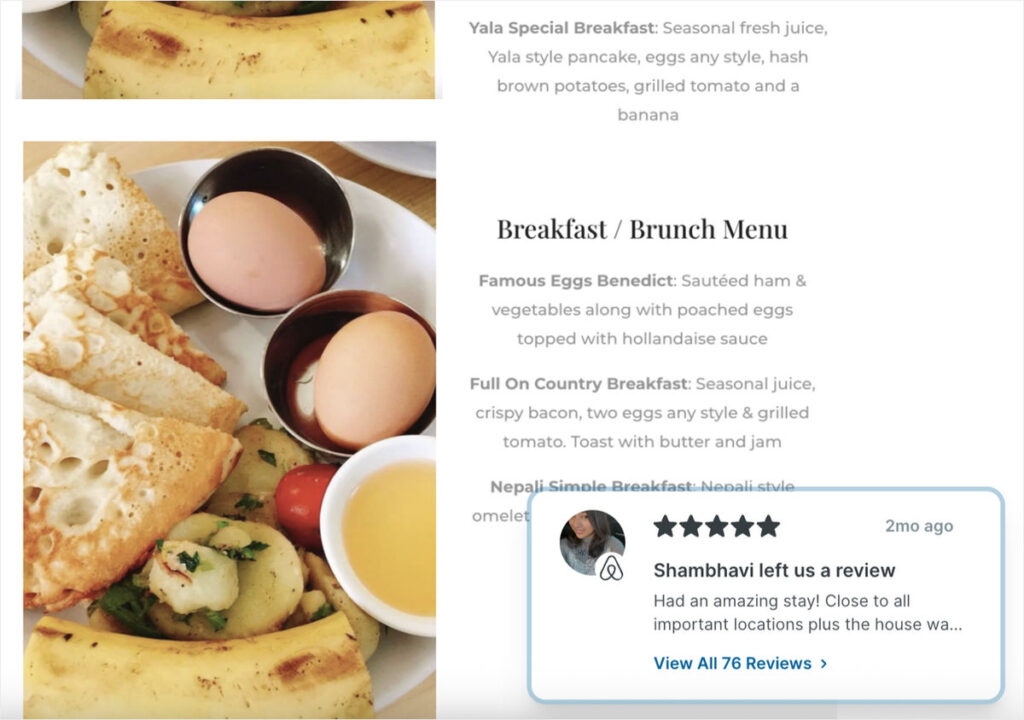
Popups do the most work on the pages where someone is deciding. A cabin can surface a five-star review on its availability page, right as a guest is checking dates.
How to Add Your Airbnb Listing in Minutes
Airbnb is available on the Elite plan of Reviews Feed Pro. All you need is your listing’s public URL, which anyone can copy from the listing itself.
Step 1: Create a new feed
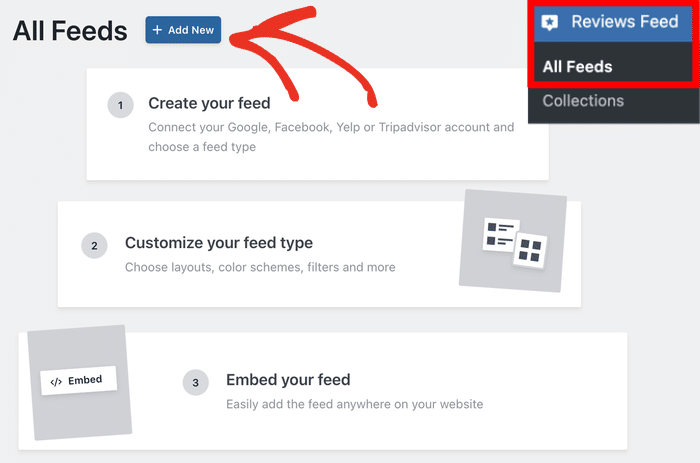
From your WordPress dashboard, open the Reviews Feed » All Feeds menu and click Add New.
When the plugin asks for a source, click Add Source.
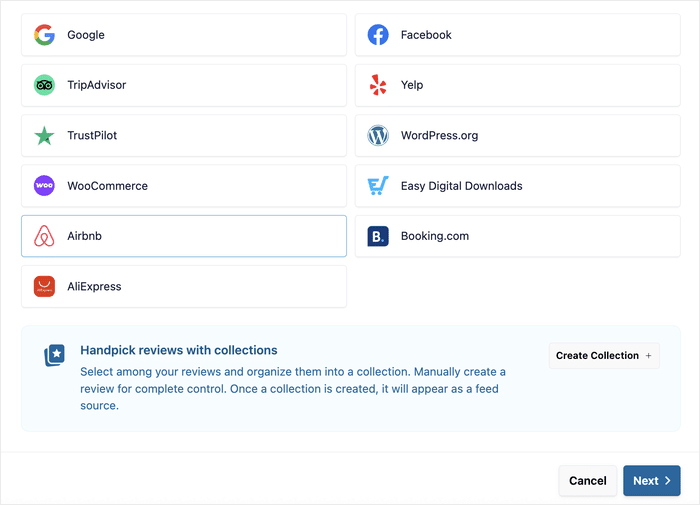
Step 2: Select Airbnb
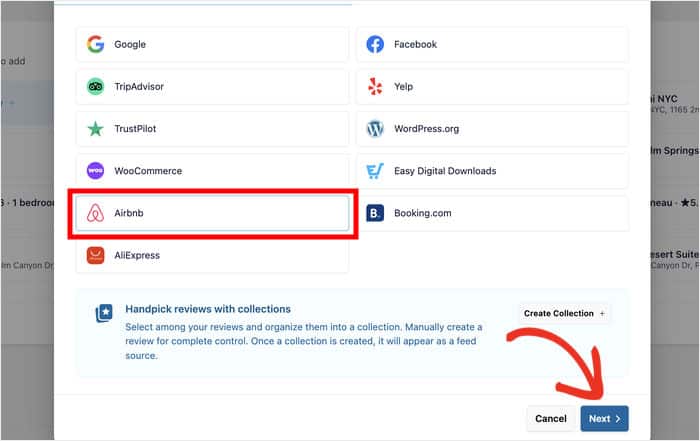
On the popup, pick Airbnb from the list of platforms and click Next.
Step 3: Paste your listing URL
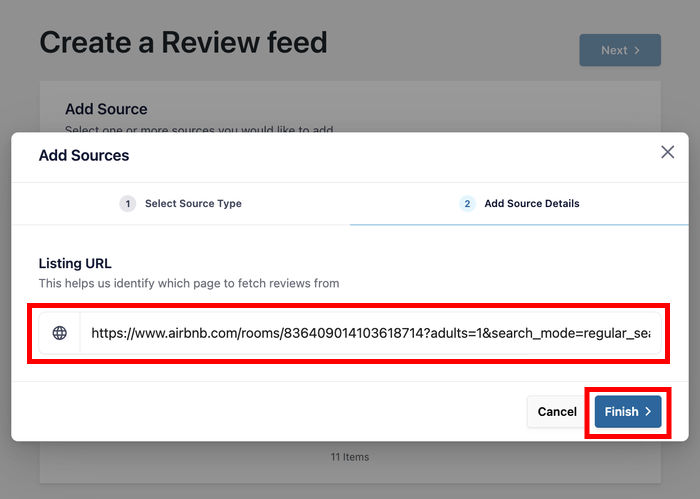
Open your Airbnb listing and copy the URL at the top, the one that looks like airbnb.com/rooms/12345678. Your numeric listing ID works here too.
Return to your site, paste it into the popup, and click Finish.
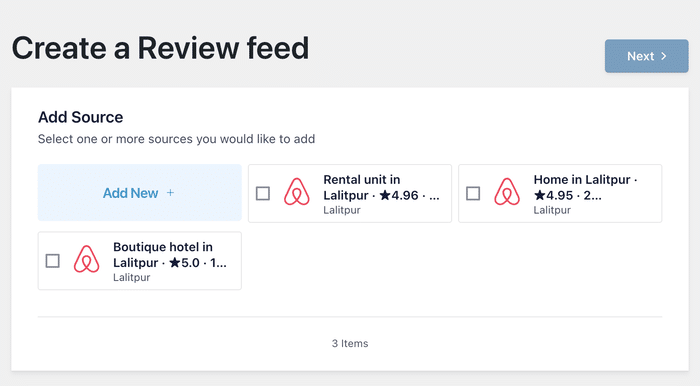
Your listing arrives named the way Airbnb names it, so if you run several places, each source is easy to tell apart at a glance.
Step 4: Customize and embed
Your guest reviews load into the visual customizer, where you can set the layout, header, and colors.
When you’re happy with it, click Embed in the top right and drop the feed onto any page, post, or sidebar.
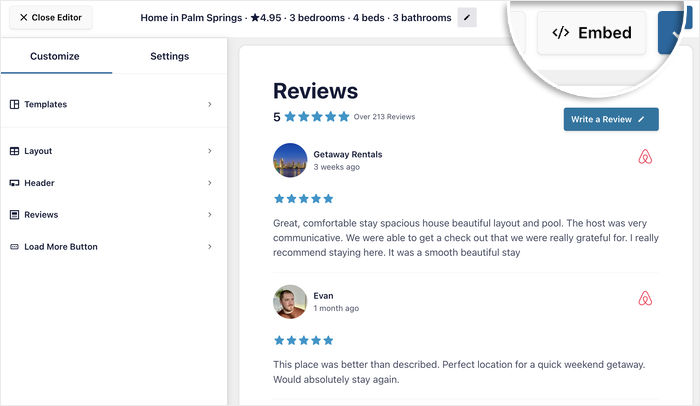
Your first batch of reviews arrives right away, and the rest fill in from there.
Visit the page on the front end to see your Airbnb reviews live, host replies and all.
Frequently Asked Questions
Do I need an Airbnb account or API key?
No. Everything comes through your listing’s public page, so there’s nothing to set up on Airbnb’s side and no credentials to find. The numeric listing ID works in place of the URL if you’d rather use that.
Which plan is Airbnb on?
Airbnb reviews are available on the Elite plan of Smash Balloon Reviews Feed Pro, the same plan that includes Booking.com and Tripadvisor.
Will my replies to guests show up?
Yes, wherever you left one. Your name, your photo, and a Host label appear under the review you answered. Reviews you didn’t reply to show on their own.
How far back do my reviews go?
Your first batch arrives as soon as you add the listing, and older reviews keep filling in after that. New ones are picked up as guests leave them.
Can I choose which reviews appear?
Yes. The same filters and moderation you use on your other sources apply to Airbnb, so you decide what goes on the page.
Start Showing Your Airbnb Reviews Today
Right now your guest reviews are doing their best work on Airbnb, for travelers who are already comparing you against everything else on the platform.
Those same reviews can sit on your booking page, your homepage, your rates page, wherever the decision actually gets made on your own site. With your replies underneath them, so guests see the host as well as the rating.
And you can do it without:
- Hunting for credentials on Airbnb
- Copying reviews across by hand
- Keeping them up to date yourself
- Rebuilding the feed you already have
Airbnb is available on the Elite plan of Reviews Feed Pro, alongside Booking.com and Tripadvisor.
Already on Elite? Update the plugin, add your listing, and your reviews are on your site in a couple of minutes.
If you’re on a lower plan, you can upgrade to Elite from your account and keep every feed you’ve already built.
Not using Reviews Feed yet? Start with Elite, and your Airbnb reviews are on your site the same afternoon, alongside Google, Booking.com, and every other source you connect.
Start taking bookings on the strength of your own reviews
Reviews Feed Pro Elite connects Airbnb, Booking.com, Tripadvisor, Google and more, so the reviews that convinced a traveler on Airbnb are there when they land on your own site. Backed by a 14-day money back guarantee.
Show My Reviews on My SiteFinally, a huge thank you to our community. Airbnb has been one of the most asked-for sources in Reviews Feed, and this one came straight from your requests.
So where do your Airbnb reviews go first: your booking page, or your homepage? Let us know in the comments.