Social Wall
  Feed Analytics

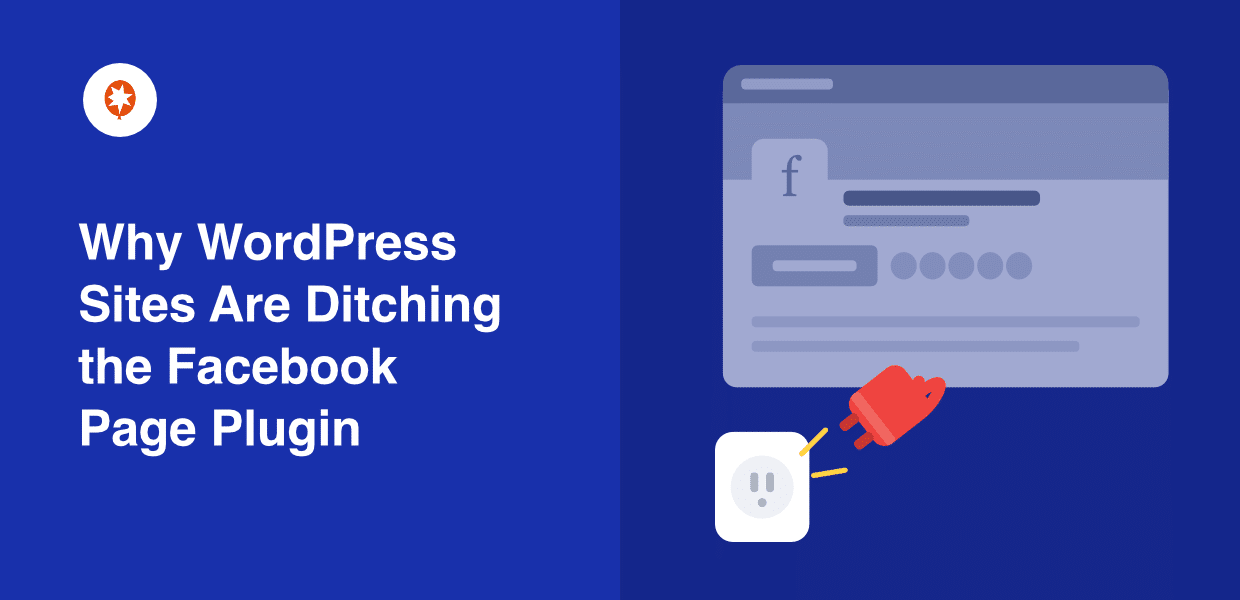
Have you tried making Facebook’s official Page Plugin look right on your site? I have, and I’ve tested it a lot over the years.
I keep hitting the same walls: a locked 500px box, events that won’t show, and a feed that disappears on mobile.
With my experience at Smash Balloon, I’ve helped thousands of business owners embed Facebook feeds with ease, so I hear these same complaints from real people every week.
Since Meta just announced it’s discontinuing some Facebook social plugins, many site owners aren’t sure whether the Page Plugin is next.
I read Meta’s official notice to separate fact from fear, then lined up the plugin’s real limitations against the reasons people actually give up on it.
Here’s what’s being discontinued and what isn’t, why the Page Plugin fights you at every turn, and the simplest way to replace it.
- Is the Facebook Page Plugin Being Discontinued in 2026?
- First, What the Page Plugin Actually Shows on Your Site
- The "No Post Limit" Problem Hurts Speed and Accessibility
- Why the Feed Disappears on Mobile (or When You're Logged In)
- The Real Reasons People Leave the Page Plugin (What We See in Support)
- A Simpler Way to Show Your Facebook Page: Facebook Feed Pro
- How to Move Off the Page Plugin and Take Back Control
- Start Building a Better Facebook Feed Now
Is the Facebook Page Plugin Being Discontinued in 2026?
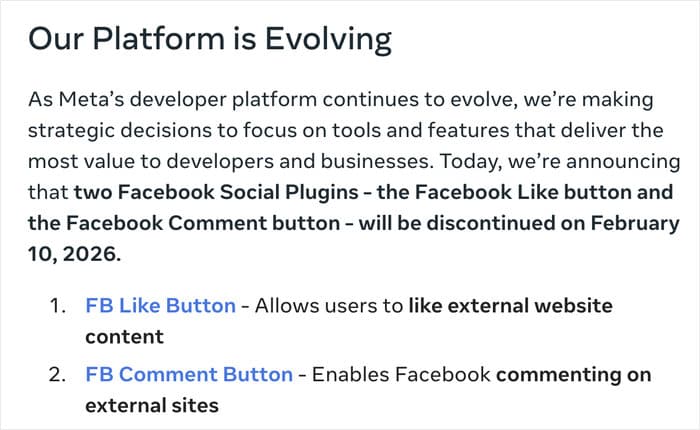
Here’s the direct answer: the Facebook Page Plugin is not on Meta’s discontinuation list. But the Like and Comment social plugins are. Meta’s deprecation notice said those plugins would stop rendering after February 10, 2026.
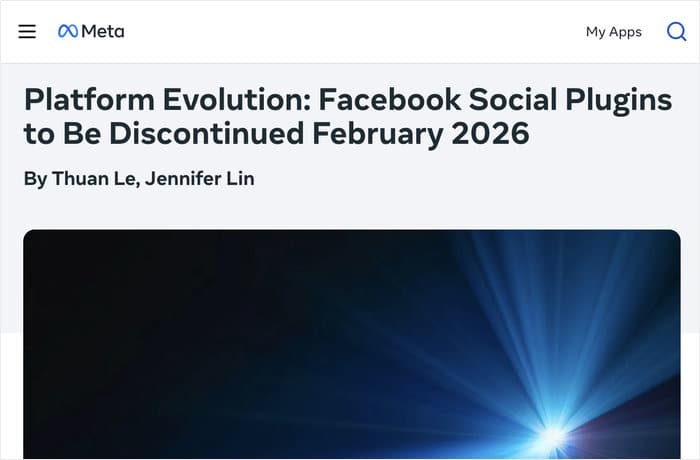
That date has passed, and they now render as invisible, with no error message. So your Page Plugin still works past the deadline. Two other plugins do not.
Here’s where each one stands:
- Already discontinued (Feb 10, 2026): the Like Button and Comment plugins. Since that date, they simply stopped showing up, per Meta’s notice.
- Still supported for now: the Page Plugin and the Share Button. Meta has not set a shutdown date for these.
That’s the honest picture. The word “discontinued” spread fast, but the Facebook plugin discontinued news only covers Like and Comment, not the Page Plugin you’re using.
But here’s the twist: the Page Plugin surviving the deadline may not be enough reason to keep it. Its limitations are the real problem, and those aren’t going away.
In the next sections, I’ll show you what it actually displays, where it breaks, and why so many site owners leave it behind anyway.
First, What the Page Plugin Actually Shows on Your Site
Before you decide to keep or drop the Page Plugin, you should know what it puts on your page.
By default, the Page Plugin shows very little: just your Page header and your cover photo. From there, you can choose to show the timeline, events, and messages.
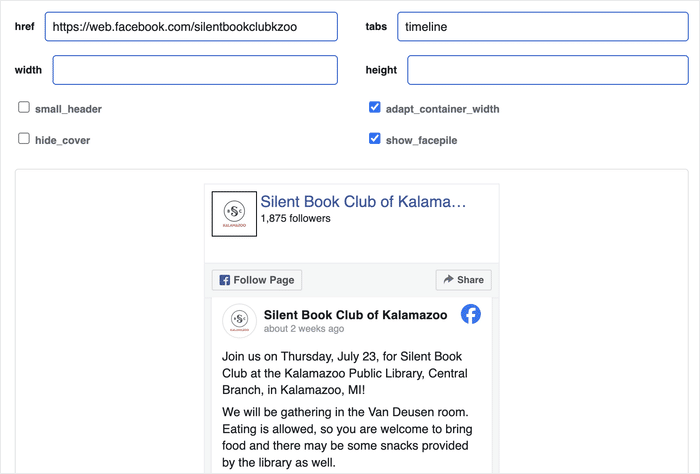
The bigger issue is the box it lives in. The plugin renders inside an iframe, which is a small window that loads Facebook’s own content. Facebook controls everything inside that window, not you.
That control shows up as a hard width limit. The plugin only accepts a width between 180px and 500px (Facebook for Developers, Page Plugin docs). Set it to 700px and it still caps at 500px.
Your site’s CSS can’t fix this. As WPMU DEV puts it, “content inside is defined to 500 pixels max and we can’t affect that.” The styling lives inside Facebook’s iframe, so your theme can’t reach it.
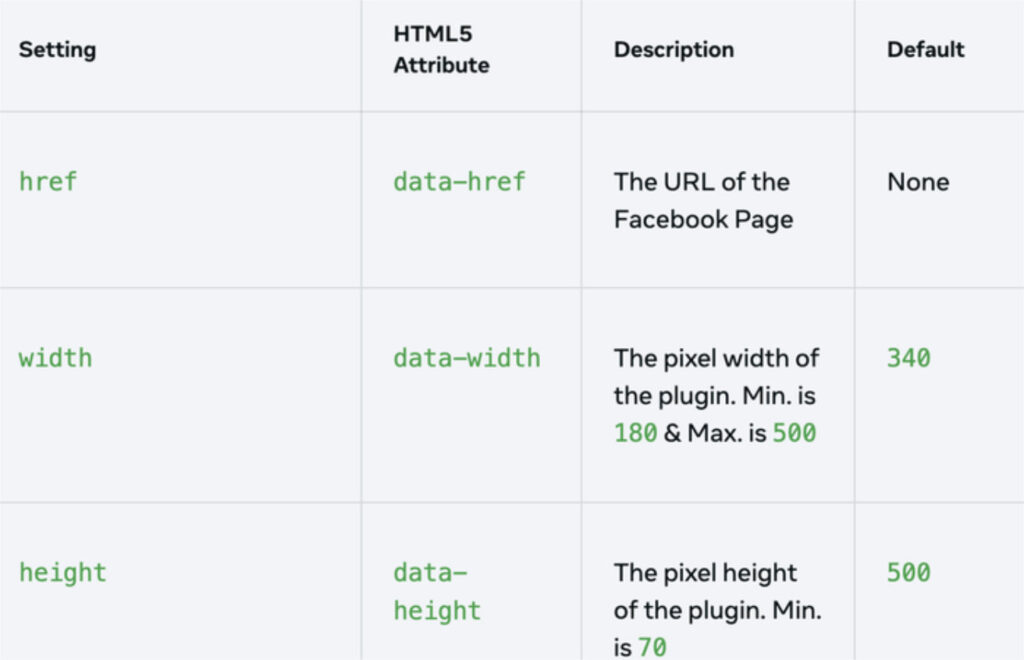
Here’s what that means you can’t do:
- Widen the plugin past 500px. The width is capped no matter what number you enter (Facebook for Developers).
- Restyle it to match your brand. Fonts, colors, and spacing stay locked to Facebook’s design.
- Force a full-width layout. The box won’t stretch across your content area.
- Touch the inside with CSS. Your theme’s styles stop at the iframe wall.
So you’re left with a narrow, Facebook-styled box that sits on your page like a sticker, not a part of your design.
The “No Post Limit” Problem Hurts Speed and Accessibility
How many posts does the Page Plugin load before it stops? The answer is none. It keeps loading posts with no way to set a limit.
That sounds minor, but it hits your page speed and your visitors directly. The plugin has no post cap and no pagination setting. It just keeps pulling in more content.
This becomes a real accessibility problem. As one developer reported on Stack Overflow in July 2019, the plugin “loads an infinite number of posts” and users “can’t move beyond” it.
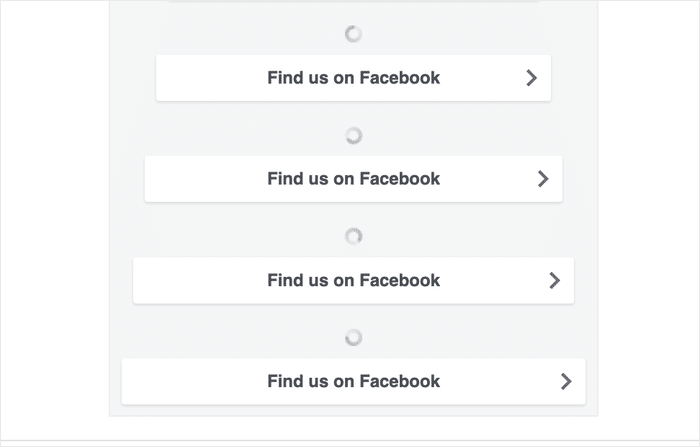
The speed hit starts even earlier. Remember, the Page Plugin loads inside a third-party Facebook iframe. That iframe pulls scripts and content from Facebook’s servers every time your page loads, which adds weight your visitors have to download.
Here are the concrete symptoms you’ll notice:
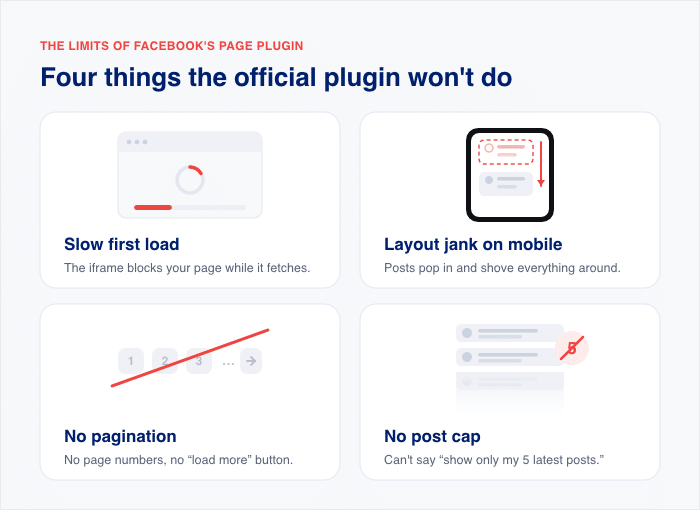
- Slow first load. The Facebook iframe blocks part of your page while it fetches content.
- Layout jank on mobile. The feed shifts around as posts pop in on smaller screens.
- No pagination. There are no page numbers or “load more” controls to break up the feed.
- No post cap. You can’t tell it to show only your 5 latest posts.
That extra weight matters most on phones. Slow-loading pages push visitors away fast, which is exactly why third-party social embeds are a common culprit behind sluggish sites.
For more information, you can check out this guide where we answer the question if social media feeds will slow down your website.
Why the Feed Disappears on Mobile (or When You’re Logged In)
Ever notice your feed shows up for you but not for your customers? That’s one of the most common complaints we hear about the Page Plugin.
Usually, the cause is specific: your page’s own restriction settings. If your Facebook page has an age, country, or alcohol restriction, Facebook can’t verify a logged-out viewer’s eligibility. So it deliberately shows nothing.
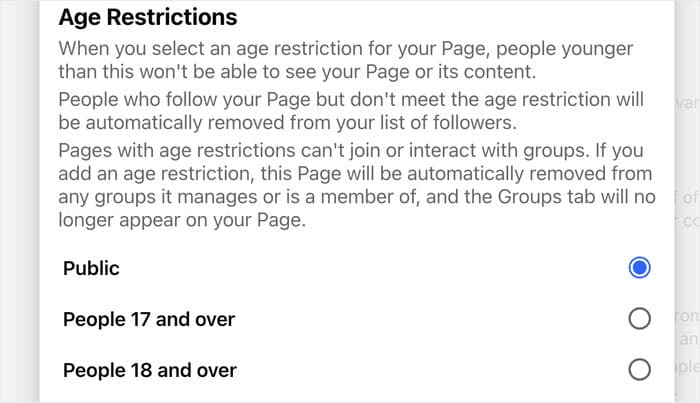
A WordPress support thread confirms it: an age-restricted page stays hidden from logged-out visitors, since Facebook can’t confirm anyone’s age until they sign in.
There’s a second, less predictable failure too: whether Facebook’s servers respond in time. Meta’s own developer forum has current threads of the plugin failing to render, with people asking whether it’s broken in every place on the internet.
When Facebook’s servers stall, the box can come up blank on your side, sometimes with no clear reason why.
Here are the “it just breaks” symptoms site owners run into:
- The “Get Code” button does nothing when you try to generate your embed code.
- Events won’t show up, even though they’re on your page.
- A “log in to see this content” message appears where restricted content should be.
- You get a spinning wheel that loads forever and never shows a post.

If any of these sound familiar, don’t worry, you’re not doing anything wrong. Some of these you can fix in page settings, and the rest point to the plugin itself.
The Real Reasons People Leave the Page Plugin (What We See in Support)
Why do so many business owners finally give up on the Page Plugin? At Smash Balloon, I hear from people every week, and the same reasons come up again and again.
These aren’t guesses. They’re the exact frustrations people describe when they’re ready to switch. Here are the top six, and each one traces back to a limitation you’ve already seen above.
- “The Get Code button does nothing.” People click to generate their embed code, and the button just sits there. Without that code, they can’t even get the plugin onto their page.
- “My events won’t show up.” Meta’s docs let you set an events tab on purpose with
data-tabs="events", so events aren’t left out by the header-only default. You can request them. The real problem is that the tab renders empty, even when live events sit on your page. - “I struggle with the pasted code.” Copying Facebook’s snippet into WordPress trips people up, and one wrong paste breaks the layout. The plugin gives no simple, guided setup.
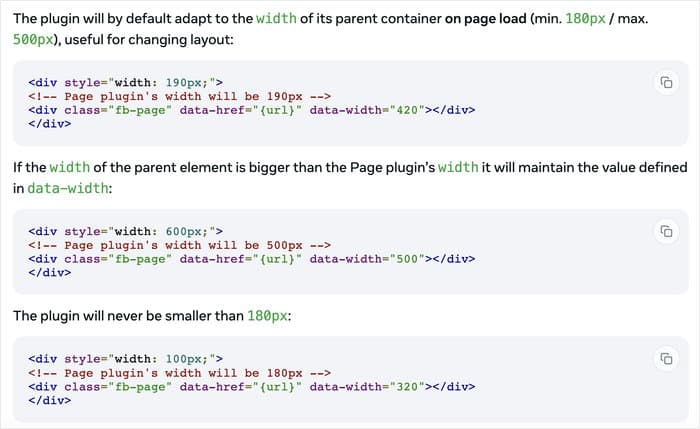
- “It renders wrong on phones.” The plugin sizes itself once when the page first loads, then won’t re-render if the screen changes. So it fits fine on desktop but breaks its layout on mobile, where the box never resizes to match the smaller screen.
- “I can’t make it match my site.” The 500px cap and locked styling force people into a narrow, Facebook-branded box. They can’t change the width, fonts, or colors to fit their brand.
- “It breaks randomly.” The feed works one day and vanishes the next, often with no error and no reason. Now the 2026 wind-down of other plugins has people worried the Page Plugin is living on borrowed time.
Look closely and you’ll see a pattern. Every complaint maps to a limitation from the sections above: the styling lockout, the missing post cap, the heavy iframe, and now the 2026 uncertainty.
That’s why these owners stop patching and start looking for something else. They’re tired of fighting a box they can’t control.
A Simpler Way to Show Your Facebook Page: Facebook Feed Pro
So what do you use instead of a box you can’t control? This is where I point people to the plugin we build at Smash Balloon: Facebook Feed Pro.
It solves the Page Plugin’s problems by changing one core thing. Instead of embedding Facebook’s iframe, it pulls your Page content into your own site.
Tip #1: Replace the iframe with a self-hosted feed. Once your feed lives on your site, you control the width, the styling, and how much loads. Every wall from the sections above comes down.
Here is how it lines up against each limitation you just read about.
| Page Plugin limitation | How Facebook Feed Pro handles it |
|---|---|
| Default view shows just the header and cover, and the events tab often renders empty | Pulls your photos, albums, videos, events, and reviews straight from your Facebook Page |
| Locked to a 500px box with no brand styling | Gives you a visual customizer with full control over fonts, colors, and spacing, plus multi-column masonry layouts |
| Loads infinite posts with no cap, hurting speed and accessibility | Lets you set a post-count limit and filter posts by keyword, so you show only what you want |
| Loads a heavy third-party Facebook iframe that slows mobile pages | Caches your feed data and loads no Facebook iframe, so your pages stay light |
The visual customizer is the part I hear the most relief about. You style the feed in a live preview, so it matches your brand before you ever publish. No pasted code, no guessing.
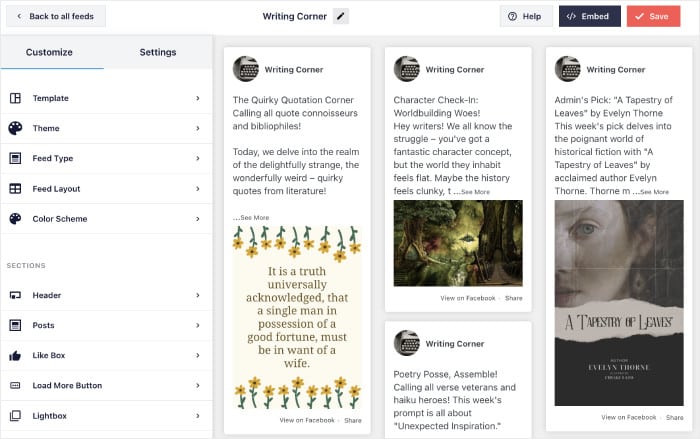
Post filtering fixes the accessibility problem head-on. You cap the feed at your latest posts, or filter by keyword to show only what fits. Your visitors get a short, focused feed instead of an endless scroll.
The caching is what protects your page speed. Facebook Feed Pro stores your content on your own site, so your page can load without waiting on Facebook’s servers.
Stop fighting a box you can’t control
Smash Balloon Facebook Feed Pro pulls your posts, photos, and events into your own site, styled to match your brand and free of Facebook’s iframe. It is backed by a 14-day money-back guarantee.
Get Facebook Feed ProHow to Move Off the Page Plugin and Take Back Control
Ready to swap the Page Plugin for something you control? You can do the whole move in six short steps.
Here’s the thing: the Page Plugin was always the limited option. It locks you into a 500px box, hides your events, and breaks on mobile. So this isn’t about racing a deadline; it’s about finally showing your Facebook content the way you want.
Moving now is simply the smart move, before the next quirk trips up your site.
- Audit where your Page Plugin embeds live, so you know every page and widget you’ll need to update.
- Note what you actually want to show, whether that’s posts, photos, albums, videos, or reviews.
- Install Facebook Feed Pro from Smash Balloon on your WordPress site.
- Connect your Facebook Page through the plugin’s guided setup, no pasted code required.
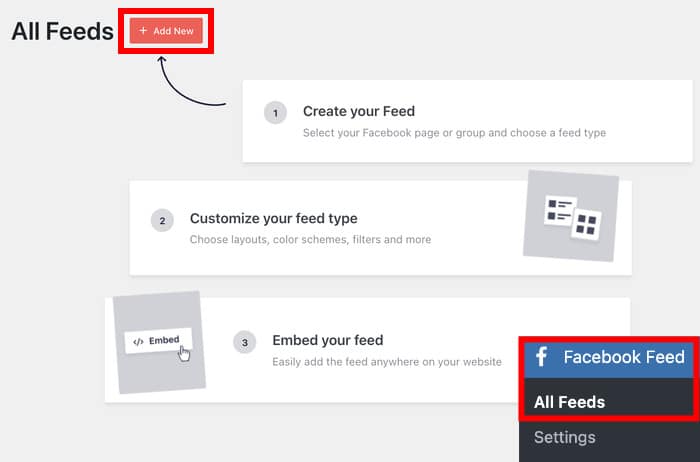
- Set your post limit, add keyword filters, and pick your layout in the visual customizer.
- Remove the old Page Plugin iframe from every spot you found in step one.
The plugin auto-updates in the background, so it keeps working without you touching a thing. The whole setup is simple, and you can have your new feed live in under 10 minutes.
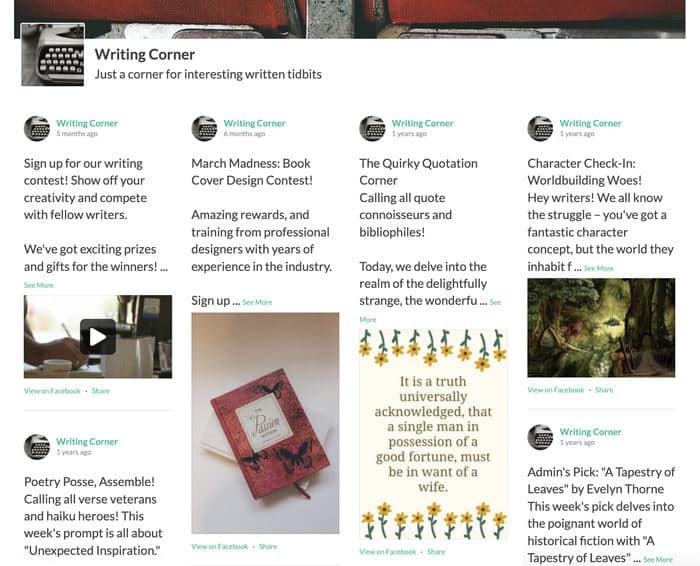
Want the full walkthrough? Follow our step-by-step tutorial on how to embed a Facebook page on your website.
Frequently Asked Questions
Is the Facebook Page Plugin being discontinued in 2026?
No, the Facebook Page Plugin is not being discontinued in 2026. Meta’s November 2025 notice says the Like and Comment plugins stop rendering after February 10, 2026, but the Page Plugin is not on that list. There is no long-term promise it will stay supported, so it is wise to have a backup plan.
Why can’t I change the width or style of the Page Plugin?
You can’t restyle the Page Plugin because Facebook loads it inside an iframe with a hard 500px width cap. Your own CSS can’t reach inside that iframe, so the fonts, colors, and box size stay locked to Facebook’s design. That is why it never quite matches your brand.
How do I limit how many posts the Page Plugin loads?
You can’t set a post limit in the Page Plugin, since it loads an endless stream of posts with no cap. To control the count, you need a plugin that offers a post-limit setting, like Facebook Feed Pro. That lets you show only your latest posts instead of an endless scroll.
Why does the feed render wrong on mobile or disappear for some visitors?
These are two separate problems. On mobile, the plugin sizes itself once when the page loads and won’t re-render for a smaller screen, so it can render wrong. Separately, restricted pages (age, country, alcohol) stay hidden from visitors Facebook can’t verify, which is a logged-out problem.
What’s the best way to show my Facebook page and events without the iframe?
The best way is Facebook Feed Pro, which pulls your Page content into your own site instead of loading Facebook’s iframe. It shows your posts, photos, videos, and events, and lets you style everything in a visual customizer. It caches your feed on your own site, so it keeps showing even if Facebook has an outage.
Start Building a Better Facebook Feed Now
The Page Plugin isn’t dead. But it’s locked to a 500px box, slow from the iframe, and stuck with quirks that keep tripping up your site.
It’s not on Meta’s discontinuation list, but Meta just retired the Like and Comment plugins after February 10, 2026, so it’s smart to have a backup plan.
You don’t have to wait for the next quirk to break your site. With styling control, a real post limit, and no iframe to slow your pages, moving now just makes sense.
Ready to show your Facebook page the way you want? Get started today.
Get Smash Balloon Facebook Feed Pro