Social Wall
 Feed Analytics


Your visitors often have one quick question before they buy or book. Is this in stock? Do you ship to my area? Can I book for Saturday? A contact form can feel like a lot of effort for a question that small.
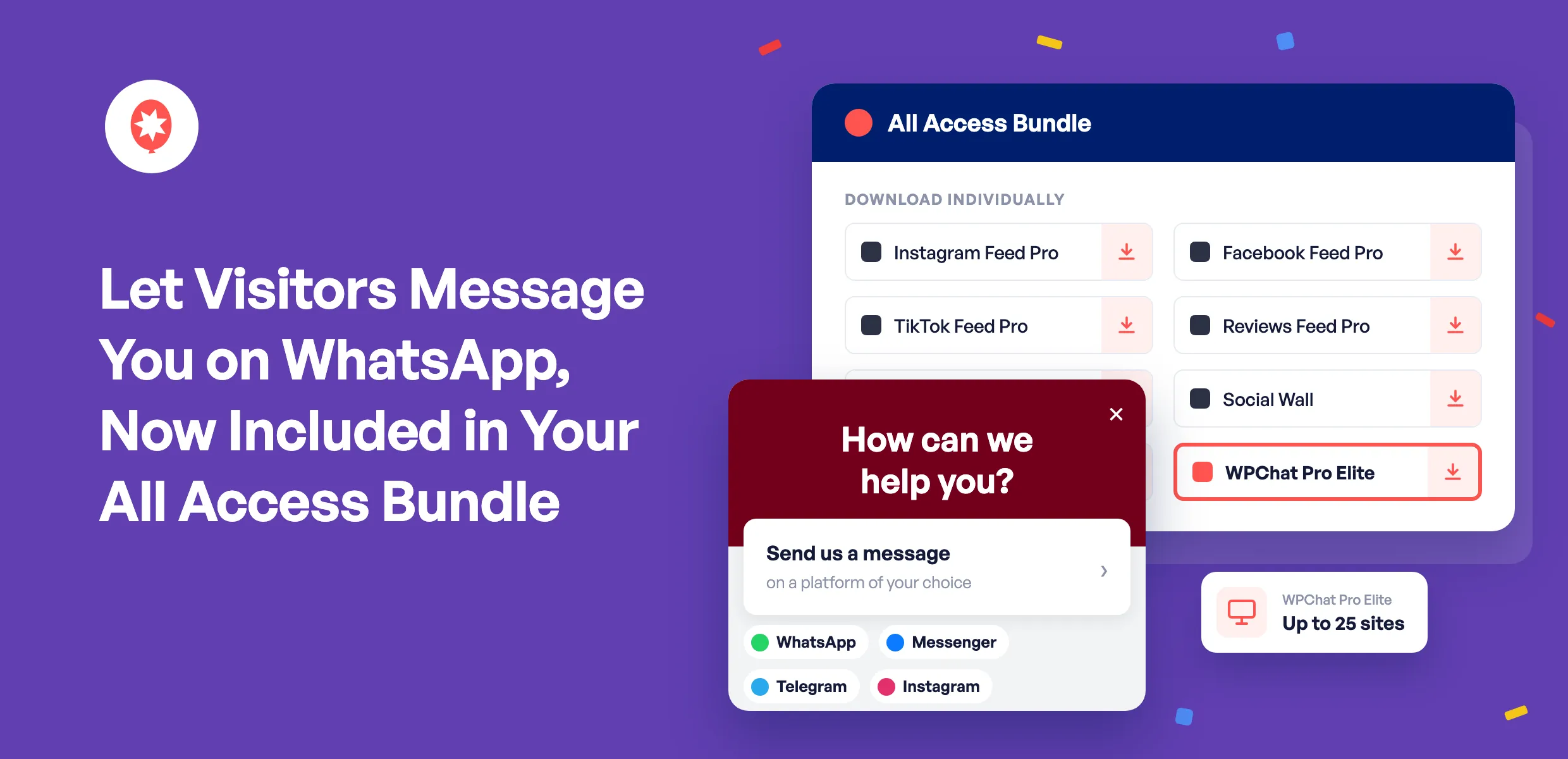
Now every Smash Balloon All Access Bundle license includes WPChat Pro Elite on up to 25 sites, at no extra cost. It adds a chat button to your site, so your visitors can message you on WhatsApp, Messenger, Telegram or Instagram, the apps they already have on their phone.
Here’s what that means for your site:
- More questions turn into conversations. Visitors reach you in one tap instead of filling out a form.
- You reply from apps you already use. Messages land in WhatsApp, Messenger, Telegram or Instagram, so there’s no new inbox to check.
- Common questions get answered on the spot. Your FAQs show up right in the chat window.
- Nothing new to buy or manage. It works with the All Access license key you already have, on up to 25 of your sites.
Turn Website Questions Into Conversations
Your Smash Balloon feeds already show visitors your latest posts, videos and reviews, so they can see you’re active and that real people like what you do. The next step for a lot of them is a question, and WPChat makes it easy to ask.
They tap the chat button, pick WhatsApp, Messenger, Telegram or Instagram, and send you a message from their phone. You reply from that same app, so a question that might have turned into a closed tab becomes a conversation instead.
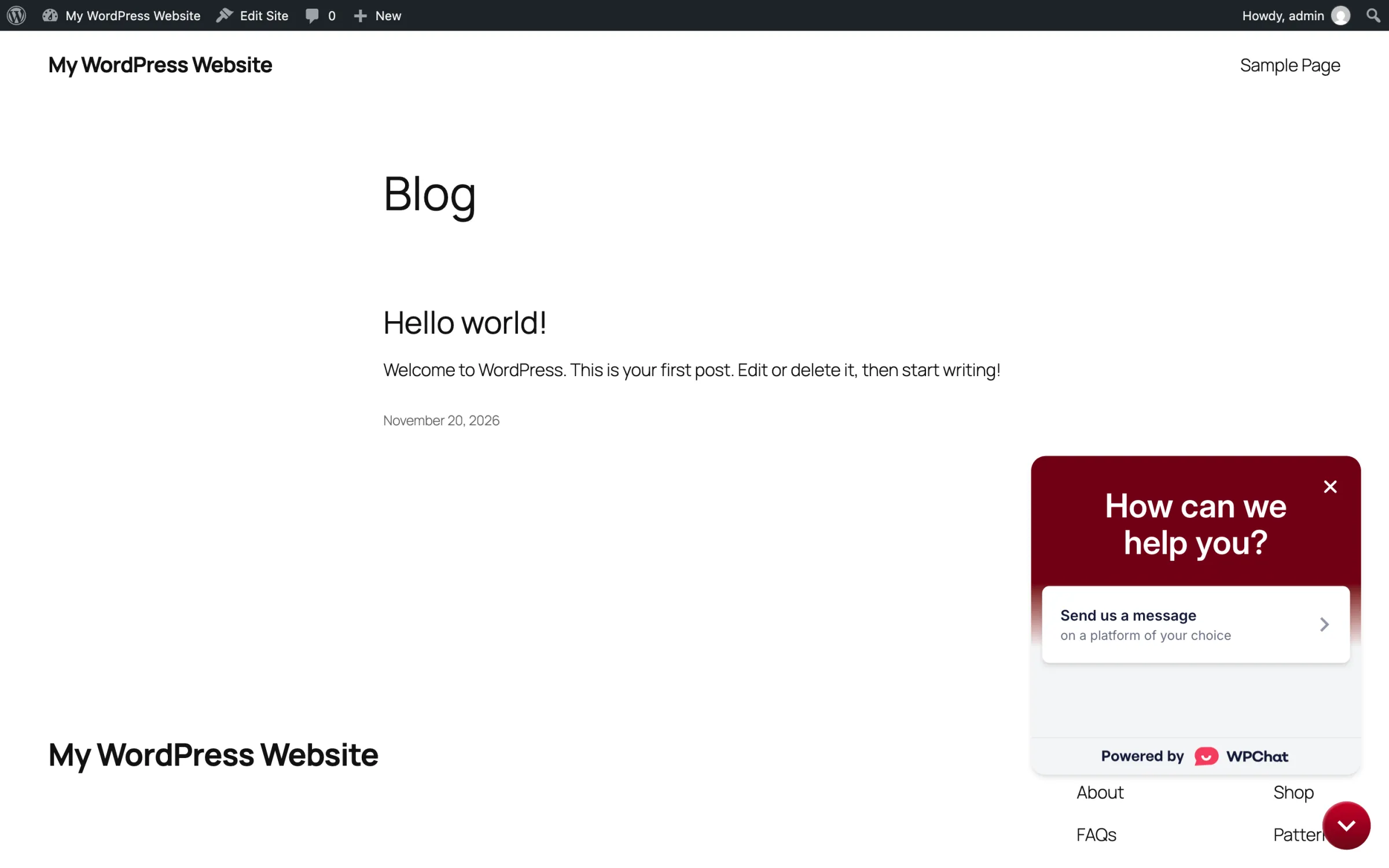
Along with WhatsApp, Messenger, Telegram and Instagram, you can also let visitors text you or call you. If you’d like ideas for each app, the WPChat team has step-by-step guides for WhatsApp, Messenger, Telegram and Instagram.
Running an online store? Here’s how to add WhatsApp chat to your WooCommerce store so shoppers can ask about sizes, shipping or stock before they check out.
Answer Common Questions Even When You’re Busy
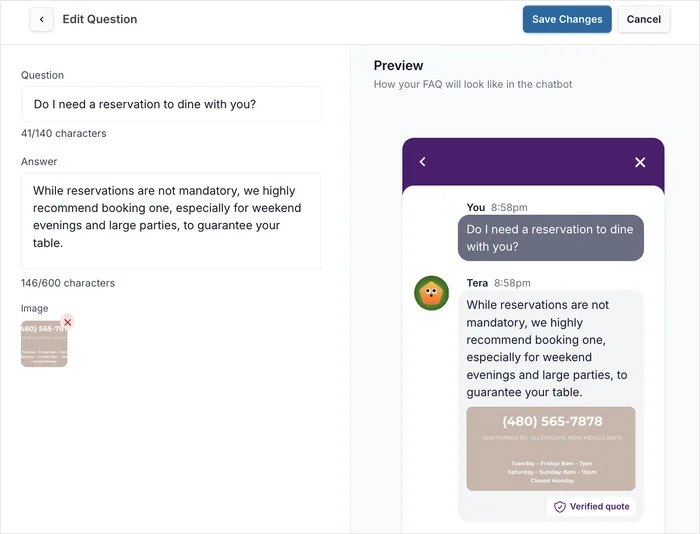
You can’t be on your phone every minute, and you don’t have to be. Add your frequently asked questions to the chat window, and smart search shows visitors the right answer even when they don’t type the exact words.
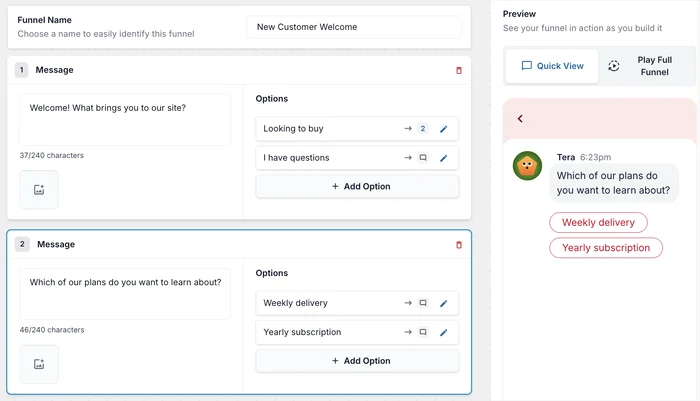
With chat funnels, you can also build simple question-and-answer flows that walk visitors through common questions and connect them with your team when they need a person. This guide walks you through building your first chat funnel.
Share Chats Across Your Whole Team
Add everyone on your team who answers customers, and WPChat shares incoming chats between the people who are available, so no one person has to handle every message. You can also set availability hours and an offline message, so chats only go to people who are working.
Chat stats show your busiest times and how many chats each person on your team handles, so you know when to have more people ready. You can also remove the WPChat branding and match the chat window to your brand, so it looks like part of your own site.
And because it covers up to 25 sites, you can use it on your own sites or on the sites you build for clients.
Nothing Extra to Keep Track Of
WPChat Pro Elite works with the All Access license key you already have, so there’s no second key to save. It has the same expiry date as your bundle and renews right along with it, and you get priority support for WPChat, the same as for your Smash Balloon plugins.
One thing to keep in mind: your All Access Bundle covers unlimited sites for your Smash Balloon plugins, while WPChat Pro Elite covers up to 25 sites.
Not on the All Access Bundle yet?
The All Access Bundle gives you every Smash Balloon Pro plugin on unlimited sites, plus Social Wall, Feed Analytics, and now WPChat Pro Elite on up to 25 sites. Backed by a 14-day money-back guarantee.
See the All Access BundleHow to Turn On WPChat Pro Elite
WPChat Pro Elite is already in your Smash Balloon account. Here’s how to get it running on your site.
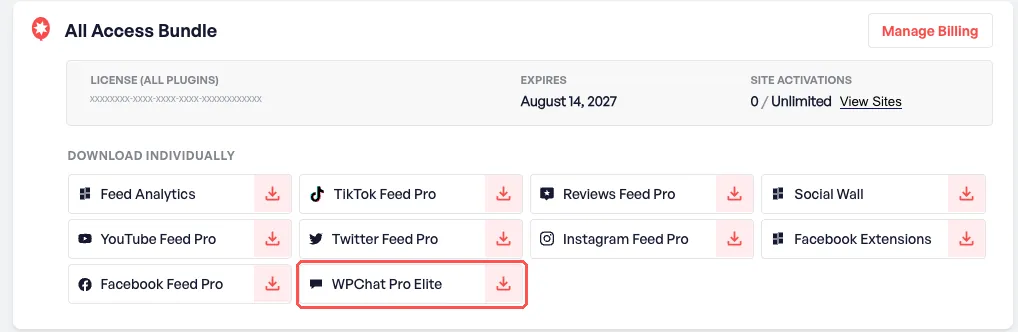
1. Download it from your account. Log in to your Smash Balloon account and go to Account → Downloads. On your All Access Bundle card, you’ll find WPChat Pro Elite listed under Download individually. Click it to download the plugin file.
2. Install it on your site. In your WordPress dashboard, go to Plugins → Add New Plugin, click Upload Plugin, choose the file you just downloaded, then click Install Now and Activate.
3. Set up your chat button. Go to WPChat in your dashboard and click Set Up.
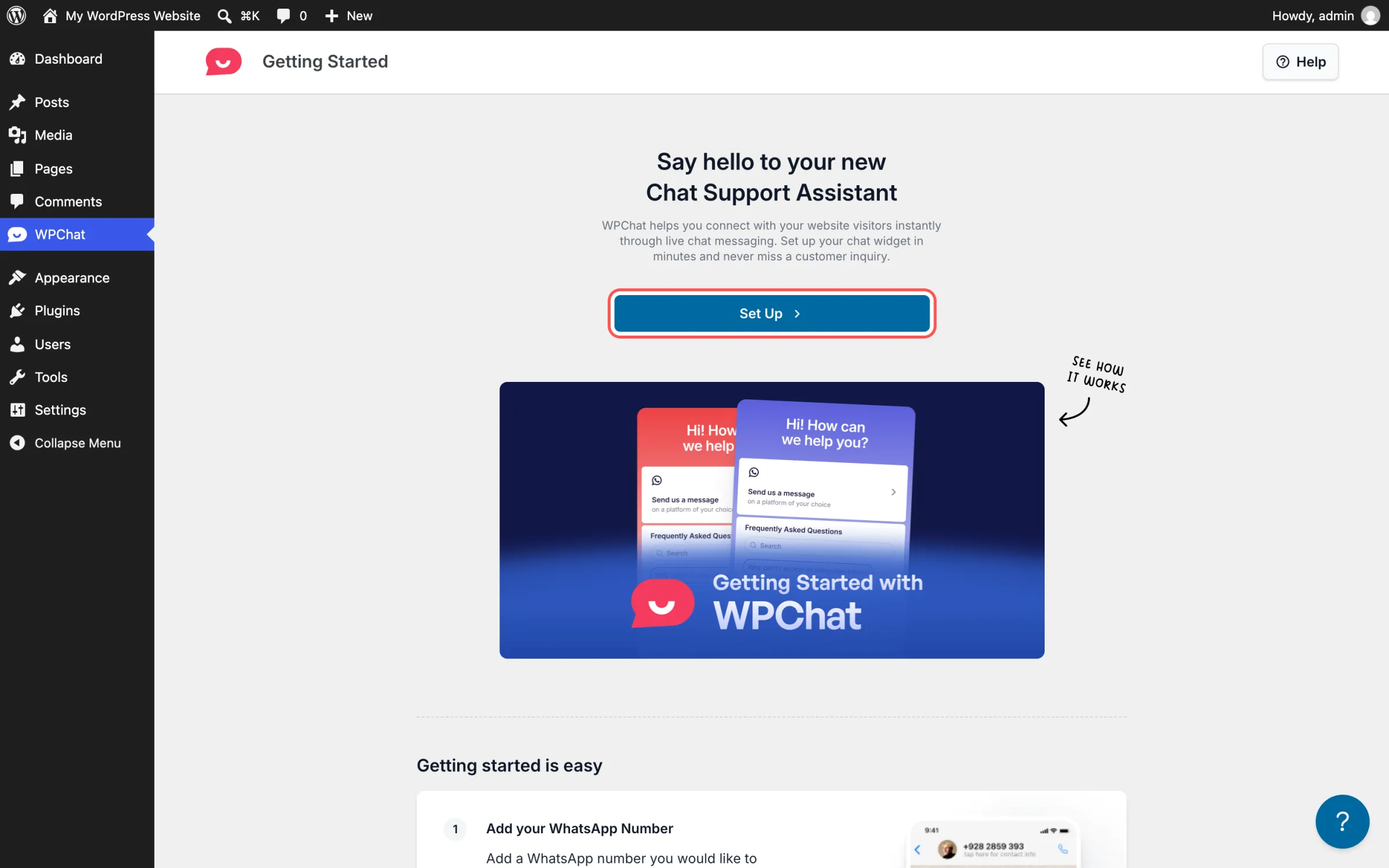
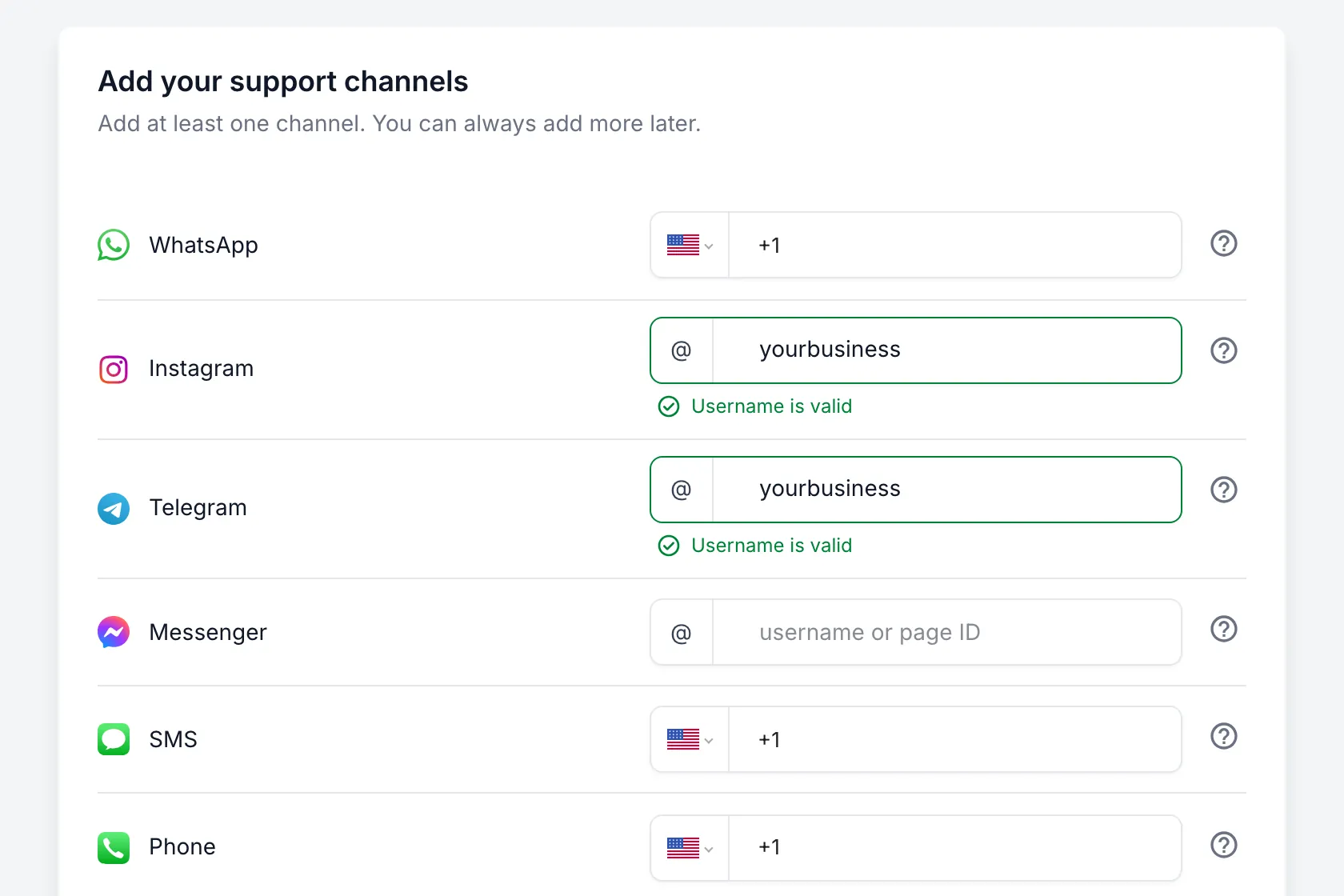
Add at least one way for visitors to reach you: a WhatsApp number, an Instagram, Telegram or Messenger username, or a number for SMS or phone calls. Then pick a theme and choose where the chat button shows on your site.
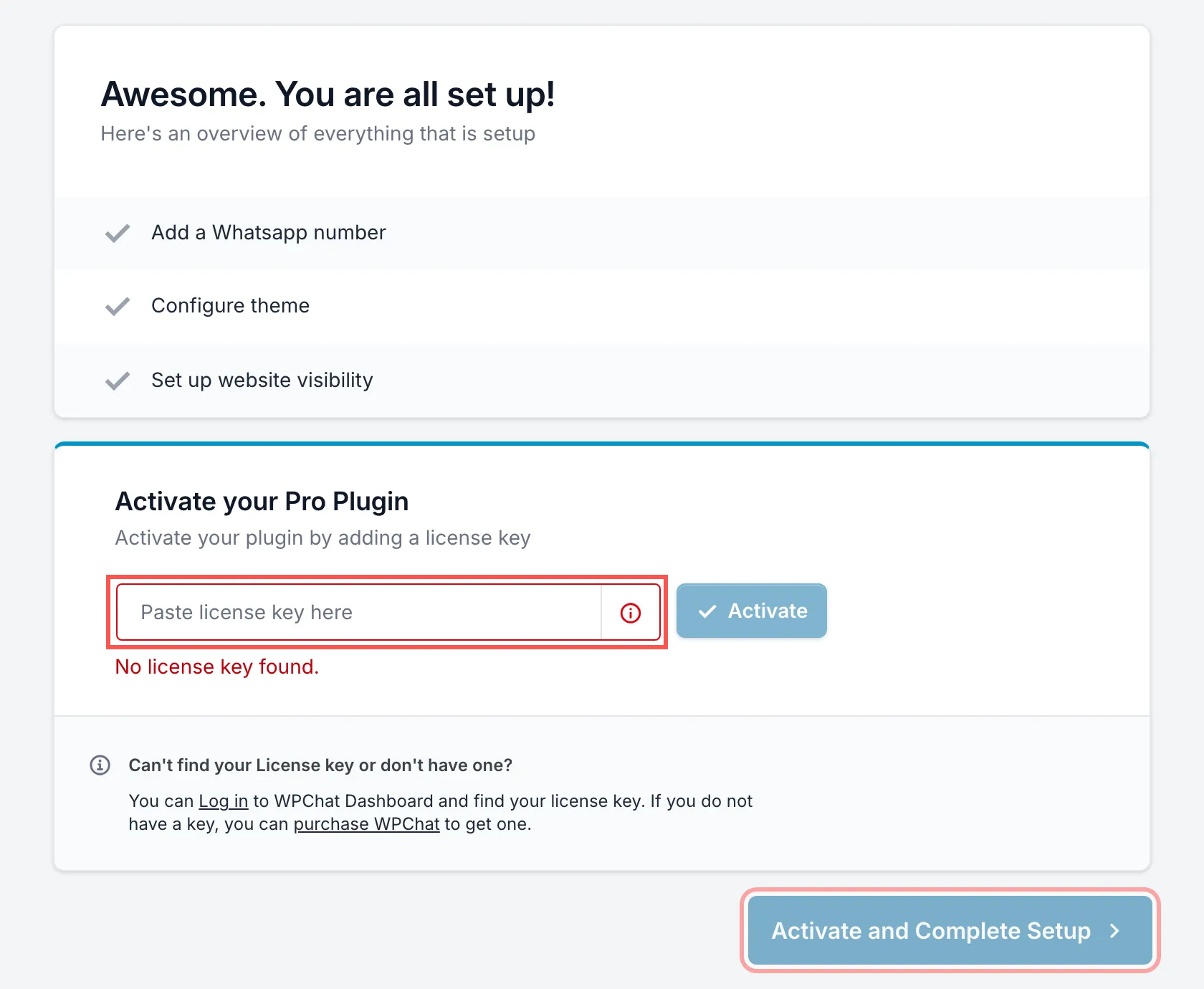
4. Activate it with your All Access license key. The last step of setup asks for a license key. Paste your All Access license key, the same one you use for your Smash Balloon plugins, and click Activate and Complete Setup. You don’t need a separate WPChat key. You can find your key again anytime under WPChat → Settings.
Once setup is done, you can add Messenger, Telegram and Instagram, plus more people on your team, from the Agents page.
Then visit your site and you’ll see the chat button in the bottom-right corner. Tap it to try it the way a visitor would.
Frequently Asked Questions
Do I need a new license key for WPChat?
No. WPChat Pro Elite works with the All Access license key you already have. Paste it into WPChat’s settings and click Activate.
How many sites can I use WPChat on?
Up to 25 sites. Your All Access Bundle covers unlimited sites for your Smash Balloon plugins, but WPChat Pro Elite is limited to 25.
What happens to WPChat when my bundle renews?
It renews with it. WPChat Pro Elite has the same expiry date as your All Access Bundle, so it renews, expires or is refunded along with your bundle.
Why did I get emails from WPChat?
When WPChat Pro Elite was added to your bundle, a wpchat.com account was created for you automatically, which sent a welcome email and a login details email. We’ve since removed those accounts, since you don’t need one. WPChat works with your All Access license key, and there’s no separate purchase or charge.
Can I still buy WPChat on its own?
Yes. WPChat is also sold on its own at wpchat.com, and there’s a free version too. It’s included in the All Access Bundle on top of that.
Start More Conversations With Your Visitors
If you already have the All Access Bundle, WPChat Pro Elite is part of what you already pay for. Download it from your account, activate it with the key you already have, and your visitors can message you on the apps they already use.
And you can do it without:
- Buying another plan
- Managing a second license key
- Keeping track of another renewal date
If you’re on a single Smash Balloon plugin, the All Access Bundle gives you every Pro feed plugin plus WPChat Pro Elite under one license.
Get every Smash Balloon plugin, plus WPChat
The All Access Bundle includes all six Pro feed plugins, Social Wall, Feed Analytics and WPChat Pro Elite on up to 25 sites. Backed by a 14-day money-back guarantee.
Get the All Access Bundle