Social Wall
  Feed Analytics

You’ve posted for months, and your views still barely move. It feels personal, like YouTube is quietly pushing your videos to the bottom while the big channels get every recommendation.
Most small-channel owners I talk to are convinced the system is rigged against them.
I work at Smash Balloon helping businesses grow their audiences, and I’ve studied what the algorithm actually rewards. Here’s the truth: YouTube doesn’t gate your reach by subscriber count. It’s actually about how viewers respond to your content.
So the algorithm isn’t rigged against you. But for a small channel, it’s still shaky ground to build your growth on. And while you wait to be recommended, you’re likely ignoring an audience you already own.
Here’s what I’ll cover in this guide:
- The Short Answer: How the YouTube Algorithm Works for Small Channels
- Why Your Videos Still Get Few Views (Even Though Size Isn't the Gate)
- The Ranking-Hack Trap: Why "Beat the 2026 Algorithm" Advice Keeps You Stuck
- What You Can Actually Control on YouTube
- The Audience You Already Own (What Small-Channel Owners Kept Telling Us)
- How to Turn Website Visitors Into Subscribers (The On-Site Display Method)
- Displaying Your Channel vs. Waiting on the Algorithm
- Start Growing From the Audience You Already Have
The Short Answer: How the YouTube Algorithm Works for Small Channels
YouTube does not gate your reach by channel size. It ranks each video by how viewers respond to it, so a brand-new video from a small channel can outrank one from an established creator.
According to Sprout Social, in 2026 the algorithm “cares more about viewer response than subscriber counts or upload history.”
That means your results come from what happens after someone sees your video, not from how many subscribers you have.
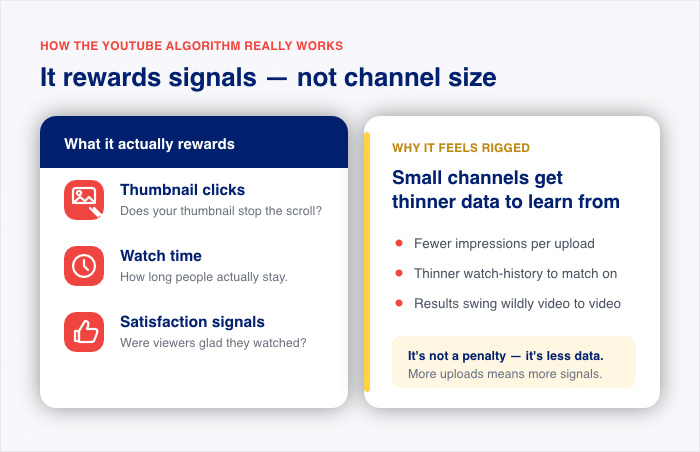
Here are the two ideas worth separating:
- What the algorithm actually rewards: clicks on your thumbnail, watch time, and signals that viewers were satisfied with what they watched.
- Why it still feels biased against small channels: you get fewer impressions and thinner watch-history data, so your results swing wildly from video to video.
That swing is the real problem. You can’t control it, so waiting on recommendations is a shaky base for growth. The good news is there’s a surer lever, and I’ll show you what it is.
Why Your Videos Still Get Few Views (Even Though Size Isn’t the Gate)
If subscriber count doesn’t gate your reach, why do your videos still get so few views? The answer is simple: reach and satisfaction are two different things.
The algorithm ranks your video by how viewers respond. But before it can measure that response, it has to show your video to people first. Those first impressions come from traffic sources, and most of them favor channels that already have momentum.
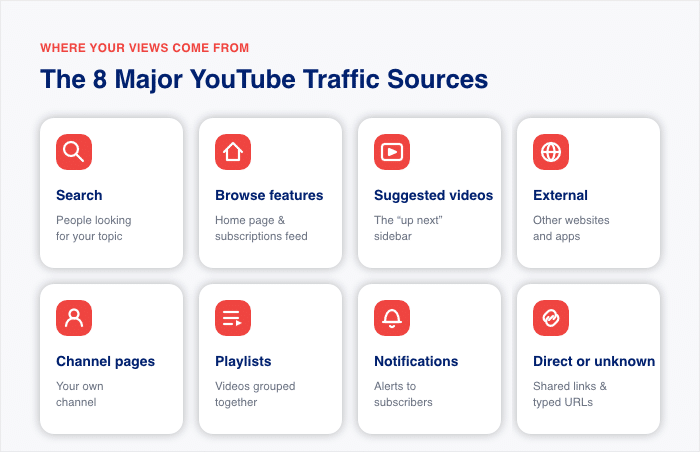
YouTube splits your traffic into different sources, and the major ones are:
- Search (people looking for your topic)
- Browse features (the home page and subscriptions feed)
- Suggested videos (the “up next” sidebar)
- External (other websites and apps)
- Channel pages (your own channel)
- Playlists (videos grouped together)
- Notifications (alerts to subscribers)
- Direct or unknown (shared links and typed URLs)
Here’s the catch. Most of these sources sit in YouTube’s hands, not yours.
The two exceptions are External and Direct, which come from links and visitors you send yourself (more on how to do that later.)
Take Browse traffic. The home page and subscriptions feed reward channels that already have watch history behind them, so a new channel with thin data gets shown far less often there.
It’s not a hard cutoff, but in practice one of your biggest surfaces stays mostly closed until you’ve built up a track record.
Notifications don’t rescue you either. EarnifyHub found that only 10 to 30 percent of your subscribers get notified of a new upload. The rest of your reach has to be re-earned on every video through click-through rate and watch time.
Then there’s Suggested Videos, which can be a great source of long-term traffic if it works in your favor. You influence it, but you don’t decide it.
This is where the table below helps:
| Traffic Source | Who it favors | How much you control it |
|---|---|---|
| Search | Clear, well-titled videos | Some (keywords and topic) |
| Browse features | Channels with watch history behind them | Little |
| Suggested videos | Videos in popular co-viewing paths | Little |
| External | Sites that link to you | A lot |
| Channel pages | Visitors already on your channel | Some |
| Playlists | Grouped, binge-friendly content | Some |
| Notifications | The 10–30% who get alerted | Little |
| Direct or unknown | People you send directly | A lot |
Here’s the part that explains the swing. When you publish, YouTube doesn’t decide your fate in one go. It tests your video in widening circles: your subscribers and regular viewers first, then people who watched you recently, then viewers who watch your topic but don’t know you, then adjacent audiences who watch related things.
Each circle only opens if the one before it responded well. A small channel has a tiny first circle, so a handful of viewers decide whether the test continues at all. That’s why one video does fine and the next disappears. It isn’t punishment, it’s a small sample.
The flip side is worth knowing. YouTube now tests new creators faster than it used to, so strong early signals can push you outward in days rather than weeks. The ceiling isn’t locked. The entry point is just narrow.
The Ranking-Hack Trap: Why “Beat the 2026 Algorithm” Advice Keeps You Stuck
Search “beat the algorithm” and you’ll find hundreds of videos with titles like “How Small Channels Win YouTube’s NEW Algorithm.”
The advice is almost always the same. Make better thumbnails, chase a higher click-through rate, and restructure your first 10 minutes to hold attention.
All this isn’t wrong. These are real signals, and improving them can help.
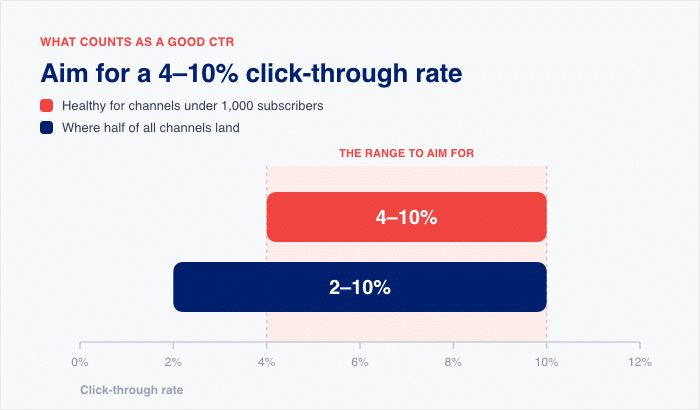
A healthy click-through rate for a channel under 1,000 subscribers sits between 4 and 10 percent, and TubeBuddy reports that half of all channels land between 2 and 10 percent. So aiming for that 4-10% range is a fair goal.
But here’s what the guru videos leave out when it comes to small YouTube channels.
Even perfect hacks only improve your odds inside a system you don’t control. You can polish every thumbnail and still get shown to almost no one because the impressions come from YouTube, not you.
That’s the trap. You pour hours into tweaking signals, watch your numbers barely move, and blame yourself for not hacking hard enough. The system was never yours to hack in the first place.
And there’s a bigger blind spot. None of this advice does anything to capture the audience already visiting your website. You may have real traffic showing up every day, and the ranking hacks ignore them completely.
So what actually moves the needle for a small channel with a website? It’s not on YouTube at all.
What You Can Actually Control on YouTube
Dismissing the hacks doesn’t mean doing nothing. There are things that work for a small channel, and they have nothing to do with gaming a system.
Make videos search can place. Browse and Suggested need history you don’t have yet. Search doesn’t. A video that answers one specific question can be found on day one, because search matches intent rather than momentum. “How I fixed a leaking radiator valve” gets found. “My plumbing journey” doesn’t.
Go narrower than feels comfortable. Big channels own the broad topics and you won’t take those from them. The specific version of the same topic has less competition and a viewer who wants exactly that. Narrow beats broad when you have no audience to lean on.
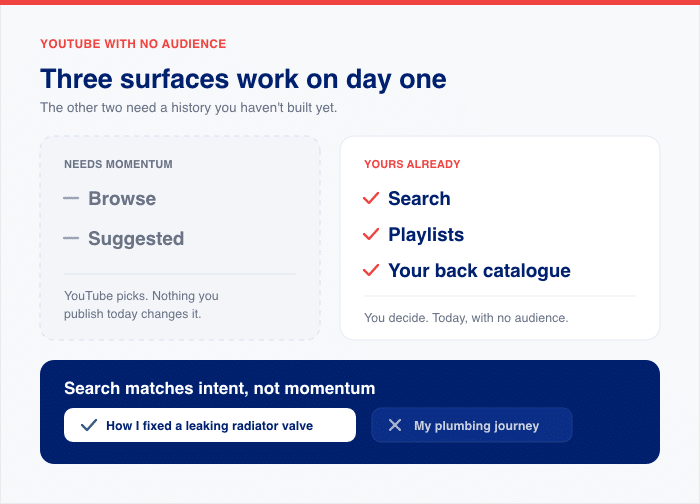
Build playlists. A YouTube playlist turns one view into three or four, because the next video autoplays instead of the viewer being handed back to YouTube’s recommendations. It’s one of the few surfaces you fully control, and most small channels never bother.
Relaunch what you already published. Your back catalogue doesn’t expire. A video from eight months ago that nobody saw can be retitled, given a new thumbnail, and shared again. You’re not starting from scratch every time you want views.
None of this is a shortcut. It’s the difference between building something search can find and waiting for a recommendation engine to notice you.
The Audience You Already Own (What Small-Channel Owners Kept Telling Us)
Here’s the thing almost no guru mentions. When I talk with small-channel owners who run a website, they say the same thing.
Some of their best subscriber gains came when they promoted their videos somewhere else, often on their own site. Those wins didn’t come from YouTube’s recommendation engine.
Stop and sit with that for a second. Those subscribers weren’t waiting on YouTube’s home page. They were already reading a blog post, landing on a product page, or browsing an “About” section. The channel just wasn’t in front of them yet.
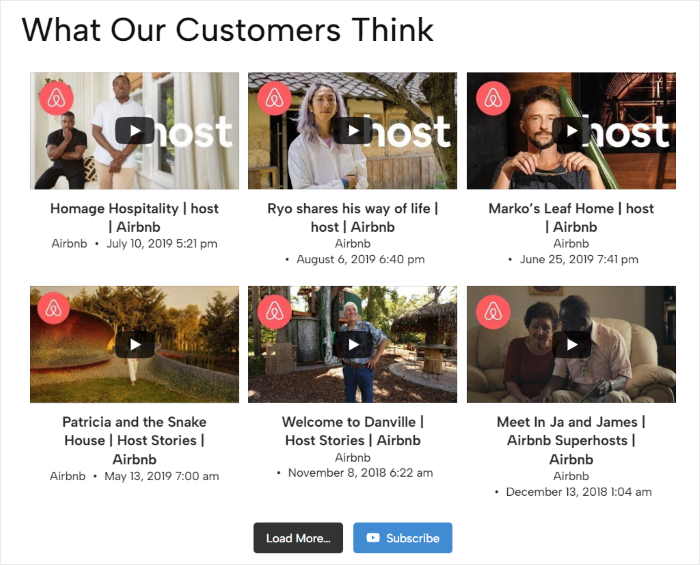
You stop waiting to be recommended and start building your channel from traffic you already have.
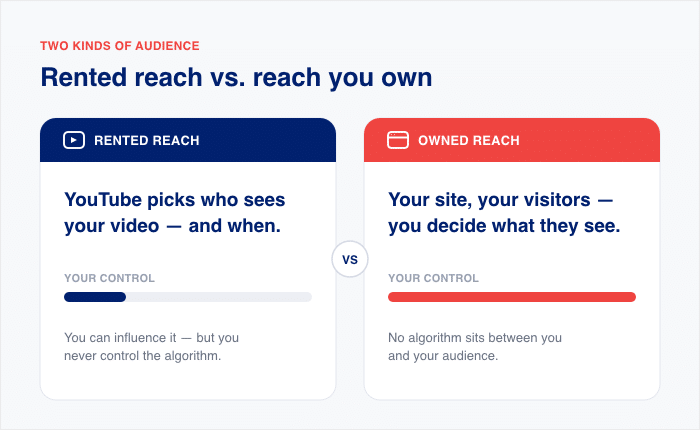
The difference comes down to two words: “rented” and “owned.”
- Rented reach: YouTube decides who sees your video and when. You influence it, but you never control it.
- Owned reach: the visitors on your own website. You decide what they see, and no algorithm sits in the way.
Look at how much easier the owned path is. On a website, a visitor is already on the page. Wistia found that homepage videos get a 24 percent play rate. So roughly one in four people press play with no gate in front of them.
Now compare that to the YouTube path. Before anyone watches, YouTube first has to show them the video. Watch how quickly the audience shrinks at each step:
- YouTube has to show it. As said earlier, only 10 to 30 percent of your subscribers even get notified of a new upload.
- Those people still have to click. A healthy click-through rate for a channel under 1,000 subscribers sits between 4 and 10 percent.
So on YouTube, you lose most of your audience before a single view happens. On your website, you keep almost all of it.
Here’s the same comparison in one table:
| Path to a View | Step 1 | Step 2 | Rough net result |
|---|---|---|---|
| Website (owned) | Visitor is already on the page | ~20–24% press play (Wistia) | ~20–24% watch, no gate |
| YouTube (rented) | 10–30% of subs are shown the video (EarnifyHub) | 4–10% click-through (TubeBuddy) | ~0.4–3% convert |
Notice where each path begins. On your website, the visitor is already there and ready to press play. On YouTube, you start by asking the algorithm for permission to reach anyone at all.
So the takeaway is simple. Reach from YouTube is rented, while the traffic on your website is yours to own. That gap is exactly why waiting on recommendations feels so slow.
How to Turn Website Visitors Into Subscribers (The On-Site Display Method)
So how do you turn the traffic you already own into real subscribers? You put your channel where your visitors already are: on your own website.
With my experience at Smash Balloon helping businesses grow their audiences, I’ve seen this work faster than any ranking hack.
The tool I recommend is Smash Balloon YouTube Feed Pro. It displays your channel feed on your WordPress site and adds a subscribe button, so visitors follow you without leaving the page.
You can display your feed in under 5 minutes, with no coding required, and it works with your existing theme. Here’s the simple three-step method:
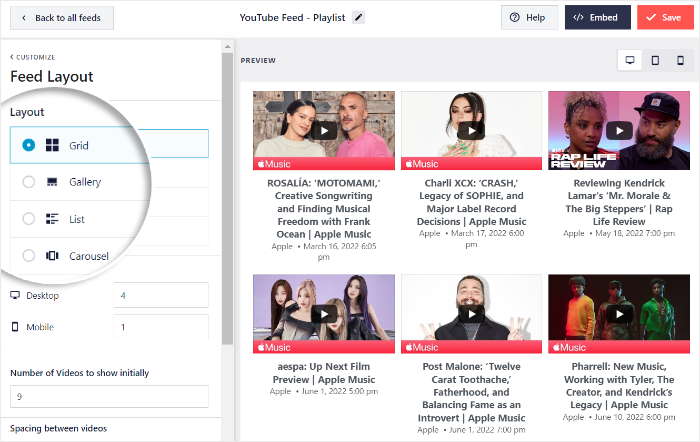
- Embed your channel feed on your site. Choose a grid, gallery, or carousel layout and drop it onto any page or post.
- Add the subscribe button so visitors convert without leaving the page.
- Keep the page fast with smart lazy loading, which delays the player until a visitor engages.
Now here’s why each step matters for the owned-audience problem from the last section.
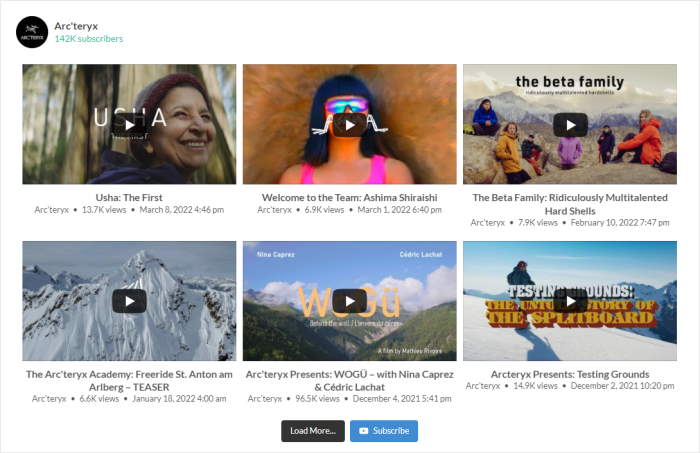
The feed itself solves the visibility gap. Your visitors were already reading your blog or product pages, but your channel wasn’t in front of them.
A grid, gallery, or carousel puts your best videos right where their eyes already are.
Smart lazy loading protects the experience. The YouTube player only loads once a visitor engages, so your page stays quick and your feed stays useful.
That subscribe button then removes the trip back to YouTube. On YouTube’s own surfaces, you have to earn the impression first.
On your page, the visitor is already there, so a one-click subscribe turns a reader into a follower on the spot.
Don’t worry if you’ve never touched code before. The whole idea behind Smash Balloon is turning real social content into trust signals that increase credibility and conversions, and for a small channel that starts with people simply knowing the channel exists.
Turn the Visitors You Already Have Into Subscribers
YouTube Feed Pro displays your channel on any WordPress page with a one-click subscribe button, and lazy loads the player so your site stays fast.
Turn Visitors Into SubscribersDisplaying Your Channel vs. Waiting on the Algorithm
So which path actually gets you subscribers faster: waiting on YouTube, or displaying your channel yourself? Here they are side by side.
| Waiting on YouTube’s algorithm | Displaying your channel on your site ⭐ Recommended | |
|---|---|---|
| Who decides who sees you? | ❌ YouTube does, and it won’t tell you why | ✅ You do, on every page you choose |
| How fast do the first subscribers arrive? | ⚠️ Slow, and out of your hands | ✅ As fast as your visitors show up |
| What does it cost you? | ❌ Endless hours tweaking signals | ✅ A few minutes to set up once |
| What happens when YouTube changes? | ❌ Your reach can drop overnight | ✅ Your feed keeps showing on your page |
| What do you own in a year? | ❌ Rented reach you never keep | ✅ An audience that stays yours |
| Best for | Creators with watch history already behind them | Anyone with a website whose channel isn’t getting seen yet |
Read the two columns, and the pattern is clear. Everything in the left column depends on a system you don’t run, while everything on the right stays in your hands.
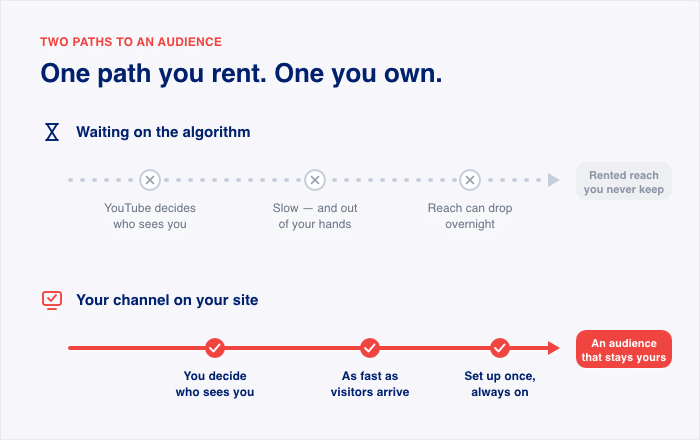
That’s the owned-versus-rented split from earlier, made plain. When you wait on the algorithm, you rent every view and hope the rent doesn’t rise. When you display your channel on your site, you build on ground you own.
None of this means you should quit YouTube. It means you should stop treating the algorithm as your only growth base.
If you’re still weighing whether the platform earns its place in your plan, our guide on whether YouTube is worth it for small businesses in 2026 walks through that call.
The two paths work best together, not one instead of the other. Keep posting to YouTube, and let your own website turn the traffic you already have into subscribers today.
Frequently Asked Questions
Does YouTube suppress small channels, or does it just rank by viewer satisfaction?
YouTube doesn’t suppress small channels. Sprout Social reports that in 2026 the algorithm cares more about viewer response than subscriber counts or upload history. Your video gets ranked on how well viewers respond, not on how big your channel is.
Why do I get so few views on YouTube when I have a fair number of subscribers?
Your views stay low because your video gets few impressions, even if you have a number of subscribers. EarnifyHub found that only 10 to 30 percent of your subscribers even get notified of a new upload. So most of your audience never sees the video to click it.
What click-through rate should a small channel aim for?
A small channel should aim for a click-through rate between 4 and 10 percent. TubeBuddy reports that half of all channels land between 2 and 10 percent, so that range is a fair goal. Remember that just hitting a very high CTR once isn’t the end goal. You’re aiming to hit the goal consistently.
Is there a faster way to get subscribers than waiting to be recommended?
Yes. Instead of waiting on YouTube’s recommendation engine, you can convert the visitors already on your website into subscribers. They’re on your page now, so you skip the impression gap that slows the algorithm down.
Will displaying my channel slow down my WordPress site?
No. YouTube Feed Pro uses smart lazy loading, which delays the player until a visitor engages with it. Your page stays fast, and your channel feed still shows on the page.
Start Growing From the Audience You Already Have
YouTube ranks your video on how viewers respond to it, not on your subscriber count. But that ranking engine is still shaky ground, because you don’t decide who gets shown your video and your reach can drop the moment YouTube’s surfaces change.
The traffic on your own website is different. That audience is already yours.
Display your channel on your WordPress site, add a subscribe button, and turn the visitors already reading your pages into subscribers today.
Get Smash Balloon YouTube Feed Pro