Social Wall
  Feed Analytics

Adding your latest Instagram posts to your WordPress site is a brilliant way to keep your content fresh and build social proof.
Finding the perfect plugin to handle this task can quickly become overwhelming, especially with so many popular options available.
When I started building sites, it was stressful to figure out which feed exact tool was the best at showcasing Instagram content.
If you are stuck comparing 10Web Social Photo Feed and Smash Balloon, you’re definitely not alone.
After a lot of tests on real websites to see how they perform, I’ve put together this guide. You can see exactly what each tool offers so you can confidently pick the right one for your needs.
- 10Web Social Photo Feed vs. Smash Balloon: The Quick Verdict (Read This First)
- What Are These Plugins? (A Quick Definition)
- Current State of Each Plugin on WordPress.org
- Head-to-Head Feature Comparison: 10Web vs Smash Balloon
- Pricing Comparison: What Does Each Plugin Actually Cost?
- Who Should Choose Each Plugin? (Honest Recommendations)
- Key Takeaways
10Web Social Photo Feed vs. Smash Balloon: The Quick Verdict (Read This First)
For most WordPress users, Smash Balloon’s Instagram Feed Pro is the recommended choice. It is a dedicated, standalone Instagram feed plugin with a massive install base, active development, and a feature set built specifically for how Instagram works in 2026.
10Web Social Photo Feed is part of a broader plugin ecosystem for an AI powered website building toolkit.
Since the focus is on building an overall website, it’s lacking in Instagram-focused features in comparison to Smash Balloon.
What Are These Plugins? (A Quick Definition)
Before diving into the feature-by-feature breakdown, it helps to understand exactly what each plugin is and where it comes from. These two tools take very different approaches, and that context matters when making your decision.
Smash Balloon’s Instagram Feed
Instagram Feed by Smash Balloon is a dedicated WordPress plugin for displaying your Instagram posts on your website.
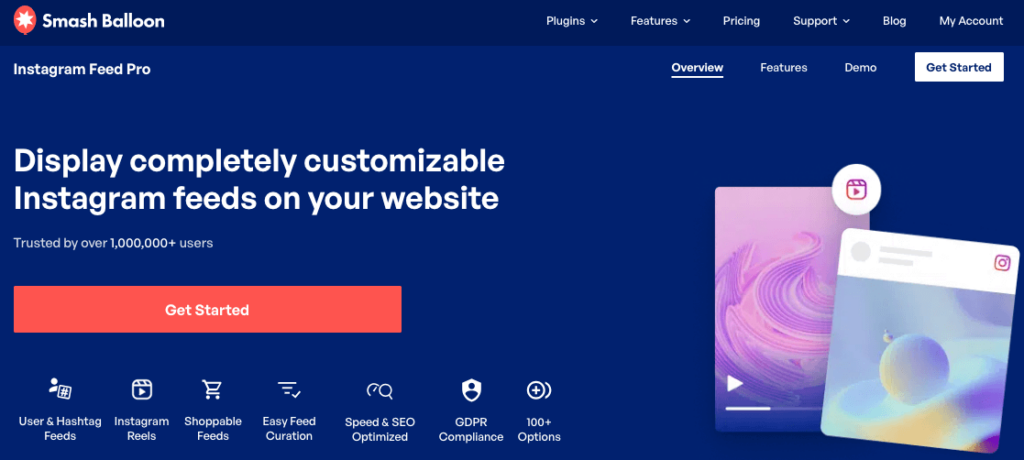
Smash Balloon builds social media feed plugins exclusively, and their Instagram Feed plugin is trusted by over 1.75 million websites, including some of the biggest brands out there.
10Web Social Photo Feed
Social Photo Feed is a plugin developed by 10Web, a company best known today for its AI-powered website builder and hosting platform.
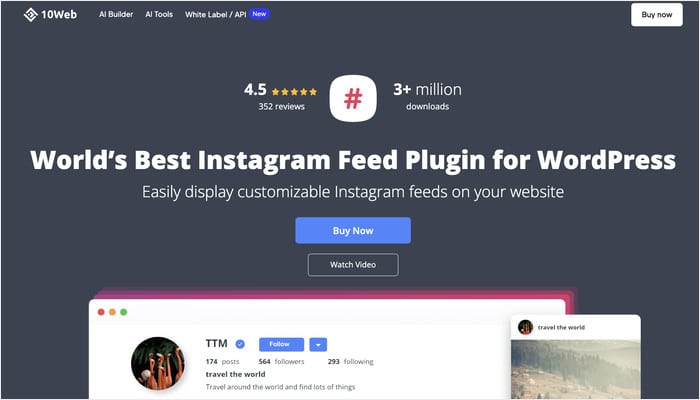
The Instagram Feed plugin is part of their broader plugin bundle rather than a standalone product.
If you are already on a 10Web hosting or website builder plan, the plugin may already be included. It is worth checking your account before purchasing anything separately.
Current State of Each Plugin on WordPress.org
The first thing we did was to check the current situation of the free version of the plugins on WordPress.org.
Things like how recently a plugin was updated and what users are saying in reviews can tell you a lot about what you are getting into before you install anything.
Here is where both plugins stand right now.
Smash Balloon Instagram Feed
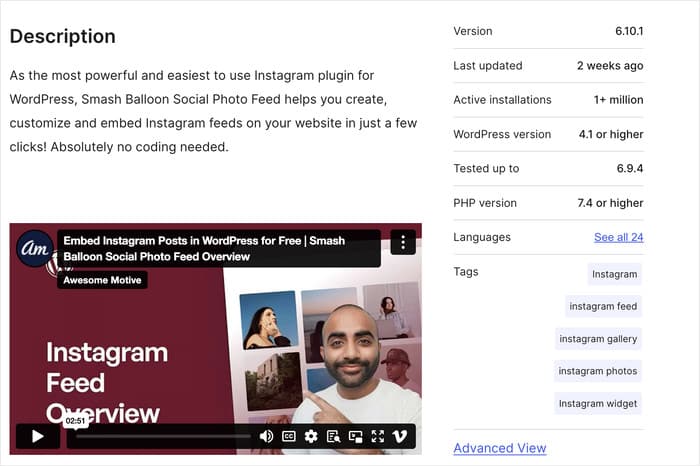
Smash Balloon Instagram Feed is actively maintained, with regular updates pushed throughout the year. On WordPress.org, it currently shows:
- Last updated: March 12, 2026
- Tested up to: WordPress 6.9.4
- Active installs: 1+ million
- Recent reviews: New 5-star ratings throughout the past month
10Web Social Photo Feed
Unfortunately, this version of the plugin hasn’t been tested with the latest 3 major releases of WordPress, which presents a lot of risks.
Here’s how it stands:
- Last updated: 3 years ago
- Tested up to: WordPress 5.0.25
- Active installs: 10,000+
- Recent reviews: Five consecutive 1-star ratings, all from 2023
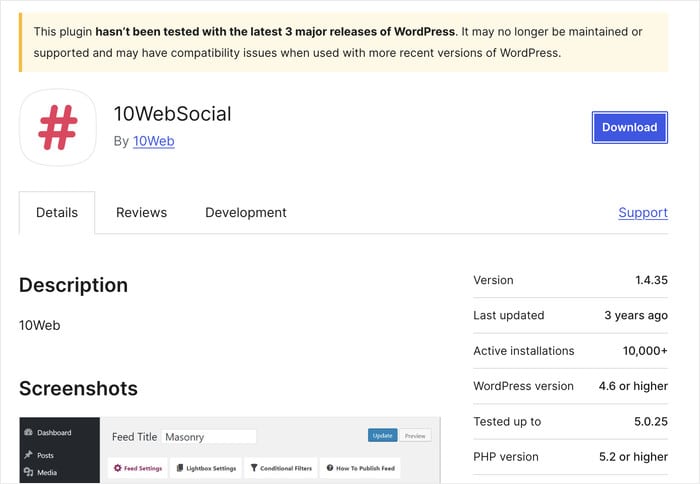
It is worth noting that WordPress.org only reflects the free version of the plugin, and the premium versions of plugins will often have a different update schedule.
Head-to-Head Feature Comparison: 10Web vs Smash Balloon
With the current state of both plugins in mind, let’s look at what each one actually offers.
This section gives you a clear picture of how the two compare across layouts, content types, customization, and performance.
Layout Options
Both plugins support grid and masonry layouts. Smash Balloon adds carousel and highlight layouts, while 10Web offers blog style and image browser layouts.
| Layout | Smash Balloon | 10Web Social Photo Feed |
|---|---|---|
| Grid | ✅ | ✅ |
| Masonry | ✅ | ✅ |
| Carousel / Slider | ✅ | ❌ |
| Highlight | ✅ | ❌ |
| Blog Style | ❌ | ✅ |
| Image Browser | ❌ | ✅ |
While each plugin brings something different to the table, Smash Balloon gives you more ways to customize how each layout looks.
Instagram Content Types Supported
Instagram has evolved a lot lately with different new formats introduced. Here is how both plugins handle the full range of Instagram content:
| Content Type | Smash Balloon | 10Web Social Photo Feed |
|---|---|---|
| Standard Posts | ✅ | ✅ |
| Hashtag Feeds | ✅ | ✅ |
| Instagram Stories | ✅ | ❌ |
| Tagged Mentions Feed | ✅ | ❌ |
| Shoppable Feeds | ✅ | ❌ |
While 10Web can handle basic posts, Smash Balloon supports all of these content types so you can have a variety of content on your website.
To learn more, check out this guide with examples of the best Instagram feeds for you to use.
Feed Management & Customization
Smash Balloon‘s live visual customizer lets you see exactly how your feed will look as you make changes, without having to save and reload the page each time.
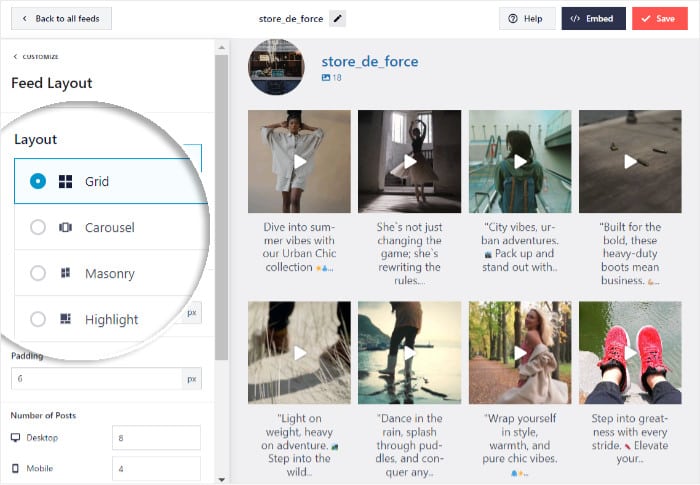
That alone makes the setup process a lot less frustrating, especially if you are fine-tuning the look of your feed.
In comparison, 10Web makes it harder to customize your Instagram content or change the settings.
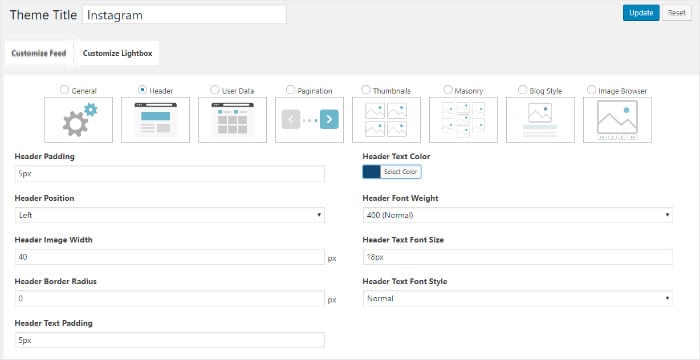
One benefit 10Web has is the conditional filtering with AND/OR/NOR logic support.
However, Smash Balloon lets you directly filter your feeds and moderate content from the live editor for more control.
Performance, Technical & Compatibility
10Web Social Photo Feed uses shortcodes to embed your feed, while Smash Balloon includes a dedicated Gutenberg block for drag-and-drop embedding in the WordPress block editor.
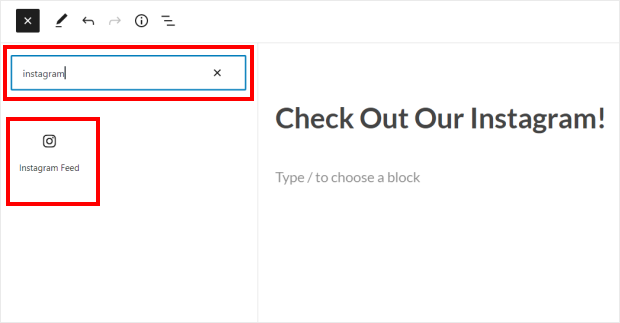
Smash Balloon also serves your feed images in WebP format for faster loading, which has a direct knock-on benefit for your page speed and SEO.
It also renders your feed using real HTML rather than an iframe, meaning search engines can read and index your feed content.
For sites with a European audience, Smash Balloon officially states GDPR compliance and integrates with popular consent management plugins, including Cookie Notice and Complianz.
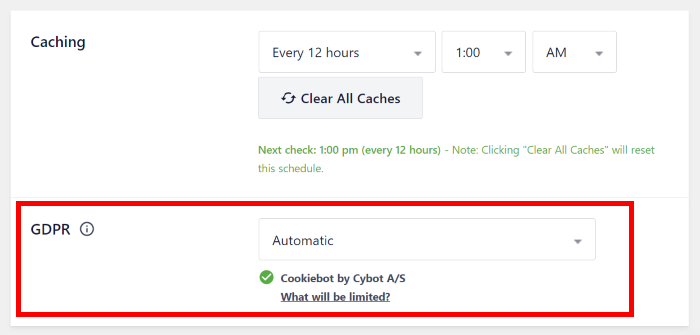
You can learn more about GDPR compatibility here.
Pricing Comparison: What Does Each Plugin Actually Cost?
Now that we know what features you get for each plugin, let’s check out the prices and compare them both.
Smash Balloon Instagram Feed Pricing (Standalone)
Like we said earlier, Smash Balloon offers a forever-free version of the plugin on WordPress.org that covers basic grid display.
In case you don’t have room in your budget right now, it’s a great way to try out the plugin. You can upgrade to the full version at any time.
For the premium version, here are the pricing options:

As you can see, the pro version starts at $49/year for 1 website. With the other plans, you can use the plugin on multiple websites and access other features like priority support.
10Web Social Photo Feed Pricing (Plugin Bundle)
10Web Social Photo Feed is not sold as a standalone plugin, since it’s part of 10Web’s broader plugin bundle.
So, you’ll have to get the full suite of their WordPress plugins to get access to Instagram Feed.

As you can see, it starts at $85 for 6 months of support and updates.
Whether that bundle represents good value depends entirely on your situation. If you are already using other 10Web plugins or plan to, the bundle could make sense.
But if all you need is an Instagram feed for your site, you would be paying for a large collection of tools you may never use.
Which Pricing Model Offers Better Value?
Smash Balloon’s pricing is straightforward since you pick the plan that fits your budget, and you get a dedicated Instagram feed plugin.
With 10Web, the Instagram Feed plugin comes packaged with their full plugin bundle, so the value calculation depends on how much of that bundle you actually plan to use.
For users who only require an Instagram feed, Smash Balloon’s standalone pricing is the more flexible and cost-effective choice.
Who Should Choose Each Plugin? (Honest Recommendations)
Not every WordPress site has the same needs, so here is a clear breakdown of who each plugin is the right fit for.
Choose Smash Balloon Instagram Feed If…
Overall, Smash Balloon is the best choice for your website if you:
- Are setting up your first Instagram feed and want a guided setup wizard to walk you through the process
- Build your pages with the Gutenberg block editor and want drag-and-drop feed embedding
- Post Instagram Reels or Stories and want them to appear on your website
- Want a shoppable Instagram feed that links directly to your products
- Have a European audience and need confirmed GDPR compliance
- Want a live visual preview while customizing your feed so you can see changes in real time
- Need a plugin with regular updates that’s getting new 5-star reviews from real users
The 10Web Case: When It Could Still Make Sense
10Web Social Photo Feed does have some genuine strengths. The biggest reason to use the plugin is if you’re already in their ecosystem.
Its conditional filtering with AND/OR/NOR logic gives you a level of control over which posts appear in your feed, and it has 2 unique layouts as well.
Our Final Verdict
For most WordPress users, Smash Balloon Instagram Feed is the better choice. It is actively updated on WordPress.org, supports the full range of Instagram content types, and is trusted by the community.
10Web Social Photo Feed has some features worth acknowledging, and if you are already using their site builder, then it can be a convenient solution.
But if you are starting fresh and just need a reliable Instagram feed on your site, Smash Balloon is the one we would install.
Summary Scorecard
| Category | Smash Balloon | 10Web Social Photo Feed |
|---|---|---|
| Active Maintenance | Regularly updated | Last updated 2023 (free version) |
| Features | Full Instagram content support | Standard posts and hashtags |
| Ease of Use | Setup wizard, live preview | No wizard, save and refresh |
| Performance & Technical | WebP, Gutenberg block, GDPR | Shortcode support, lightweight |
| Pricing | Standalone pricing | Part of a plugin bundle |
| Community Trust | Actively getting new reviews | Limited recent review data |
| Overall | Recommended | Use if already on 10Web |
Key Takeaways
Choosing the right Instagram feed plugin comes down to one simple question: do you need something you can install today and trust to keep working?
If the answer is yes, Smash Balloon Instagram Feed is the clear choice. It is actively maintained, supports modern Instagram content like Reels and Stories, and has straightforward and budget-friendly pricing options.
Ready to display Instagram content with ease? Get started with Smash Balloon’s Instagram Feed Pro today!
More Social Media Marketing Tools and Guides
- Best WordPress Plugins to Boost Your Business
- Curator.io Alternative: Smash Balloon vs Curator.io
- Best Smash Balloon Alternatives: Are There Better Options?
- Plugins to Embed Social Feeds on Your Website (Handpicked)