
You are missing out on massive growth if you keep your Instagram and TikTok audiences separate.
Most beginners think they need to create unique content for every single platform, but after a lot of tests, I realized that it’s not really the case.
You just need to know the right way to move people from one app to the other.
Here is my complete guide on how to promote your TikTok on your Instagram to get more followers fast.
In this Article:
- How to Promote Your TikTok on Instagram (Quick Answer)
- Why Cross-Promote TikTok on Instagram?
- Easiest Way to Get More TikTok Followers (Before You Start)
- 9 Proven Ways to Promote Your TikTok on Your Instagram
- 1. Repost Your Best TikTok Videos as Instagram Reels
- 2. Add Your TikTok Profile Link to Your Instagram Bio
- 3. Feature Your Best TikToks as Instagram Story Highlights
- 4. Ask Your Instagram Audience for TikTok Content Ideas
- 5. Create a Social Wall with TikTok and Instagram Content
- 6. Run Instagram Giveaways for TikTok Growth
- 7. Create Instagram-Exclusive "Behind the Scenes" Content
- 8. Use Instagram Close Friends for Exclusive TikTok Previews
- 9. Use Instagram Ads to Promote Your Best TikTok Content
- 1. Repost Your Best TikTok Videos as Instagram Reels
- Final Verdict: Turn Your Instagram Audience into TikTok Followers
How to Promote Your TikTok on Instagram (Quick Answer)
To promote your TikTok on Instagram, you need to link your profiles in your bio, repurpose your top videos as Reels, and run cross-platform contests to merge your audiences.
The most effective approach is to create a central social hub on your website that captures traffic from both apps.

Below, I’ll walk you through 9 proven strategies, from basic tactics to advanced tools that boost your TikTok growth.
Here is a quick preview of the top methods we’ll cover:
- Repurpose Content: Give your best TikToks a second life as Instagram Reels.
- Link in Bio: The easiest way to drive immediate traffic.
- Story Highlights: Create a permanent showcase for your best clips.
- Website Hubs: Auto-sync content using plugins like TikTok Feed Pro.
Why Cross-Promote TikTok on Instagram?
Cross-promoting TikTok on Instagram matters because of one major reason: security.
Relying on a single platform leaves you vulnerable to shadowbans, algorithm updates, or account suspensions.

It’s also hard to build momentum from scratch on a new app. Many creators give up because the “cold start” phase is so discouraging.
Cross-promoting lets you skip that phase entirely by using your established Instagram leverage to jumpstart your TikTok growth.
The Power of Multi-Platform Social Media Strategy
Data shows that posting on multiple platforms is great for online growth.
Creators who actively post on multiple platforms see an average 30-40% increase in overall follower growth compared to those who focus on just one platform.
- Familiar App: Most of your Instagram followers already have TikTok installed; they just don’t know you’re there yet.
- Content Lifespan: An Instagram Story lasts 24 hours. A TikTok video can go viral weeks after posting. Combining them maximizes your views and interactions.
- Engaged Audience: People who already like your content on one platform are likely to enjoy it on another, so you’re not starting from scratch.
Easiest Way to Get More TikTok Followers (Before You Start)
Before getting started, the smartest move is to create a centralized hub where both your TikTok and Instagram content work together.
By automatically displaying your TikTok videos on your website, you turn every website visitor into a potential TikTok follower.
What is TikTok Feed Pro?
TikTok Feed Pro is a WordPress plugin developed that allows you to embed your TikTok videos directly on your website in customizable feeds.

It’s not just a static link; it’s a dynamic, updating gallery of your latest content.
On top of helping your TikTok growth, you can also engage your website visitors with a collection of bite-sized videos on your site.
Here are a few things it handles for you:
- Auto-Updates: As soon as you post to TikTok, your website updates automatically.
- Mobile-Friendly Design: Your TikTok feeds will look perfect on phones, tablets, and desktops.
- Speed: It’s built to be lightning-fast so it won’t slow down your site (a common issue with other embeds).
- Custom Design: You can use the live editor to customize your layout, color scheme, post elements, and much more.

It’s tempting to jump straight into posting, but setting up TikTok feeds first saves you time later.
You won’t have to manually direct people to your profile constantly because your website does the heavy lifting for you.
Ready to add TikTok feeds to your website? Sign up for TikTok Feed Pro here!
9 Proven Ways to Promote Your TikTok on Your Instagram
Now let’s dive into the specific tactics you can start using today. These methods are all super easy — even if you’re new to online marketing.
Let’s get started!
1. Repost Your Best TikTok Videos as Instagram Reels
The simplest way to promote your TikTok is to reuse your top-performing videos as Instagram Reels.

Since you’ve already done the hard work of filming and editing, this strategy gives you high-quality content for Instagram with almost zero extra effort.
Why This Works
By reposting your proven TikTok winners, you’re leveraging content that’s already validated by your TikTok audience — you know it works.
The best part? You can do this without creating new content from scratch.
Amplify This Strategy with Instagram Feed Pro
Once you’re creating great Reels, don’t let them disappear into the Instagram void. You can use Instagram Feed Pro to display these Reels directly on your website.
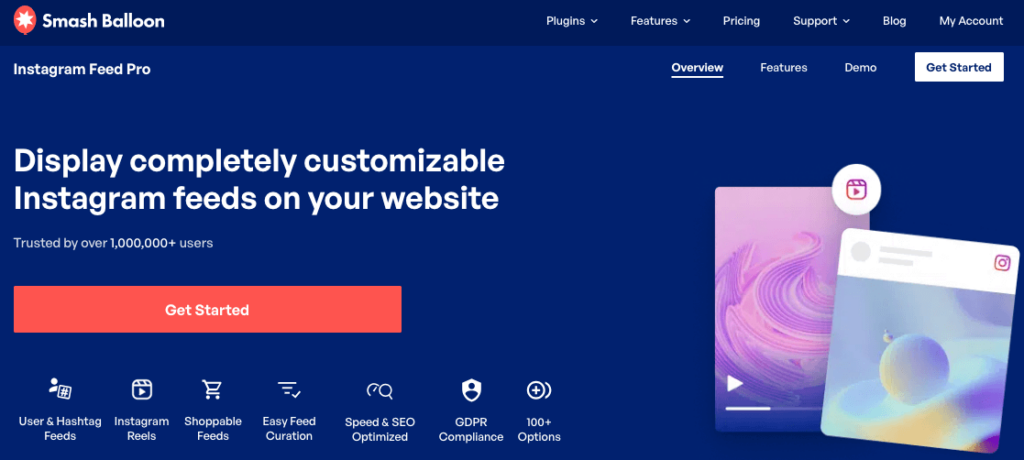
Instagram Feed Pro is a WordPress plugin that embeds your Instagram content (Reels, Stories, and posts) directly on your website in beautiful, customizable feeds.
By embedding your Instagram Reels, you have 3 different platforms where people can view your TikTok content: TikTok, Instagram, and your website.

Want to add Instagram content to your website? Get a copy of Instagram Feed Pro today!
To get started, you can check out this beginner’s guide on how to add Instagram feeds to your website.
2. Add Your TikTok Profile Link to Your Instagram Bio
Your Instagram bio is prime real estate. Adding a direct link to your TikTok profile removes all friction for interested followers who want to see more of your video content.
Pro Tip: You can use a link-in-bio tool to add multiple links to your Instagram profile or create a landing page to showcase content from different platforms.

Why This Works
Instagram bios receive the vast majority of profile visitor clicks. This makes it the highest-converting spot on your entire profile for driving external traffic.
If they’re already interested enough to check out your profile, they’re much more likely to click through to your TikTok.
Step-by-Step Process
- Open Instagram: Go to your profile page.
- Tap “Edit Profile”: Select the “Links” section.
- Add External Link: Paste your full TikTok profile URL.
- Label it clearly: Use your bio text to remind users you’re on TikTok.
3. Feature Your Best TikToks as Instagram Story Highlights
Instagram Story Highlights are permanent collections of Stories that appear on your profile below your bio.
They’re perfect for showcasing your best TikTok content to new profile visitors who might have missed your daily stories.

Why This Works
Unlike regular Stories that disappear after 24 hours, Highlights work for you permanently.
They act like a “Start Here” menu for your brand, making them ideal for evergreen TikTok promotion.
Step-by-Step Process
- Create Snippets: Take 15-second clips or screenshots of your best TikToks.
- Post to Stories: Upload them to your Instagram Story.
- Add a Link: Use the Link Sticker to link directly to the specific TikTok video.
- Add a CTA: Add text that says “Full video on my TikTok @[username].”
- Save to Highlight: Tap “Highlight” at the bottom and name it “My TikToks” or “Best Videos.”
After I organized my Highlights by content category (e.g., “Tutorials,” “Funny,” “Behind the Scenes”), it helped increase my view rate significantly.
Pro tip: Remember to update your TikTok Highlights monthly with your newest top-performing content. After all, old videos won’t work as well as fresh, current content.
4. Ask Your Instagram Audience for TikTok Content Ideas
Another great way to boost TikTok growth is to crowdsource ideas for your videos from your Instagram followers.
This builds anticipation for your future content and makes your Instagram followers more likely to check out your TikToks.
Why This Works
When people contribute to content creation, they’re significantly more likely to watch and engage with that content.
This strategy also makes your followers feel heard and valued. They’re not just passive consumers — they’re active participants in shaping your content.
Step-by-Step Process
- Use Instagram Polls: Post a Story with a poll, “What should I make a TikTok about next?” and offer two clear options.

- Add Question Stickers: Post a Question sticker with the prompt like “drop your TikTok video ideas below ?” and use the best suggestions.
- Credit Your Followers: When posting videos, mention the follower who helped with the idea so more people join your polls and questions in the future.
Just like that, you can show your audience that their input matters, which increases future participation rates.
5. Create a Social Wall with TikTok and Instagram Content
A social wall (also called a social media wall) is a combined feed that displays content from multiple social media platforms.

Think of it as a digital billboard that showcases all your social content simultaneously.
Why This Works
A social wall lets you showcase fresh, engaging content to your website visitors while promoting both your TikTok and Instagram profiles.
When visitors see your active presence across multiple platforms, it builds credibility and trust.
Plus, people who only use one platform can follow you on the social media site they prefer.
Introducing Social Wall Pro
Social Wall Pro is a WordPress plugin that aggregates and displays content from the biggest platforms out there: TikTok, Instagram, Facebook, X/Twitter, and YouTube

Here’s what makes it perfect for cross-promotion:
- Combines TikTok videos and Instagram posts in one feed so visitors see all your content at once.
- Automatically copies the design of your website so your social walls perfectly match your site and branding.
- Live customizer to design beautiful social walls in just a few simple clicks — no coding needed.
- Clickable posts that link back to original platforms, driving traffic to both TikTok and Instagram.
When it comes to social media marketing, Social Wall Pro can work as a perfect all-in-one package that helps you grow on the biggest platforms out there.
Ready to integrate social media into your website?
Get the All Access Bundle here, and you can get Social Wall Pro, along with the best social media feed plugins and the #1 reviews aggregator.
For more details, you can check out this list of the best social media wall examples that you can use.
6. Run Instagram Giveaways for TikTok Growth
Instagram giveaways are proven traffic drivers, but most creators miss the opportunity to use them for cross-platform growth.

By requiring TikTok follows as an entry method, you can convert your Instagram audience into TikTok followers at scale.
Why This Works
Giveaway posts receive massive engagement. And once you add cross-platform requirements, giveaways can increase follower counts significantly in a short time.
The beauty of this strategy is that you’re not just getting random followers — you’re attracting people who are already interested in your content.
Using RafflePress for Professional Giveaways
RafflePress is a WordPress giveaway plugin that allows you to create viral giveaway campaigns with multiple entry methods, including social media follows, shares, and engagement actions.

The plugin automatically checks if users have completed the required actions, which eliminates fake entries and lets you build a real, engaged audience.
Step-by-Step Giveaway Strategy
- Setup Phase: Choose a prize relevant to your niche (this ensures quality followers, not just freebie seekers).
- Install RafflePress: Use the plugin’s built-in TikTok growth template to create a giveaway landing page.

- Enter Giveaway Rules: Set up the rules so people have to be followers on TikTok to join, along with other rules you want.
- Promotion Phase: Create an Instagram announcement post with eye-catching graphics and post stories with countdown stickers.
Get a copy of RafflePress today and start creating engaging giveaways and contests with ease.
For more details, you can check out this step-by-step guide on how to do a TikTok contest using RafflePress.
7. Create Instagram-Exclusive “Behind the Scenes” Content
A lot of people are fascinated by the creative process that goes behind videos.
By showing people how you create your TikToks, you build investment in your TikTok content before it’s even posted.

Why This Works
When your Instagram audience sees the effort and personality behind your TikToks, they develop a deeper connection to your content.
This turns your passive viewers into active supporters who seek your TikTok videos to see the final product.
Content Ideas
- Show your filming setup (lighting, camera, messy room).
- Reveal “failed takes” or bloopers that didn’t make the cut.
- Explain your content planning or scripting process.
- Share time-lapse videos of you editing the TikTok.
8. Use Instagram Close Friends for Exclusive TikTok Previews
Instagram’s “Close Friends” feature allows you to share Stories with a select group.
By offering “early access” to TikTok content for your Close Friends list, you create VIP status that incentivizes dedicated fans to follow you on TikTok.

Why This Works
When people feel they’re part of an “inner circle,” they’re significantly more likely to engage with and promote your content.
Step-by-Step Process
- Announce it: Make an Instagram post like “Join my Close Friends for early TikTok previews” to build curiosity.
- The Gate: When people request to be added, you can remind them to follow you on TikTok as well.
- The Content: Share “coming soon” TikTok teasers 24 hours before public posting.
- The Hype: In the Close Friends Story, build anticipation: “Full video drops on TikTok tomorrow at 10 AM.”
Pro tip: Occasionally reward your Close Friends with exclusive content that never goes public. This reinforces the value of being on your exclusive list.
9. Use Instagram Ads to Promote Your Best TikTok Content
Instagram Ads are paid promotional posts that appear in users’ feeds, Stories, or Explore pages.
Unlike organic posts, ads allow you to target specific demographics and interests, making them efficient for reaching new audiences likely to enjoy your TikTok content.
Why This Works
By using Meta Business Suite to run targeted ads, you can carefully choose the type of audience that’s most likely to watch your TikTok content.
Even a small ad budget ($5-10) can yield significant TikTok growth when used strategically

Step-by-Step Process
- Choose a Video: Select a TikTok video that already has high engagement organically. This is your “proof of concept.”
- Create the Ad: Use that same video (remove the watermark if possible). Write a caption that ends with “See more on TikTok @[username].”
- Targeting: Use the Meta Business Suite to target people with the same demographics as your TikTok followers and who have interests related to your niche.
- Optimize: Run ads for 3-5 days. Put more money behind what’s working and promote more of your TikTok content.
Final Verdict: Turn Your Instagram Audience into TikTok Followers
As you can see, cross-promoting TikTok on Instagram isn’t about tricking the algorithm.
It’s about guiding your existing audience to discover more of your content on the platform where you’re creating it.
Every Instagram follower is a potential TikTok follower; you just need to show them the way.
Remember the three-tier strategy:
- Manual Tactics: Start with bio links, Story Highlights, and repurposing. These are free and immediate.
- Automation Tools: Use TikTok Feed Pro, Instagram Feed Pro, and Social Wall Pro to create a content hub on your website that works while you sleep.
- Advanced Strategies: Use giveaways, ads, and collaborations to accelerate your growth once the foundation is set.
Ready to turn your website into a TikTok growth engine? Get TikTok Feed Pro for your site!
If you’re looking for more tactics for online growth, check out our list of the best social media marketing tips for small businesses.



