Social Wall
  Feed Analytics

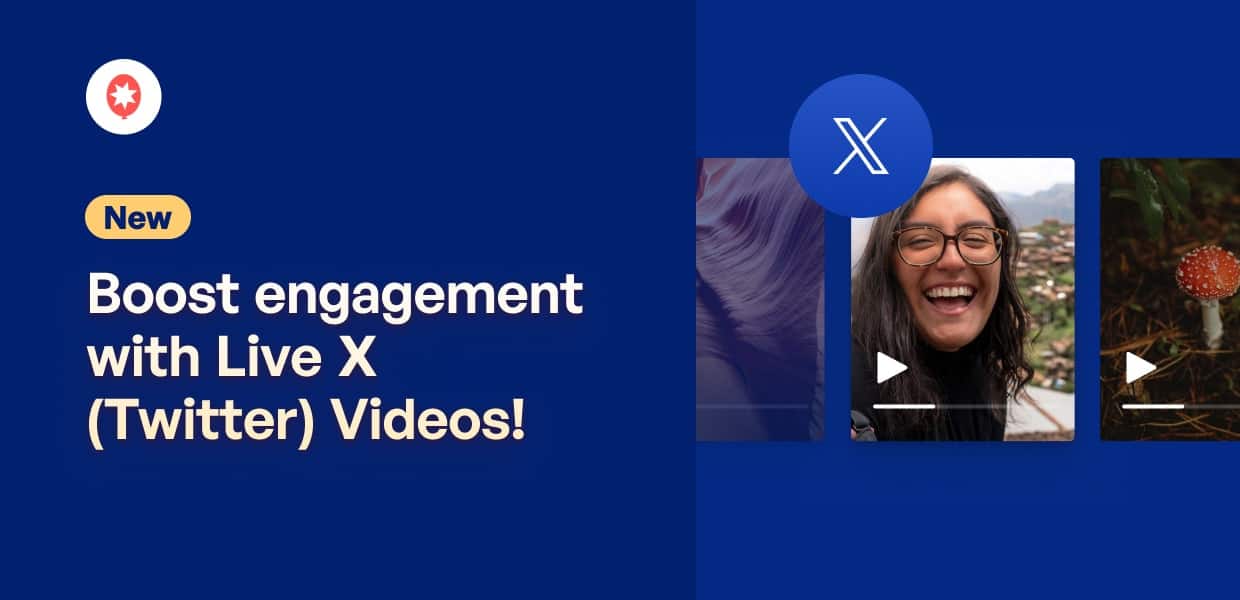
Imagine if your website could show what’s happening on X (Twitter) right now, not just what happened an hour ago.
When a major event, product launch, or Q&A is happening live on X (Twitter), your site is left showing yesterday’s content.
The moment is happening right now, but your website is a step behind.
Today, that changes.
We know how crucial it is to connect with your audience in real-time, especially during a big event.
That’s why we’re excited to announce our latest update for Smash Balloon X (Twitter) Feed Pro: your feeds will now display Live X (Twitter) Broadcasts as soon as an account in your feed goes live.
Your site can now become a real-time hub for all the action on X (Twitter), turning passive visitors into engaged fans. And all that with zero coding!
Easily Show Live X (Twitter) Broadcasts on Your Feeds
Before this, X (Twitter) Feed Pro already gave you the power to show profiles, hashtags, and lists from X (Twitter) on your website – all without touching a single line of code.
Now, we’re helping you bring real-time engagement to your site with support for one of the most engaging content types: Live X (Twitter) broadcasts.
Think about it: live streams can hold viewers 10 to 20 times longer than pre-recorded videos.
That’s because they create an authentic, in-the-moment connection. By bringing that live energy to your website, you can:
- Show unscripted, live content to add authenticity and help your audience connect with the real people behind your brand.
- Instead of sending visitors to another platform, you can boost site traffic and dwell time by displaying the live video directly on your website.
- You can even showcase your expertise and build trust in your brand with the help of live webinars, workshops, and Q&A sessions.
Simple Setup, Automatic Live Video
With the help of X (Twitter) Feed Pro, setting up Live X (Twitter) Broadcasts is incredibly simple, just like any other feed type.
You can follow the guided flow and have a feed ready in minutes with no coding at all.
Step 1: Create a New X (Twitter) Feed
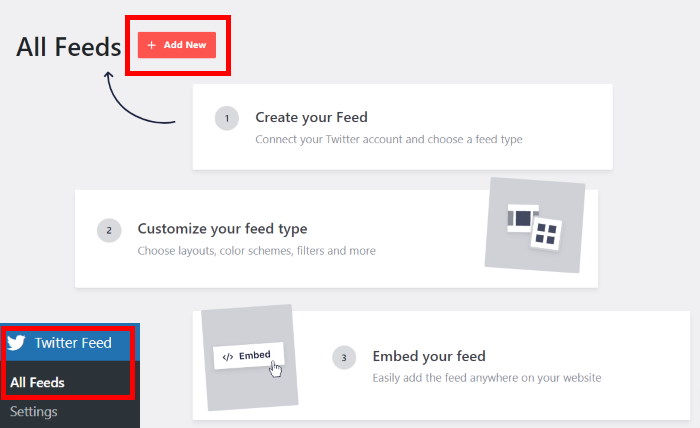
First, open the Twitter Feed » All Feeds menu from your dashboard and click on Add New to create a feed.
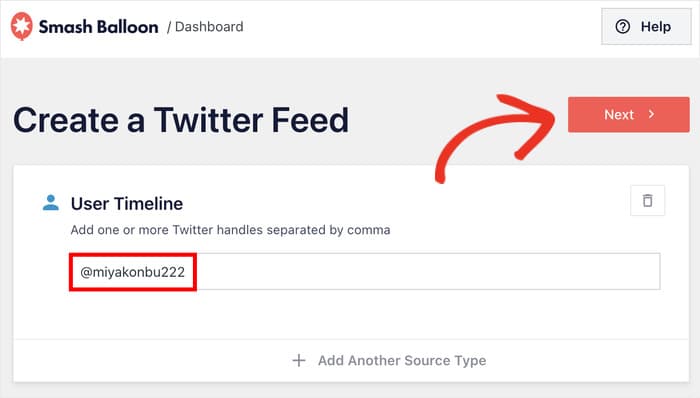
After that, select the User Timeline as your feed type, then enter an X (Twitter) handle as the source.
Step 2: Customize Your X (Twitter) Feed
Like your usual X (Twitter) feeds, you can now select a template to quickly set the design.
Select an option from the list and click on Next.
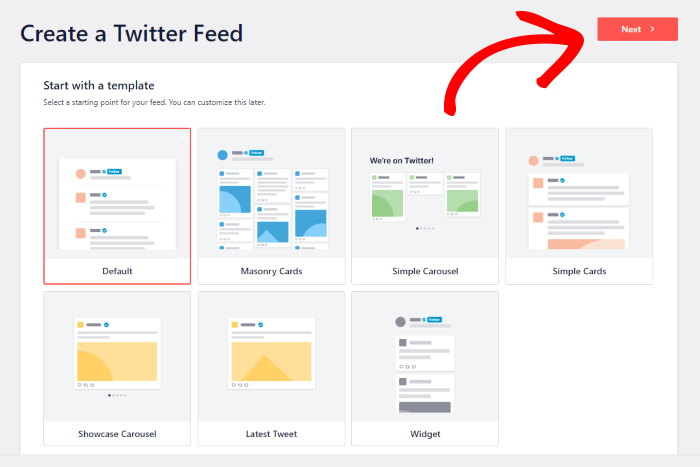
After picking your template, you can customize the feed using the live editor. You can use options here to customize your:
- Feed layout
- Color scheme
- Header
- Load more button
- Post elements
- And more
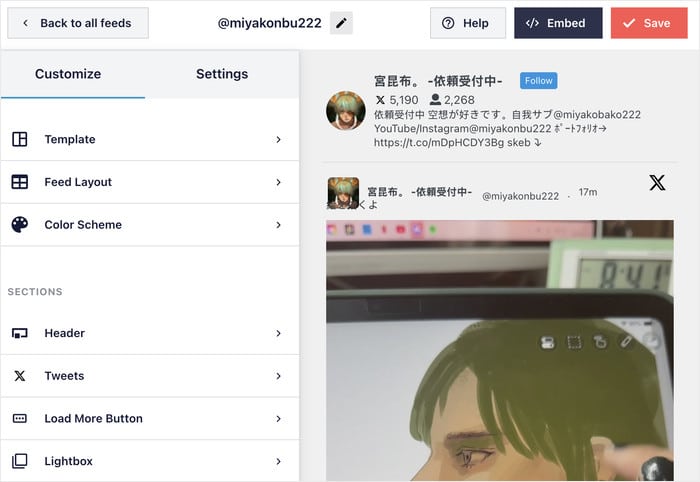
Remember to click on Save once you’re done customizing your feed.
Step 3: Embed Your Live X (Twitter) Feed
Easy so far, right? It gets even better.
Once you’re happy with the design, click on Embed and add it to your page, sidebar, or the footer.
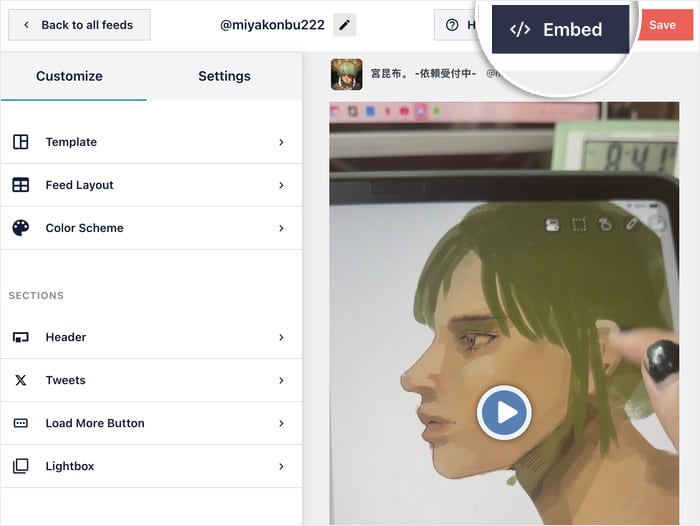
On the popup, you can choose to add this feed to a page or a widget area.
Whenever your selected account goes live, the video will be automatically embedded on your website.
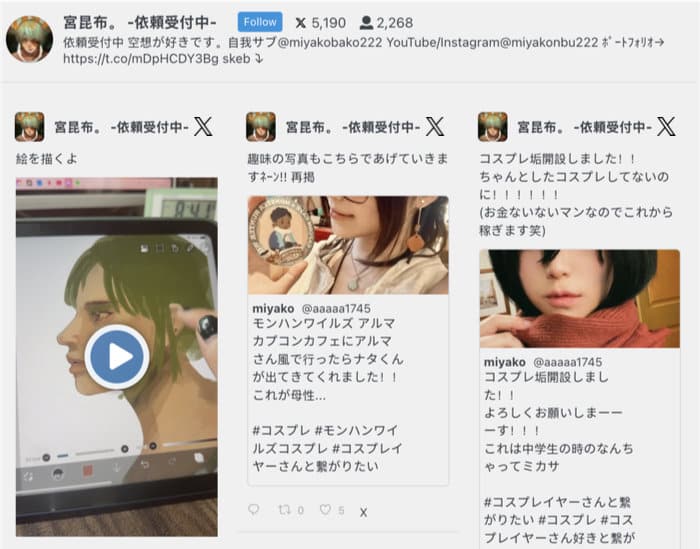
With just a click, your visitors can watch the live broadcast right on your website. Instead of sending people to X (Twitter), you can keep them engaged on your website.
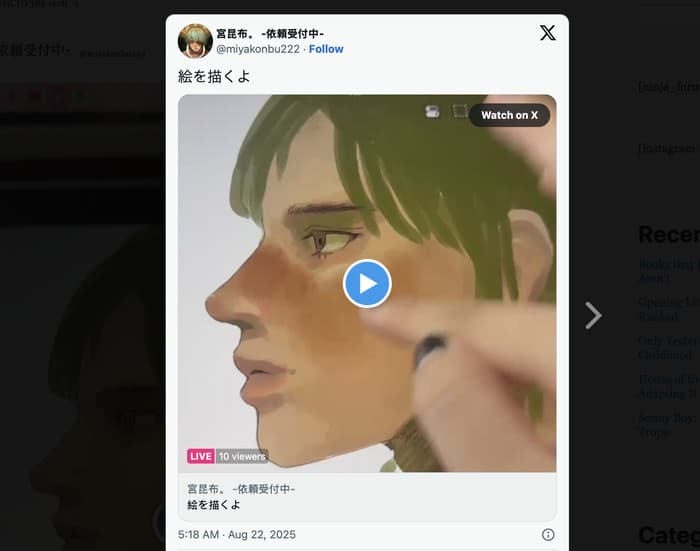
And don’t worry about anyone missing out!
Once the broadcast ends, the replay is automatically saved and remains in your feed as a regular video post, so everyone can catch up whenever they want.
How Our New Update Can Benefit You
- If you’re an online business, you can promote your products and boost sales by showing product announcements, feature demonstrations, and sale announcements.
- For educators and creators, you can use live workshops and Q&A sessions to connect with your audience and start building a stronger community.
- To easily boost the reach of your event management business, you can show live keynote speeches, panel discussions, and conferences right on your landing page.
- Want to generate leads as a professional consultant? You can demonstrate your expertise with webinars, Q&As, and mini-workshops right on your website.
- And much more…
To beat the competition, you need to show why the “official” free method is actually a liability for professional sites. This section should highlight that while publish.twitter.com exists, it offers zero customization and breaks easily.
Turn Your Website into a Live Event Wall
While platforms like Walls.io or Taggbox charge high monthly fees for “social walls,” X (Twitter) Feed Pro allows you to build a high-converting event wall at a fraction of the cost.
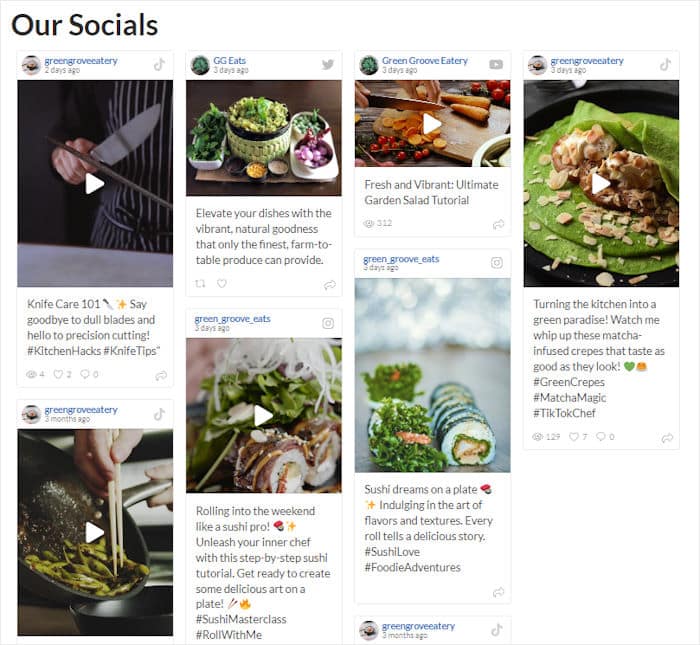
By combining Live X (Twitter) Broadcasts with hashtag feeds, you can create a dynamic command center for your next event.
- Virtual Product Launches: Embed your live stream at the top of a feed filtered by your product’s #hashtag to show real-time fan reactions alongside the video.
- Live Q&A Sessions: Encourage users to post questions. Your live broadcast will stay pinned at the top while the “Question Feed” updates automatically below it.
- Conference Hubs: Don’t just show a list of X posts; show the keynote speech live. This keeps attendees on your site longer and turns your landing page into the official event “second screen.”
Unlike expensive third-party aggregators that use “middle-man” hosting, Smash Balloon pulls the data directly to your site.
This means zero branding from other companies, faster load times, and total control over the CSS to ensure your “Event Wall” looks like a native part of your brand.
Official X (Twitter) Widgets vs. X (Twitter) Feed Pro
While you can technically generate a basic embed code via publish.twitter.com, there are significant drawbacks to using the official X (Twitter) widgets for live broadcasts.
| Feature | Official X (Twitter) Widgets | X (Twitter) Feed Pro |
| No-Code Setup | Requires manual HTML pasting | 100% Visual Editor |
| Live Broadcasts | Unreliable; often fails to “trigger” live | Automatic detection and instant play |
| Design Control | Locked to X (Twitter)’s branding | Matches your site’s fonts & colors |
| Post-Live Replay | Often disappears or breaks | Automatically saves as a replay |
| GDPR Compliance | Hard to control cookies | Built-in GDPR privacy features |
The Hidden Cost of “Free” Widgets
Using the standard widgets.twitter.com script can significantly slow down your site because it forces the browser to load heavy, unoptimized external resources.
Furthermore, if X (Twitter) changes their script architecture (which happens often), your “free” embed will simply break, leaving a blank space on your site.
X (Twitter) Feed Pro handles the API calls on the backend, ensuring your live streams load quickly and stay online even when X (Twitter)’s official widget scripts are lagging.
Boost Your Engagement — Schedule Live X (Twitter) Broadcasts Today
Already using Smash Balloon X (Twitter) Feed Pro?
Then you can simply head to your WordPress dashboard and update the plugin to the latest version. This will automatically enable the new live broadcast feature for your feeds.
Thinking about getting started with the plugin? Now’s the perfect time to make the switch and turn your website into a real-time engagement hub.
Get started with X (Twitter) Feed Pro today.
Finally, we’d like to give a special thanks to everyone in our community. Your ongoing support means a lot to us, and we’re going to keep providing you the tools you need to succeed on every social platform.