
The thought of getting tons of comments on Instagram sounds exciting, but the reality is more complex.
You post great content, wait for the comments to roll in, and… nothing. Just a few likes from your most loyal followers. We’ve been there too.
The biggest misconception about Instagram growth is that you need magazine-quality photos and a huge marketing budget to get results.
The truth is, most small business owners are leaving comments on the table simply because they’re missing a few key strategies.
We analyzed hundreds of high-performing posts and tested dozens of engagement tactics across different accounts to find out what truly works.
The difference between posts that spark real conversations and posts that are ignored has nothing to do with budget. It comes down to strategy.
In this guide, we’ll show you exactly how to get more comments on your Instagram posts. These are proven tactics you can start using today, no big budget required.
- What Gets You More Instagram Comments in 2026?
- Why Instagram Comments Matter More Than Ever in 2026
- 8 Proven Ways to Get More Comments on Instagram Posts
- 1. Ask a Direct, Easy-to-Answer Question in Your Caption
- 2. Use a Strong, Specific Call-to-Action (CTA)
- 3. Create "This or That" and Poll-Style Content
- 4. Reply to Every Comment
- 5. Post at the Right Time for Your Audience
- 6. Write Captions That Tell a Story or Share an Opinion
- 7. Run a Comment-to-Enter Giveaway or Contest
- 8. Embed Your Instagram Feed on Your WordPress Site With Smash Balloon
- 1. Ask a Direct, Easy-to-Answer Question in Your Caption
- How to Track Whether Your Comment Strategy Is Working
- Start Getting More Instagram Comments Today
What Gets You More Instagram Comments in 2026?
At Smash Balloon, we help thousands of WordPress site owners display and grow their Instagram presence directly from their websites.

After observing engagement patterns across thousands of accounts, one thing is clear: getting more comments in 2026 isn’t about luck — it’s about a repeatable system.
Here’s the short version:
- Ask a direct, easy-to-answer question in your caption
- Use a strong, specific call-to-action (CTA)
- Create “This or That” and poll-style content
- Reply to every comment you receive
- Post at the right time for your audience
- Write captions that tell a story or share an opinion
- Run a comment-to-enter giveaway or contest
- Embed your Instagram feed on your WordPress site with Smash Balloon
These are all strategies verified against Instagram’s algorithm behavior as of Q1 2026 and we’ll show you how to get started with these below.
Why Instagram Comments Matter More Than Ever in 2026
Because Smash Balloon’s Instagram Feed Pro plugin connects WordPress websites to live Instagram feeds.
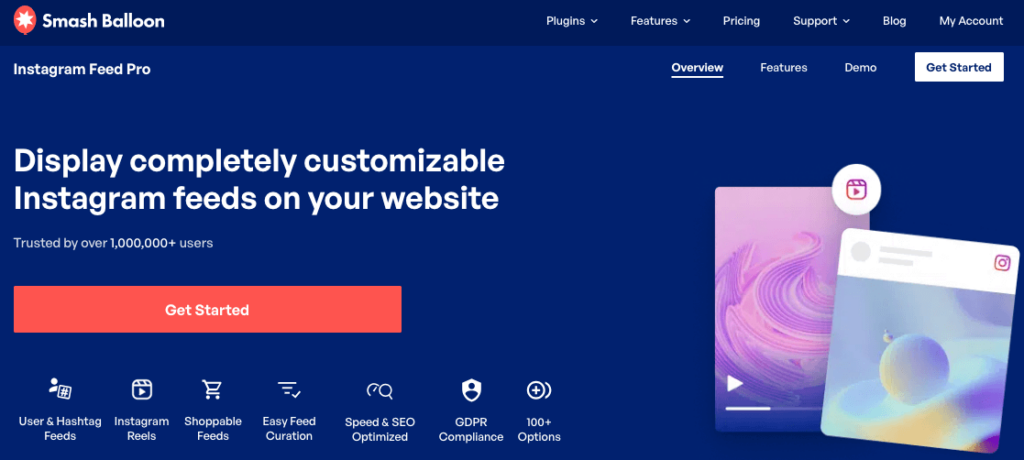
We have a front-row seat to how Instagram engagement behaves across thousands of accounts — from solo food bloggers to growing e-commerce brands.
What we see, time and time again, is that comments are the single biggest driver of expanded reach.
A post with 5 comments almost always outperforms a post with 50 likes but no comments.
According to Sprout Social’s Engagement Benchmarks, comment rates are a strong predictor of organic reach growth on Instagram.
And Meta’s own transparency resources confirm that content sparking “meaningful interactions” is prioritized in ranking.
In plain terms: when someone comments on your post, Instagram reads it as a sign that your content started a real conversation. Posts that start real conversations get shown to more people.
Comments vs. Likes: What the Instagram Algorithm Actually Prioritizes
When someone comments on your post, Instagram reads this as a sign that your content started a real conversation.
Basically, posts that start conversations get shown to more people. It’s supported by our observations and other sources like Social Champ and CreatorFlow.
Here’s how the different signals stack up:
| Engagement Signal | Algorithm Weight (Relative) |
|---|---|
| Likes | Low |
| Comments | High |
| Saves | High |
| Shares | Very High |
| Story Replies | Medium–High |
| DM Sends | High |
Comments rank near the top because they require the most effort from the viewer. A like takes one tap.
A comment takes thought, intention, and time. Instagram interprets that effort as a strong signal that your content is worth showing to a wider audience.
Why the First 60 Minutes Are Critical
The early engagement window is the first 30–60 minutes after you publish a post.
During this period, Instagram tests your content by showing it to a small slice of your followers. If that group engages — especially with comments — Instagram expands its reach significantly.
Think of it like a test audience. If your content gets a strong reaction from the first 10% of your followers who see it, Instagram rolls it out to the remaining 90%.
But if engagement is weak, reach stays limited.
This is one reason we built Instagram Feed Pro to display your most recent posts prominently on your website. That way, your warmest audience (your website visitors) can discover and engage with new posts during that critical window.

Your website visitors already know and trust you. That makes them far more likely to comment quickly, which is exactly what you need in those first 60 minutes.
8 Proven Ways to Get More Comments on Instagram Posts
At Smash Balloon, we’ve observed what separates high-comment accounts from stagnant ones. These 8 strategies reflect the patterns we see working consistently in 2026.
You don’t need to use all of them at once — but the more you stack, the stronger your results.
1. Ask a Direct, Easy-to-Answer Question in Your Caption
What it is: Ending your caption with a specific, low-effort question that gives followers an obvious reason to comment.
Why it works: Questions remove the biggest barrier to commenting — not knowing what to say. When you give someone a clear prompt, they don’t have to think twice. Instagram also reads the resulting comments as genuine conversation signals, which boosts your reach.

How to do it:
The difference between a question that gets comments and one that gets ignored usually comes down to specificity. Here’s a quick comparison:
The weak versions are vague. The strong versions tell the reader exactly what to type, making it effortless to respond.
Here are 7 ready-to-use caption questions organized by niche:
- Food: “Would you eat this for breakfast or save it for dessert? ? Tell us below!”
- Food: “What’s one ingredient you always have in your kitchen? Drop it in the comments!”
- Business: “What’s the best piece of business advice you’ve ever received? We’d love to hear it ?”
- Business: “What’s one thing you wish you knew before starting your business?”
- Lifestyle: “Morning workout or evening workout — which team are you on? ?️”
- Lifestyle: “What’s your go-to way to unwind after a long day? Tell us in one word!”
- General: “If you could only keep one app on your phone, what would it be and why?”
Pro Tip: Place your question at the very end of your caption, just before any hashtags. Readers naturally look there for a cue on what to do next. Pair it with a ? emoji to draw the eye down and signal that commenting is the expected next step.
2. Use a Strong, Specific Call-to-Action (CTA)
What it is: A call-to-action (CTA) is a short instruction that tells your audience exactly what you want them to do next — in this case, leave a comment.
Why it works: A generic CTA like “comment below” gives people permission to engage but no direction. A specific CTA like “Comment with your #1 tip for saving money below ?” tells them exactly what to type. The more specific the CTA, the lower the friction, which means more comments.

How to do it:
Think of it this way. “Comment below” makes the reader do all the creative work. “Drop your favorite emoji that describes your Monday ?” practically writes the comment for them.
To make this even easier, here’s a CTA swipe file you can copy and adapt for your own posts:
- “Comment [YES] if you’ve ever struggled with this ?”
- “Drop your #1 tip for [topic] in the comments — I’ll feature the best ones!”
- “Tag a friend who needs to see this ?”
- “Comment with the emoji that matches your mood right now!”
- “Tell me: [Option A] or [Option B]? Comment below!”
- “Save this post and comment ‘DONE’ when you’ve tried it!”
- “What’s your biggest challenge with [topic]? Tell me below and I’ll help!”
- “Comment your city below — I want to see where you’re all from ?”
- “Drop a ⭐ if you agree with this!”
- “Comment ‘SEND IT’ and I’ll DM you the free resource!”
Pro Tip: CTAs work even better when you promise a response., like “I’ll reply to every comment” or “I’ll feature the best answer.” You’re giving your followers a reason to participate beyond just engaging. People love to feel seen.
3. Create “This or That” and Poll-Style Content
What it is: A “This or That” post presents two options — usually side by side — and asks followers to pick one by commenting their choice.
Why it works: This format removes the “I don’t know what to say” friction entirely. When someone only needs to type “A” or “coffee” or “definitely option 2,” the barrier to commenting drops to almost zero. It doesn’t matter if it’s a one-word comment or a paragraph; both count as engagement signals that expand your reach.

How to do it:
Here’s the step-by-step process, even if you’ve never tried this before:
- Choose your two options. Pick two things your audience has a clear opinion about. This works best when there’s no obvious right answer. For example: “Iced coffee ☕ or hot coffee? Comment below!” works better than “Clean eating or junk food?” because both coffee options are equally valid choices.
- Create your image. Use a side-by-side layout with a clear “A” and “B” label, or simply use two contrasting photos. Free tools like Canva make this straightforward. A square (1:1) format works best for feed posts, while a 4:5 portrait format performs well for reach.
- Write your caption. Keep it short and direct. The image does most of the work. Something like: “A or B? Comment your pick below! ?” is enough. You can add a sentence of context if needed, but don’t overdo it.
- Post and engage immediately. As soon as comments start coming in, reply to each one quickly. This doubles your comment count and re-signals activity to Instagram during the early engagement window.
Some strong “This or That” examples across niches:
- Food blogger: Two recipe photos — “Pasta night A or pasta night B? ? Comment your vote!”
- E-commerce/fashion: Two product color options — “Drop a ? for blue or ? for black!”
- Business/lifestyle: “Work from home or office? One word answer below ?”
- Fitness: “Morning run or evening gym session? Tell me your pick!”
Pro Tip: You can run “This or That” posts as a series. Post one every week and track which option wins. Then share the results in a follow-up post — which itself becomes another comment opportunity. It’s a simple loop that keeps your audience coming back.
4. Reply to Every Comment
What it is: Making it a habit to respond to every single comment your posts receive — especially within the first hour of posting.
Why it works: Replying to comments does two things at once. First, it boosts the total number of comments and makes your post feel like an active conversation. Second, it tells the original commenter that you’re worth engaging with again, which makes them more likely to comment on your next post.

How to do it:
- Turn on Instagram notifications so you know the moment a comment comes in.
- Aim to reply within 60 minutes of posting. This maximizes the algorithm benefit during the early engagement window.
- Reply to every comment, even short ones. A thoughtful reply takes 10 seconds and pays off in repeat engagement.
- End your replies with a follow-up question whenever possible (see templates below).
The goal isn’t just to be polite, it’s to start a back-and-forth conversation. Here are 4 reply templates designed to generate a second reply from the original commenter:
- Instead of “Thanks! ?” → Try: “Thanks so much! Have you tried [related approach]? I’d love to know what worked for you!”
- Instead of “Glad you liked it!” → Try: “So happy this helped! What’s the biggest challenge you’re dealing with right now when it comes to [topic]?”
- Instead of “Great point!” → Try: “Yes! And I’d add — have you ever noticed that [related observation]? Curious if that’s been your experience too.”
- Instead of “❤️” → Try: “This comment made my day! Quick question — would you want me to do a deeper post on [related topic]? Drop a ✅ if yes!”
Pro Tip: If you get a flood of comments and can’t reply to all of them immediately, prioritize the earliest ones first. Those comments are still within or close to the early engagement window, and your reply there will have the most algorithmic impact.
5. Post at the Right Time for Your Audience
What it is: Scheduling your posts to go live when your specific audience is most active on Instagram.
Why it works: Even the best caption with a great question won’t generate comments if your audience is asleep when you post. Timing directly affects how many people see your post in the first 60 minutes, which is the critical window.
How to do it:
The most reliable way to find your best posting time is to check your own data using Instagram Insights.

Instagram Insights is the built-in analytics tool inside the Instagram app, available to anyone with a professional or business account.
Here’s how to find your audience’s most active times:
- Open the Instagram app and go to your profile page.
- Tap the three lines (menu icon) in the top right corner.
- Select Insights from the menu.
- Tap Total Followers to expand your audience data.
- Scroll down to the Most Active Times section.
- Toggle between Hours and Days to see when your followers are online most often.
Once you have this data, schedule your posts to go live during your top 1–2 activity windows.

If your audience is most active on weekdays between 7–9am and 6–8pm, those are your posting targets.
For general benchmarks, take a look at this guide with the best time to post on social media. The data here is based on industry research, but remember to keep your analytics in mind too.
Pro Tip: You can start scheduling your posts in advance directly from Instagram. This way, your content goes live at the optimal time even if you’re busy or in a different time zone.
6. Write Captions That Tell a Story or Share an Opinion
What it is: Using your caption to share a personal experience, an unexpected lesson, or a strong point of view — rather than just describing your photo or promoting your product.
Why it works: Storytelling captions work because they give followers something to react to emotionally. Just saying “New product alert — shop now!” gives followers nothing to respond with. But if you launch a product with a story about a comment that inspired you and ask for more ideas, people have a reason to reply.

When someone feels something reading your caption — curiosity, recognition, inspiration, even disagreement — they’re far more likely to type a response.
Accounts that use this approach consistently report deeper, more loyal comment communities than those that stick to promotional copy.
How to do it:
Use this simple caption formula to structure your story every time:
- Hook sentence — Start with a conflict, surprise, or unexpected statement that makes the reader stop scrolling. “I spent $3,000 on Instagram ads and got exactly zero new customers.”
- The story — Share 3–4 sentences of what happened. Be specific and honest. “It was six months after launching my bakery’s website. I had the ads running, the photos looked great, and I was convinced this was the breakthrough I needed. Three weeks later, the campaign ended. I’d gotten 14 clicks and one inquiry that went nowhere.”

- The lesson or takeaway — What did you learn? Make it useful. “What actually worked? Embedding my Instagram feed on my website using Instagram Feed Pro and letting my existing website visitors discover my content. Within a month, my comment count had tripled — from people who already trusted me.”
- The question — Close with a direct, easy-to-answer question. “Have you ever had a marketing tactic completely flop on you? Tell me in the comments — I want to hear I’m not alone ?”
Here’s that formula filled in with a fictional small business owner:
“I almost closed my candle shop last January. Sales had stalled, I hadn’t posted on Instagram in three weeks, and I was convinced no one cared. Then a customer messaged me out of nowhere: ‘I found you through your website and love your stuff — why haven’t you posted lately?’ I’d completely forgotten that my warmest audience wasn’t on Instagram first — they were on my website. I started posting consistently again, added a question to every caption, and my comments went from 2–3 per post to 30+. What’s one small thing that unexpectedly turned your business around? Drop it below ?”
Pro Tip: You don’t need a dramatic story every time. A strong opinion works just as well. “Unpopular opinion: posting every day on Instagram is making your engagement worse, not better, and here’s why” invites debate and gets comments from people who agree, disagree, and want to know more. All of those are wins.
7. Run a Comment-to-Enter Giveaway or Contest
What it is: A comment-to-enter giveaway is a contest format where people have to leave a comment for a chance to win. It’s one of the fastest ways to generate a high volume of comments in a short window of time.
Why it works: Giveaways create urgency and incentive. When there’s a prize on the line, even followers who never normally comment will show up. The comment-to-enter format keeps the barrier low since anyone can participate in seconds.

How to do it:
Use this simple giveaway checklist to plan your contest before you post:
- Prize selection: Choose a prize that’s genuinely valuable to your target audience — not just anyone. A $50 Amazon gift card attracts everyone. A product bundle from your own brand attracts your ideal customer and keeps the engagement relevant.
- Entry mechanic: Be specific. You can ask people to comment, follow you, tag a friend, and more. Make it clear what they have to do for a chance to win.
- Contest duration: 3–5 days is the sweet spot. Long enough to build momentum, short enough to maintain urgency. Always include a clear end date and time in your caption.
- Winner announcement method: State upfront how you’ll pick and announce the winner. “Winner chosen at random and announced in Stories on [date]” sets clear expectations and gives you a built-in follow-up post.
If you’re new to giveaways and contests, you can use a tool like RafflePress to make the whole process easier.
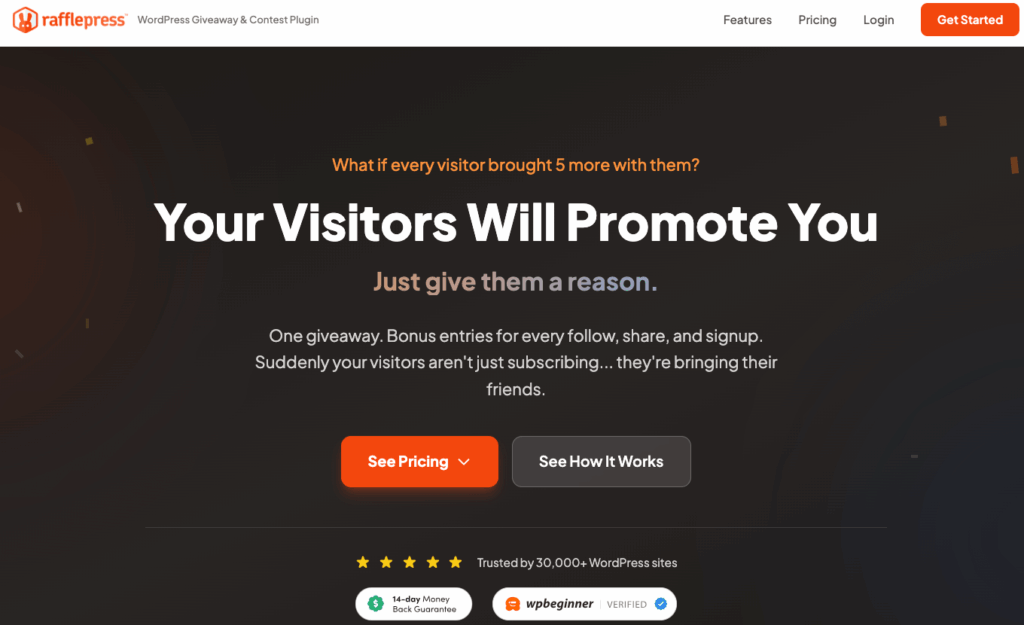
Once you set the rules up, it’ll automatically check if someone’s fulfilled the requirements, block fake entries, and randomly pick the winner.
You can also increase your chances of going viral by giving bonus entries to people who share the giveaway with others.
To learn more, take a look at this guide on how to run an Instagram giveaway.
⚠️ Important Note: Before running any contest on Instagram, make sure you comply with Instagram’s official Promotion Guidelines and any applicable local laws or regulations in your region. Most importantly, Instagram requires you to clearly state that your giveaway is not sponsored, endorsed, or administered by Instagram.
8. Embed Your Instagram Feed on Your WordPress Site With Smash Balloon
What it is: Instagram Feed Pro is a great WordPress plugin that lets you display your live Instagram feed directly on your website, turning visitors into engagement and followers.
Why it works: Most guides about getting more Instagram comments focus entirely on what you do inside the app. But if you run a WordPress website, you already have an audience that’s interested enough to spend time on your site. And now, you can connect them to your Instagram content.

This is what we call the website-to-Instagram engagement loop: your website visitors see your live Instagram feed → they get curious about your content → they click through to Instagram → they comment.
It’s a simple pipeline that most competitor articles completely ignore, and it can have a meaningful impact on your comment count without requiring you to post more frequently or spend money on ads.
How to set it up:
- Get Instagram Feed Pro and install it on your WordPress site
- Connect your Instagram account in a few clicks from your dashboard — no coding or API needed.
- Customize your feed layout to match your site’s design: colors, column count, image size, and more.
- Embed the feed on a high-traffic page or sidebar where your visitors will naturally see it.

Real-world example:
A food blogger embedded their Instagram feed on their recipe pages using Instagram Feed Pro. Visitors reading a recipe saw the blogger’s vibrant, live Instagram photos right on the page. What’s more, people on the blog also realized that they could reach the blogger on Instagram.
This meant a ton of people would open the Instagram posts from their website and make requests, ask questions, and offer suggestions. The blogger’s comment count and followers rose, all without spending money on ads.
For the full setup walkthrough, see our guide on How to Add an Instagram Feed to Your WordPress Website (Step-by-Step).
You may also want to check out our comparison of the Best Instagram Feed Plugins to Boost Engagement and see how Instagram Feed Pro stacks up against other options.
How to Track Whether Your Comment Strategy Is Working
At Smash Balloon, we always tell our users: don’t just grow your engagement — measure it. Here are the metrics that actually matter.
After putting all 8 tactics into practice, it’s natural to wonder whether they’re actually making a difference. Tracking the right numbers gives you a clear picture of what’s working, what isn’t, and where to focus your energy next.
Here are the key metrics to watch:
| Metric | What It Tells You | Where to Find It |
|---|---|---|
| Average comments per post | Your baseline engagement level and whether it’s trending up over time | Instagram Insights > Content You’ve Shared |
| Comment-to-like ratio | How well your content is sparking conversation relative to passive engagement | Calculate manually: total comments ÷ total likes per post |
| Comment response rate | How consistently you’re replying to comments (which affects repeat engagement) | Track manually by reviewing your recent posts |
| Reach per post | How many unique accounts Instagram is showing your content to | Instagram Insights > Content You’ve Shared > Reach |
| Website-to-Instagram click-throughs | How many visitors are clicking from your embedded feed to your Instagram profile | Feed Analytics by Smash Balloon |
Checking these numbers once a week is enough to spot meaningful trends. You don’t need to obsess over daily fluctuations — what you’re looking for is a consistent upward direction over 30–60 days.
Using Instagram Insights to Measure Engagement
Don’t worry — this is easier than it looks. Instagram Insights is built right into the app, and you don’t need any third-party tools to get started.
Here’s how to find your comment metrics step by step:
- Open the Instagram app and go to your profile page.
- Tap the three lines (menu icon) in the top right corner of the screen.
- Select Insights from the menu that appears.
- Tap Content You’ve Shared to see performance data for your recent posts.
- Tap on any individual post to see its detailed metrics.
- Scroll down to find the Comments count for that post, alongside likes, saves, shares, and reach.

To see your overall trends rather than individual post data, go back to the main Insights screen and tap Overview. This gives you a summary of your total interactions, reach, and follower activity over the last 7 or 30 days.
I recommend checking your comment data at least once a week and comparing it to the week before.
If you introduced a new tactic, note the date you started and look for a shift in your numbers 1–2 weeks later.
And this is just the in-built tool you get with Instagram. To take your growth to the next level, check out this list of the best social media analytics tools.
Using Smash Balloon to See Which Posts Drive the Most Click-Throughs From Your Site
Once your Instagram feed is embedded on your WordPress site, the natural next question is: are people actually clicking through?
Knowing which posts are pulling visitors from your website to your Instagram profile is just as important as the tactics you use to get comments.
This is where the Feed Analytics tool comes in.

Feed Analytics is included with the Smash Balloon All Access Bundle, which gives you access to all of Smash Balloon’s social media feed plugins at a huge discount.
With Feed Analytics, you can track three key metrics for your embedded Instagram feed — all without leaving WordPress:
- Clicks — how many times visitors clicked on a post in your embedded feed
- Views — how many times your embedded feed was seen by website visitors
- Profile visitors — how many people clicked through to your Instagram profile directly from your feed
What makes Feed Analytics especially useful is the flexibility it gives you.
You can filter your data by a specific time period to spot trends, view analytics for all of your feeds at once, or drill down into a specific feed to see how it’s performing on its own.

This matters because it closes the loop on Strategy 8. You’ll know not just that your feed is visible on your site — you’ll know whether your website visitors are actually clicking through to Instagram, where they can discover your content and leave a comment.
To get started with Feed Analytics, check out the Smash Balloon All Access Bundle.
Note: If you get the All Access Bundle, you also get the best social media feed plugins for Instagram, Facebook, X/Twitter, YouTube, and TikTok, along with Social Wall Pro and the #1 reviews aggregator plugin out there.
Start Getting More Instagram Comments Today
Here’s a quick recap of everything we covered in this guide:
- Comments are weighted more heavily than likes by Instagram’s algorithm — posts that spark real conversations get shown to more people.
- The first 60 minutes after posting are critical — early comment activity tells Instagram to expand your reach significantly.
- Asking a direct, easy-to-answer question in your caption is the single fastest way to lower the barrier to commenting.
- Replying to every comment doubles your comment count and signals ongoing activity to Instagram — making it one of the highest-return habits you can build.
- Embedding your Instagram feed on your WordPress site with Instagram Feed Pro creates a direct pipeline from your warmest audience — your website visitors — to your Instagram content.
Start with Tactic #1 today. Add a direct question to your next caption. It takes 30 seconds to write, costs nothing, and works immediately. After that, add the rest of the tactics one at a time. You don’t need to overhaul everything at once. Small, consistent changes compound into real results over 30–60 days.
If you run a WordPress website, the fastest way to funnel warm traffic to your Instagram is to embed your feed using Instagram Feed Pro.
Grab a copy of Instagram Feed Pro here to get started today!
Thousands of Smash Balloon users have seen their comment counts grow simply by making their Instagram content visible to the audiences who already trust them most — their website visitors.
You can set it up in under 10 minutes with no coding required.
If you found this guide helpful, bookmark it so you can come back to it as you work through each strategy.
And if you know another blogger, creator, or small business owner who’s struggling to get comments on Instagram, share it with them — these tactics work best when you have an accountability partner trying them alongside you.



