Social Wall
  Feed Analytics

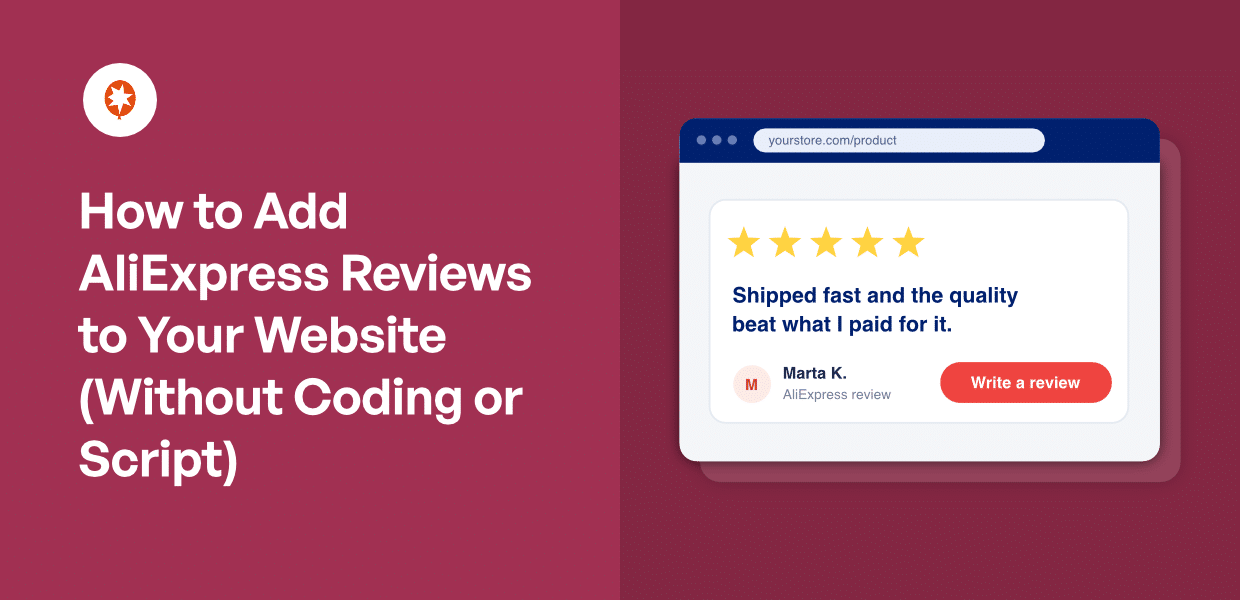
If you’ve ever tried to show AliExpress reviews on your store, you probably hit the same wall. Every search result points to a hosted widget. So you sign up for a free plan, paste a snippet, and move on.
Then one day the reviews are just gone. No warning, no error, no email.
Most people never find out why. Free plans limit how many times your reviews can show each month, and every page load counts.
A handful of shoppers going back and forth between products eats through it faster than you’d think. Once you hit the limit, the widget switches off until your next billing cycle.
There’s a bigger problem underneath that one. Those reviews were never yours. They live on the widget company’s server, and your page is just borrowing them.
You can put AliExpress reviews on your own site instead, where they stay. You don’t need an API key, a seller account, a developer, or any code. Just a link to the product.
In this Guide:
How to Add AliExpress Reviews to Your WordPress Site
All you need is the public AliExpress product URL, or the numeric item ID from that URL. No API key. No seller account. No AliExpress login, and no developer.
Here’s the whole process in four steps.
- Install and activate Reviews Feed Pro on your WordPress site.
- Head to Reviews Feed » All Feeds, click “Add New”, and pick AliExpress as your source. Paste the product URL.
- Choose a layout for your reviews.
- Embed the feed on your product page with a block, a widget, or a shortcode.
Your page now shows the review text, star ratings, buyer photos, and the product option each buyer chose.
That’s it. Your AliExpress product reviews now live on your own site.
Why Your AliExpress Widget Stops Showing Reviews
One day the reviews are there. The next day they’re not, and nothing on the page tells you why.
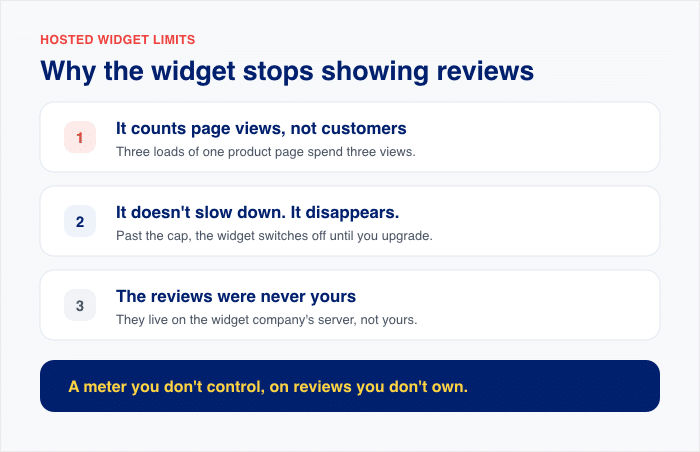
- It counts page views, not customers. Open the same product page three times, and you’ve spent three views. Every load of every product page carrying that widget counts against the same meter.
- It doesn’t slow down. It disappears. Once you pass the cap, the widget is switched off until your next billing cycle or an upgrade. Your product page just sits there with an empty space where the social proof used to be.
- The reviews were never yours to begin with. They live on the widget company’s server. Your page holds a snippet that asks for them, so there’s nothing to reuse, export, or combine with the WooCommerce reviews you’re hoping to start collecting.
I checked the pricing pages for the two hosted builders that dominate this search in September 2026. Both cap their free tier at the same number: 200 monthly views, on one widget.
One of them publishes its full paid ladder. Here’s what you’re actually buying, at list prices billed yearly:
- Free: 200 views a month
- $12/mo: 5,000 views
- $24/mo: 50,000 views
From there it keeps climbing through five more tiers, all the way to $224 a month for unlimited views.
Look at that list again. You’re not buying reviews. You’re buying a meter, and every tier above the free one is just a bigger number on the same meter.
Now put 200 views against your real traffic. On a modest store, that’s a day or two. You’d burn through it before the first week of the month is out, and the reviews would vanish for the other three.
Where the AliExpress Reviews Live When You Own Them
So where do the reviews actually sit if they’re not on somebody else’s server?
On your own site. Reviews Feed Pro fetches them from AliExpress once, then saves them there permanently.
The buyer photos and avatars come along too. They’re saved to your own server and served from there, so the images on your product page belong to you like every other image in your media library.
Nothing on the page phones home to a third party, and nothing outside your site is counting how many times your reviews get seen.
There’s a backup cache underneath all of it. If AliExpress goes down or starts throwing errors, your reviews stay on the page.
That’s the part worth caring about. Your product page keeps showing reviews on a day AliExpress doesn’t feel like cooperating, and nothing external is counting the loads.
Put your AliExpress reviews somewhere nobody can switch them off
Reviews Feed Pro pulls reviews onto your own site with just a product URL, and keeps them there. No view caps, no counters, no snippet borrowing them from someone else’s server. Backed by a 14-day money-back guarantee.
Get Reviews Feed ProSetting Up Your Feed
Ready to build it? Your first reviews land the moment you finish setup.
Start by installing Reviews Feed Pro on your site. Go to Plugins » Add New, upload the plugin file, activate it, then paste in your license key. AliExpress reviews are part of the Plus, Elite, and All Access plans.
Next, head to Reviews Feed » All Feeds and click “Add New”.
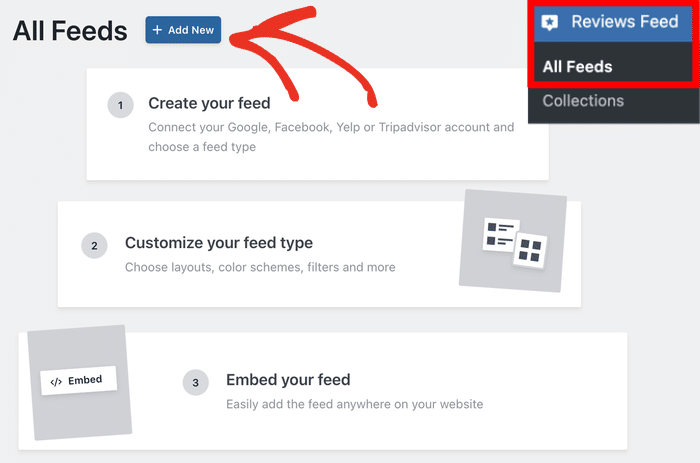
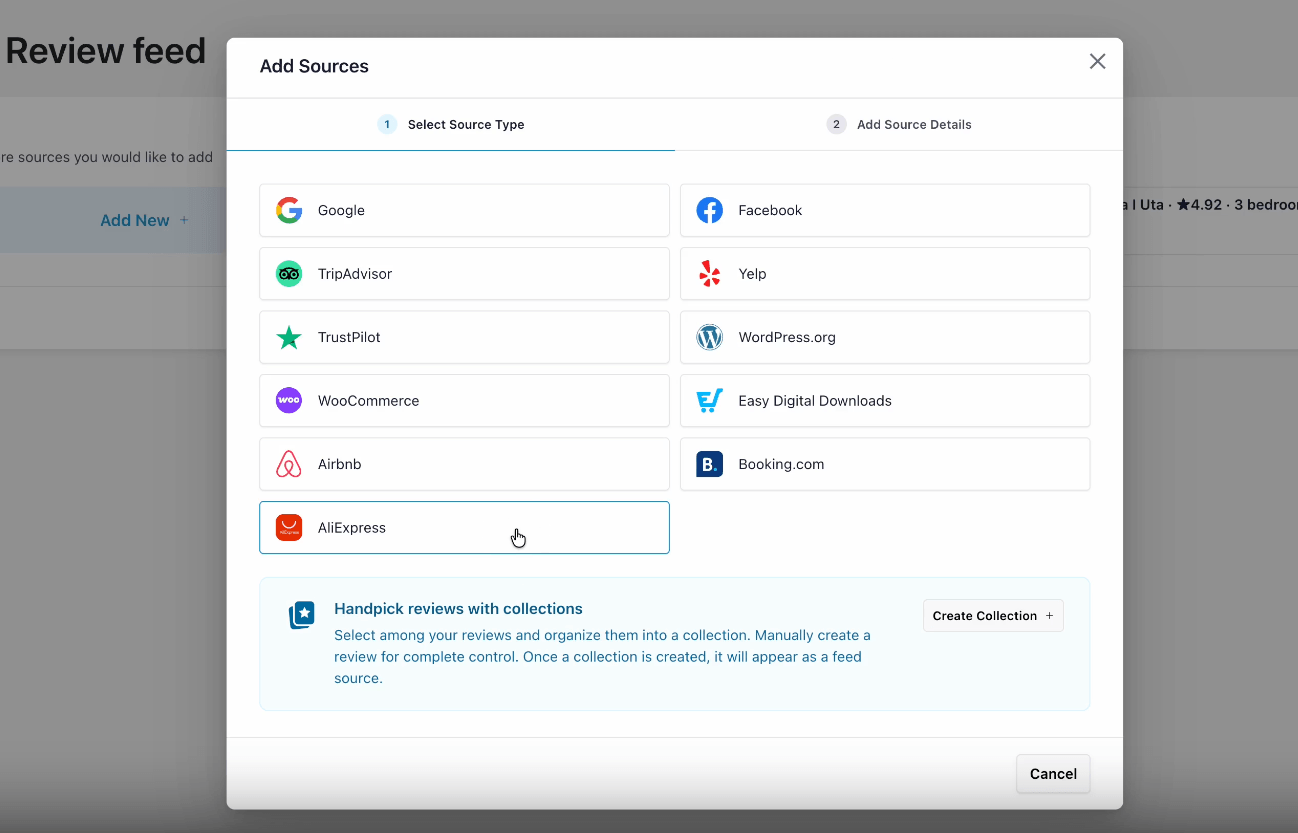
You’ll see a list of eleven sources, including Google, WooCommerce, Trustpilot, and Facebook.
Pick AliExpress from the options here.
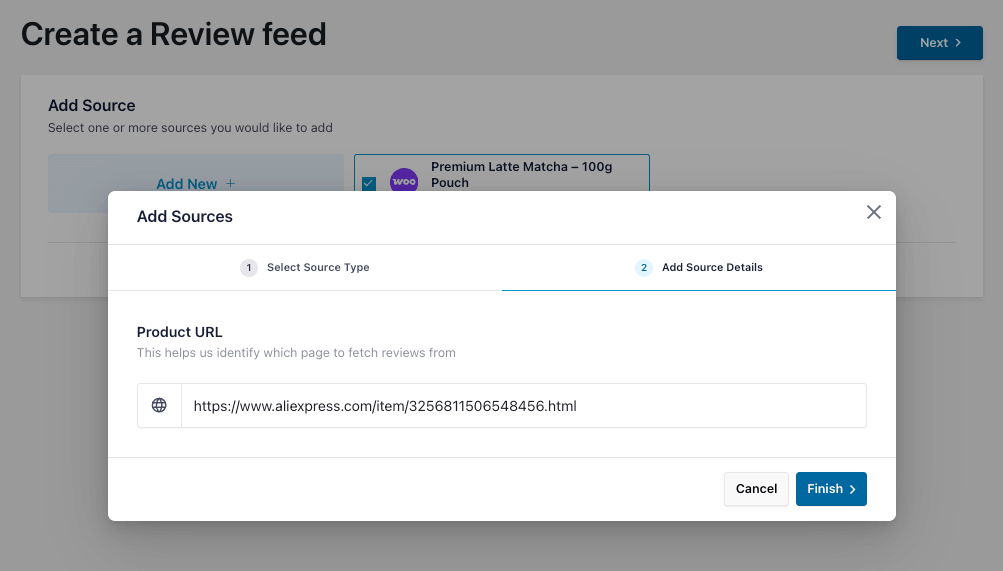
Next, enter the link to the product whose reviews you want to embed.
You can also use the numeric ID if you prefer. After you do that, click on Finish.
After that, just select this product as the source and continue. Your first batch of reviews lands right away.
More keep arriving after that, because the plugin backfills older reviews in the background over the following days and your feed fills out on its own.
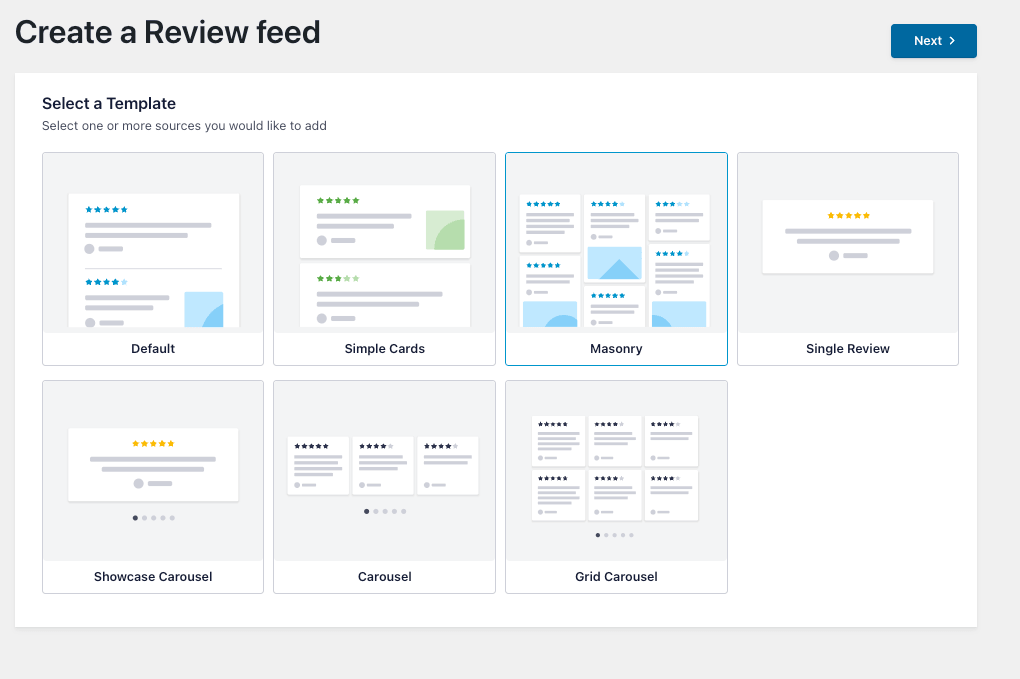
To quickly pick a design, you can select a pre-built template and click on Next.
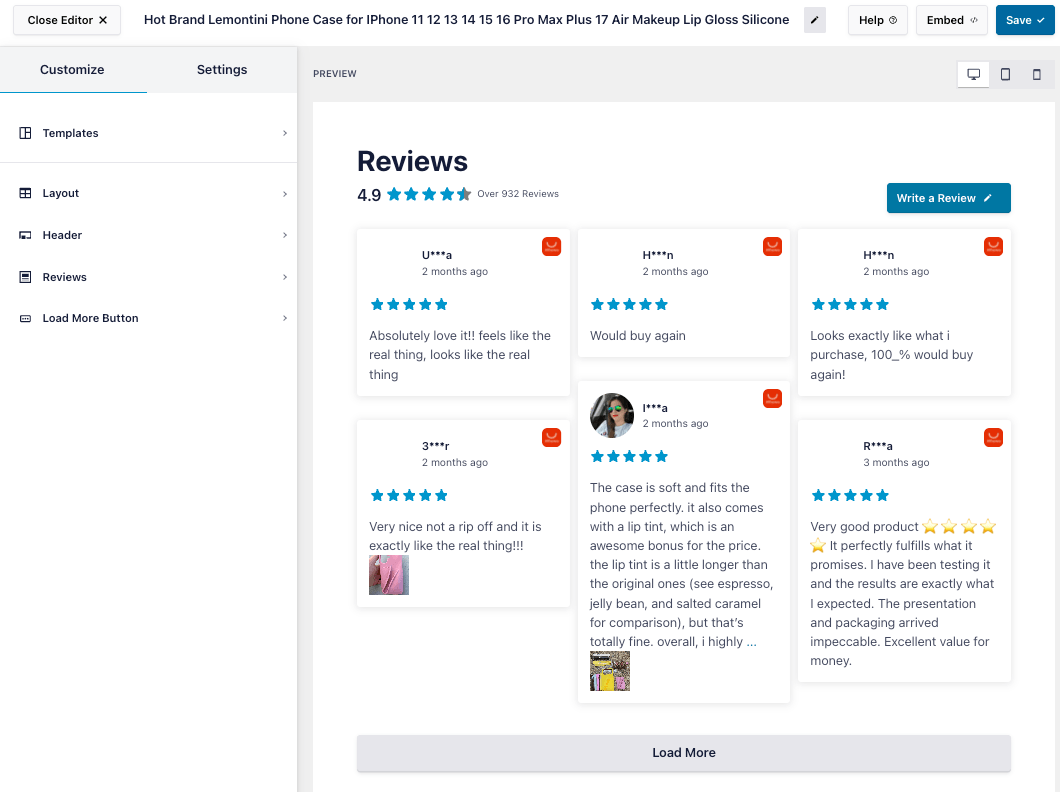
Now you can use the live customizer to design the feed in detail.
You’ll see your actual reviews as you click, not a dummy preview, so you can tell right away how the feed will sit next to your product images.
Last step: put it on the page. You’ve got four ways to do that, and they all show the same feed.
- Gutenberg block: Search for “Reviews Feed” in the block inserter and pick your feed.
- Elementor: Drag the Reviews Feed widget onto your Elementor page.
- Sidebar widget: Open Appearance » Widgets and add the “Reviews Feed” block.
- Shortcode: Paste the feed shortcode straight into any page or post.
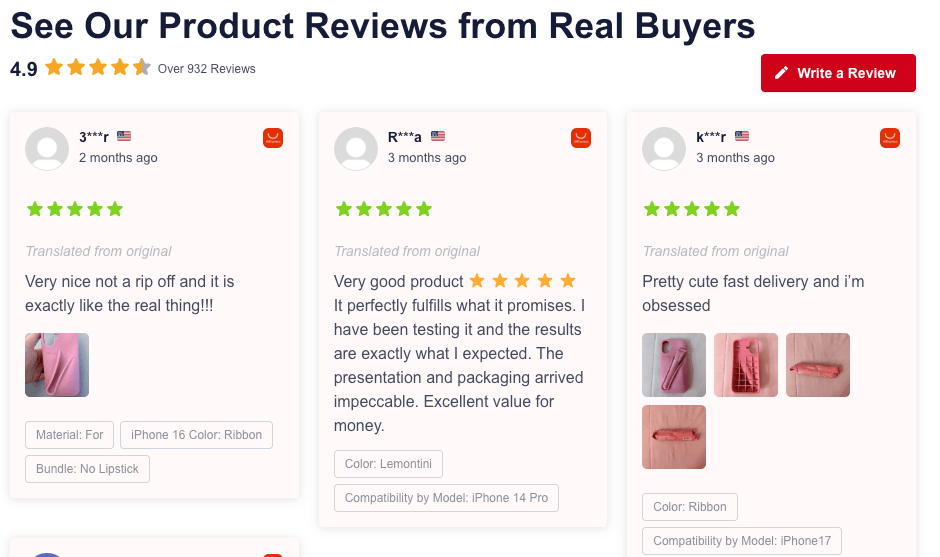
Here’s what makes this feel different from a generic widget. Each card carries the product option the buyer picked, like color or size, shown as a small pill.
You also get the buyer’s country, their uploaded photos, and any follow-up review they left weeks after delivery.
That’s the detail shoppers actually read before they buy. A hosted widget usually flattens all of it into stars and a sentence.
To learn more, you can check out this AliExpress reviews announcement post which goes into more detail.
Adding Your Own Reviews Alongside Them
AliExpress is one of eleven sources you can connect. The other ten are Google, Facebook, TripAdvisor, Yelp, Trustpilot, WordPress.org, WooCommerce, Easy Digital Downloads, Airbnb, and Booking.com.
That matters more than it sounds for a new store. The AliExpress reviews carry your product page while you have none of your own.
Then your first WooCommerce review lands, or your first Google review. You can create sources for those as well, and combine them with your AliExpress reviews as well.
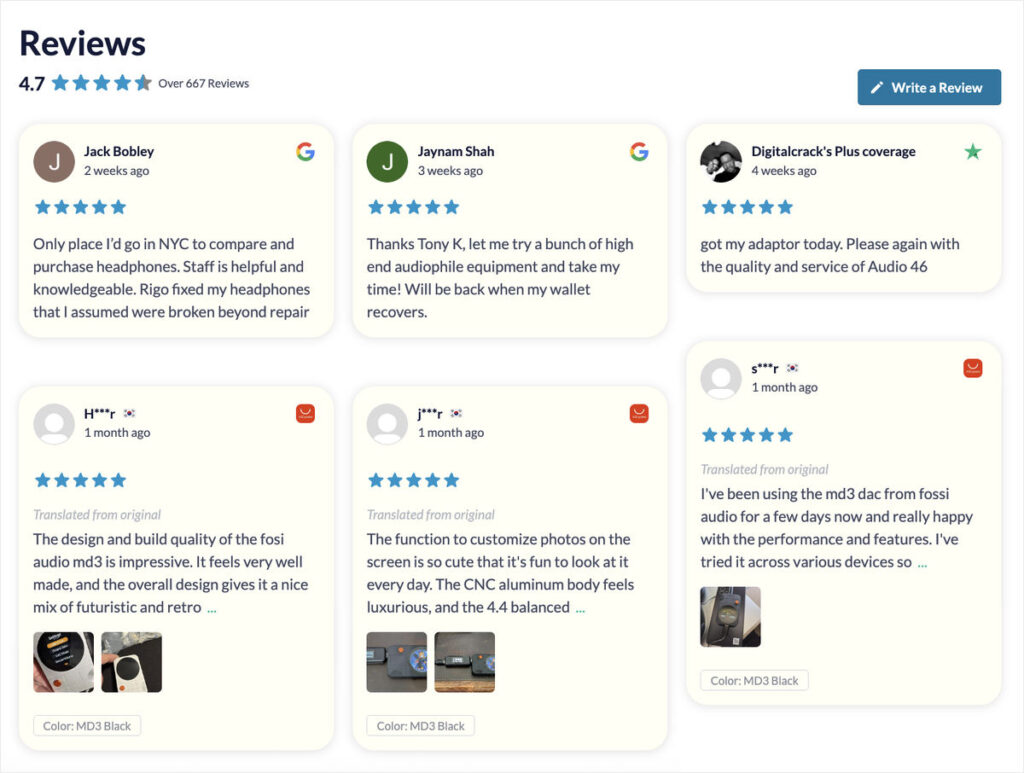
Every card carries a small badge showing which site it came from. So a shopper can tell at a glance which reviews came from the AliExpress listing and which ones came from your store.
That’s how you show supplier feedback without implying those buyers were yours. I’d also give the feed a heading that says it plainly, something like “What buyers say about this product” rather than “What our customers say”.
Frequently Asked Questions
Do I need a seller account or an API key?
No, you don’t need a seller account or an API key if you’re using Reviews Feed Pro. All you need is the public AliExpress product URL, or the numeric item ID from inside that URL.
Why did my reviews stop showing partway through the month?
Your reviews stopped showing because you hit the view cap on a hosted widget. Once you pass the cap, the widget is switched off until the next billing cycle. A feed on your own site has nothing to meter, so it never switches off.
Is there a free AliExpress reviews widget?
Yes, hosted builders do offer free tiers, but you’re trading a lot for them. Both of the main ones give you 200 views a month, one widget, and the builder’s branding sitting on your product page. Reviews Feed Pro takes a different route: AliExpress reviews start on the Plus plan.
Does this work with my theme and page builder?
Yes, this works with any theme and any page builder. You can embed the feed with a Gutenberg block, an Elementor widget, a sidebar widget under Appearance » Widgets, or a shortcode. All four show the same feed. The shortcode is the only one that involves pasting anything, and it goes straight into a page or post like any other content.
How often do new reviews come in?
New reviews come in on a schedule, without you touching anything. The plugin fetches from AliExpress in the background and backfills older reviews over time. So a feed that looks thin on the day you set it up keeps filling out on its own.
Start Showing AliExpress Reviews on Your Store
A widget leaves your reviews on somebody else’s server and counts every time they show. Hit the number, and they stop showing.
A feed puts the same reviews on your own site. Nothing counts them, so they keep showing no matter how much traffic your product pages get.
You’ll want Reviews Feed Pro at Plus or above, since that’s the plan where AliExpress Reviews lives. Grab it, paste in a product URL, and your first batch of reviews lands today.
Already running Instagram, Facebook, or YouTube feeds too? The All Access Bundle covers all of them on one license.