Social Wall
  Feed Analytics

How to pull the reviews customers leave on your Easy Digital Downloads products into a feed anywhere on your site.
If you run a digital storefront on Easy Digital Downloads, the reviews customers leave on your products are some of the most credible content you can put in front of a new visitor. The problem is that those reviews live at the bottom of each download page, where most shoppers never scroll. Reviews Feed Pro pulls reviews from your EDD downloads into a customizable feed you can place anywhere on your site, including your homepage, a dedicated testimonials page, a sidebar, or a checkout reassurance block.
This guide walks through pulling EDD reviews into a Reviews Feed Pro feed for the first time.
This feature requires three things to be active on your site: Reviews Feed Pro (the EDD integration is part of the Pro version), Easy Digital Downloads (the base plugin), and the EDD Reviews extension from Easy Digital Downloads (the paid addon that enables reviews on your download products). Without the EDD Reviews extension installed, the Easy Digital Downloads option in the source picker stays disabled.
Before You Start
Confirm two things on your site:
- EDD Reviews is installed and active. Open Plugins in WordPress admin and look for “Easy Digital Downloads, Reviews”. If you don’t see it, install it from your EDD account before continuing.
- At least one download has an approved review. Without approved reviews, the feed will pull in posts but have nothing to display. The fastest way to seed a review is to visit a download’s public page and submit one via the review form at the bottom; approve it from Downloads, Reviews in the WP admin if your settings require moderation.
You can confirm the review count on each download from the Downloads, Reviews admin page or from the source picker’s download list, which shows the review count next to each download.
Step 1. Create a New Feed
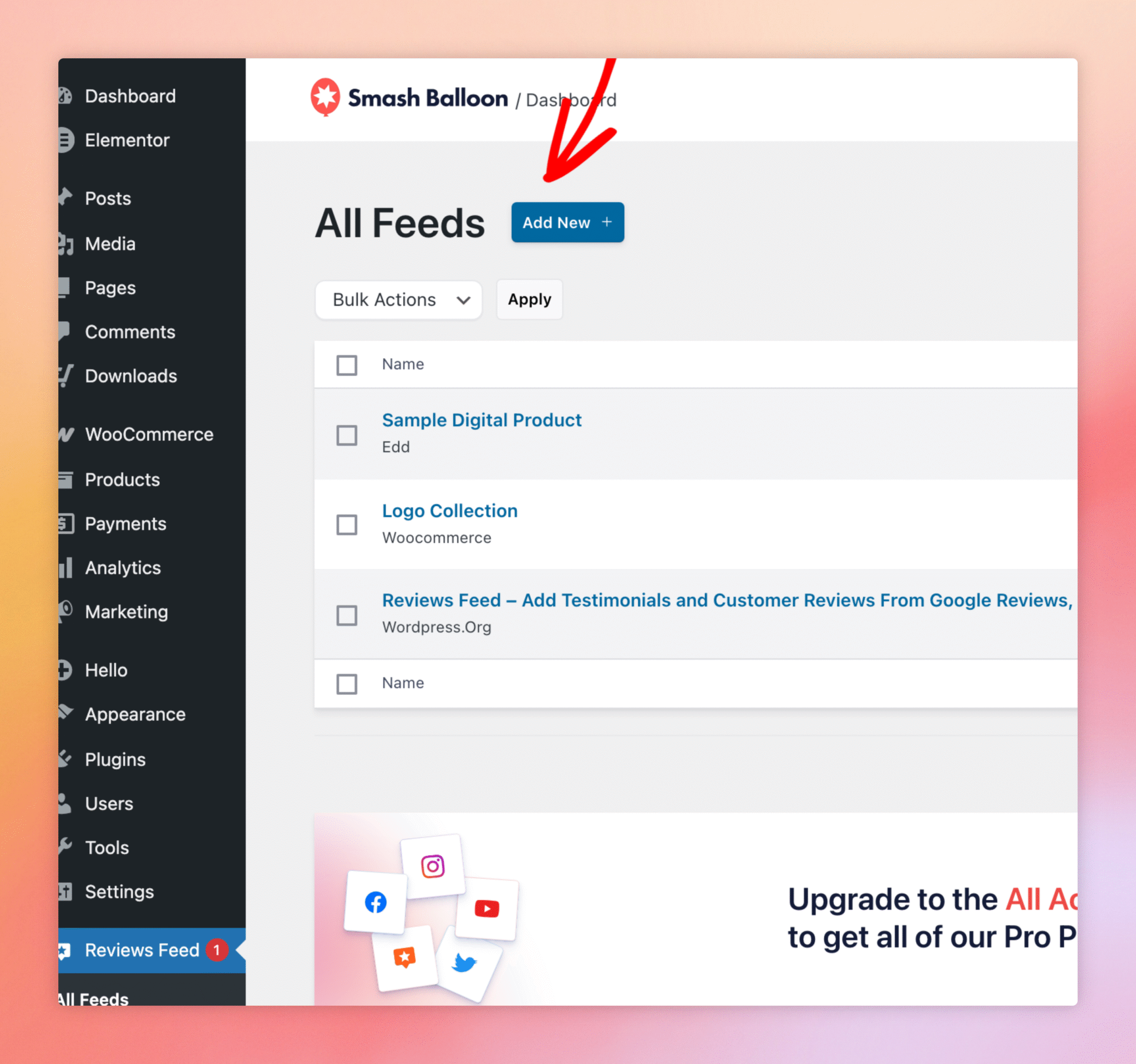
From the WordPress admin sidebar, click Reviews Feed, All Feeds. To create a new feed, click the Add New button in the top-right.
Step 2. Pick Easy Digital Downloads As The Source
The next screen asks which source to pull reviews from. Click Add New under Add Source to open the Add Sources picker, then click Easy Digital Downloads.
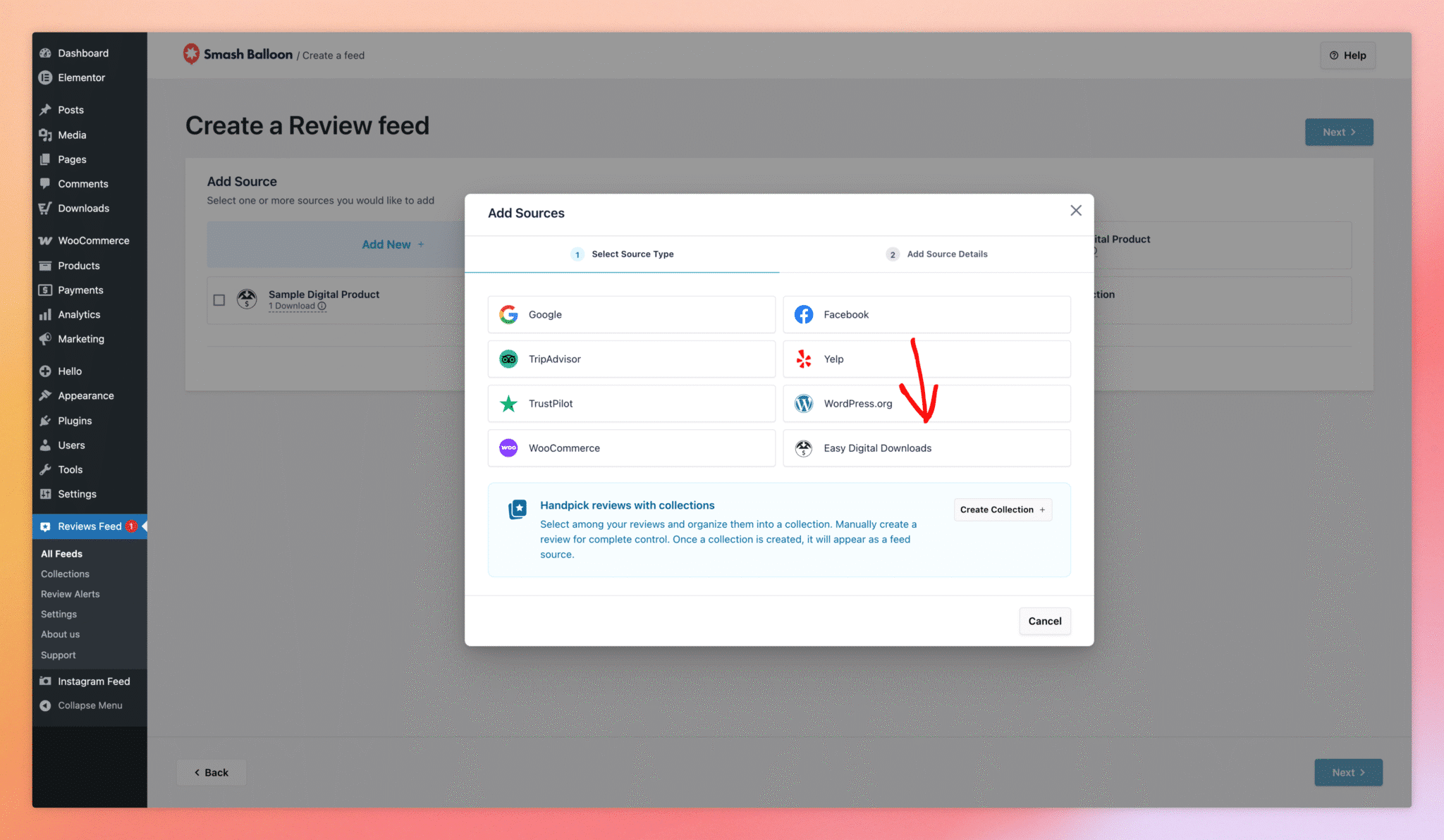
Click Next to advance to the Add Downloads sub-step.
Step 3. Select Which Downloads To Include
Reviews Feed Pro lists every published download on your site, with the current approved-review count next to each one. Tick the checkbox next to any download whose reviews you want included in the feed. You can pick a single download (for a per-product testimonials feed) or check several to build a store-wide reviews feed.
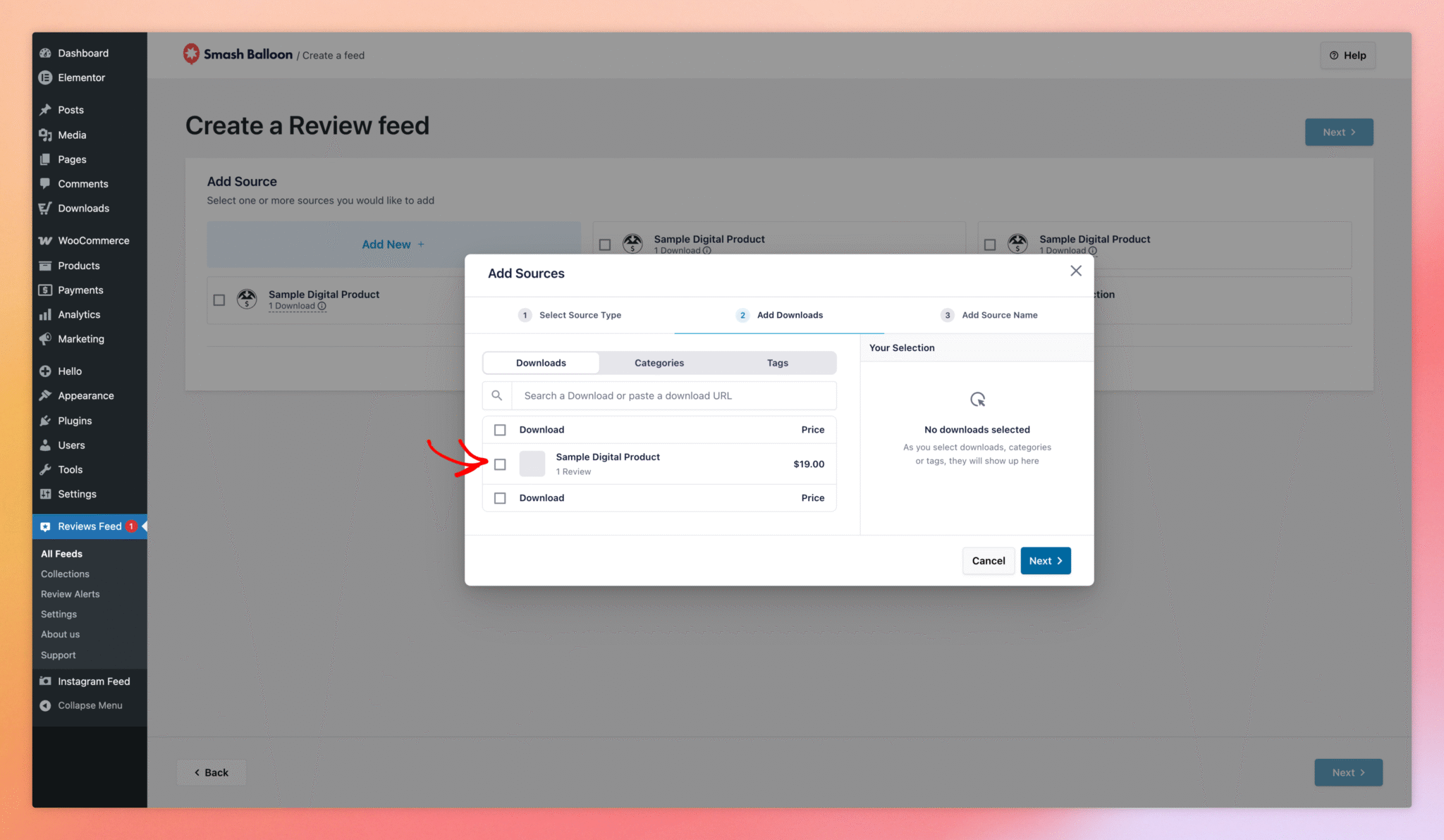
Click Next to advance to the Add Source Name sub-step, give the source a memorable name (for example, the product name or “All EDD Reviews”), and click Next again. The source then appears as a chip on the Create Feed page. Click the chip to include it in the new feed, then click the top-level Next to enter the feed customizer.
Step 4. Customize Your Feed
After the wizard completes, the feed opens in the customizer. The left sidebar holds the Templates, Layout, Header, Reviews, and Load More Button sections, with the rest of the standard Reviews Feed Pro controls in between. The right side shows a live preview of how your feed will render on the front end, including each reviewer’s name, date, star rating, review text, and (when configured) avatar image.
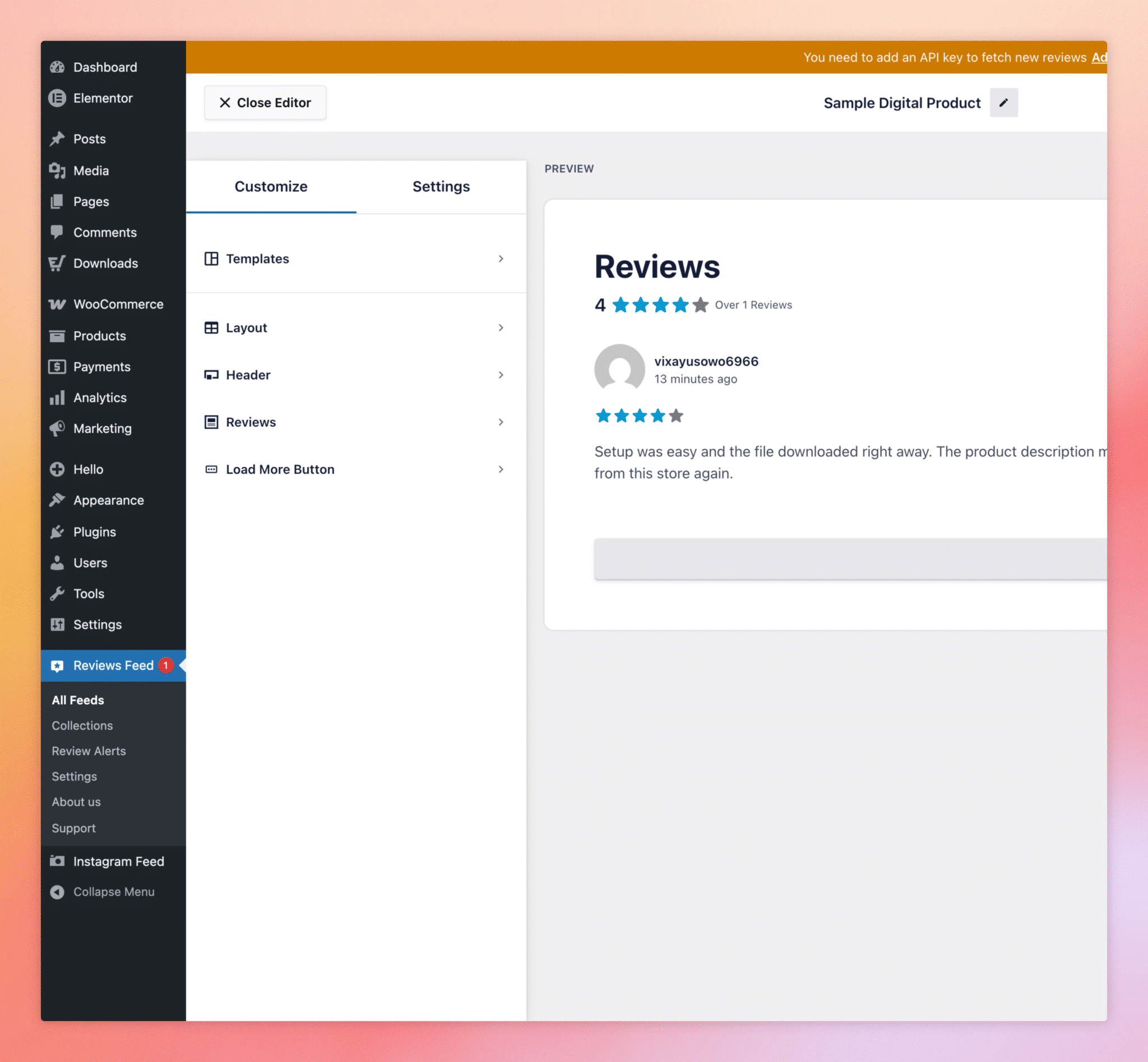
Save the feed with the Save button in the top-right of the customizer. Once it’s saved, the feed is ready to embed on any page. The recommended way is via the Reviews Feed block: click Embed, then Add to a Page to launch the WordPress block editor with the feed already inserted. The shortcode (for example, [reviews-feed feed=1]) is also available for the Classic Editor or custom theme templates.
Do I need an EDD Pro license to use this?
No. The base (free) Easy Digital Downloads plugin works fine. What you do need is the EDD Reviews extension, which is a separate paid addon from EasyDigitalDownloads.com.
Will reviews pending moderation show up in the feed?
No. Only reviews that EDD Reviews has approved are pulled into the feed. Pending and spam reviews are excluded.
Can I display reviews from only a single download?
Yes. In the Add Downloads sub-step, check just the one download you want; the source becomes that single product’s reviews. Useful for putting a product-specific testimonials block on its sales page.
Does the feed update automatically when new reviews are submitted?
Yes. Reviews Feed Pro re-reads EDD review data on a schedule and updates the feed; you don’t need to refresh anything manually.
Can I mix EDD reviews with reviews from other sources (Google, Trustpilot, WooCommerce) in the same feed?
Yes. Add another source on the same feed and Reviews Feed Pro will merge the reviews into a single combined feed, ordered by date.
Why is Easy Digital Downloads greyed out in the source picker?
It means the EDD Reviews extension isn’t active. Install and activate it from Plugins, then revisit the source picker.