Social Wall
  Feed Analytics

How to create a Facebook video feed from a specific playlist, by choosing the Videos option and the right page.
Note: If this is your first feed, and you need additional information on how to do it, please follow this guide.
1) Create a new feed, and select the “Videos” options.
2) Select the page where the playlist is located.
Note: If you have not created a playlist yet, you can follow this guide from Facebook.
3) Select the template that you would like to use.
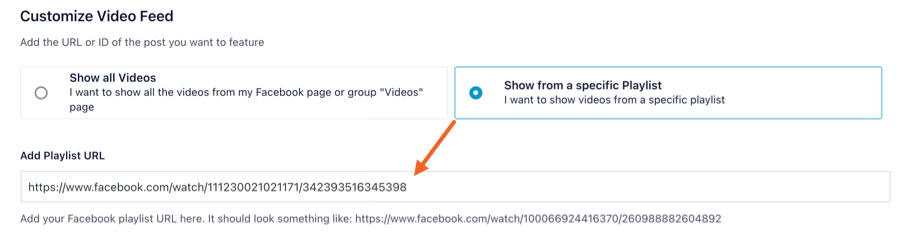
Troubleshooting:
If you get the error “Couldn’t fetch the playlist, please make sure it’s a valid URL” check that you are adding a playlist from a page that you have access to, and it’s included in your Access Token.

To show a playlist from a page that is not connected to the plugin, that page needs to be connected first, and the connection has to be made by someone with a role on it. Ask the page owner to give you a role on the page, then add it as a source using your own Facebook profile. Our guide on connecting a page for a client covers the other options.