


 Social Wall
  Feed Analytics

See Facebook Feed Pro in Action
Get the Plugin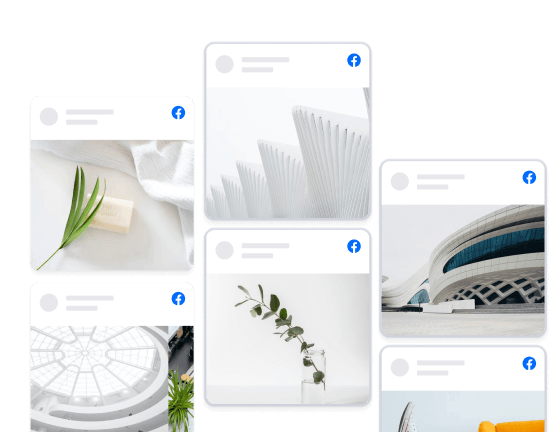
Columns
Showcase your posts in a beautiful full page Columns layout. Easily customize the appearance in just a few clicks to change the number of columns, which content is displayed, post styles, and much, much more.
Trusted by over 250,000 users
 Rated 4.9/5 on
 WordPress

 (@bidonme)
(@azvhv)
(@bidonme)
(@azvhv) 
 (@swhittier64)
 (@Spanky_McMuffin)
 (@victoryfitclub)
(@swhittier64)
(@ourcommonhour)
(@victoryfitclub)
(@swhittier64)
(@ourcommonhour)
 (@NCulpitt)
(@victoryfitclub)
(highwirecreativ)
(keneastwood)
(@dpilutti)
(@NCulpitt)
(@victoryfitclub)
(highwirecreativ)
(keneastwood)
(@dpilutti)
8 reasons why our customers love Facebook Feed Pro

We build our plugins so that anyone can use them. No complicated setup steps, no headaches.

All our plugins are highly customizable and provide tons of options to configure or style your feed.

Websites should be fast. That means your Facebook feed should be too. Speed is one of our top priorities.

All Facebook posts are embedded into your page source code, which means regularly updated Googlebot-readable content.

All of our plugins include integrations with popular privacy consent plugins and a one-click GDPR setting.

Easily remove posts from your feed you don't want to show, or block specific words or phrases.

Built with rock solid reliability in mind so your feeds don't go down when the rest of the web does.

We're not just in the plugin business, we're in the customer support business! And pride ourselves on it.
Learn more about our feeds
Facebook Photo Feeds
Facebook Photo feeds are an effortless way to keep your website photo galleries fresh and up to date. Just upload photos to your Facebook page and they’ll automatically appear right on your website.
Facebook Video Feeds
Facebook Video feeds are an effortless way to keep your website video galleries fresh and up to date. Just upload videos to your Facebook page and they’ll automatically appear right on your website in full HD.

Add Customizable Facebook Feeds to Your Website
Looking for the easiest way to add Facebook feeds to your WordPress site?
By embedding Facebook feeds on your website, you can easily engage your visitors and convert them into paying customers.
On top of that, you can also get more interactions on your Facebook posts to give your brand’s image a boost.
And to make it as easy as possible, we at Smash Balloon have created a Facebook feed plugin that combines powerful features with ease of use.
Using our Custom Facebook Feed Pro plugin, you can quickly create engaging Facebook feeds in just a few clicks – no need to touch a single line of code!
Your visitors can also use the like, comment, and share buttons to interact with your Facebook content directly from your WordPress website.
Plus, Smash Balloon’s Facebook feed plugin can also enable Facebook feed columns for your WordPress site.
That way, you can engage your visitors with tons of Facebook posts at once. You can even show your Facebook photos in a beautiful gallery using this feed layout.
Since Custom Facebook Feed Pro is so easy to use, you can learn how to link Facebook feed to WordPress and get tons of engagement in no time.
After that, you can easily promote your Facebook group or page, boost your SEO, get more sales, and much more.
Just check out our guide on how to add Facebook feeds to WordPress and get started today.
Frequently Asked Questions
Will upgrading affect my current Facebook feed?
Not at all. Your current feed will continue working exactly as it does now. Upgrading gives you access to additional content types, layouts, and customization options but nothing will break or disappear.
What’s the main difference between Lite and Pro?
Lite allows you to display basic Facebook page posts. Pro expands this with photo and video feeds, popup lightboxes, engagement display (likes, shares, reactions), albums, events, filtering tools, and more advanced layouts.
Can I display photos, videos, and albums with Pro?
Yes. Pro lets you display full photo and video feeds, create auto-updating album galleries, and showcase HD videos and Live content directly on your website.
Can I show likes, reactions, and comments on my site?
Yes. Pro allows you to display reactions, shares, comments, and replies so visitors can see real engagement, helping build trust and credibility.
How do I know which plan to choose?
Choose Basic if you want advanced layouts, engagement display, and unlimited Pro feeds for one site. Plus is ideal if you need albums, comments, filtering tools, and more flexibility across multiple sites. Elite is best if you want Events feeds, premium extensions, and priority support. If you manage multiple sites or use several Smash Balloon plugins, All Access offers the most value.

Start leveraging your Facebook feed to grow your business
Get started with your first feed in minutes
Most enquiries aren't lost on price, they're lost in the hours between the question and the answer.
A website chat button that opens WhatsApp moves the whole thread into the app you keep open anyway, so the reply happens in a gap you already have.
Same for trades quoting from a van, clinics juggling a front desk, anyone whose form lands in an inbox nobody has time to sit in.
How long does a form enquiry usually sit before you see it?
#smallbusiness #whatsapp #wordpress #customerservice #websitechatbutton … See MoreSee Less
0 CommentsComment on Facebook
Your easiest sale is a customer who already bought from you once, and your contact form treats them exactly like a stranger.
Nothing they told you last time is in front of you, so they explain the whole thing again, or they don't bother.
Every other conversation in your life keeps its history. That one resets by design.
How many repeat customers have introduced themselves to you twice?
#wordpress #smallbusiness #customerservice #livechat #wordpresschatplugin … See MoreSee Less
0 CommentsComment on Facebook
Most small business owners can't change a single thing on their own site, and they usually find out the day they need to.
The photos were uploaded once, by somebody else, and the page has been frozen there ever since.
The one part you can keep current without a developer is the feed of the account you're already posting to.
When did your site last say something new?
#wordpress #smallbusiness #websitetips #wordpressupdates #updatewordpressautomatically … See MoreSee Less
0 CommentsComment on Facebook
Two businesses get the same enquiry on the same afternoon, and the better one doesn't always get the job.
The customer messaged both and hired whoever answered first. To get more leads from your website, shorten the distance between their question and your phone.
You're not losing work on skill. You're losing it on where the message landed.
Time how long a message takes to reach your pocket.
#leads #smallbusiness #wordpress #websitetips #customerservic … See MoreSee Less
0 CommentsComment on Facebook
Your best reviews are sitting on a page your customers are never going to visit.
The fix isn't collecting more reviews. You've got them. Embed Google reviews on your website and the proof lands where the decision gets made.
Nobody has to leave the page to check whether you're any good.
Look at your homepage and ask where the proof is.
#googlereviews #smallbusiness #wordpress #websitetips #reviews … See MoreSee Less
0 CommentsComment on Facebook
Most chat buttons look like somebody else bolted them onto the site, and visitors can tell.
Wrong shade of green, wrong corner, a generic bubble that reads like an advert. Even a free live chat WordPress plugin should carry your colour, your shape and your icon.
Trust is the entire job of that button.
Open your site and look at the corner.
#livechat #wordpress #branding #smallbusiness #websitetips … See MoreSee Less
0 CommentsComment on Facebook
Most people put this off because they assume it's a developer job.
Install, connect the account once, drop the feed on the page. To add an Instagram feed to WordPress or Elementor you're picking from options, not writing anything.
Start to finish, under five minutes.
Block out ten minutes tonight and see how far you get.
#instagramfeed #elementor #wordpress #wordpresstips #smallbusiness … See MoreSee Less
0 CommentsComment on Facebook
Every small business website has a Contact Us page, and almost nobody uses it.
It's a locked front door with a note telling you to write in. A website WhatsApp chat button puts the way to reach you on every page instead.
One tap, their own messaging app, question asked, done.
Count the clicks it takes to ask you something right now.
#whatsappchatbutton #whatsappbusiness #smallbusiness #wordpress #websitetips … See MoreSee Less
0 CommentsComment on Facebook
There's a tell that shows whether a website was finished or just assembled.
Scroll to the photos. Grey box, wrong font, pushed too far left, that's a pasted embed. Knowing how to add an Instagram feed to a WordPress website properly means you pick the styling, not the app.
Same photos, completely different signal.
Open yours on your phone and have a look. #instagramfeed #wordpress #webdesign #smallbusiness #wordpresstips … See MoreSee Less
0 CommentsComment on Facebook