Social Wall
  Feed Analytics

How to check which Facebook page an access token belongs to, so you can confirm it matches the page you want to display.
To check which Facebook page your Access Token is for, you can enter it into the tool here. It will show the Facebook page that the Access Token is for on the third line, as shown below.
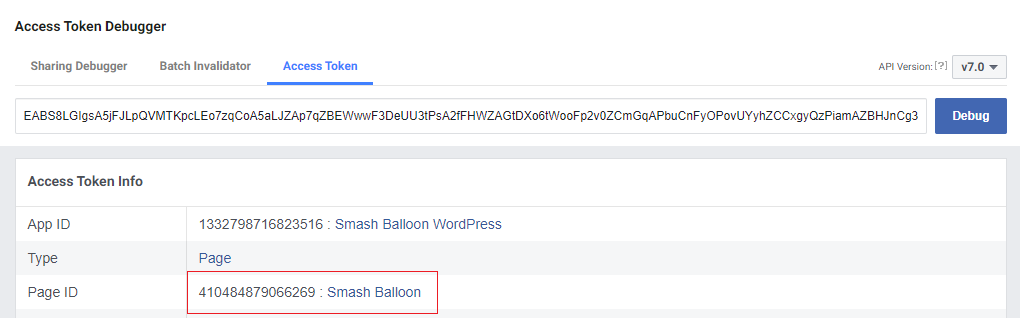
If the token is not for the Facebook page that you are trying to display a feed from, then simply click the “Connect a Facebook account” button on the plugin settings page to connect your account.