Social Wall
 Feed Analytics


Would you like to know whether you need to reconnect your Instagram account to keep your feed updating?
In this guide, we’ll show you which Instagram sources Instagram Feed renews on its own and how often it renews them. We’ll also cover what to do when a connection stops working.
Before you get started, make sure Instagram Feed Pro is installed and activated on your WordPress site.
Here is what we will cover.
- Knowing Which Sources Renew on Their Own
- How Does the Renewal Work?
- Checking Your Source
- Fixing a Connection That Stopped Working
- Frequently Asked Questions
Knowing Which Sources Renew on Their Own
Instagram Feed connects to Instagram with an access token, a key that Instagram gives your site when you connect a source. How long that token lasts depends on how you connected the source.
- A Business Basic source connects through Instagram. Meta’s rule is that its token stops working after 60 days unless it’s renewed. Instagram Feed renews it for you.
- A Business Advanced source connects through Facebook. Instagram Feed doesn’t track an end date for its token and doesn’t renew it. It keeps working until Facebook or Instagram stops accepting it. This happens, for example, after the account’s password changes or the Smash Balloon app is removed from the account.
Personal sources stopped working in December 2024. If you still have one, its card in Manage Sources shows Action required. Reconnect as a business account.
To fix it, see how to reconnect a Personal source as Business Basic or Business Advanced.
Next, we’ll look at how the renewal works.
How Does the Renewal Work?
You don’t need to do anything to renew a Business Basic token. Here is how Instagram Feed does it.
- Twice a day, Instagram Feed looks for Business Basic sources whose token has less than 40 days left. This way, the renewal starts well before the token ends.
- Each time, it tries to renew up to five of those sources, starting with the one that ends soonest.
- Instagram sends back a new token with a new end date, and Instagram Feed saves it in place of the old one.
- When a feed checks Instagram for new posts, Instagram Feed also checks its Business Basic source. It tries to renew the token if it has less than 40 days left. This is a backup in case the twice-a-day check doesn’t run.
The twice-a-day check is a WordPress scheduled task (WP-Cron). WordPress runs scheduled tasks when someone visits your site. On a site with few visitors, the check can run later than planned.
To learn more, see WPBeginner’s guide on how to view and control WordPress cron jobs.
Next, we’ll show you where to check your source.
Checking Your Source
To see your connected sources, follow these steps.
- In your WordPress dashboard, go to Instagram Feed » Settings.
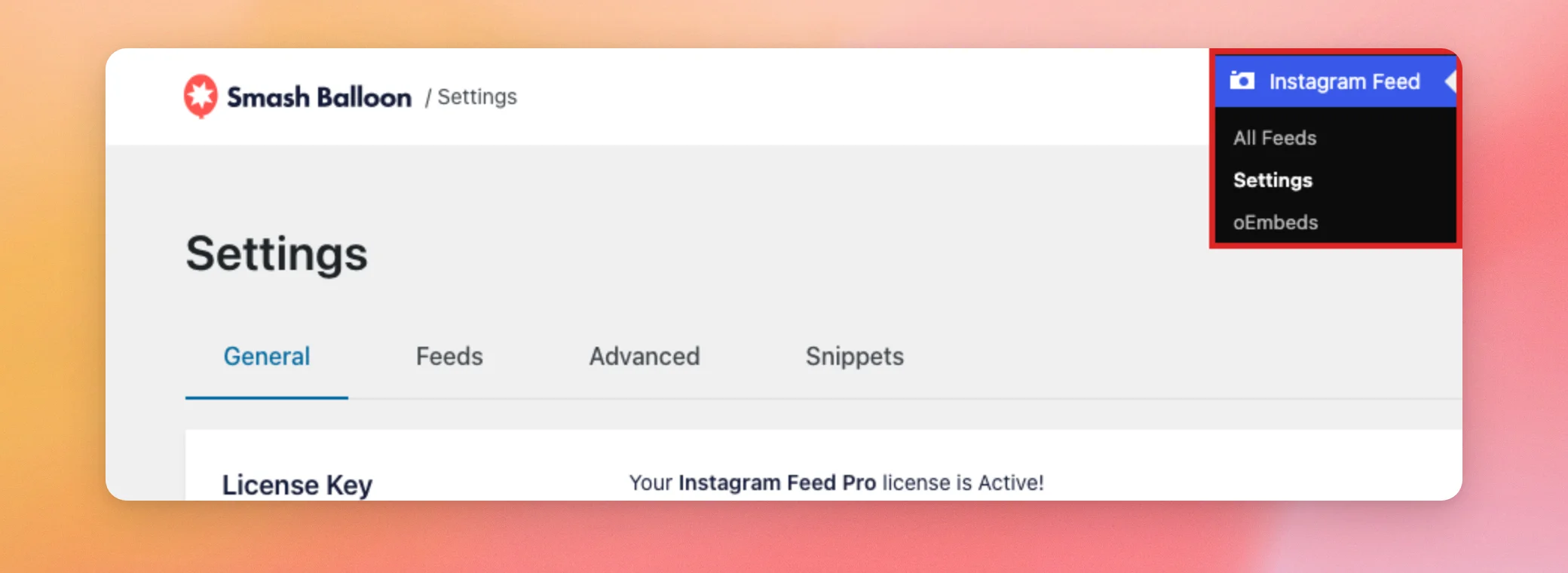
- On the General tab, scroll down to Manage Sources. Each connected source has a card with its name and the number of feeds that use it.
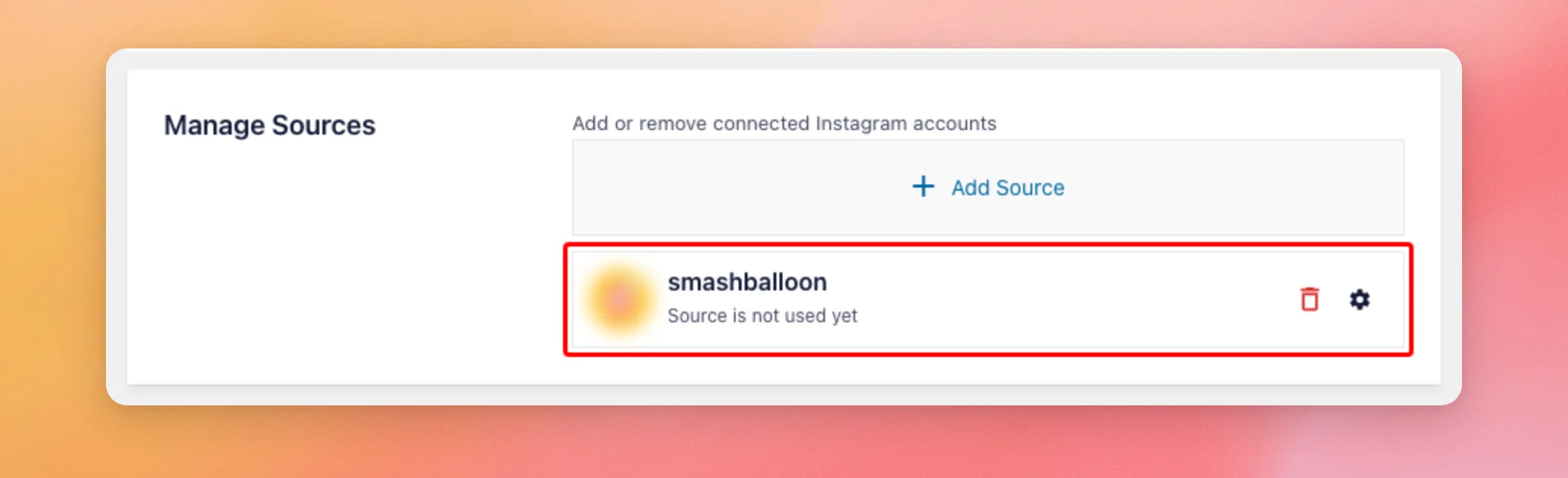
When a source works, its card shows no error. Instagram Feed doesn’t show the token’s end date in Manage Sources or anywhere else in your WordPress dashboard.
Next, we’ll look at what to do when a connection stops working.
Fixing a Connection That Stopped Working
If Instagram stops accepting a source’s token, Instagram Feed tells you in these places.
- The source’s card in Manage Sources shows Source Invalid next to a Reconnect link.
- The Instagram Feed Settings page shows a notice. It starts with Instagram Feed is encountering an error and your feeds may not be updating due to the following reasons. It then lists the error, such as Error: The stored access token has expired. Feed will not update.
- If the weekly email report is on, Instagram Feed emails you about the error. To set it up, see our guide on getting the weekly email report.
To fix any of these errors, reconnect the source with the steps in our guide on reconnecting an Instagram source. For more help with a source that shows Source Invalid, see how to fix an invalid Instagram source.
Note: The Instagram oEmbed connection is a different connection with its own token. It lets WordPress show a single Instagram post when you paste its link into a page or post. If your embedded posts stop showing, see our guide on fixing broken Facebook and Instagram oEmbeds.
That’s it! You now know how long your Instagram connection lasts and how Instagram Feed renews it. To see what each Instagram error means, check our Instagram error message reference.
Frequently Asked Questions
Here are answers to some of the most common questions about how long an Instagram connection lasts.
Do I need to reconnect my Business Basic source every 60 days?
No. Instagram Feed renews the token for you once it has less than 40 days left. You only need to reconnect if the source shows Source Invalid.
Can I see when my access token ends?
No. Instagram Feed doesn’t show the token’s end date in your WordPress dashboard. If a source stops working, its card shows Source Invalid. To fix it, see Fixing a Connection That Stopped Working.
Does an Instagram rate limit disconnect my source?
No. When Instagram limits how many requests your site can make, Instagram Feed doesn’t mark the source as invalid. The source stays connected.
Do I need a certain license level for the renewal?
No. The renewal isn’t tied to a license level. It runs for every Business Basic source on your site.