Social Wall
  Feed Analytics

How to show or hide posts containing certain keywords in a Social Wall feed, using the Filters settings.
You can easily hide or display posts that contain certain keywords by using the “Filters” option, which can be found in the following location: WordPress Dashboard > Social Wall > All Feeds > Feed Settings (pencil icon) > Settings tab > Filters.
If you want to only display posts with a specific keyword, use the option “Only show posts containing“. You can add multiple keywords or hashtags separated by a comma.
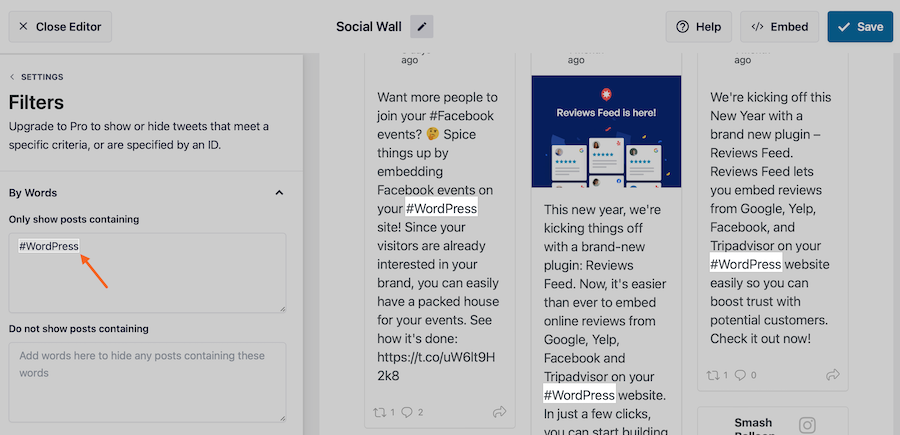
If you want to hide posts with a specific keyword, use the option “Do not show posts containing“. You can add multiple keywords or hashtags separated by a comma.