


 Social Wall
  Feed Analytics

See Facebook Feed Pro in Action
Get the Plugin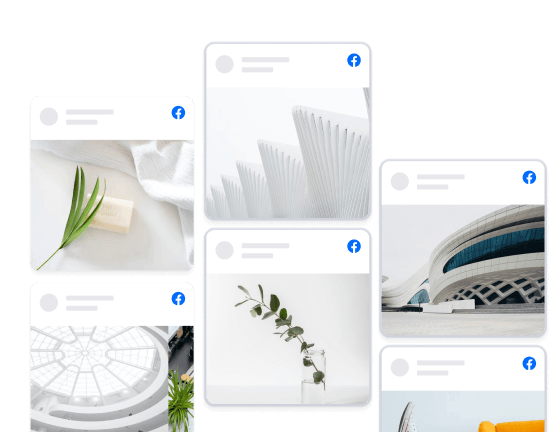
Carousel
Carousel feeds are perfect for when you either want to display a lot of content in a small space or want to catch your visitors attention. Create beautiful carousels of your Facebook content, with multiple carousels on the same page or throughout your site. The Carousel extension is required to display posts in a Carousel layout.
We are on Facebook

Two screens should never disagree about a start time.
Facebook event calendar sync copies the events from your page into a proper month view on your website, cover photos and all, so people can plan ahead.
Good for yoga studios, climbing gyms, community halls and bands with gig dates.
Where do your customers check the time first? #facebookeventcalendarsync #facebookevents #smallbusiness #wordpress #smashballoon

0 CommentsComment on Facebook
Typing back feels safer, but it's the reply people forget first.
A voice message reply keeps the tone the customer started with, and a quick text afterwards can still carry the price or address.
Great for trades quoting from site, wedding suppliers, tutors and anyone whose customers explain things out loud.
Would you send a voice note to a customer? #voicemessagereply #voicenotes #customerservice #smallbusiness #wpchat
0 CommentsComment on Facebook
A pretty feed that only opens a bigger photo leaves shoppers stuck.
Turning your feed into Instagram shoppable posts on your website gives every photo a destination.
Made for candle makers, boutiques, florists, bakeries and anyone selling what they photograph.
Which post would you link first?
#instagramshoppableposts #instagramfeed #smallbusiness #woocommerce #smashballoon
0 CommentsComment on Facebook
A quiet events page can make a busy business look shut.
Facebook events can feed onto your site, so the calendar grows every time you add a class.
Great for gyms, venues, churches, markets, bars with quiz nights and anyone running workshops.
Which event of yours deserves the homepage? #facebookevents #eventcalendar #smallbusiness #wordpress #smashballoon
0 CommentsComment on Facebook
The link was always a one-way street from Facebook to your site.
The Facebook post limit test hits link posts, not your photos, updates or events.
Handy for cafes, trades, gyms, salons and any business that used Facebook to send people off to book.
Has y
0 CommentsComment on Facebook
The last frame of a video is prime real estate on your own website.
When you embed YouTube videos without suggestions, the finish can replay, show a message or send people to book.
Works for restaurants with a menu reel, trades with a how-we-work clip and coaches with an intro video.
What would you want people to do right after your video? #embedyoutube #YouTubeTips #smallbusiness #wordpress #smashballoon
0 CommentsComment on Facebook
After-hours bookings, sorted.
The WhatsApp AI agent learns your hours, prices and FAQs from a quick setup in the app and books people in while you sleep, and you can take over any chat.
Salons, cafes, trades, clinics, anyone whose customers message after close.
Would you let it reply on its own, or keep it on suggestions? #whatsappaiagent #whatsappbusiness #smallbusiness #customerservice #smallbusinesstips
0 CommentsComment on Facebook
Nobody asks if you're still open. They check your website and decide before the page even finishes loading.
An Instagram feed on your website puts your newest bakes right on the homepage and it updates by itself every time you post.
Same for cafes, florists, salons and barbers.
A or B, which one are you ordering from? #instagramfeed #smashballoon #smallbusinesswebsite #wordpress #bakery
0 CommentsComment on Facebook
Photos of your food and your space beat any About Us paragraph you could ever write for your own website.
Easy win. An Instagram feed on your website keeps doing that each time you post.
Great for cafes, florists and venues.
Which site should we look at next? #instagramfeed #wordpress #smallbusiness #websitetips #smashballoon
0 CommentsComment on Facebook
Shops never make you fill in a form to ask if they deliver.
A WordPress FAQ plugin inside the chat button answers the stock questions instantly and hands the rest to WhatsApp.
Handy for florists, cafes, repair shops, clinics and anyone who hears the same questions every day.
What are the three questions you answer most? #wordpressfaq #smallbusiness #wordpress #customerservice #wpchat
0 CommentsComment on Facebook
Not laziness, and not an oversight.
There's a reason your contact page has a form on it and no phone number anywhere, and there's a free way round it that most owners have never been told about.
Handy for sole traders, consultants and anyone running the whole business off one phone.
Would you put a button on yours, or has the form earned it? #businessnumber #wordpress #smallbusiness #soletrader #wpchat
0 CommentsComment on Facebook
Three routes, all three cost something.
More website enquiries usually comes down to taking the typing out of it rather than pushing more visitors at a page that's already working.
Same for trades, clinics, salons, agencies and anyone taking bookings by message.
Count yours tonight and see how many need a keyboard. #websiteenquiries #wordpress #smallbusiness #leadgeneration #wpchat
0 CommentsComment on Facebook
Open your Facebook page and your homepage in two tabs and compare the dates.
How to add your Facebook page feed to your website solves this in one step, because the content already exists.
Useful for cafes, gyms, garages, clinics and anyone posting daily on Facebook and never on their site.
Which one of yours is older? #facebookfeed #smallbusiness #wordpress #localbusiness #smashballoon
0 CommentsComment on Facebook
He only mentions Instagram. Same trick works for your Facebook, TikTok, YouTube and Google reviews.
Which one would you put up first?
#instagramfeed #wordpress #SmallBusinessWebsite #webdesign #smashballoon
0 CommentsComment on Facebook
The best photo of your business this month was probably taken by a customer who does not work for you.
Instagram tagged photos on website means the gallery fills itself every time someone new tags you in a post.
Good for bakeries, barbers, gyms and florists.
Repost by hand, or let it run? #instagramtaggedphotos #UGC #smallbusiness #wordpress #websitetips
0 CommentsComment on Facebook
Trusted by over 250,000 users
 Rated 4.9/5 on
 WordPress

 (@swhittier64)
 (@bidonme)
(@azvhv)
(@bidonme)
(@azvhv)
 (@Spanky_McMuffin)
 (@victoryfitclub)
(@swhittier64)
(@ourcommonhour)
(@victoryfitclub)
(@swhittier64)
(@ourcommonhour)
 (@NCulpitt)
(@victoryfitclub)
(highwirecreativ)
(keneastwood)
(@dpilutti)
(@NCulpitt)
(@victoryfitclub)
(highwirecreativ)
(keneastwood)
(@dpilutti)
8 reasons why our customers love Facebook Feed Pro

We build our plugins so that anyone can use them. No complicated setup steps, no headaches.

All our plugins are highly customizable and provide tons of options to configure or style your feed.

Websites should be fast. That means your Facebook feed should be too. Speed is one of our top priorities.

All Facebook posts are embedded into your page source code, which means regularly updated Googlebot-readable content.

All of our plugins include integrations with popular privacy consent plugins and a one-click GDPR setting.

Easily remove posts from your feed you don't want to show, or block specific words or phrases.

Built with rock solid reliability in mind so your feeds don't go down when the rest of the web does.

We're not just in the plugin business, we're in the customer support business! And pride ourselves on it.
Learn more about our feeds
Facebook Photo Feeds
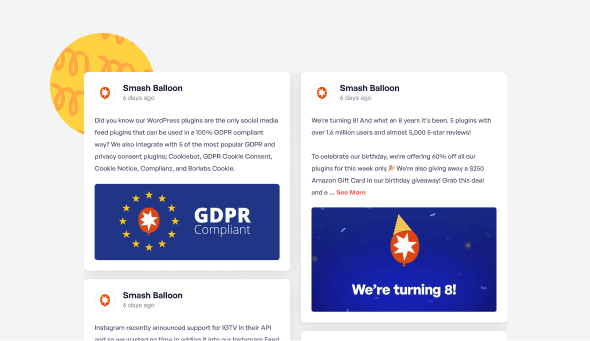
Facebook Photo feeds are an effortless way to keep your website photo galleries fresh and up to date. Just upload photos to your Facebook page and they’ll automatically appear right on your website.
Facebook Video Feeds
Facebook Video feeds are an effortless way to keep your website video galleries fresh and up to date. Just upload videos to your Facebook page and they’ll automatically appear right on your website in full HD.

Display a Custom Facebook Feed Carousel on Your Website
Looking for an easy way to embed an Facebook slider on your WordPress?
To make your life easier, we’ve poured our hearts and souls into creating Facebook Feed Pro, the best Facebook feed plugin on the market.
Easy to set up and packed with tons of powerful features, Facebook Feed Pro lets you create, customize and display beautiful Facebook feeds on your website.
And the best part? Since the plugin’s built with users in mind, you can easily customize your Facebook feed’s layout. In fact, you just need to check or uncheck options to tweak your feed’s design. No need to deal with confusing code at all!
In addition to helping you show your Facebook posts in different layouts, Facebook Feed Pro lets you display different types of Facebook feeds as well. For example, you can use it to embed an Facebook Page timeline feed, a group feed, a photo/video feed or even multiple Facebook feeds.
Want to save time designing your feed? We’re here to help you. Facebook Feed Pro copies your website’s theme so you use the same font, color and style on your feed — automatically. This way, your Facebook feed looks consistent with your branding, with no extra effort on your part.
Your Facebook feeds are also 100% mobile-friendly and responsive. So, they look fantastic in every device and screen size.
With a solid 4.9/5 star rating, the plugin is happily used and recommended by over 1 million users around the world. That’s because Facebook Feed Pro isn’t only easy to use, it’s ultra fast in loading your Facebook feed carousel on your WordPress as well.
Start getting more sales by using Facebook Feed Pro to add gorgeous Facebook feeds to your website today. Need help with setting up your feeds? Our fast and friendly support team made up of WordPress experts are always ready to assist you.
Frequently Asked Questions
Will upgrading affect my current Facebook feed?
Not at all. Your current feed will continue working exactly as it does now. Upgrading gives you access to additional content types, layouts, and customization options but nothing will break or disappear.
What’s the main difference between Lite and Pro?
Lite allows you to display basic Facebook page posts. Pro expands this with photo and video feeds, popup lightboxes, engagement display (likes, shares, reactions), albums, events, filtering tools, and more advanced layouts.
Can I display photos, videos, and albums with Pro?
Yes. Pro lets you display full photo and video feeds, create auto-updating album galleries, and showcase HD videos and Live content directly on your website.
Can I show likes, reactions, and comments on my site?
Yes. Pro allows you to display reactions, shares, comments, and replies so visitors can see real engagement, helping build trust and credibility.
How do I know which plan to choose?
Choose Basic if you want advanced layouts, engagement display, and unlimited Pro feeds for one site. Plus is ideal if you need albums, comments, filtering tools, and more flexibility across multiple sites. Elite is best if you want Events feeds, premium extensions, and priority support. If you manage multiple sites or use several Smash Balloon plugins, All Access offers the most value.

Start leveraging your Facebook feed to grow your business
Get started with your first feed in minutes