


 Social Wall
  Feed Analytics

See Facebook Feed Pro in Action
Get the Plugin
Columns
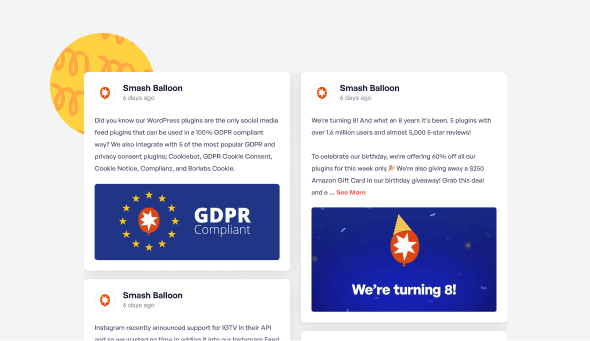
Showcase your posts in a beautiful full page Columns layout. Easily customize the appearance in just a few clicks to change the number of columns, which content is displayed, post styles, and much, much more.
Trusted by over 250,000 users
 Rated 4.9/5 on
 WordPress

 (@swhittier64)
 (@bidonme)
(@azvhv)
(@bidonme)
(@azvhv)
 (@Spanky_McMuffin)
 (@victoryfitclub)
(@swhittier64)
(@ourcommonhour)
(@victoryfitclub)
(@swhittier64)
(@ourcommonhour)
 (@NCulpitt)
(@victoryfitclub)
(highwirecreativ)
(keneastwood)
(@dpilutti)
(@NCulpitt)
(@victoryfitclub)
(highwirecreativ)
(keneastwood)
(@dpilutti)
8 reasons why our customers love Facebook Feed Pro

We build our plugins so that anyone can use them. No complicated setup steps, no headaches.

All our plugins are highly customizable and provide tons of options to configure or style your feed.

Websites should be fast. That means your Facebook feed should be too. Speed is one of our top priorities.

All Facebook posts are embedded into your page source code, which means regularly updated Googlebot-readable content.

All of our plugins include integrations with popular privacy consent plugins and a one-click GDPR setting.

Easily remove posts from your feed you don't want to show, or block specific words or phrases.

Built with rock solid reliability in mind so your feeds don't go down when the rest of the web does.

We're not just in the plugin business, we're in the customer support business! And pride ourselves on it.
Learn more about our feeds
Facebook Photo Feeds
Facebook Photo feeds are an effortless way to keep your website photo galleries fresh and up to date. Just upload photos to your Facebook page and they’ll automatically appear right on your website.
Facebook Video Feeds
Facebook Video feeds are an effortless way to keep your website video galleries fresh and up to date. Just upload videos to your Facebook page and they’ll automatically appear right on your website in full HD.

Add Customizable Facebook Feeds to Your Website
Looking for the easiest way to add Facebook feeds to your WordPress site?
By embedding Facebook feeds on your website, you can easily engage your visitors and convert them into paying customers.
On top of that, you can also get more interactions on your Facebook posts to give your brand’s image a boost.
And to make it as easy as possible, we at Smash Balloon have created a Facebook feed plugin that combines powerful features with ease of use.
Using our Custom Facebook Feed Pro plugin, you can quickly create engaging Facebook feeds in just a few clicks – no need to touch a single line of code!
Your visitors can also use the like, comment, and share buttons to interact with your Facebook content directly from your WordPress website.
Plus, Smash Balloon’s Facebook feed plugin can also enable Facebook feed columns for your WordPress site.
That way, you can engage your visitors with tons of Facebook posts at once. You can even show your Facebook photos in a beautiful gallery using this feed layout.
Since Custom Facebook Feed Pro is so easy to use, you can learn how to link Facebook feed to WordPress and get tons of engagement in no time.
After that, you can easily promote your Facebook group or page, boost your SEO, get more sales, and much more.
Just check out our guide on how to add Facebook feeds to WordPress and get started today.
Frequently Asked Questions
Will upgrading affect my current Facebook feed?
Not at all. Your current feed will continue working exactly as it does now. Upgrading gives you access to additional content types, layouts, and customization options but nothing will break or disappear.
What’s the main difference between Lite and Pro?
Lite allows you to display basic Facebook page posts. Pro expands this with photo and video feeds, popup lightboxes, engagement display (likes, shares, reactions), albums, events, filtering tools, and more advanced layouts.
Can I display photos, videos, and albums with Pro?
Yes. Pro lets you display full photo and video feeds, create auto-updating album galleries, and showcase HD videos and Live content directly on your website.
Can I show likes, reactions, and comments on my site?
Yes. Pro allows you to display reactions, shares, comments, and replies so visitors can see real engagement, helping build trust and credibility.
How do I know which plan to choose?
Choose Basic if you want advanced layouts, engagement display, and unlimited Pro feeds for one site. Plus is ideal if you need albums, comments, filtering tools, and more flexibility across multiple sites. Elite is best if you want Events feeds, premium extensions, and priority support. If you manage multiple sites or use several Smash Balloon plugins, All Access offers the most value.

Start leveraging your Facebook feed to grow your business
Get started with your first feed in minutes
Shops never make you fill in a form to ask if they deliver.
A WordPress FAQ plugin inside the chat button answers the stock questions instantly and hands the rest to WhatsApp.
Handy for florists, cafes, repair shops, clinics and anyone who hears the same questions every day.
What are the three questions you answer most? #wordpressfaq #smallbusiness #wordpress #CustomerService #wpchat … See MoreSee Less
0 CommentsComment on Facebook
Not laziness, and not an oversight.
There's a reason your contact page has a form on it and no phone number anywhere, and there's a free way round it that most owners have never been told about.
Handy for sole traders, consultants and anyone running the whole business off one phone.
Would you put a button on yours, or has the form earned it? #businessnumber #wordpress #smallbusiness #soletrader #wpchat … See MoreSee Less
0 CommentsComment on Facebook
Three routes, all three cost something.
More website enquiries usually comes down to taking the typing out of it rather than pushing more visitors at a page that's already working.
Same for trades, clinics, salons, agencies and anyone taking bookings by message.
Count yours tonight and see how many need a keyboard. #websiteenquiries #wordpress #smallbusiness #leadgeneration #wpchat … See MoreSee Less
0 CommentsComment on Facebook
Open your Facebook page and your homepage in two tabs and compare the dates.
How to add your Facebook page feed to your website solves this in one step, because the content already exists.
Useful for cafes, gyms, garages, clinics and anyone posting daily on Facebook and never on their site.
Which one of yours is older? #facebookfeed #smallbusiness #wordpress #localbusiness #smashballoon … See MoreSee Less
0 CommentsComment on Facebook
He only mentions Instagram. Same trick works for your Facebook, TikTok, YouTube and Google reviews.
Which one would you put up first?
#instagramfeed #wordpress #SmallBusinessWebsite #webdesign #smashballoon … See MoreSee Less
0 CommentsComment on Facebook
The best photo of your business this month was probably taken by a customer who does not work for you.
Instagram tagged photos on website means the gallery fills itself every time someone new tags you in a post.
Good for bakeries, barbers, gyms and florists.
Repost by hand, or let it run? #instagramtaggedphotos #UGC #smallbusiness #wordpress #websitetips … See MoreSee Less
0 CommentsComment on Facebook
Everyone blames the young for this one and the data does not back it up.
Why customers don't call businesses anymore comes down to what the call costs them, not how old they are.
True for plumbers, dentists, accountants and anyone still running on a phone number alone.
When did you last ring a business instead of messaging? #smallbusiness #customerservice #businessphone #websitechat #wpchat … See MoreSee Less
0 CommentsComment on Facebook
Everyone blames the young for this one and the data does not back it up.
Why customers don't call businesses anymore comes down to what the call costs them, not how old they are.
True for plumbers, dentists, accountants and anyone still running on a phone number alone.
When did you last ring a business instead of messaging? #smallbusiness #customerservice #businessphone #websitechat #wpchat … See MoreSee Less
0 CommentsComment on Facebook
Count the taps between someone arriving on your page and being able to ask you something.
How to add a chat button to WordPress is the short version of cutting that number down to two.
Useful for service pages, pricing pages, booking pages and anywhere people hesitate.
How many steps does your pricing page take? #wordpress #ChatButton #smallbusiness #WebsiteChat #wpchat … See MoreSee Less
0 CommentsComment on Facebook