


 Social Wall
 Feed Analytics


Put Your Real Supporters on Your Donation Page This Giving Tuesday
When someone lands on your donation page, they want to know their gift helps real people. Photos of your own volunteers show that. Here’s the four-step checklist from Giving Tuesday Live with Charitable, plus the walkthrough for putting your hashtag on your donation page.
Get Started for $99Hashtag feeds come with the Plus plan of Instagram Feed Pro, $99 for the first year on up to 5 websites. The checklist below is free and needs no plugin.
For WordPress sites, including Charitable and WPForms donation forms
Or start with the 4 free steps
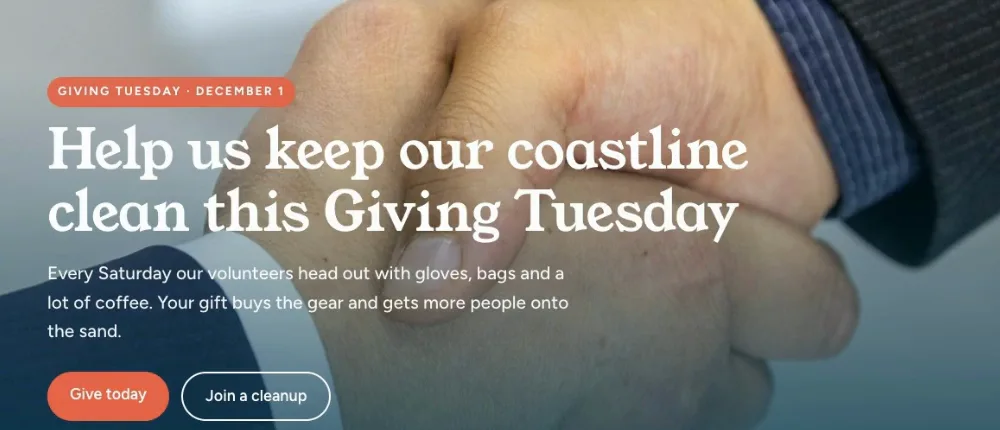
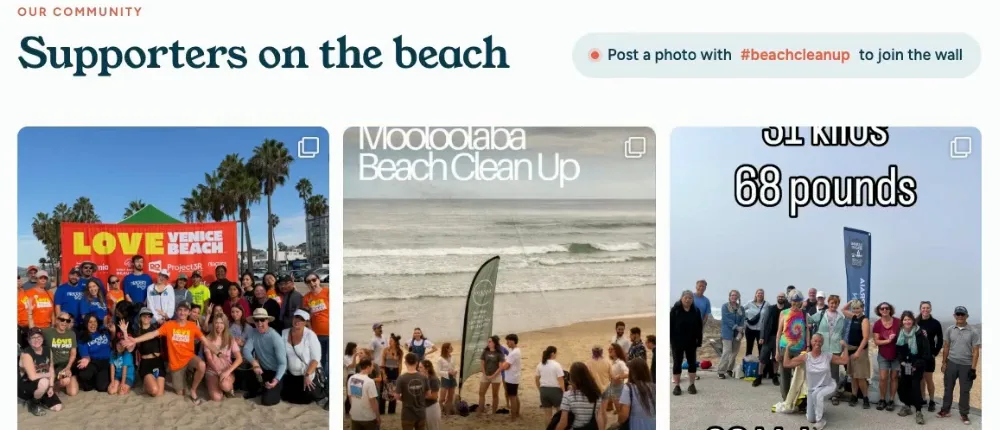
A stock photo, or the people who actually show up. Which one would you give to?
The Four-Step Checklist to Do This Week
No plugin needed for this part. Giving Tuesday is December 1, and the earlier you start, the more photos you’ll have to choose from.
Pick one hashtag for your campaign
Keep it short, specific to your organization and add the year, something like #YourName2026. A hashtag nobody else uses means the posts that show up are from your supporters.
Use it everywhere
Put it in your email footer, on event signs, in your thank-you posts and in volunteer briefings. Tell volunteers about it on day one so it’s in their very first post.
Ask people to post a photo with it
Just ask. Plenty of supporters are happy to share a photo from your event when you ask. Ask them to keep the post public too, because posts from private accounts won’t show up anywhere but their own feed.
Swap the photo on your donation page
Pick a great photo from your hashtag and make it the main image on your donation page. Check with the people in it first that they’re happy to be on your website.
The Walkthrough: Let Your Hashtag Fill Your Donation Page
Stop copying photos from Instagram by hand
Instead of saving supporter photos and uploading them one at a time, let a hashtag feed pull them in. In Instagram Feed Pro, create a new feed, choose Hashtag and type in your campaign hashtag. Pick Most recent so the newest posts show first, then choose a look and a layout. The carousel works nicely on a donation page, since visitors can swipe through the photos.
Hashtag feeds need an Instagram Business account connected. Switching is free and doesn’t change how you post.
Hashtag feeds come with Plus and up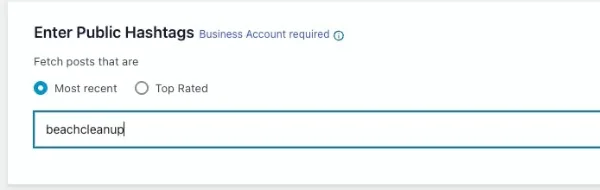
Put supporter photos right next to your donate button
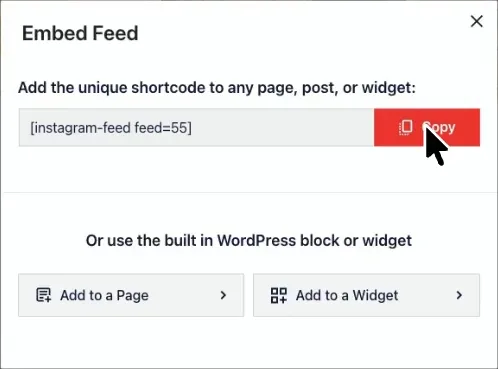
Click Embed, then Add to a Page and pick your donation page. Drop in the Instagram Feed block where you want the photos to sit, or paste the shortcode, and save. That’s it, the feed is live.
Block or shortcode, no code to writeStay in charge of what donors see
Turn on moderation and choose Block List. Every new post shows up on its own, and if one doesn’t fit, click its X and it’s gone from your page.
Rather approve each photo first? Allow List keeps posts hidden until you pick them.
Hide any post in one click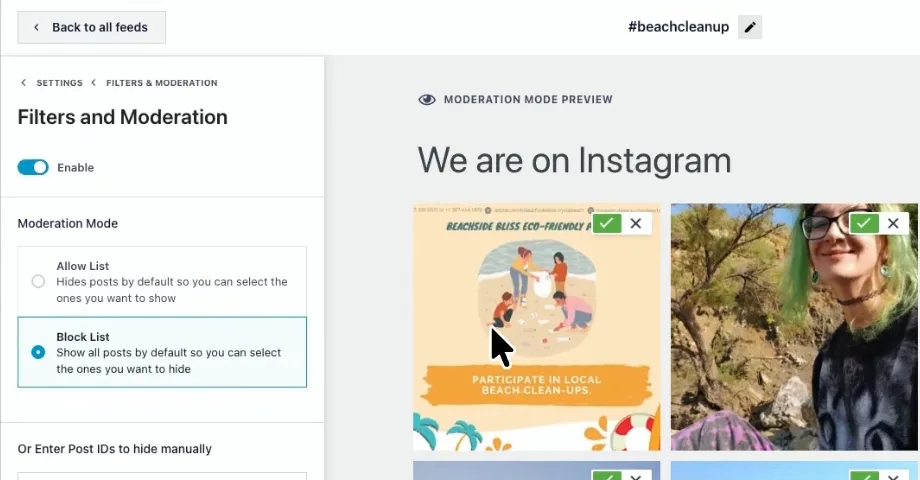
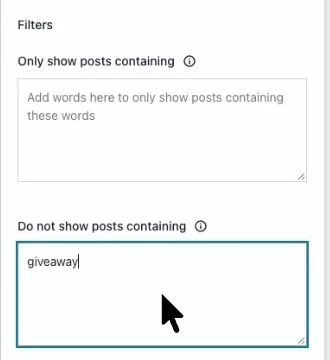
Keep spammy posts off your page without checking each one
Public hashtags pick up the odd post that has nothing to do with you. Add words like giveaway under Do not show posts containing, and any post with those words stays off your page.
Filter by word or phraseWatch Your Page Fill Up on Giving Tuesday
As supporters post through the day, their photos join your donation page, so someone who visits in the afternoon sees more support than someone who came by in the morning. Check in a couple of times on the day and you’re set.
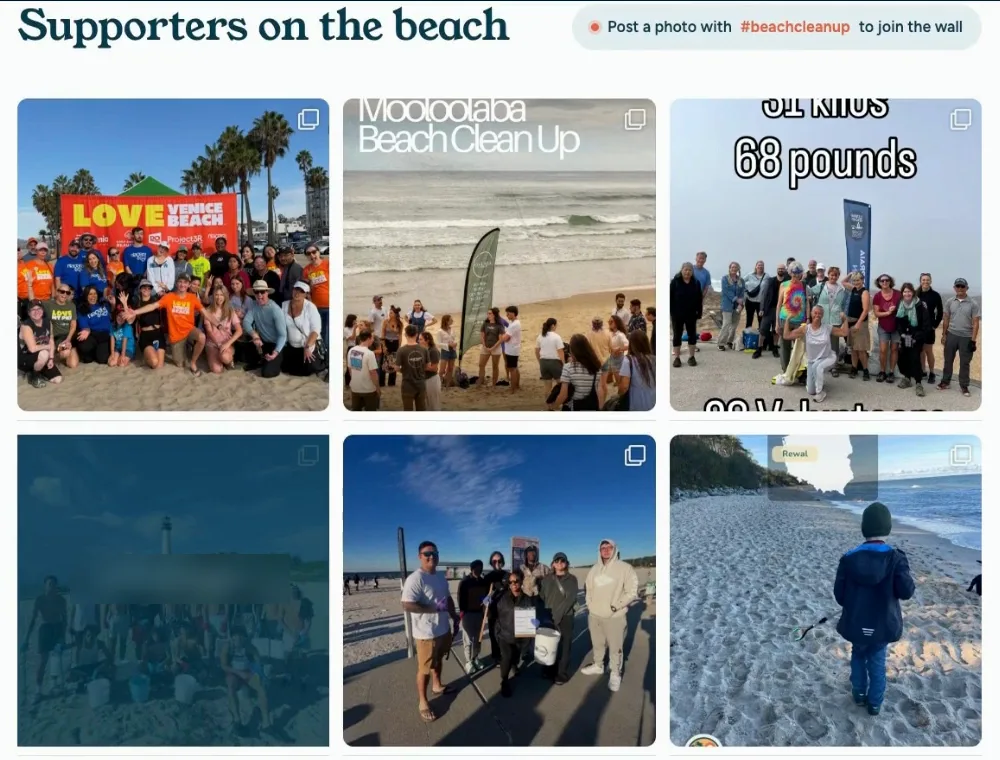
Plus covers everything above, $99 for the first year on up to 5 WordPress websites.
Hashtag Feeds Start With the Plus Plan
Everything in the walkthrough comes with Plus, on any WordPress site. Pick the plan that fits how many websites you look after.
Instagram Feed Pro
| Plan | Price | What’s included | Buy |
|---|---|---|---|
| Plus | $99/year (normally $198) | 5 websites. Show your campaign hashtag on your donation page, hide any post that doesn’t fit and filter out spam words. You can also mix your own posts in and start from ready-made templates | Get Plus |
| Elite | $149/year (normally $298) | 10 websites. Everything in Plus, plus show photos people tag your account in, link posts to pages, designer-made themes, Feed Analytics and priority support | Get Elite |
| All Access Bundle | $299/year (normally $598) | Unlimited websites. Every Smash Balloon Pro plugin at Elite level, plus Social Wall | Get All Access |
First-year pricing, and renewals are at full price. Every button goes straight to checkout with the discount applied, and every plan comes with a 14-day money-back guarantee.
Questions Before You Start
Will this work on my donation page?
If your donation page is on your WordPress website, yes. Instagram Feed Pro is a WordPress plugin, so the feed works on any page of your site, including donation forms built with Charitable or WPForms. If donations go through a separate fundraising platform, add the feed to a campaign page on your WordPress site and point its donate button there.
Do I need a plugin for the four steps?
No. Picking a hashtag, sharing it, asking supporters to post and swapping your donation page photo are all free and work on any website. Instagram Feed Pro is for the next part, when you want those photos to show up on your page by themselves.
Which plan do I need for a hashtag feed?
Plus or higher. Plus is $99 for the first year and covers 5 websites, and it includes hashtag feeds, moderation and word filters, which is everything in the walkthrough.
Do I need an Instagram Business account?
Yes. Instagram only shares hashtag posts with Business accounts, so you’ll connect one when you set up the feed. Switching your organization’s account is free, takes a couple of minutes and doesn’t change how you post.
When should I set up the feed?
The same week you pick your hashtag. Instagram only shares the last 24 hours of recent hashtag posts, and the plugin keeps each one as it comes in, so a feed that’s running early collects a lot more photos than one switched on the morning of Giving Tuesday.
Why isn’t a supporter’s photo showing up?
Usually it’s one of two things. Their account is private, since hashtag feeds can only show public posts, or the post went up before your feed started collecting. Double-check the hashtag is spelled the same way too.
What about photos where people tag our account instead?
Those show up in a tagged feed, which comes with the Elite plan. For a campaign, a hashtag is the simpler ask, and it works on the Plus plan.
Is there a limit on hashtags?
Instagram allows up to 30 different hashtags per Business account in any 7 days, which is plenty for a Giving Tuesday campaign.
Get Your Supporters on Your Donation Page Before Giving Tuesday
Set up your hashtag feed this week so it’s collecting photos well before December 1, with a full refund within 14 days if it isn’t a fit.