See YouTube Feed Pro in Action
Get the Plugin
Carousel
Carousel feeds are perfect for when you either want to display a lot of content in a small space or want to catch your visitors attention. Create beautiful video carousels of your YouTube videos. Create multiple carousels on the same page or throughout your site.

Opalite Official Music Video Extended Versions Part 1 & 2 out now at TaylorSwift.com ✨
The Opalite video is out now. Visit TaylorSwift.com for more
There truly was magic in the *eras*✨ watch starting TOMORROW on @d@disneyplust 12am PT / 3am ET
Trusted by over 100,000 users
 Rated 4.9/5 on
 WordPress


 (theartisanslist)
 (buscatlavida)
 (genoq)
  (amandakrill)
 (amvanleeuwen)
 8 reasons why our customers love YouTube Feed Pro

We build our plugins so that anyone can use them. No complicated setup steps, no headaches.

All our plugins are highly customizable and provide tons of options to configure or style your feed.

Websites should be fast. That means your YouTube content should be too. Speed is one of our top priorities.

All YouTube videos are embedded into your page source code equals regularly updated bot-readable content.

All of our plugins include integrations with popular privacy consent plugins and a one-click GDPR setting.

Easily remove posts from your feed you don't want to show, or create feeds of specially curated posts.

Built with rock solid reliability in mind so your feeds don't go down when the rest of the web does.

We're not just in the plugin business, we're in the customer support business! And pride ourselves on it.
Learn more about our feeds
YouTube Channel Feeds
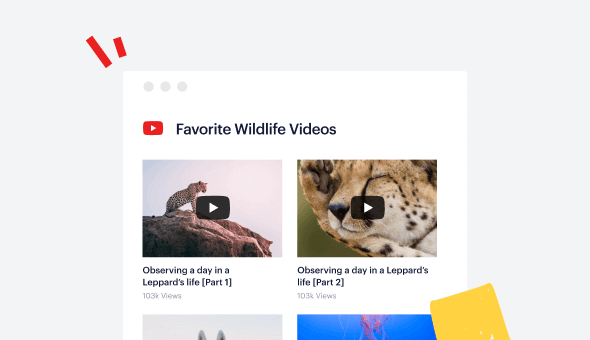
Easily display videos from any public YouTube channels, with multiple post layouts and configurations. With the YouTube Feed Pro plugin you can automatically pull in new YouTube videos to your site without lifting a finger. Just connect your YouTube channel, sit back, and relax! The plugin will automatically pull in your latest content, allowing you to customize how it’s displayed in a range of layouts, moderation settings, and much more.
YouTube Live Streams
Use our Live Streaming feature to automatically feed live videos into your WordPress site. You can use it to show a feed of your currently playing and upcoming live streams so you can just focus on creating the content rather than having to deal with embedding players on your site every time you go live.
YouTube Gallery
Easily create multiple different YouTube galleries from various channels, lists, favorites, or search queries. Add galleries anywhere throughout your site to display your YouTube content in a variety of ways, engaging your visitors and keeping them on your site for longer.

Display YouTube video slider Feed on WordPress with Smash Balloon
Do you want to use YouTube videos to boost your website?
With the help of a beautiful YouTube video slider, you can engage your visitors, promote your YouTube content, and even convince people to make a purchase.
For the best way to show YouTube content on your site, you can just use the best YouTube feed plugin in the market: Feed for YouTube Pro.
Just install the plugin, use the login button to connect your site to YouTube, and you can start setting up your YouTube video slider.
First, you can choose the content for your video slider. The options here include YouTube channel, playlist, favorites list, livestreams, and much more.
After choosing the content, you can just select the Carousel layout type.
Finally, open your WordPress page or post and add the Feeds for YouTube block.
You can add your YouTube video slider on the sidebar or footer as well since Feeds for YouTube Pro comes with an easy-to-use widget.
Since Feeds for YouTube Pro is so user-friendly, you can create, customize, and embed your Twitter feeds in just a few minutes – no coding needed!
Frequently Asked Questions
What’s the main difference between Lite and Pro?
Lite lets you display a basic YouTube channel feed. Pro expands this with playlist feeds, live streams, search feeds, advanced layouts, video lightboxes, filtering tools, and more control over how your videos appear.
Can I display playlists or live streams with Pro?
Yes. Pro allows you to display playlist feeds and upcoming or live streaming videos directly on your website, giving visitors more ways to engage with your content.
Can I control which videos appear in my feed?
Absolutely. Pro includes filtering and moderation options so you can choose which videos to display and keep your feed aligned with your content strategy.
How do I know which plan to choose?
Choose Basic if you want playlists, lightbox playback, and more layout flexibility for one site. Plus is ideal if you manage multiple sites or need additional feed options. Elite is best for advanced features and priority support. If you run multiple sites or use other Smash Balloon plugins, All Access offers the most value.

Start leveraging your YouTube feed to grow your business
Get started with your first feed in minutes
Taylor Swift – Elizabeth Taylor (Official Music Video)
Taylor Swift views April 2nd