


 Social Wall
 Feed Analytics


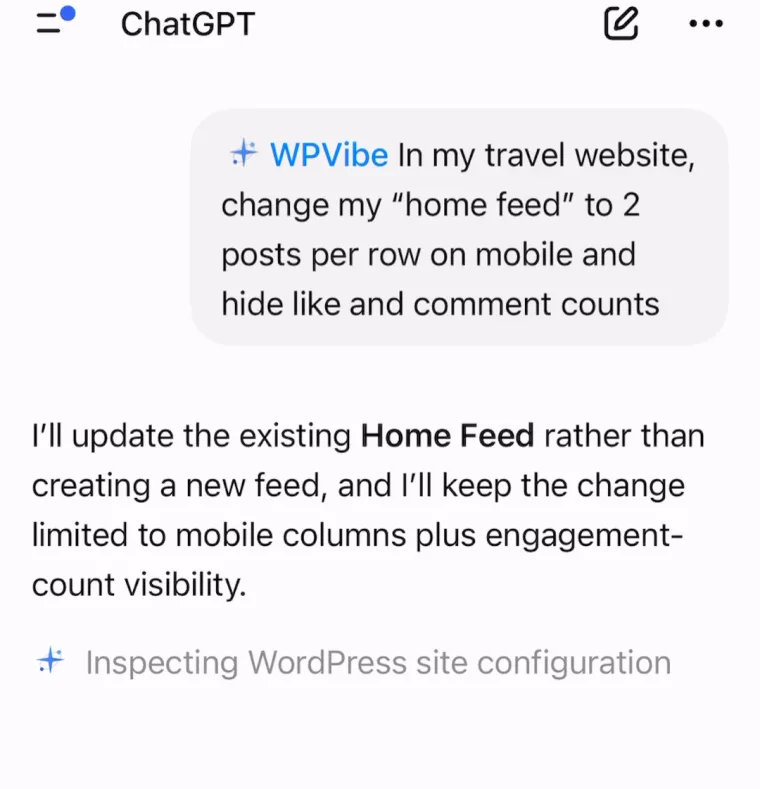
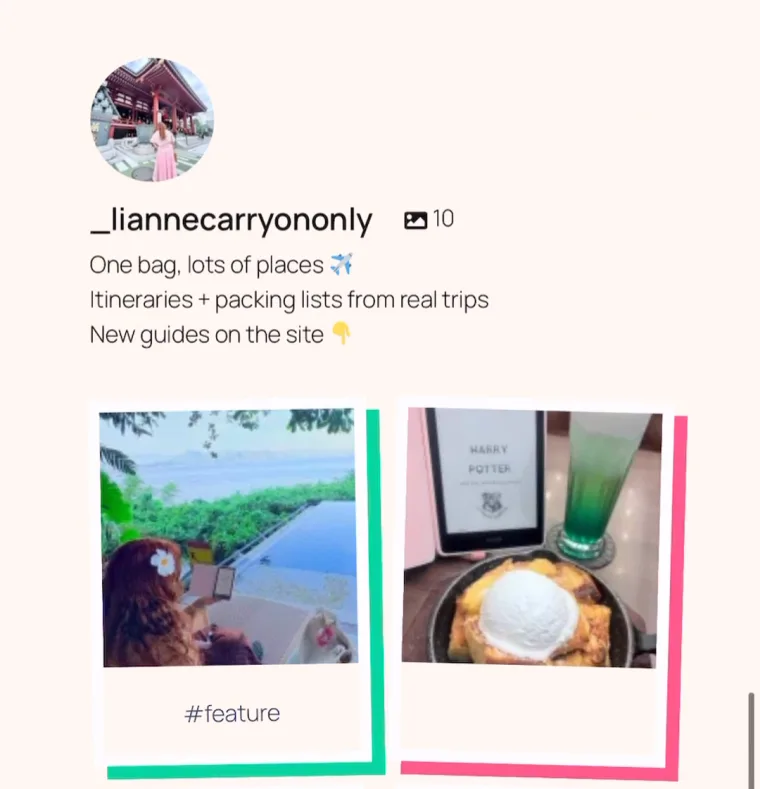
Put a feed on any page
Any account you’ve connected can go on any page. Lost track of which shortcode goes where? Ask for the list.
Join 1,750,000+ using Smash Balloon to build beautiful social media feeds
Change the layout, hide like counts, match your colors, put a feed on any page or find out why it stopped updating, all in plain English. No more digging through settings.
Get Started for $49Needs Instagram Feed Pro: $49 for your first year (normally $98), with a 14-day money-back guarantee. The WPVibe connector is free. Already have Pro? Update to 6.14 and it’s in your settings. Setup guide below.
Type it the way you’d say it. Your assistant makes the change on your live feed and tells you what it updated, so you spend less time in settings and more time on what you post.
Any account you’ve connected can go on any page. Lost track of which shortcode goes where? Ask for the list.
Switch to the highlight layout and your best posts stand out, picked by hashtag or every third post.
Colors, a light or dark look and button text are saved straight to your live feed. Have it note your current settings first, and going back is one message.
Your feed fits whatever your visitors are scrolling on, without you checking every device.
You can also load the feed’s styles only on pages that show a feed, so the rest of your site skips them.
Let visitors focus on your photos while your account grows, and turn the counts back on whenever you like.
All 13 abilities come with every Instagram Feed Pro plan, with a full refund within 14 days if it isn’t a fit.
Say what you want the way you’d tell a teammate. Your assistant finds the right feed, makes the change, and lists exactly what it updated, so you never have to guess.
Saved straight to your live feed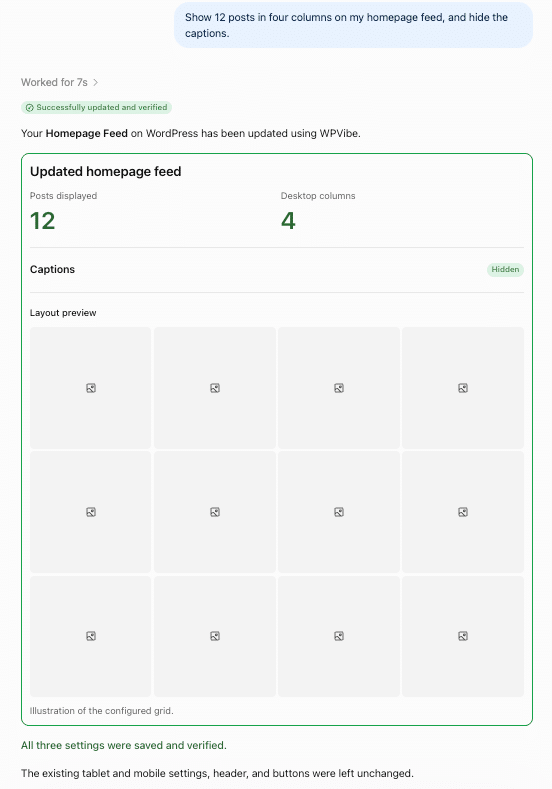
When new posts stop showing, you don’t have to play detective. Ask, and your assistant checks your connected accounts, when their access expires and how often the feed refreshes, all in one pass.
One question, three checksYour AI starts off only able to look at your feeds. Switch on write access when you want it making changes, and off again any time.
It can ask to delete a feed but never does it alone. You get a one-time link and decide.
Every deletion needs your click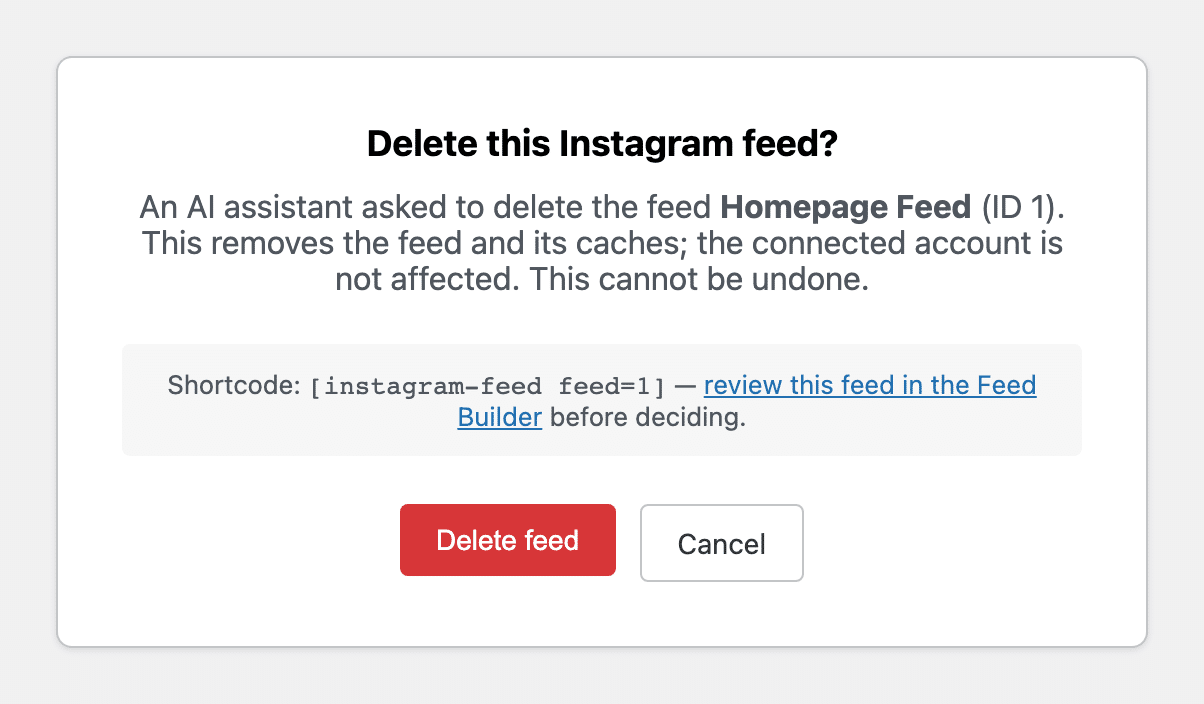
You’ll need Instagram Feed Pro 6.14 or newer (from $49 a year), WordPress 6.9 or newer, and a site address that starts with https://.
Open Instagram Feed > Settings and click Install WPVibe in the AI Agents box. WPVibe is a free plugin from SeedProd that connects your site to your AI, and it can help with the rest of WordPress too, like drafting posts and pages.
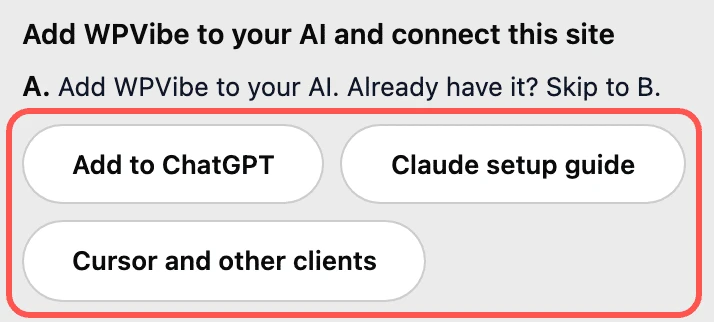
Add WPVibe to ChatGPT, Claude or Cursor and approve the connection to your site. You’ll make a free WPVibe account the first time.
Turn on write access when you’re ready, pick WPVibe in your chat and say what you want. Your assistant makes the change and tells you what it updated.
“This is a great plugin to use on client websites. They can happily add content to their social channels knowing that their website will also be updated with that new content.”
“The updates occur instantaneously. The frames and size of the posts are perfect.”
“Easy set up and nice looking styling out of the box. Highly recommend.”
AI Agents comes with every plan, so you can start asking as soon as you’re set up. Pick the plan that fits how many sites you run.
| Plan | Price | What’s included | Buy |
|---|---|---|---|
| Basic | $49/year (normally $98) | 1 website. AI Agents, Reels in a full-screen swipe view, Stories, carousels, layouts, captions, likes and comments | Get Basic |
| Plus | $99/year (normally $198) | 5 websites. Everything in Basic, plus hashtag feeds, hiding posts in one click and ready-made designs | Get Plus |
| Elite | $149/year (normally $298) | 10 websites. Everything in Plus, plus tagged posts, shoppable feeds, designer-made looks, Feed Analytics and priority support | Get Elite |
| All Access Bundle | $299/year (normally $598) | Unlimited websites. Every Smash Balloon Pro plugin at Elite level, plus Social Wall | Get All Access |
First-year pricing, and renewals are at full price. Every button goes straight to checkout with the discount applied, and every plan comes with a 14-day money-back guarantee.
Any of them. AI Agents comes with Basic, Plus and Elite, and with the All Access Bundle. Basic covers one website, so it’s the easiest place to start.
AI Agents comes with Instagram Feed Pro, so you’d upgrade to get it. Every Pro plan includes it, starting with Basic at $49 a year, on version 6.14.0 or newer.
Yes to both. The WPVibe plugin is free, and its free plan covers a daily allowance of WordPress actions. It works with the free versions of ChatGPT and Claude, and paid WPVibe plans raise that daily allowance if you need more.
No to both. Your assistant can only request a deletion, and the feed is removed only after you open the confirmation link in your browser and click Delete feed. It never sees your Instagram login or the keys that connect your account, and when you add a new account, you connect it yourself.
Instagram Feed Pro 6.14.0, WordPress 6.9 or newer, and a site address that starts with https://, since WPVibe only connects over a secure link. You’ll also create a free WPVibe account the first time your AI connects, and the whole setup takes about 10 minutes.
Set it up in about 10 minutes and try your first change, with a full refund within 14 days if it isn’t a fit.