ソーシャルウォール
  フィード分析

「カスタム JavaScript」フィールドは非推奨となりました。スニペットを WPCode に移行し、引き続き正常に動作させる方法について。
カスタムJavaScriptフィールドは廃止されました。引き続きカスタムJavaScriptスニペットを使用するには、以下の方法をお勧めします:
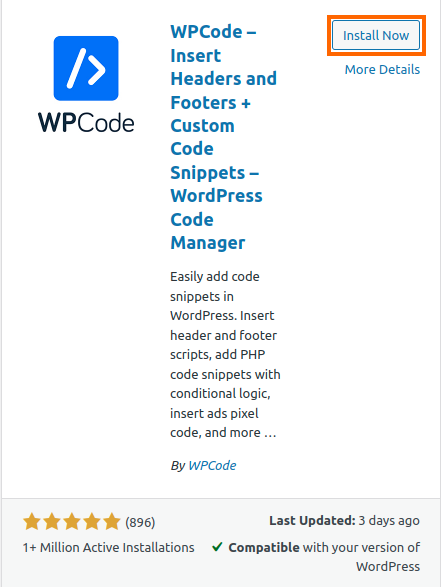
1) WPCodeプラグイン(旧称Insert Headers and Footers)をインストールします。WordPressのプラグインページで 新規追加をクリックし、プラグイン名を検索してください。
2)WPCodeをインストールし、有効化したら、WordPressダッシュボード > Code Snippets >Header and Footerに移動します。
3) WPCodeに追加する前に、WordPress Dashboard > Facebook Feed > Settings > Feeds > Custom JSに 追加したカスタムJavaScriptをよく確認してください。
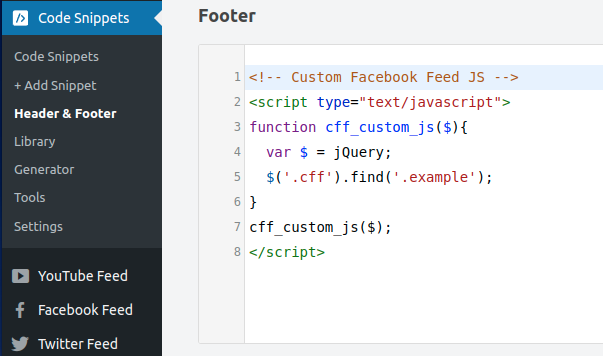
Use the format below to add your custom JavaScript snippet into the Footer section. Ensure that you include the entire code block, including the opening and closing <script> tags, as shown below.
<!-- Custom Facebook Feed JS -->
<script type="text/javascript">
function cff_custom_js($){
  var $ = jQuery;
  //Add your Custom JavaScript here
}
cff_custom_js($);
</script>
例として以下のスクリーンショットをご覧ください:
4)カスタムJavaScriptスニペットの追加が完了したら、変更を保存してください。