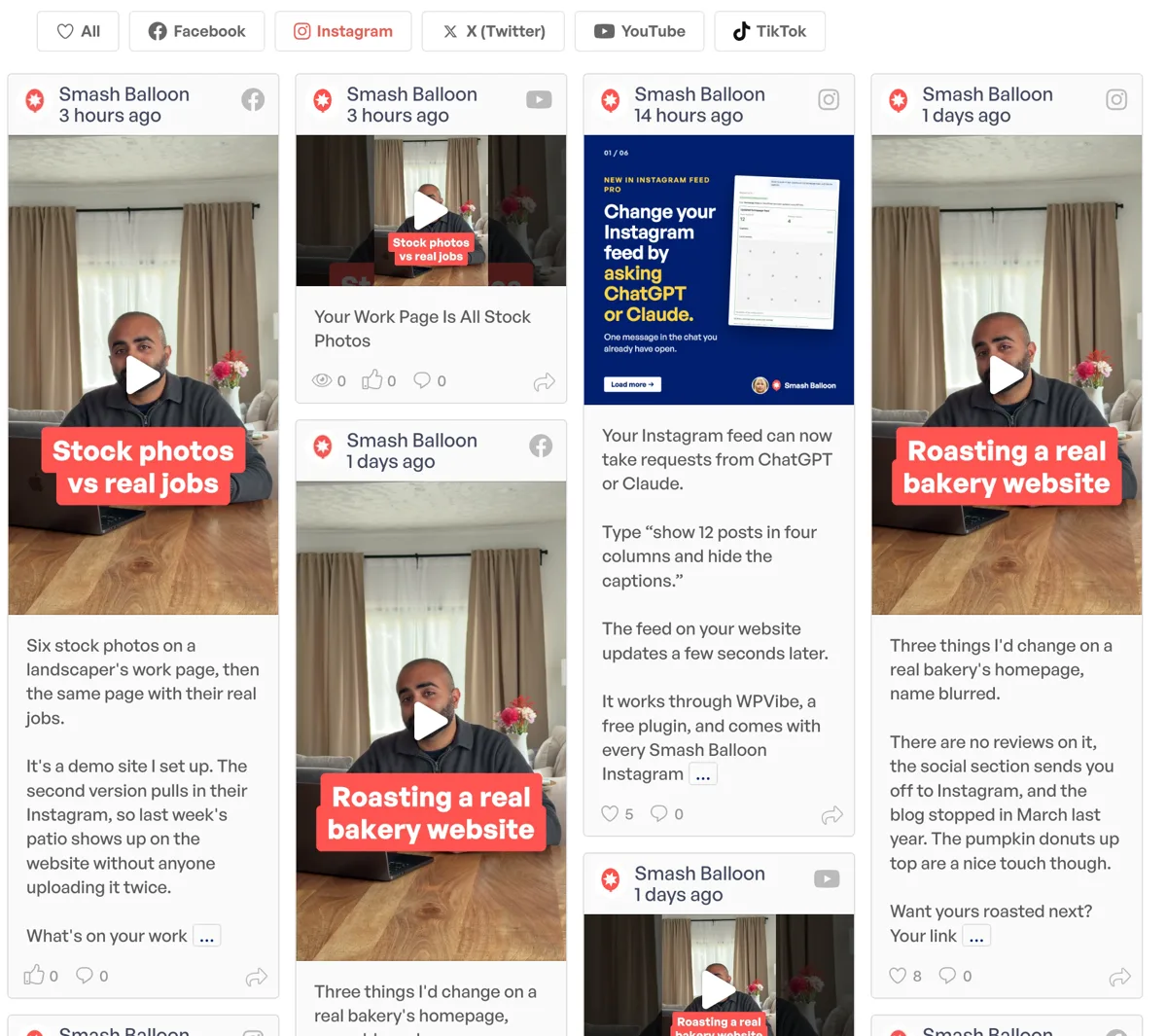
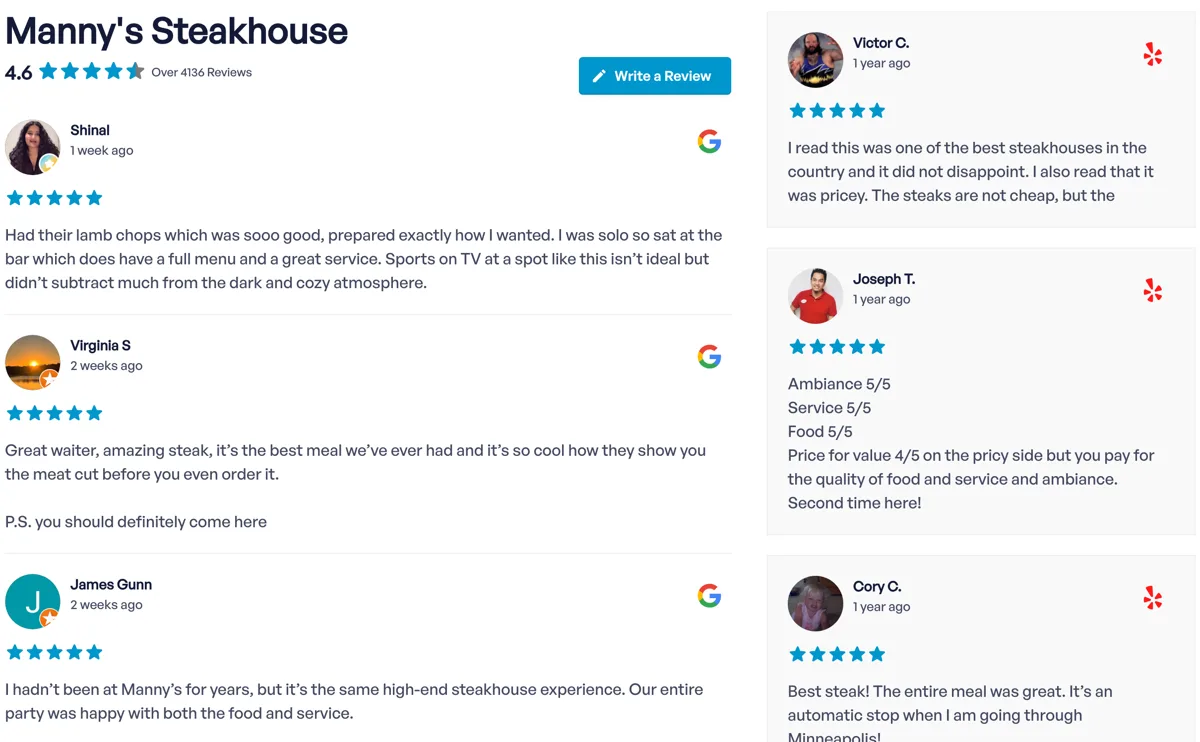
Get 3 Video Feed Plugins for the Price of 1!
Smash Balloon
  • Deals
  • Reviews
  • All Products

Join 1,750,000+ using Smash Balloon to build beautiful social media feeds

Get Started See All Features
Smash Balloon
  • Plugins
    • Facebook Feed
    • Instagram Feed
    • Twitter Feed
    • YouTube Feed
    • TikTok Feeds
    • Reviews Feed
    • Social Wall
    • Feed Analytics
    • Get instant access
      to all the plugins
    • Get the Bundle
  • Features
    • Feed Creation
    • Feed Customizer
    • Downtime Prevention
    • Speed Optimizer
    • SEO Booster
    • GDPR Compliant
    • View All
  • Pricing
  • Support
    • Help & Documentation
    • Contact Support
  • Blog
  • Login
  • Get Started

Got it. On the next step we’ll narrow down the issue so we can point you to the right fix.

Understood. On the next step we’ll show you what your subscription covers for your specific product, and how our team can help with pricing options.

Good to know. On the next step we’ll show you some features you might not have found yet. If it’s truly missing, we’ll flag it for development.

Got it. On the next step we’ll show you what changes if you cancel, so you can make the best decision.

Fair enough. On the next step we’ll explain what the subscription actually covers and why we use this model.

No problem. Describe your situation on the final step and our VIP team will get back to you as a priority.

Error Message

Most Facebook Feed API errors can be fixed by reconnecting your source. Go to Facebook Feed > Settings > Add Source in your WordPress admin and reconnect. See the Error Message Reference for details.

Quick tip: Try reconnecting your source first. This fixes most API errors in under a minute.

If this doesn’t resolve it, describe the issue on the next step and we’ll get on it.

Connecting Your Facebook Account

Source connection issues are usually fixed by reconnecting. Go to Facebook Feed > Settings > Add Source, connect to Facebook again, and reselect your page. See the Full connection guide for step-by-step instructions.

If this doesn’t resolve it, describe the issue on the next step and we’ll get on it.

Displaying Events

Events can only be displayed from a Facebook Page where you are a host. If you need events from a Page you own, you’ll need a Page Access Token from your own Facebook developer app. See the Events setup guide for full instructions.

If this doesn’t resolve it, describe the issue on the next step and we’ll get on it.

Photos or Videos Not Displaying

The Meta API occasionally limits photo feed access. If your photo feed is affected, try using an Album feed instead. See Photo/video troubleshooting for more solutions.

If this doesn’t resolve it, describe the issue on the next step and we’ll get on it.

Posts Missing

There are a few common causes for missing posts. Check this FAQ for the most common fixes.

If this doesn’t resolve it, describe the issue on the next step and we’ll get on it.

Plugin Setup

Here are the setup guides for Facebook Feed:

  • WordPress plugin setup
  • Displaying Events
  • Displaying Photos
  • Displaying Albums
  • Displaying Videos

If this doesn’t resolve it, describe the issue on the next step and we’ll get on it.

Customizing the Plugin

There are customization options and code snippets for most visual changes. See our Customization guides for everything available.

If this doesn’t resolve it, describe the issue on the next step and we’ll get on it.

Other Issue

You might find an answer in our Facebook Feed FAQs.

If not, describe the issue on the next step and we’ll get on it.

Error Message

Check the Error Message Reference for solutions. Most API errors are fixed by reconnecting your Instagram account: Instagram Feed > Settings > Manage Sources > Add Source.

If this doesn’t resolve it, describe the issue on the next step and we’ll get on it.

Feed Not Displaying

Try reconnecting your Instagram account first (Instagram Feed > Settings > Manage Sources > Add Source). If the feed is still empty, see the troubleshooting guide.

If this doesn’t resolve it, describe the issue on the next step and we’ll get on it.

Specific Posts Not Displaying

Here are the most common causes for missing content:

  • Videos missing?
  • Posts missing from hashtag feed?
  • Other missing content

If this doesn’t resolve it, describe the issue on the next step and we’ll get on it.

Plugin Setup

Follow our Step-by-step setup guide to get your Instagram Feed configured.

If this doesn’t resolve it, describe the issue on the next step and we’ll get on it.

Performance Issues

Check our guide for Solutions for slow-loading feeds.

If this doesn’t resolve it, describe the issue on the next step and we’ll get on it.

Other Issue

You might find an answer in our Instagram Feed FAQs.

If not, describe the issue on the next step and we’ll get on it.

Error Message

Check the Error Message Reference for solutions to common Twitter Feed API errors.

If this doesn’t resolve it, describe the issue on the next step and we’ll get on it.

Feed Not Updating

If your feed isn’t showing the latest posts, see this guide for common fixes.

If this doesn’t resolve it, describe the issue on the next step and we’ll get on it.

Images or Videos Missing

Check our guide for Solutions for missing media in your Twitter feed.

If this doesn’t resolve it, describe the issue on the next step and we’ll get on it.

Plugin Setup

Get started with your Twitter Feed:

  • Pro version setup
  • Free version setup

If this doesn’t resolve it, describe the issue on the next step and we’ll get on it.

Other Issue

You might find an answer in our Twitter Feed FAQs.

If not, describe the issue on the next step and we’ll get on it.

Error Message

Check the Error Message Reference for solutions to common YouTube Feed errors.

If this doesn’t resolve it, describe the issue on the next step and we’ll get on it.

Live Stream Issue

Having trouble with live streams not showing or not playing? See our Live stream troubleshooting guide.

If this doesn’t resolve it, describe the issue on the next step and we’ll get on it.

Single Videos Showing 404 Errors

This is usually caused by permalink settings or server configuration. See how to Fix single video 404 errors.

If this doesn’t resolve it, describe the issue on the next step and we’ll get on it.

Playlists Showing Same Videos

If different playlists are displaying the same videos, there’s a known fix. See how to Fix playlist display issues.

If this doesn’t resolve it, describe the issue on the next step and we’ll get on it.

Plugin Setup

Step-by-step setup guides:

  • Pro version
  • Free version

If this doesn’t resolve it, describe the issue on the next step and we’ll get on it.

Other Issue

You might find an answer in our YouTube Feed FAQs.

If not, describe the issue on the next step and we’ll get on it.

Reviews Not Displaying

Try disconnecting and reconnecting your review source. Go to Reviews Feed > Settings and reconnect your Google or Yelp source. See the Getting Started guide for full instructions.

If this doesn’t resolve it, describe the issue on the next step and we’ll get on it.

Connecting a Review Source

We support Google, Yelp, Facebook, Trustpilot, TripAdvisor, and WordPress.org. See the Setup and connection guide for step-by-step instructions.

If this doesn’t resolve it, describe the issue on the next step and we’ll get on it.

Plugin Setup

Follow our Getting Started with Reviews Feed guide to get your Reviews Feed configured.

If this doesn’t resolve it, describe the issue on the next step and we’ll get on it.

Filtering and Moderation

You can filter reviews by star rating and use the visual moderation system to control what displays. See our Troubleshooting guides for details.

If this doesn’t resolve it, describe the issue on the next step and we’ll get on it.

Other Issue

You might find an answer in our Reviews Feed FAQs.

If not, describe the issue on the next step and we’ll get on it.

Error Message

Most TikTok API errors are fixed by reconnecting your source. Go to TikTok Feeds > Settings > Add Source and reconnect. See the Error Message Reference for details.

Quick tip: Reconnecting your TikTok source fixes most API errors.

If this doesn’t resolve it, describe the issue on the next step and we’ll get on it.

Connecting a TikTok Account

Reconnect your source: TikTok Feeds > Settings > Add Source. To add another account, see the guide.

If this doesn’t resolve it, describe the issue on the next step and we’ll get on it.

Plugin Setup

Follow our Setting up TikTok Feeds Pro guide to get started.

If this doesn’t resolve it, describe the issue on the next step and we’ll get on it.

Customizing the Plugin

Want to show multiple feeds on one page, or make other visual changes? See this guide for options.

If this doesn’t resolve it, describe the issue on the next step and we’ll get on it.

Other Issue

You might find an answer in our TikTok Feed FAQs.

If not, describe the issue on the next step and we’ll get on it.

Find Help for Your Plugin

Find help for your specific plugin below. If you need help with multiple plugins, describe the issue on the next step and we’ll route it to the right person.

  • Facebook Feed Docs
  • Instagram Feed Docs
  • Twitter/X Feed Docs
  • YouTube Feed Docs
  • Reviews Feed Docs
  • TikTok Feed Docs
  • Social Wall Docs

If this doesn’t resolve it, describe the issue on the next step and we’ll get on it.

What Your Subscription Covers

Your subscription keeps your Facebook feeds working when Meta changes their API, which happens multiple times a year. Without active updates, feeds can stop displaying entirely.

  • Automatic updates when Meta changes the Facebook API
  • WordPress compatibility updates (WordPress releases major updates 3-4x per year)
  • Priority support from our team
  • Your current renewal rate locked in (re-subscribing later will cost more)

Features like multi-column masonry layouts, video lightbox, event feeds, and photo albums all depend on API access that your subscription maintains.

If cost is a concern, mention it in your message on the next step. Our team can review your account and look at options.

What Your Subscription Covers

Meta changes the Instagram API regularly, and each change can break feeds that aren’t updated. Your subscription keeps your feeds running through those changes.

  • Automatic updates when Meta changes the Instagram API
  • Access to Stories, Reels, hashtag feeds, and shoppable feeds
  • Photo/video lightbox, carousel layouts, and WebP optimization
  • WordPress compatibility and security updates
  • Priority support and your locked-in renewal rate

If cost is a concern, mention it in your message on the next step. Our team can review your account and look at options.

What Your Subscription Covers

The X (Twitter) API has gone through major changes recently, and we’ve updated our plugin through each one to keep feeds working.

  • Updates when the X API changes (which has been frequent)
  • Video embeds, link cards, masonry layouts, and carousel features
  • WordPress compatibility and security updates
  • Priority support and your locked-in renewal rate

If cost is a concern, mention it in your message on the next step. Our team can review your account and look at options.

What Your Subscription Covers

YouTube regularly updates their API and embed requirements. Your subscription keeps your video feeds, playlists, and live streams displaying correctly.

  • Automatic updates for YouTube API changes
  • Video lightbox, carousel/gallery layouts, subscribe buttons
  • Live streaming support, custom pause/end actions, search feeds
  • WordPress compatibility and security updates
  • Priority support and your locked-in renewal rate

If cost is a concern, mention it in your message on the next step. Our team can review your account and look at options.

What Your Subscription Covers

Google, Yelp, Facebook, Trustpilot, and TripAdvisor all change how reviews are accessed. Your subscription ensures your reviews keep displaying correctly.

  • Automatic updates when review platforms change their APIs
  • Star rating filters, visual moderation, manual review uploads
  • Carousel and masonry layouts for review displays
  • Up to 100 historical reviews per source, stored locally
  • WordPress compatibility and security updates
  • Priority support and your locked-in renewal rate

If cost is a concern, mention it in your message on the next step. Our team can review your account and look at options.

What Your Subscription Covers

TikTok’s API is newer and changes frequently as the platform evolves. Your subscription keeps your video feeds running through those changes.

  • Automatic updates for TikTok API changes
  • MP4 video playback, lightbox, and gallery layouts
  • Local image storage for speed and privacy
  • Auto-updated follower counts and account info
  • WordPress compatibility and security updates
  • Priority support and your locked-in renewal rate

If cost is a concern, mention it in your message on the next step. Our team can review your account and look at options.

What Your Subscription Covers

Your subscription covers all the plugins in your bundle. Social media platforms change their APIs frequently, and each plugin is updated independently to keep your feeds working. Without an active subscription, any of your feeds could break when a platform pushes an update.

As a bundle customer, you also get a significant discount compared to individual plugin pricing. Re-subscribing later would be at the then-current rate.

If cost is a concern, mention it in your message on the next step. Our team can review your account and look at options.

What Your Subscription Covers

Each Smash Balloon plugin is maintained separately and updated when social platforms change their APIs. Without an active subscription, your feeds could break when a platform pushes an update.

If you have multiple plugins, you may also qualify for bundle pricing. Re-subscribing later would be at the then-current rate.

If cost is a concern, mention it in your message on the next step. Our team can review your account and look at options.

Features You Might Not Have Tried

  • Advanced multi-column masonry layouts
  • Photo album and video feed displays
  • Event feeds from your Facebook Page
  • Post filtering by keyword
  • Carousel layouts and pre-built templates
  • Review/recommendation displays

Full feature list · Customization guides

If the feature you need isn’t listed, describe it on the next step. We read every request and use them to plan new features.

Features You Might Not Have Tried

  • Instagram Stories and Reels display
  • Hashtag and tagged feeds
  • Shoppable feeds with custom links
  • Carousel/slideshow layouts
  • Visual moderation system
  • Combined multi-feed displays
  • WebP image optimization

Full feature list · Customization guides

If the feature you need isn’t listed, describe it on the next step. We read every request and use them to plan new features.

Features You Might Not Have Tried

  • Hashtag and advanced search feeds
  • Multi-column masonry layouts
  • Carousel/slideshow display
  • Visual link cards
  • Tweet moderation
  • Autoscroll loading

Full feature list · Customization guides

If the feature you need isn’t listed, describe it on the next step. We read every request and use them to plan new features.

Features You Might Not Have Tried

  • Live streaming support
  • Custom pause and end-of-video actions (CTAs)
  • Search-based feeds
  • Convert videos to WordPress posts
  • Carousel/gallery layouts with subscribe button
  • Video comment display

Full feature list · Customization guides

If the feature you need isn’t listed, describe it on the next step. We read every request and use them to plan new features.

Features You Might Not Have Tried

  • Multiple review sources (Google, Yelp, Facebook, Trustpilot, TripAdvisor, WordPress.org)
  • Star rating filtering
  • Manual review uploads and editorial editing
  • Review collections for targeted social proof
  • Carousel and masonry layouts
  • Drag-and-drop element reordering

Full feature list

If the feature you need isn’t listed, describe it on the next step. We read every request and use them to plan new features.

Features You Might Not Have Tried

  • MP4 video player (no iframe embedding)
  • Gallery layout with main player + thumbnail grid
  • Masonry and carousel layouts
  • View/like count sorting
  • Word and hashtag filtering
  • Multi-source combined feeds

Full feature list

If the feature you need isn’t listed, describe it on the next step. We read every request and use them to plan new features.

Features You Might Not Have Tried

Social Wall combines feeds from multiple platforms into a single display. There’s a lot you can do with the individual plugin features too.

Social Wall docs

Describe what you need on the next step. We read every request and use them to plan new features.

Features You Might Not Have Tried

Each Smash Balloon plugin has its own set of advanced features, layouts, and display options. You can also combine feeds from multiple platforms into one display with Social Wall.

Browse all documentation

Describe what you need on the next step. We read every request and use them to plan new features.

What Changes If You Cancel

Here’s what happens if you cancel your Facebook Feed subscription:

  • Your feeds will keep displaying, but may break when Meta changes the Facebook API
  • You lose access to plugin updates, new features (masonry layouts, event feeds, video lightbox), and security patches
  • Priority support will no longer be available
  • Your locked-in renewal rate will be lost (re-subscribing costs more)

If you’ve temporarily stopped using the plugin but might need it again, your subscription keeps everything working when you’re ready.

If you’re having trouble getting value from the plugin, tell us on the next step. We’d like to help you get the most out of it.

What Changes If You Cancel

Here’s what happens if you cancel your Instagram Feed subscription:

  • Your feeds will keep displaying, but may break when Meta changes the Instagram API
  • You lose access to plugin updates, new features (Stories, Reels, shoppable feeds), and security patches
  • Priority support will no longer be available
  • Your locked-in renewal rate will be lost

If you’ve temporarily stopped using the plugin but might need it again, your subscription keeps everything working when you’re ready.

If you’re having trouble getting value from the plugin, tell us on the next step. We’d like to help you get the most out of it.

What Changes If You Cancel

Here’s what happens if you cancel your Twitter/X Feed subscription:

  • Your feeds will keep displaying, but may break when X changes their API (which has been frequent)
  • You lose access to plugin updates, new features, and security patches
  • Priority support will no longer be available
  • Your locked-in renewal rate will be lost

If you’ve temporarily stopped using the plugin but might need it again, your subscription keeps everything working when you’re ready.

If you’re having trouble getting value from the plugin, tell us on the next step. We’d like to help you get the most out of it.

What Changes If You Cancel

Here’s what happens if you cancel your YouTube Feed subscription:

  • Your feeds will keep displaying, but may break when YouTube changes their API or embed requirements
  • You lose access to plugin updates, new features (live streaming, search feeds, video CTAs), and security patches
  • Priority support will no longer be available
  • Your locked-in renewal rate will be lost

If you’ve temporarily stopped using the plugin but might need it again, your subscription keeps everything working when you’re ready.

If you’re having trouble getting value from the plugin, tell us on the next step. We’d like to help you get the most out of it.

What Changes If You Cancel

Here’s what happens if you cancel your Reviews Feed subscription:

  • Your review feeds will keep displaying, but may break when Google, Yelp, or other platforms change their APIs
  • You lose access to plugin updates, new review sources, and security patches
  • Priority support will no longer be available
  • Your locked-in renewal rate will be lost

If you’ve temporarily stopped using the plugin but might need it again, your subscription keeps everything working when you’re ready.

If you’re having trouble getting value from the plugin, tell us on the next step. We’d like to help you get the most out of it.

What Changes If You Cancel

Here’s what happens if you cancel your TikTok Feed subscription:

  • Your feeds will keep displaying, but may break when TikTok changes their API (which happens frequently as the platform evolves)
  • You lose access to plugin updates, new features, and security patches
  • Priority support will no longer be available
  • Your locked-in renewal rate will be lost

If you’ve temporarily stopped using the plugin but might need it again, your subscription keeps everything working when you’re ready.

If you’re having trouble getting value from the plugin, tell us on the next step. We’d like to help you get the most out of it.

What Changes If You Cancel

Here’s what happens if you cancel your Social Wall subscription:

  • Your feeds will keep displaying, but may break when any social platform changes their API
  • You lose access to updates for all plugins in your bundle
  • Priority support will no longer be available
  • Your locked-in rate and bundle discount will be lost

As a bundle customer, re-subscribing later means paying the then-current rate for each plugin separately.

If you’ve temporarily stopped using the plugin but might need it again, your subscription keeps everything working when you’re ready.

If you’re having trouble getting value from the plugin, tell us on the next step. We’d like to help you get the most out of it.

What Changes If You Cancel

Here’s what happens if you cancel your Smash Balloon subscription:

  • Your feeds will keep displaying, but may break when social platforms change their APIs
  • You lose access to plugin updates and new features
  • Priority support will no longer be available
  • Your current pricing will be lost if you re-subscribe later

If you’ve temporarily stopped using the plugins but might need them again, your subscription keeps everything working when you’re ready.

If you’re having trouble getting value from the plugins, tell us on the next step. We’d like to help you get the most out of them.

Why We Use Subscriptions

We get why automatic subscriptions aren’t everyone’s preference. Here’s why we use this model:

Social media platforms (Facebook, Instagram, TikTok, YouTube, X) change their APIs regularly. When they do, feeds built on the old API break. Our subscription funds the development team that pushes updates to keep your feeds working through those changes.

WordPress also releases major updates 3-4x per year. Each one can affect plugin compatibility. Your subscription covers those updates too.

  • Ongoing API compatibility updates
  • WordPress compatibility and security patches
  • Priority support access
  • Your renewal rate locked at the price you originally paid

You’ll always get a reminder email before renewal. No surprises.

Subscriptions FAQ

We’re Here to Help

Describe your situation on the next step and our VIP team will prioritize your request.

In the meantime, these might help:

  • Technical Support (plugin issues)
  • Contact Us (account, billing, or general questions)
  • All Documentation (search for answers)
Loading